This post was updated March 23, 2026 - Custom fields are now available in Atlassian Analytics
Hello everyone! We’re excited to share that you can now add custom fields to your Focus areas! With this feature, you and your team can better capture data relevant to your business processes in Focus, allowing for deeper customization and increased adaptability.
What's new
You can now add custom fields to your focus areas directly in Focus, providing the ability to store and track information beyond standard, pre-defined fields. The available custom field types are:
Why this matters
Customers have asked for more customization in Focus, letting each team capture their unique workflow for reporting on strategic priorities. With custom fields, you can…
How to create custom fields
To create fields in Focus, ensure that you have a Focus Admin role with Manage permissions. Enter Focus admin settings through Settings icon in the top right section. Navigate to “Custom fields” under the Configuration tab and click on the “Create” button.
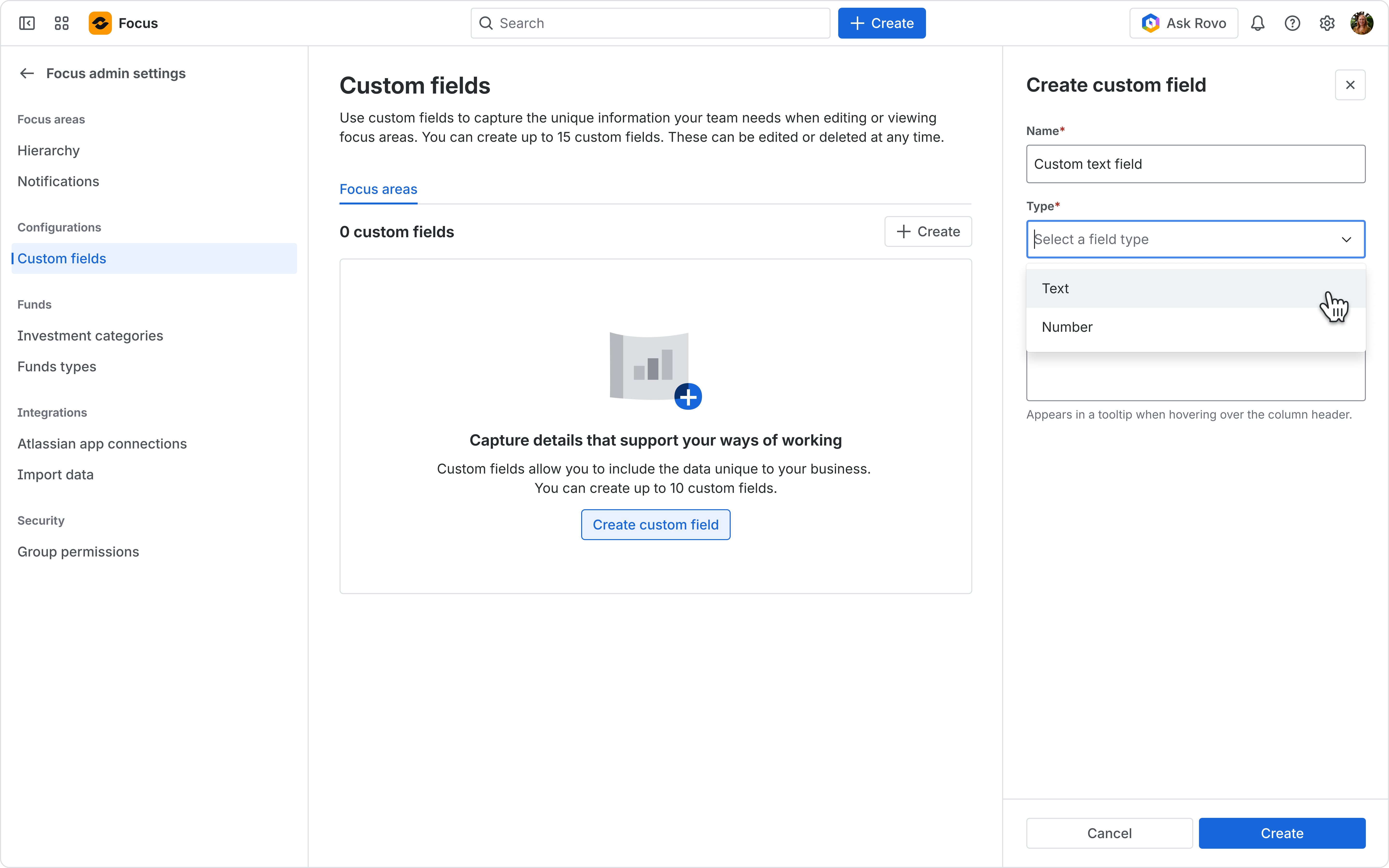
Determine the name and type of your custom field, and optionally add a description. After creating, the custom field should appear in the table. You can create up to 15 custom fields.
 For step-by-step instructions, check out our support documentation
How to set custom field values
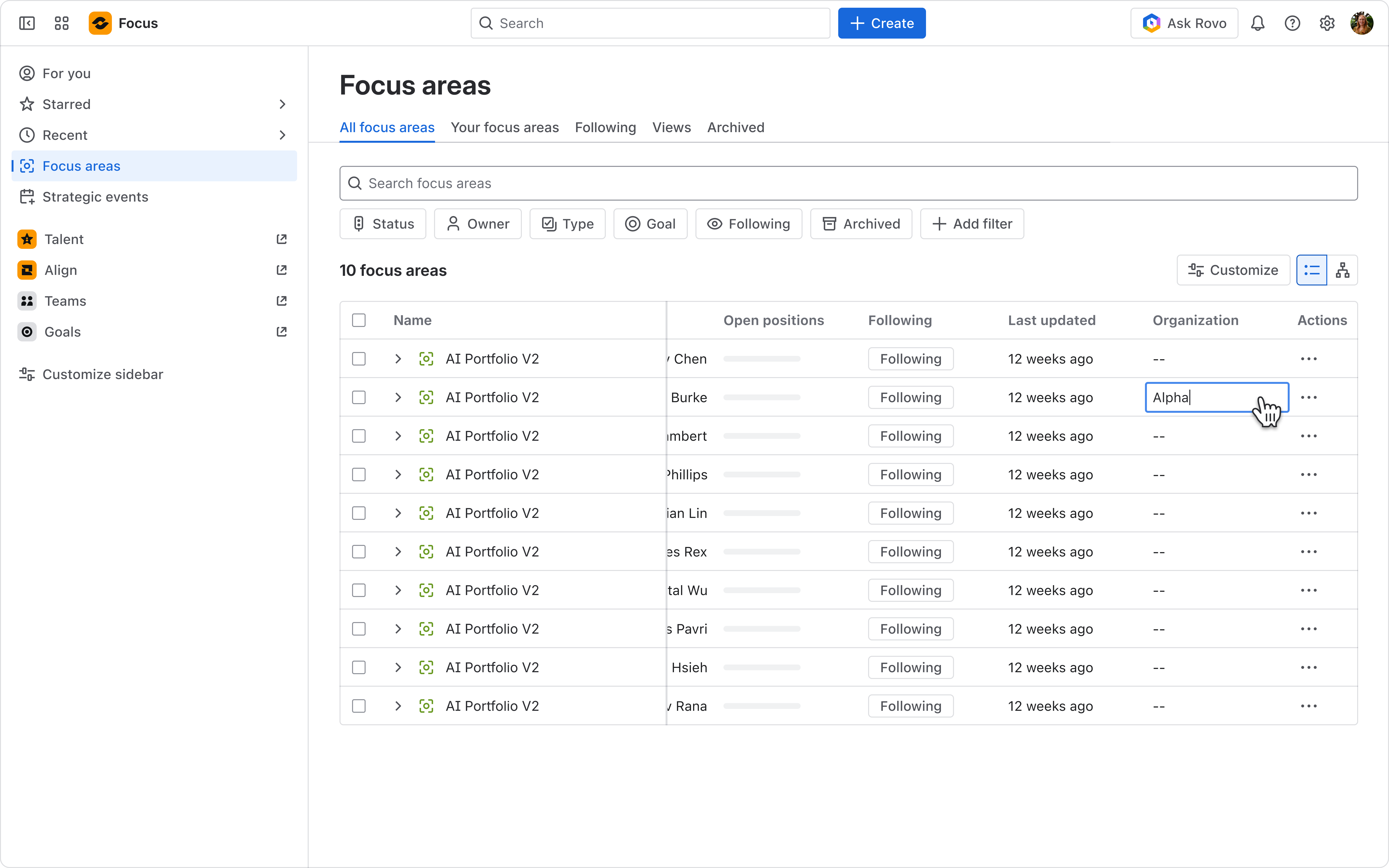
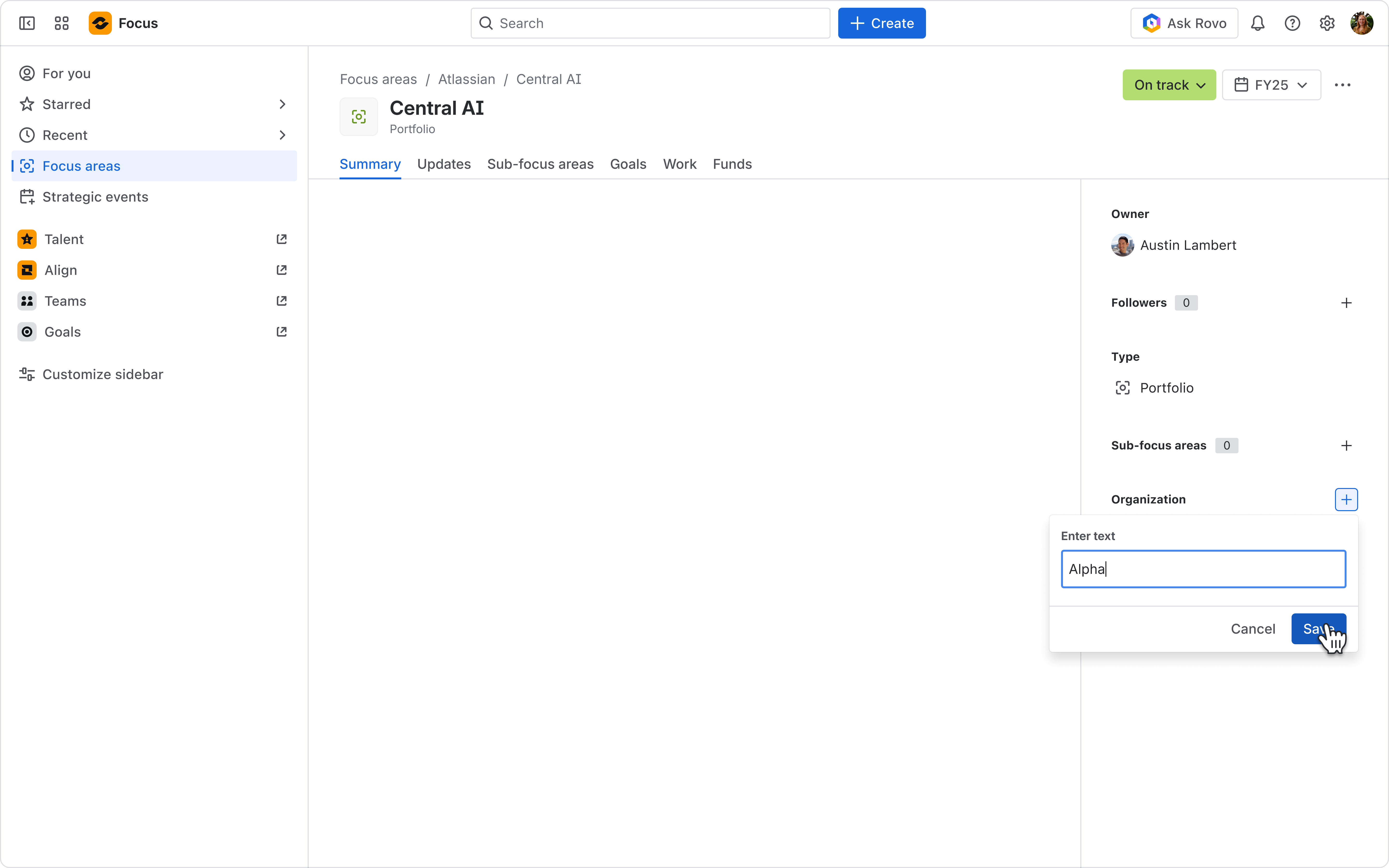
Navigate to the “Focus areas” page from the side navigation. New custom fields are appended to the end of the table. You can set values in-line by clicking on the desired slot in the table. You can also edit values within the side panel located in the “Summary” tab of each respective Focus area.
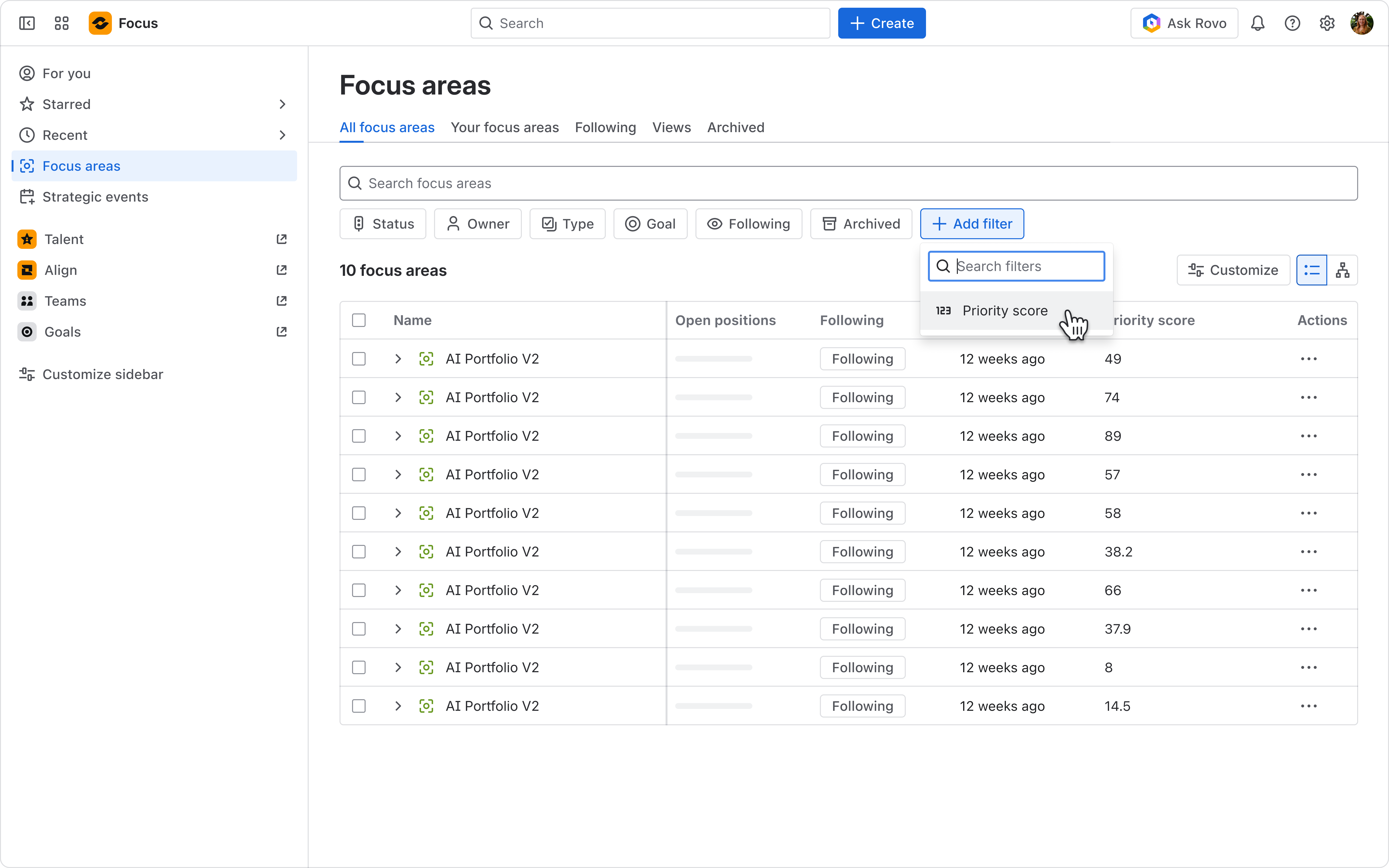
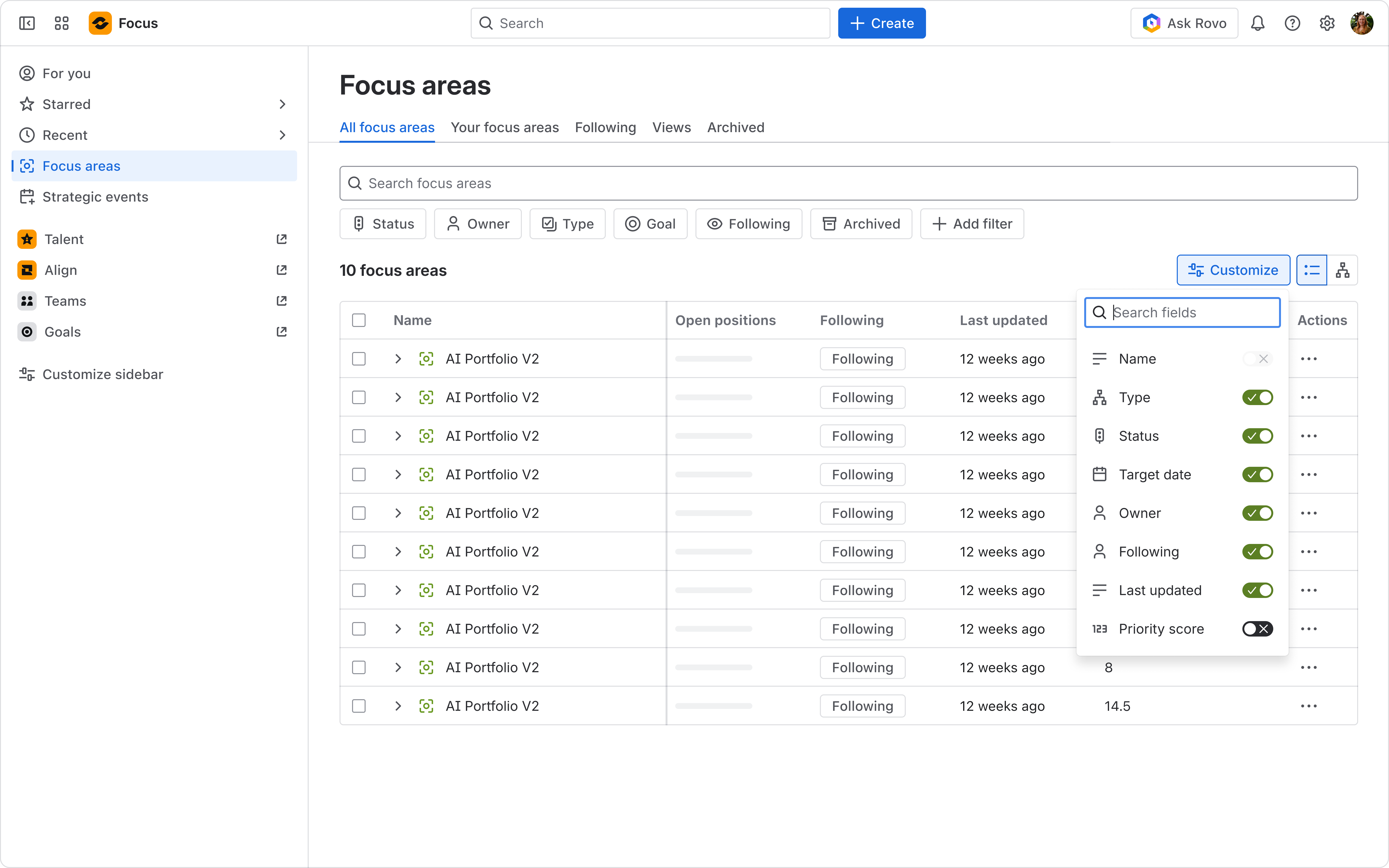
Filter by custom fields by selecting “Add filter” at the top of the page and choosing the desired column. If you’d like to sort by custom fields, hover on the column header and sort by ascending or descending. Opening the “Customize” menu allows you to show or hide custom fields from the table.
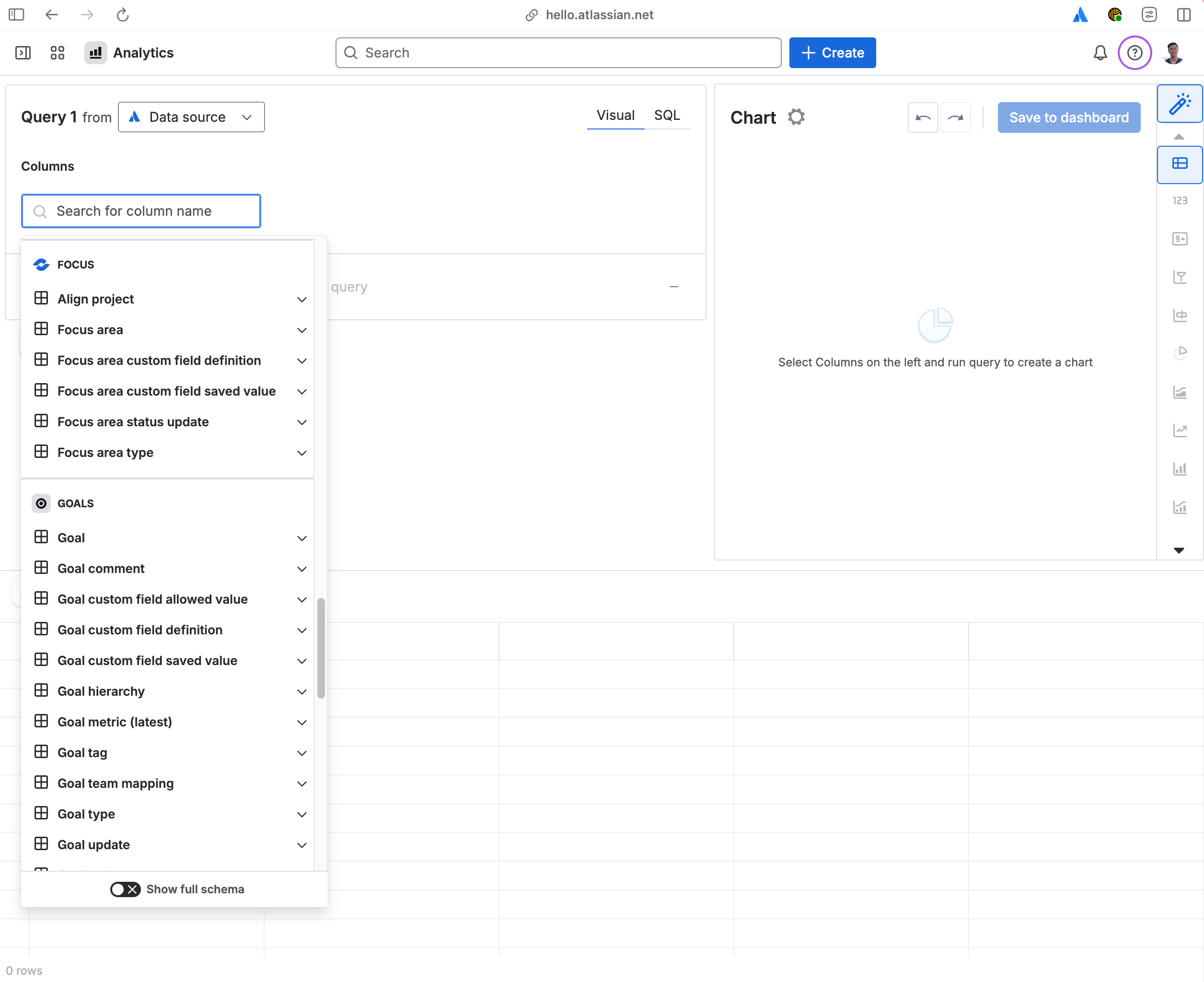
Custom fields are now available in Atlassian Analytics
We’ve expanded Atlassian Analytics so you can use Focus custom field data directly in your dashboards and reports. With this you can now:
- Slice and dice your strategic priorities by any custom dimension you’ve modeled in Focus
- Combine custom field data with other Atlassian products to build richer, cross-product views
Looking ahead
This release is a first step toward empowering richer customization in Focus. Soon, we’ll be introducing new field types including select (single/multi), date, user, and checkbox! We’d love your feedback, so let us know what custom fields would improve your Focus experience.
Thank you for being part of the Focus community!
–
Amber Le
Product Designer


