Hi Community 
We're excited to announce the release of new Goals and Projectstables in Analytics: 2 tables for tags and 3 tables for custom fields. You can check out our previous Community post on the release of Goal tables in Analytics and read more about the new tables in our documentation.
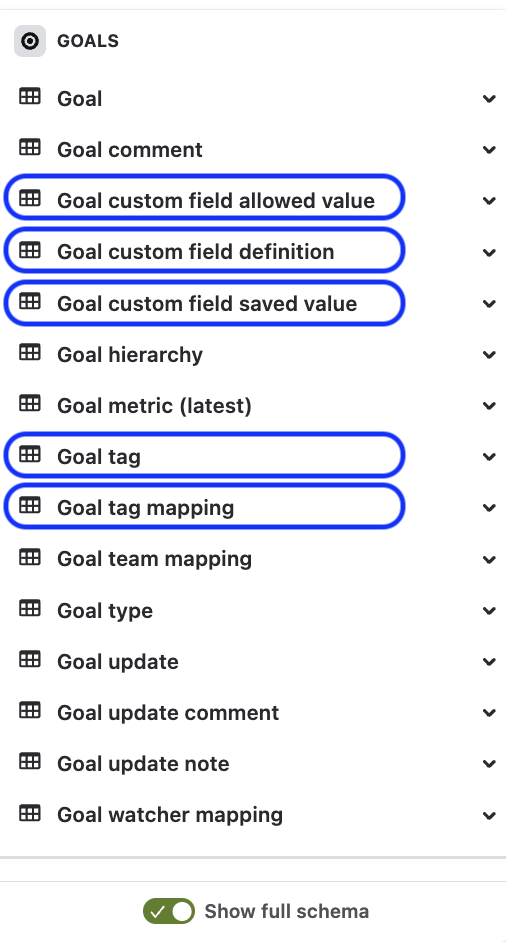
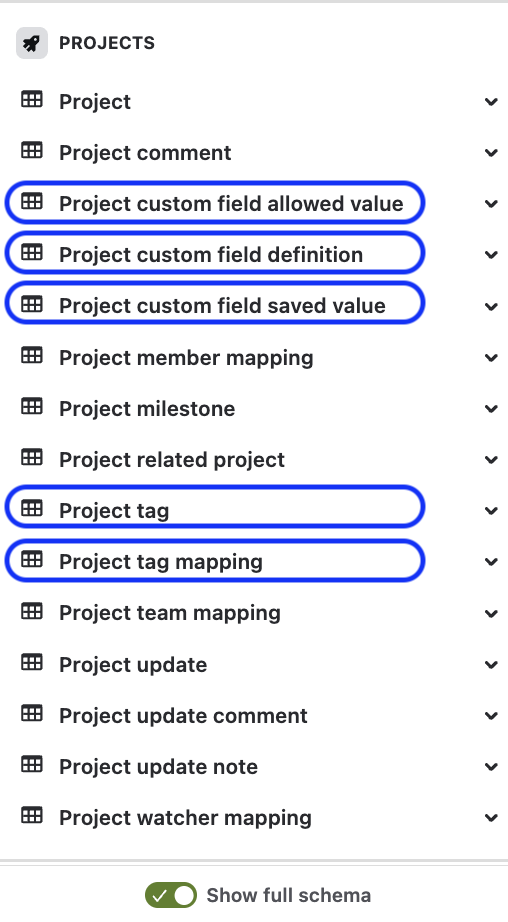
Goal tag and Project tag
The new Goal tag table contains information about each tag created for goals, and the Goal tag mapping table enables you to get the tags associated with each goal. If you’re using tags to categorize goals, you can query for those specific goals using these new tables.
Similarly, the Project tag table contains information about tags created for projects, and the Project mapping table enables you to get tags associated with each project.
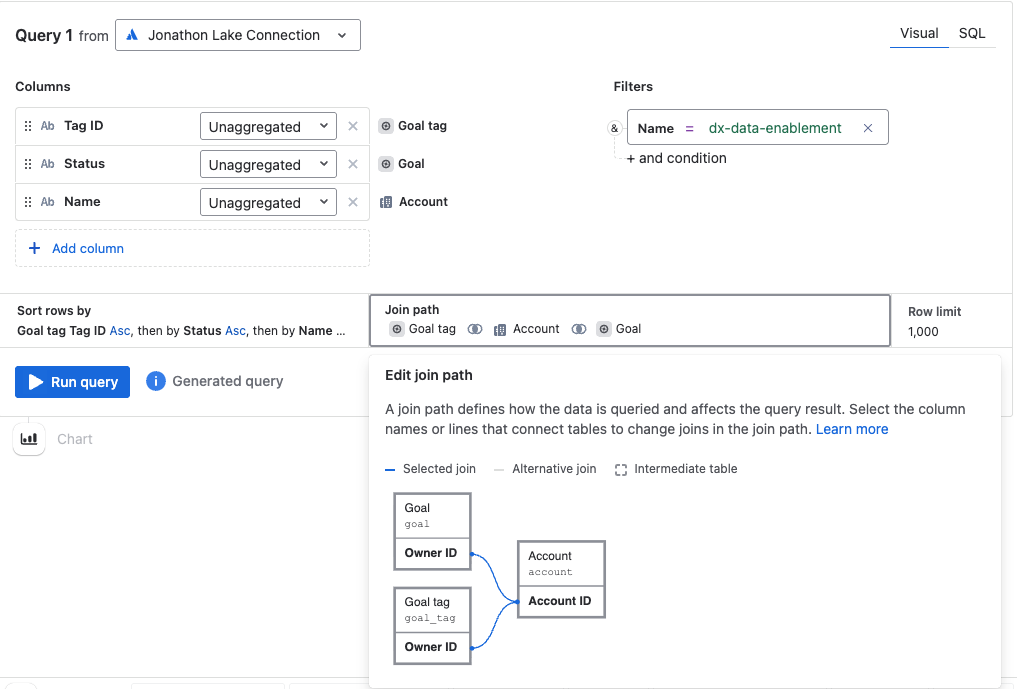
Example using “Goal tag” table
This example shows how you can use the Goal, Goal tag, and Account tables to see an overview of all goals and status under a chosen tag.
Goal custom field and Project custom field
There are 3 new tables that include data on custom fields set within your goals or projects:
-
Custom field allowed values lists the permitted options that can be set for the custom field.
-
Custom field definition describes what the field is and how it behaves.
-
Custom field saved values includes the actual values that have been set on specific goals for a given custom field.
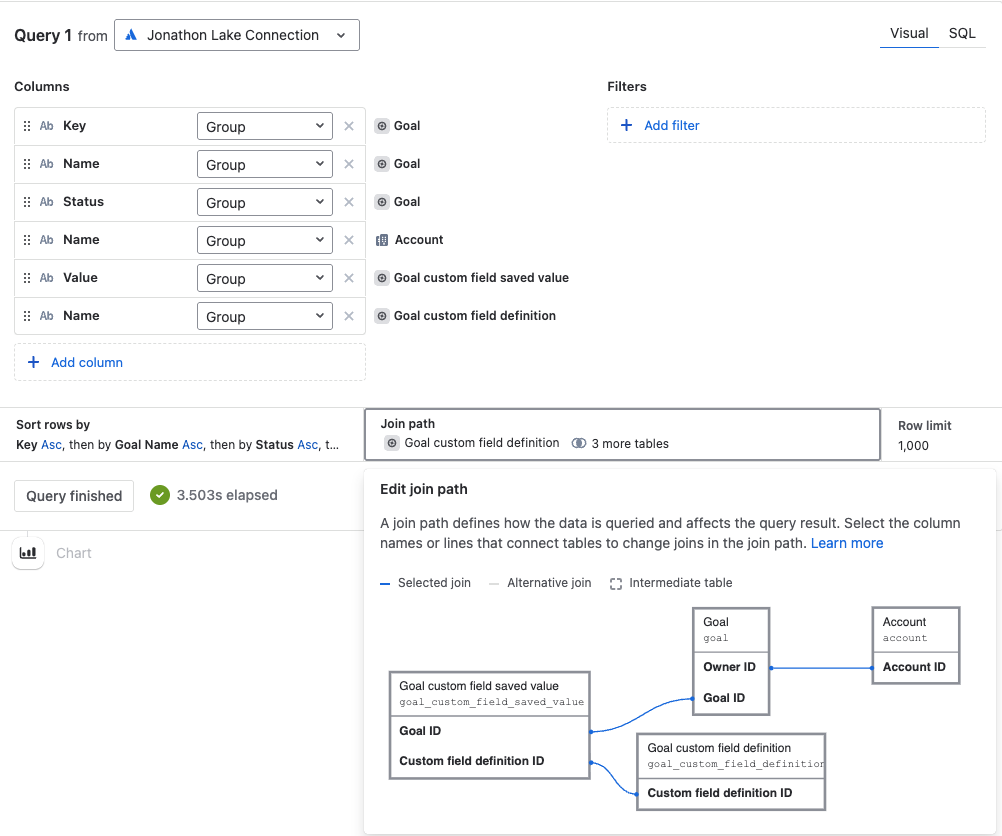
Example using “Goal custom field” tables:
This example shows how you can use the Goal custom field saved value table and Goal custom field definition table to see an overview of the custom field values used within your goals.
How to get the new table and columns
For new Data Lake connections that include Goals data, the new tables will automatically be available.
For existing Data Lake connections, an organization admin needs to edit the connections. If the connection already includes Goals data, the organization admin can edit the connection and save it without making any changes. More about editing Data Lake connections.
Tell us what you think
If you have any questions or feedback, let us know by commenting below or contacting support.
Mehak Bokhari
Product Manager, Atlassian Data Lake

