Hi Community 👋
We’ve made it easier to spot the right team at a glance - you can now change the color of your Atlassian team’s avatar.
Why this is useful
As organizations grow, many teams end up with similar names or colors. That makes it harder to quickly find or assign the right team in Jira.
Being able to give each team a distinct color helps you:
Where the new avatar color appears
When you change a team’s avatar color, it updates everywhere that team is shown. This works for all teams, including official teams**
**only org admins have permissions to edit official teams
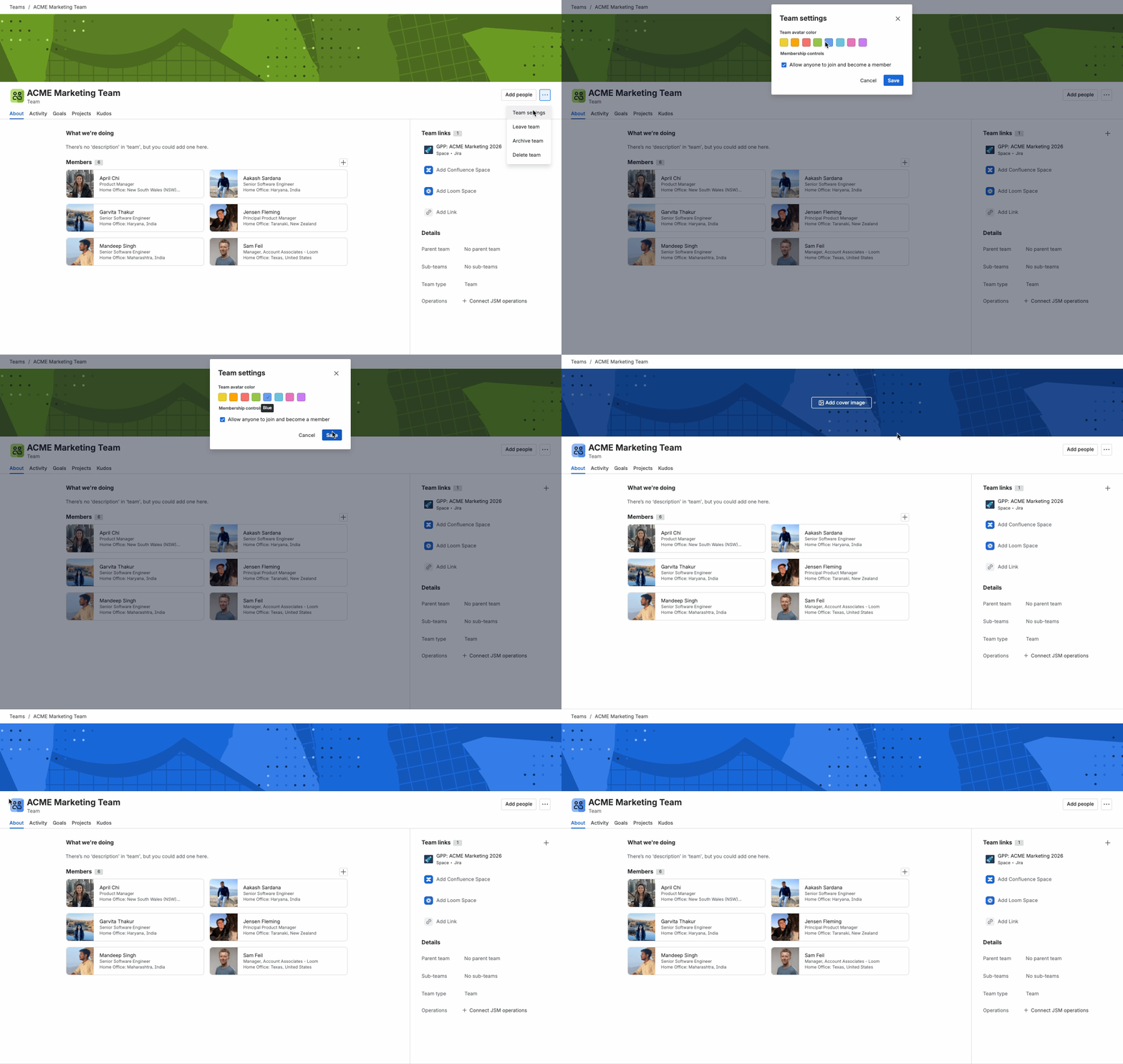
How to change your team’s avatar color
Once the update is available on your site:
-
Open your team profile.
-
Go to ‘Team settings’.
-
Choose a color from the avatar palette and save.
-
Refresh the team profile page to see the new updated color.
And that’s it - your team’s new color will automatically appear across Atlassian.
Hope this small quality of life improvement helps and let us know if you have any feedback by commenting below (and please remember to tag me!).


