Hello Atlassian Community! 👋
We’re excited to announce some improvements to how you interact with teams in Jira JQL and basic search that makes your queries more readable, intuitive, and visually engaging.
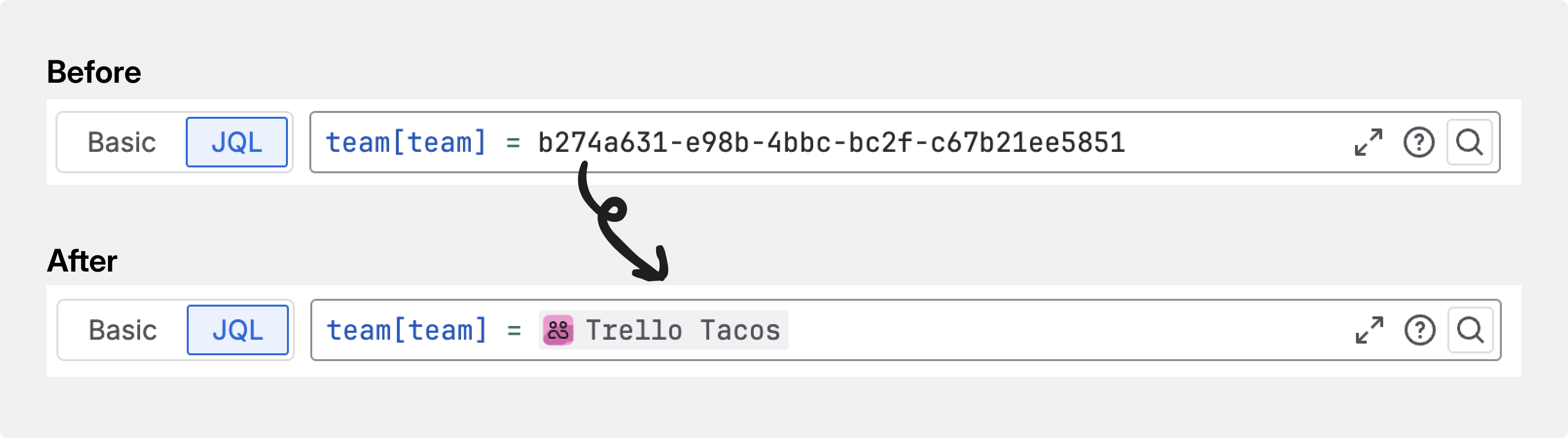
🚦 Before: Teams as UUIDs in JQL
Previously, filtering issues by team was only supported in Jira JQL, and you’d see a string of letters and numbers (a UUID) representing your team. While functional, this made it hard to know which team you were referencing at a glance, especially in complex queries or shared filters.
✨ After: Teams as lozenges in JQL and basic search
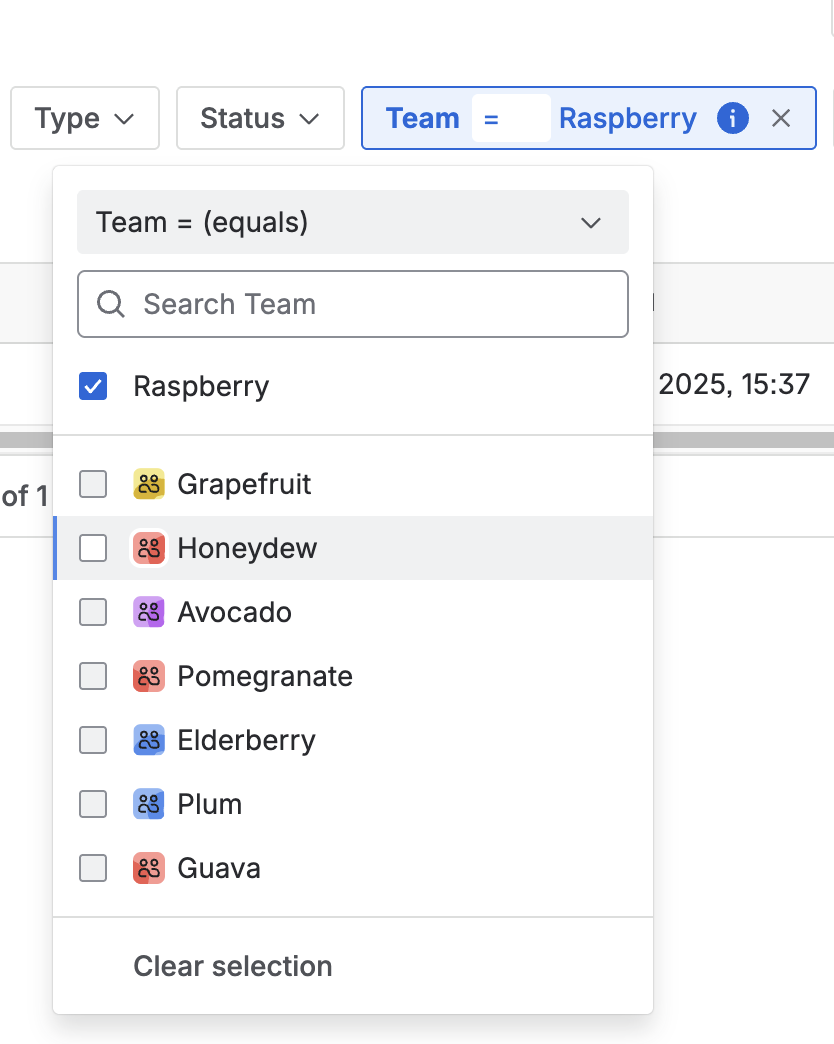
With our latest update, teams are supported in basic search and in Jira JQL are now displayed as lozenges, just like users! This means:
-
Clear, human-friendly team names appear directly in your queries and filters, whether you’re using JQL or the basic search interface.
-
Consistent visual language with user lozenges, making it easier to scan and understand filters in both advanced and basic search modes.
-
Improved collaboration: When sharing JQL queries or basic search filters, everyone immediately knows which teams are involved, no more deciphering UUIDs.
🏆 Why this matters
This change is all about making Jira work better for teams:
-
Readability: Whether you’re using JQL or basic search, queries and filters are now easier to write, read, and share thanks to clear team names and lozenges.
-
Confidence: No more second-guessing which team a UUID refers to, team names are always visible and recognizable.
-
Efficiency: Quickly find and filter issues by team in both advanced (JQL) and basic search, saving time and reducing errors.
-
Collaboration: Sharing filters and queries is simpler, since everyone can instantly see which teams are involved.
📅 Rollout & what to expect
💬 We’d love your feedback!
We’re always looking to improve. Try out the new experience in your JQL queries and let us know what you think! Your feedback helps us shape the future of Atlassian Teams.


