This is the first in a mini series called 'know your contents'. Over the course of it well cover every content type in Confluence, and we're starting with Whiteboards!
What whiteboards you ask? Well, I've got a free live training coming up soon on this topic  (linked here and below).
What are Confluence Whiteboards
Whiteboards are a way to visually collaborate in Confluence. This feature is similar to tools like Miro, Vision and Lucidchart in terms of use cases and functions, but have a big difference - they're native to Confluence.
This is important for a few reasons:
1. They're included in licensing. This means no more paying for and managing yet another tool. In my career this is a constant challenge as I have to get $$ to pay for another tool... and then manage that other tool. Having it included in Confluence's licensing also ensures everyone who can access Confluence can
2. Integrations. White words are natively integrated with other Atlassian tools - mainly Jira - making it incredibly easy to update data in one or both places. This also means that things like Jira work items can be easily pasted/included in the whiteboards, which makes planning, creating and manipulating work items a breezen.
3. Inclusivity. Whiteboards are part of the content hierarchy and fully integrated with search. This makes them very easy to add as integrated parts of your content. This reduces the amount of time folks have to spend moving between systems, and lets you include visual information (brainstorming, system maps, planning docs) all in one spot.
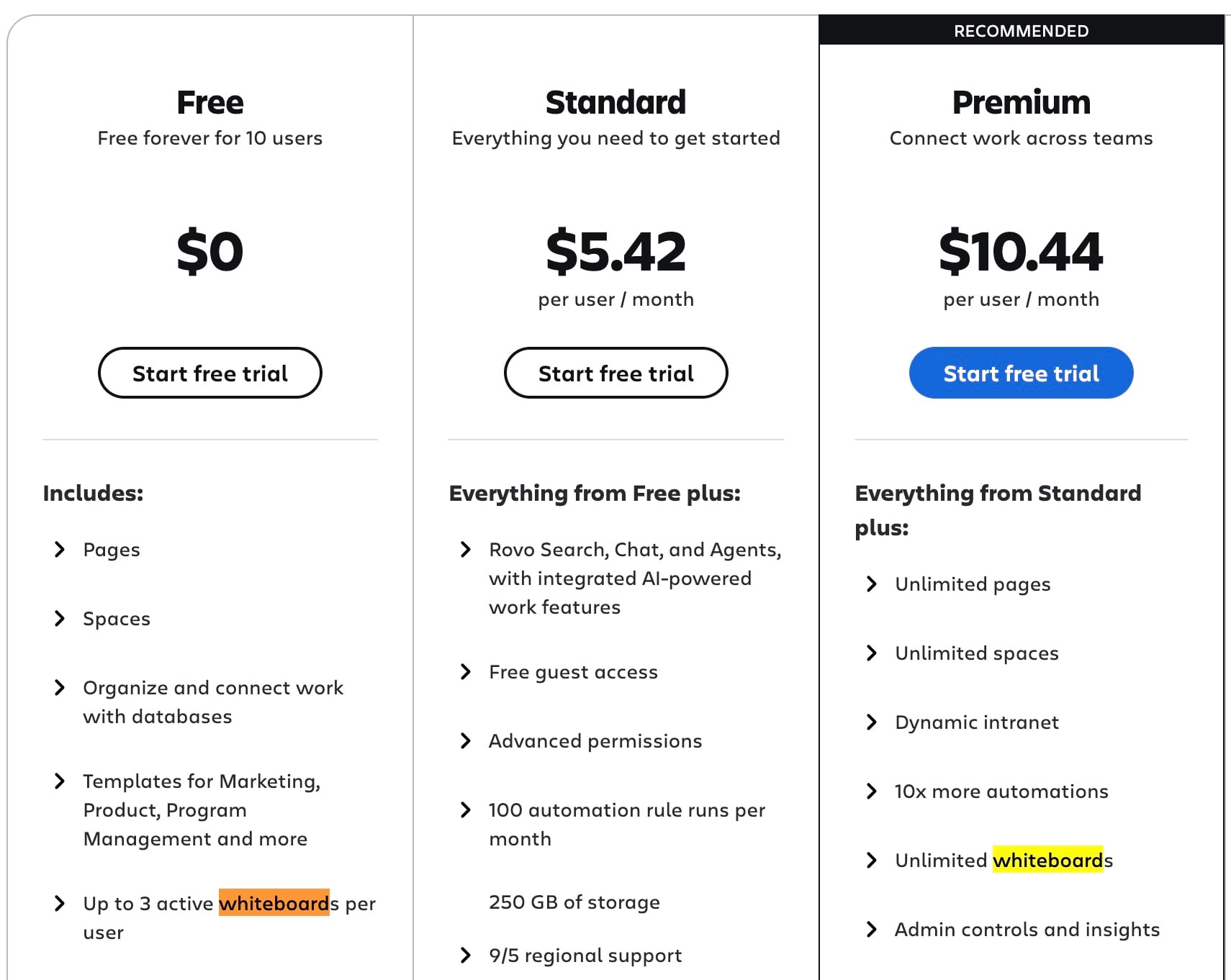
Depending on the tier of Confluence Cloud you're using there are some usage restrictions (for example Free and Standard only allows 3 whiteboards per user. They can create more, but the older one(s) are disabled). Starting at Premium you can have unlimited whiteboards.
Who uses them & use cases
Depending on the tier of Confluence Cloud you're using there are some usage restrictions, but beyond that pretty much everyone can be using them.
There are some common use cases I've run across (by no means a complete list!) that includes things like:
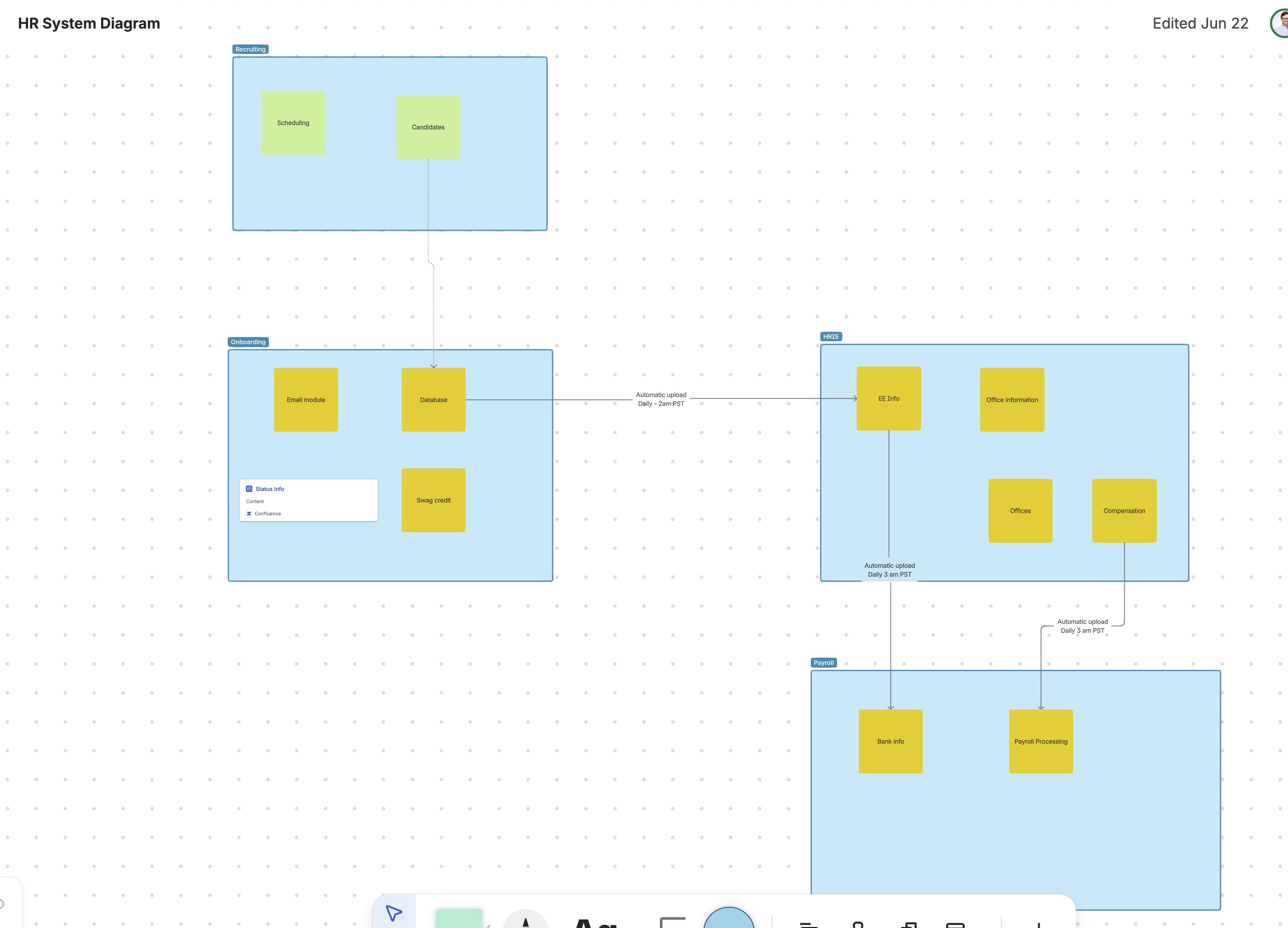
- Systems diagrams - You can create visual representations of systems using whiteboards. This can be done to show how integrations tie systems together, what modules there are, etc. (an example of one is above)
- Sprint Planning - Visually group work items in a whiteboard, assign them story points and assignees and adjust their status. You can certainly do this in Jira, but keeping it in Confluence helps centralize planning and keeps it close to other, related, information.
- Brainstorming - Get a bunch of folks to jump into a whiteboard and come up with ideas (we'll do this in my live session). You can see who's adding what and where, vote on items and more.
Those three options are just a starting point - there's no "wrong" way to use whiteboards, just ways that best support your particular need. In general, any time I'm looking to organize things in a visual space I see if a whiteboard is a good idea.
General Features
I won't get into EVERY feature in whiteboards, however, there are some general features we should all know about.
- Stickies - Stickies simulate a post-it note and let you add information to the whiteboard. I find these useful for appending information or noting something that could be useful. Stickies have some extra features, like interacting with Rovo to create similar items, be organized and others.
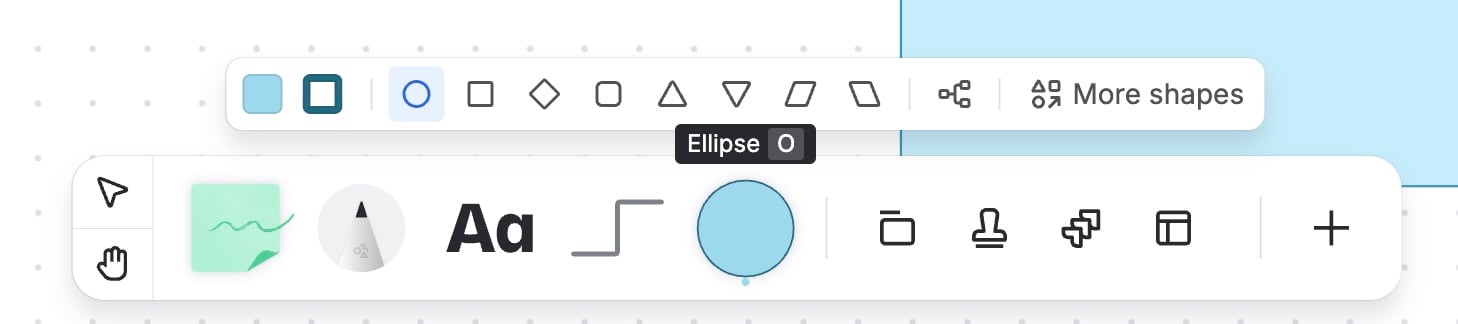
- Shapes - Shapes are what most people think of when they think of a visual whiteboard - they're the squares, circles, and the like that we can use to represent stages of a process, an idea and more.
- Sections - Sections provide a way to break up the visual space. Basically they're areas we can define on the screen that let you break things up. Sections, however, have some special features like letting you trigger an action when a work item is moved into them.
- Text - You can add text to the whiteboard... I forget about this one, but it's VERY useful to indicate what a specific area of the whiteboard is for.
Wrap Up
Personally I've found whiteboards to be a useful content type to include in my sites. They allow me team to easily share visual information, connect it to other pieces of content and make it generally available.
Very curious what questions or ideas y'all have though - drop them in the comments and check out the resources below!
Resources
- Link to live signups
- Official documentation


