Introducing Verified Scorecards for Compass: Prioritize What Matters Most
Hi all! We’re excited to announce the launch of Verified Scorecards, a new feature designed to help teams cut through the noise and focus on what’s truly important in Compass.
What’s the Value?
-
Reduce noise: Highlight the scorecards that matter most, so teams aren’t overwhelmed by irrelevant or outdated standards.
-
Build trust: Verified scorecards give everyone confidence that they’re prioritizing the right work.
-
Drive action: By surfacing key scorecards, teams can more easily align with organizational goals and software requirements
How Does It Work?
-
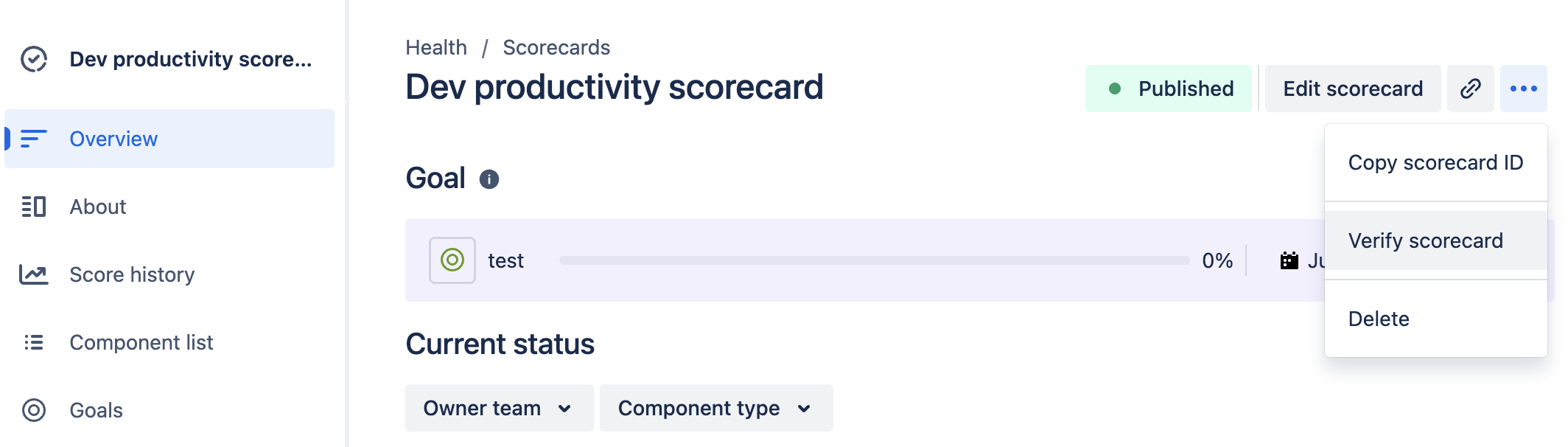
Admins can verify scorecards directly from the global scorecard list view or Scorecard details view.
-
Once verified, these scorecards are sorted to the top and highlighted in multiple areas across Compass.
-
Teams can quickly filter and focus on verified scorecards, ensuring they’re always working with trusted, up-to-date information.
Getting Started
Only Compass admins can mark or unmark scorecards as verified
-
Head to the global health scorecard list
-
Hover over the “Verified” column
-
Click to verify a scorecard.
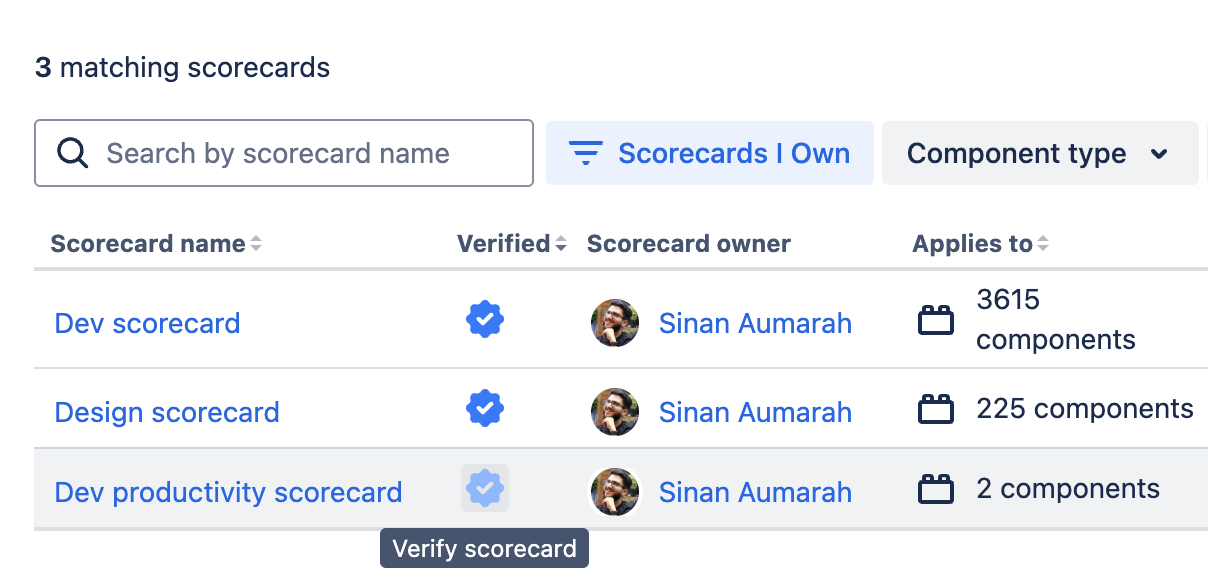
Verified scorecards will now take precedence in views and suggestions throughout Compass.
An alternative way for admins to verify/unverify scorecards is via the Scorecard’s details page under the 'More actions' menu