Automation for Jira
Request:
In some cases there are specific work items expected to be added to a specific epic. This could be based on a custom field value, label, component, etc. This article will show an example automation rule for achieving this.
In this case, users have already created an Epic, and the goal is to ensure that any newly created work item is automatically assigned to that Epic.
The solution lies in utilizing Automation for Jira.
First way:

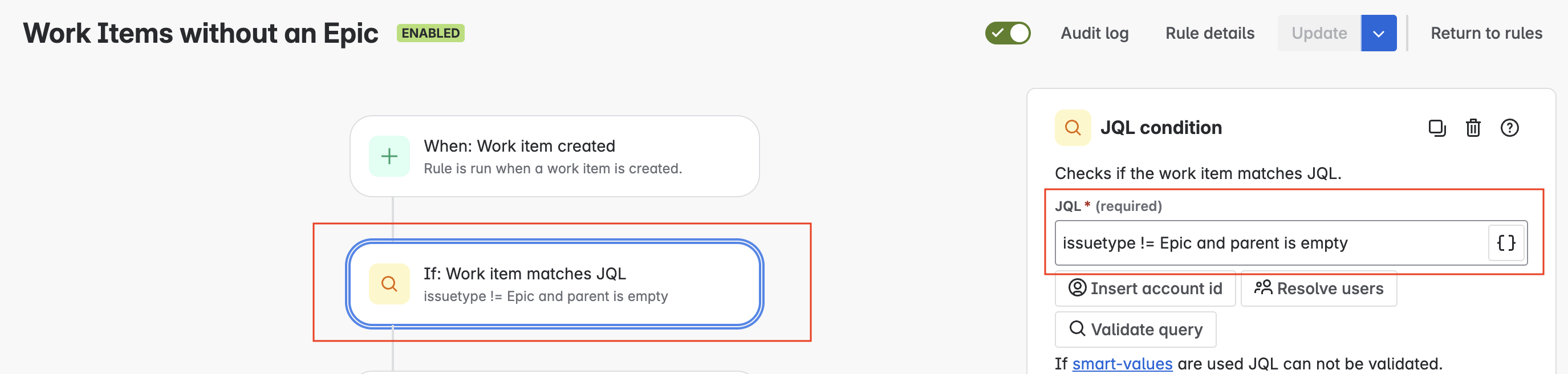
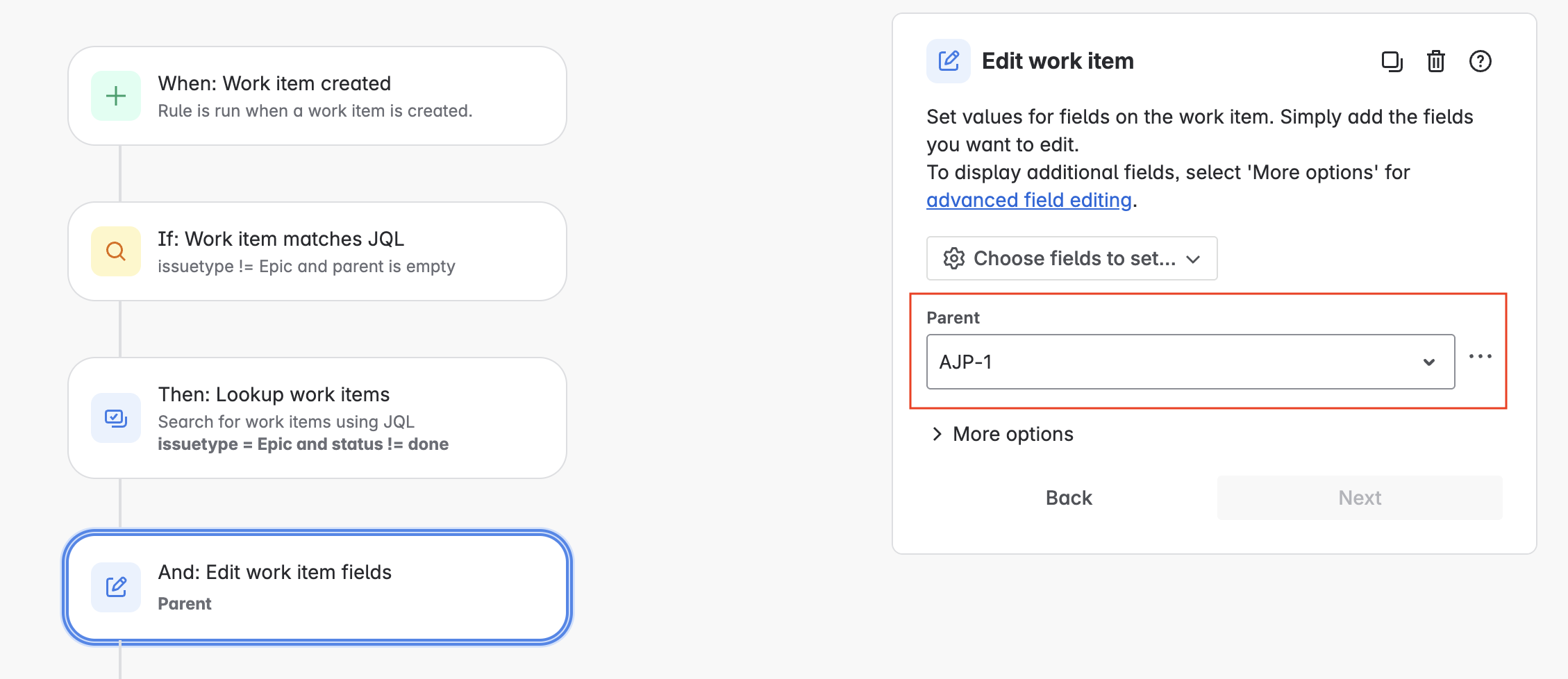
Second way:
Work items have already been created, and we have either added a component, a label, or a custom field of your choice. In this example, I have added a component.
Additionally, I created an Epic using Automation. The JQL query verifies that the issue type is an Epic, is open, and has an associated component.
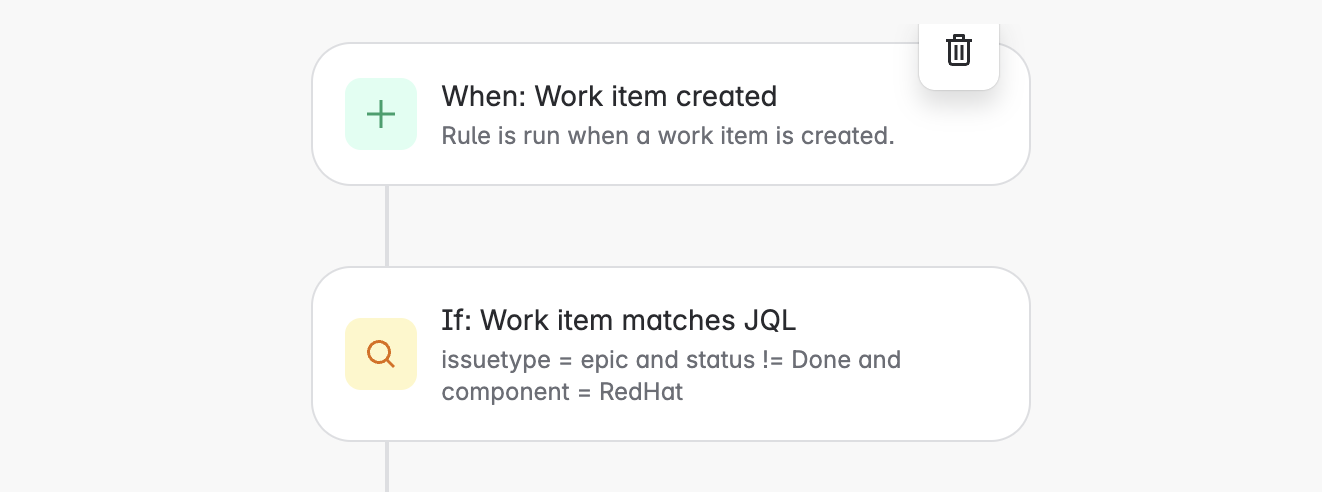
Within the branch, I am executing a JQL query to retrieve any work items that share the same component as the Epic mentioned above.
Always validate your queries to ensure accuracy and relevance.

The final step involves editing the work items returned by the JQL and updating the parent field to reflect the Epic that initiated the Automation rule.
I hope you found this article enjoyable and insightful.
We would love to hear your thoughts, so please feel free to share your feedback!
![Photo of Tinker Fadoua - [Seibert US]](https://us.v-cdn.net/6038660/uploads/avatars/5b/65/n5b65463c12c8288c531566164240215b.png)

