In JPD, we have multiple autofill dates that are linked to delivery tickets are they are generally working well. All of these autofill dates are project fields, not global fields in case that matters. I ran into one problem that I cannot find a work around for.
I'll compare the behavior of two of these autofill dates.
Development Starts:
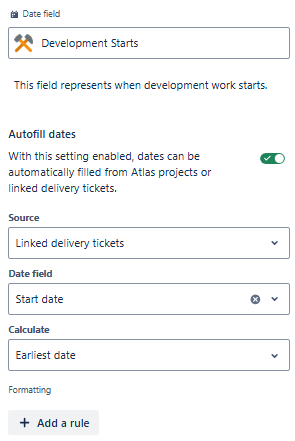
In the Idea edit UI the Development Starts field looks like this:

When the user hovers or tries to click on the Jan 1, 2025 date, they are unable to edit it (which makes sense since it's a linked date). This data is being pulled from Jira Software issues.
The next field is GA Target - This data pulls from a work mgmt project:
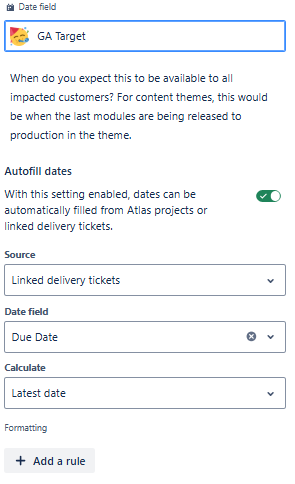
In the Idea edit UI, the GA Target field looks like:

and
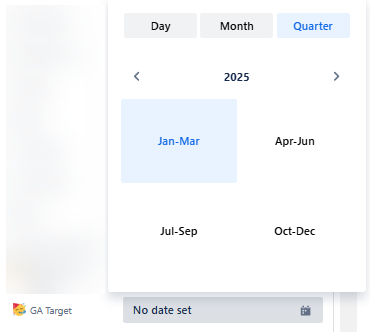
For this field, in the Idea edit UI, the user is not blocked from editing the date. The linked data originally pulled through properly but when I was testing out the configuration of the linked dates, I messed up one of my ideas by accidently deleting the date by clicking the little normal 'x' icon to delete a value in the UI. Now I don't know how to get the date back.
Things I have tried:
- clicking 'Load data' from the "Some formula fields require extra data to be calculated. Load data" at the top of pinned fields
- unlinking and relinking the delivery tickets on the messed up idea
- unlinking the delivery ticket, picking a [wrong] date, relinking the delivery ticket
- waiting overnight to see if there was an overnight process to refresh
I recreated the GA Target field but it also allows the user to manually edit the date field so even though I messed up my 'testing' idea I know that we will eventually run into this problem on a real idea with my team. I want to know how to lock down the editing of this field (if possible) and whether or not that's possible I need to know how to force a "refresh" of the data in this field for when my team runs into this issue.


