As your company grows, it becomes more challenging for leaders to get the visibility they need without opening up all your Jira projects. This was a meaty topic on a recent customer call, and we have some ideas to share with you!
Translation: keep reading to save your execs (or yourself) from the rabbit hole! 🐰
|
Quick tip: If you're just looking for insights on a specific project, then check out the Project Summary view.
|
Here are 2 ways to get an overview of multiple Jira projects:
1 - Use the Summary View in Jira Plans
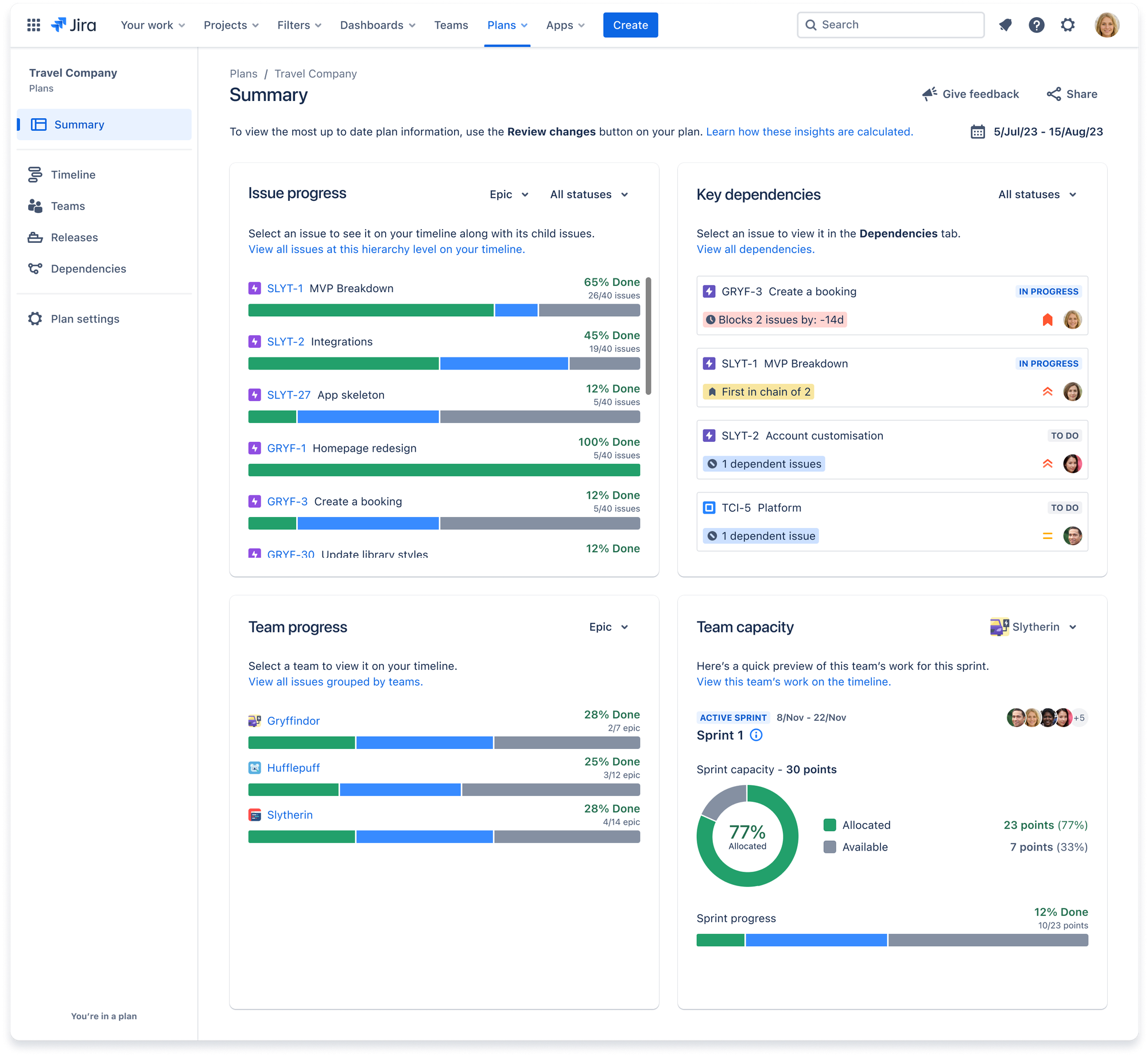
Jira Plans offer a high-level view of all projects added to a Plan, providing a comprehensive summary across multiple projects.
Check out Peggy's Plans demo and her community post for tips and tricks. When you’re ready, the official documentation is all right here.
|
Heads up: The summary in Jira Plans will cover all projects added to the Plan, but it won't be broken out by project. So if you’re looking for a bit more granularity than that, then check out the second method.👇
|
2 - Build a Jira dashboard
You can also write a Jira query and use that for widgets on a dashboard.
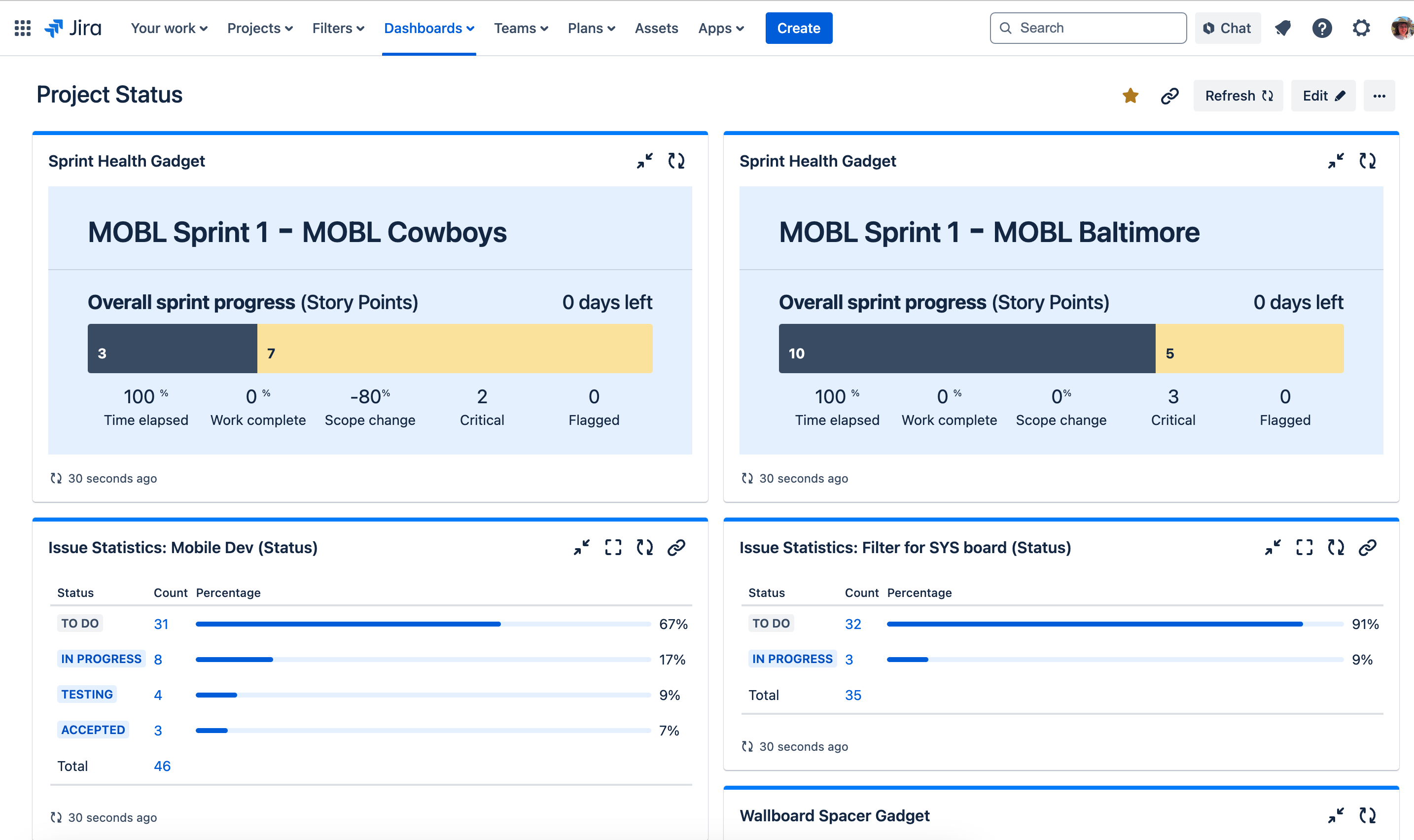
The dashboard above features two popular widgets to get a high-level view across projects:
- Sprint Health Gadget (Top Row): Perfect for scrum projects, this gadget gives you a realtime glance at sprint progress. Add a widget for each scrum project, then you’ll have them all in one view!
- Issue Statistics Gadget (Bottom Row): Ideal for non-scrum teams, this gadget is based on queries rather than sprints. In this example, it's set to report on Status to see progress at a glance.
Okay, one more widget:
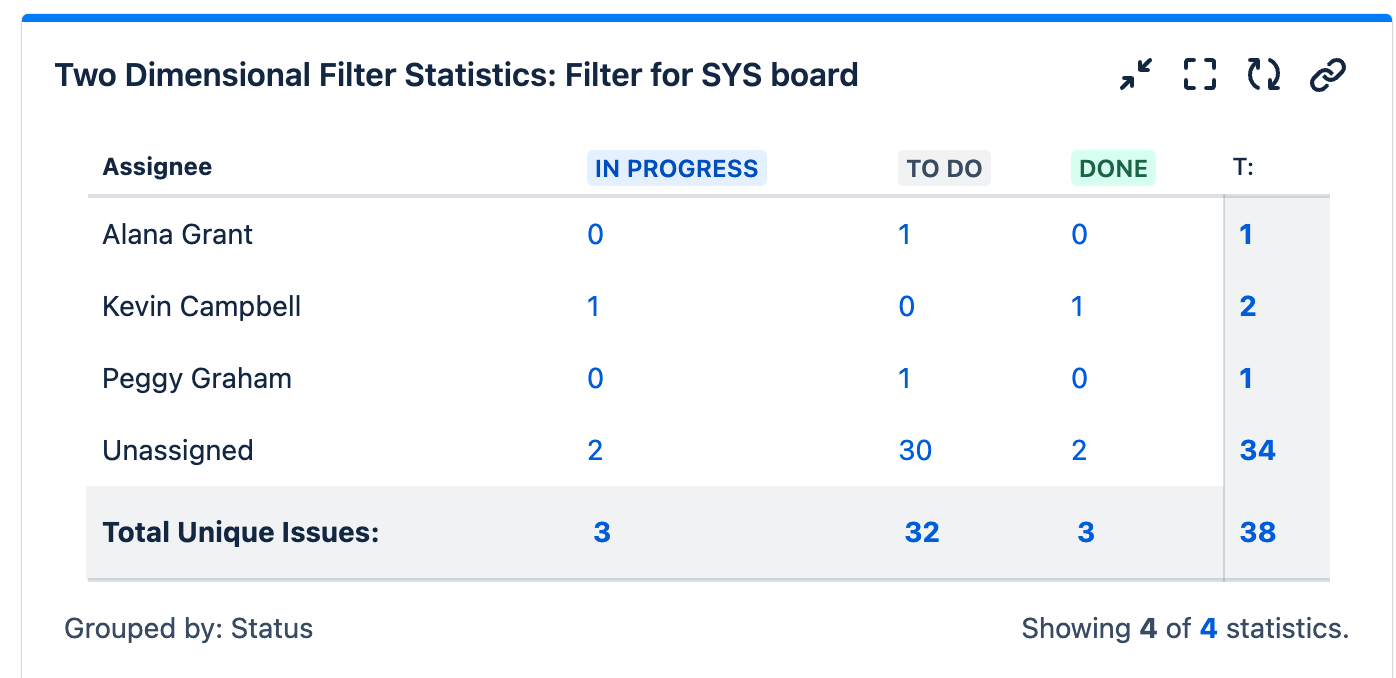
- Two Dimensional Filter Statistics Gadget: Same idea as the Issue Statistics Gadget, but now you can break down the work by person.
Feel free to share your reporting suggestions in the comments!
