Update: this feature is generally available for all customers, unless you are on bundled/release tracks. If that's the case, then you will have access as of 14th Jan.
Many of you have asked how to effectively use  Jira Product Discovery (JPD) with your plans in
  Jira. We are excited to announce that we have launched an integration that brings these two tools closer together.
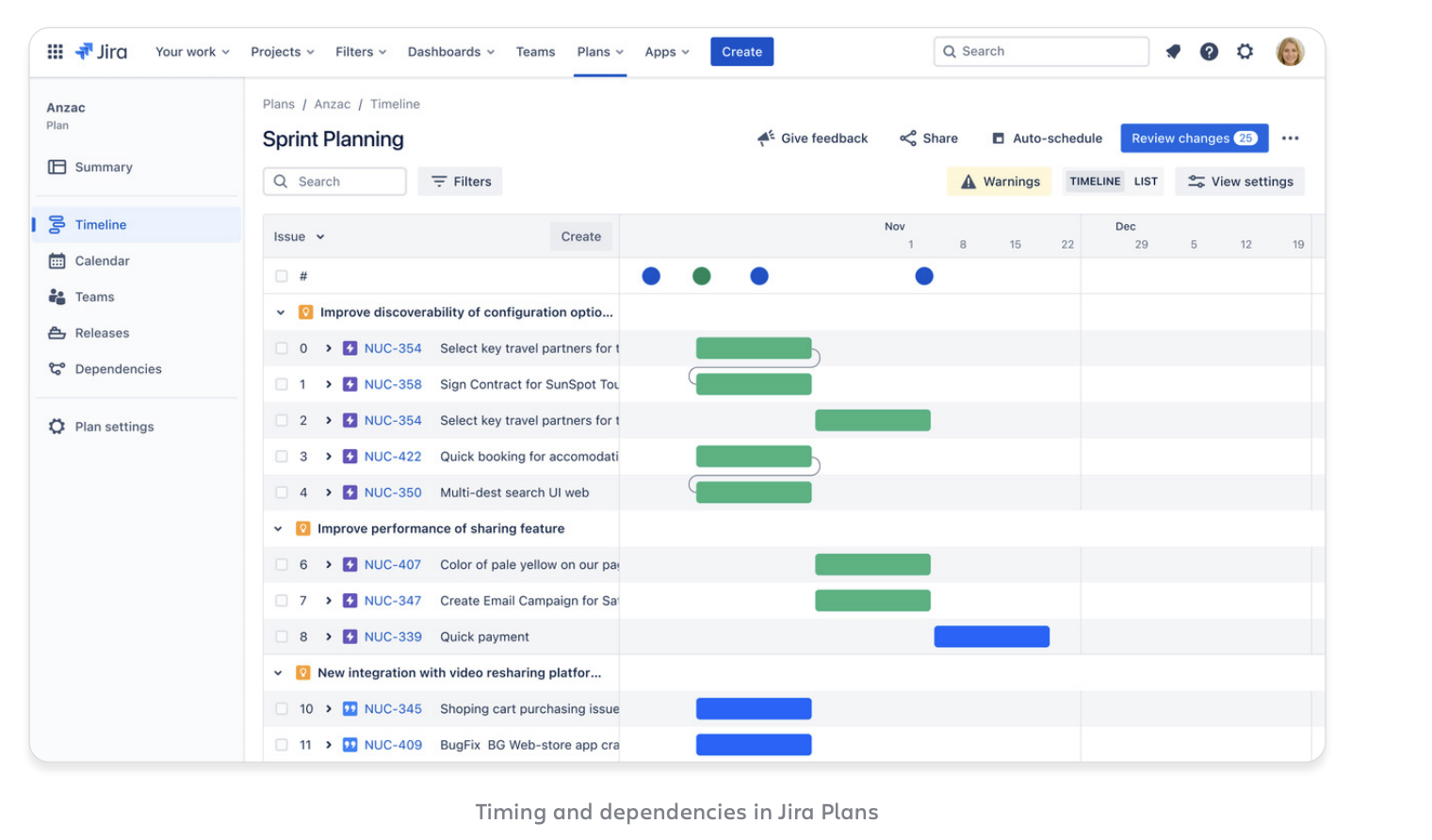
Plans are available with Jira Premium or Enterprise subscriptions. This advanced planning tool provides an overview of work from multiple projects, boards, teams and filters. See work across your entire organisation, with an extended work hierarchy.
How it works
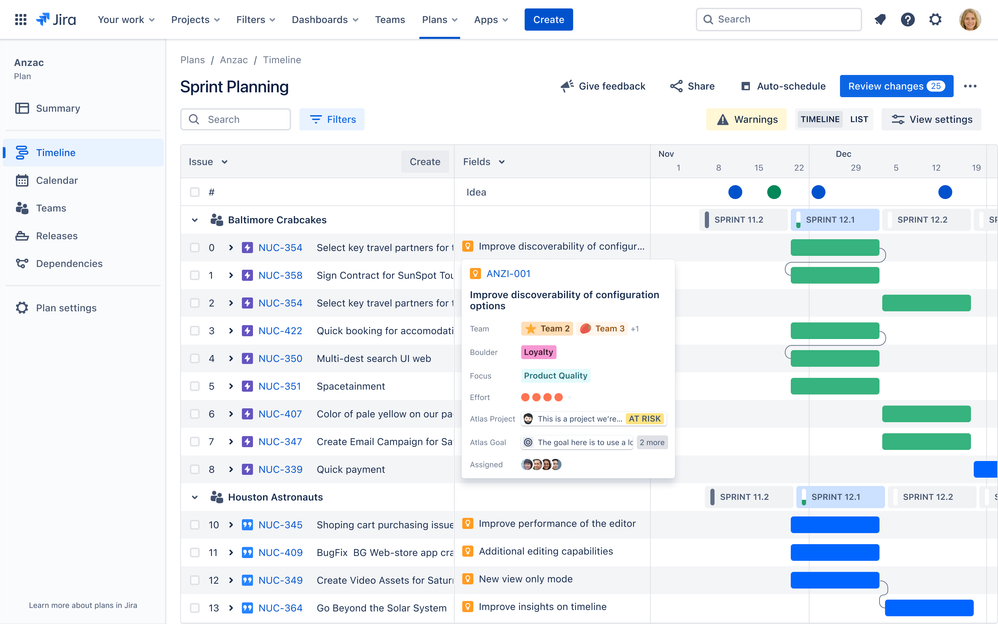
We are pleased to introduce a new field within a Plan called “Idea”. This field displays the JPD idea linked to a Jira issue. You can use this field to filter and group issues, and the data is included in plan exports for your convenience.
Here’s a brief overview of the integration:
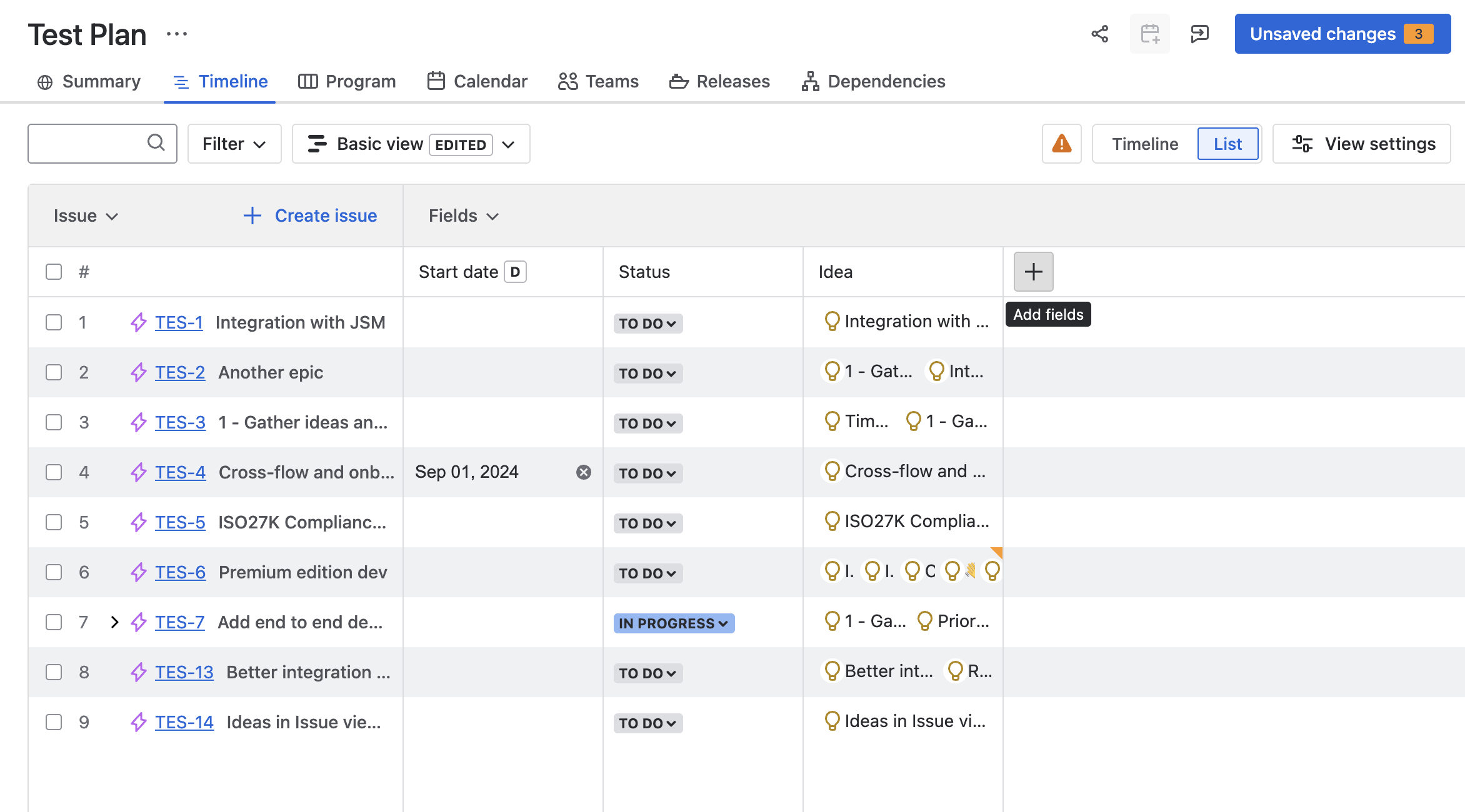
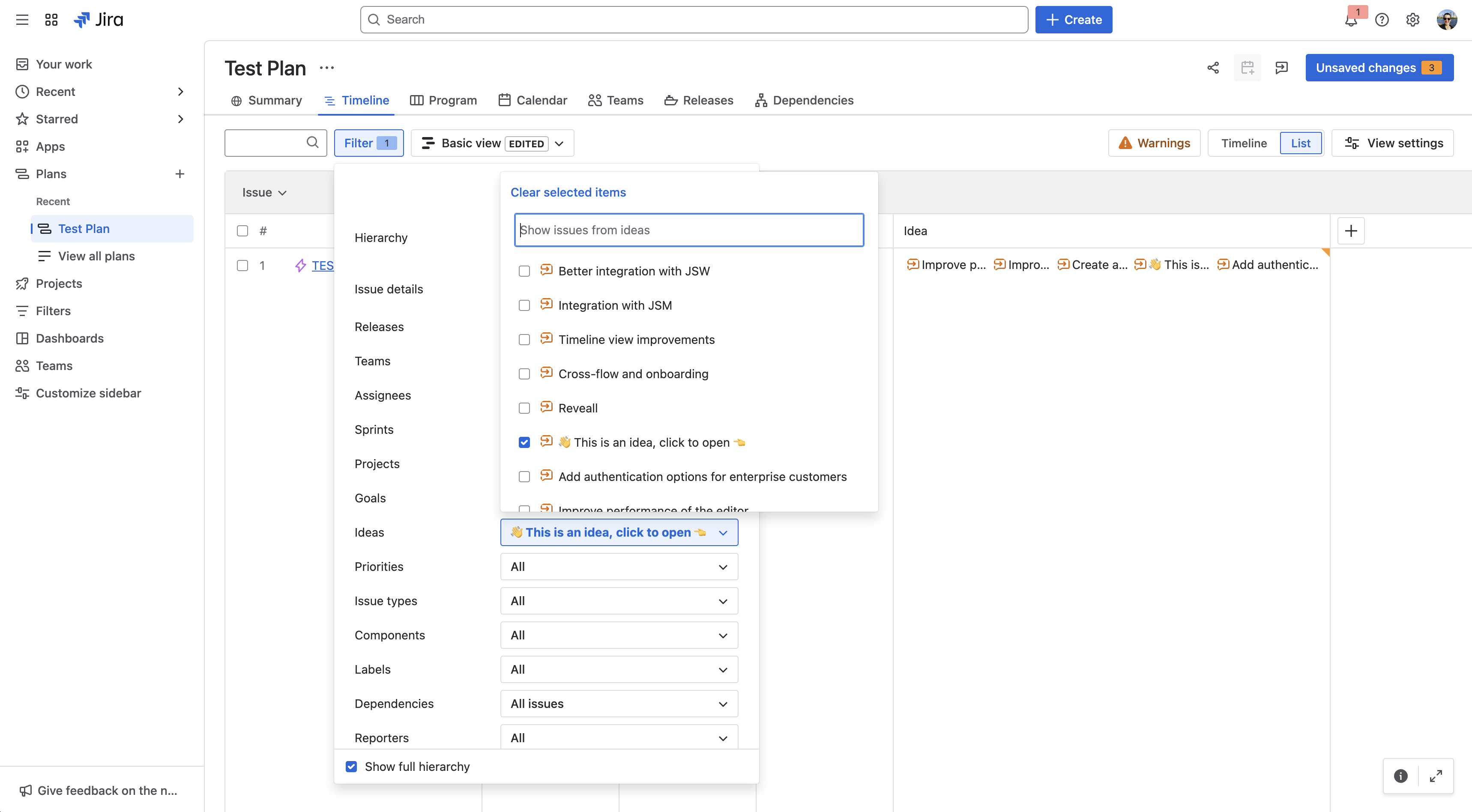
Go to the plan, select ( + ) in the navigation and find the idea field.
-
Ideas as a field in a plan: To add an idea field to your plan, go to the plan, select ( + ) in the plan navigation, and find the idea field.
Link and commit ideas from within Plan
-
Ensure you’ve added the ideas field to your plan by going to the plan, selecting + in the nav bar, and finding the idea field.
-
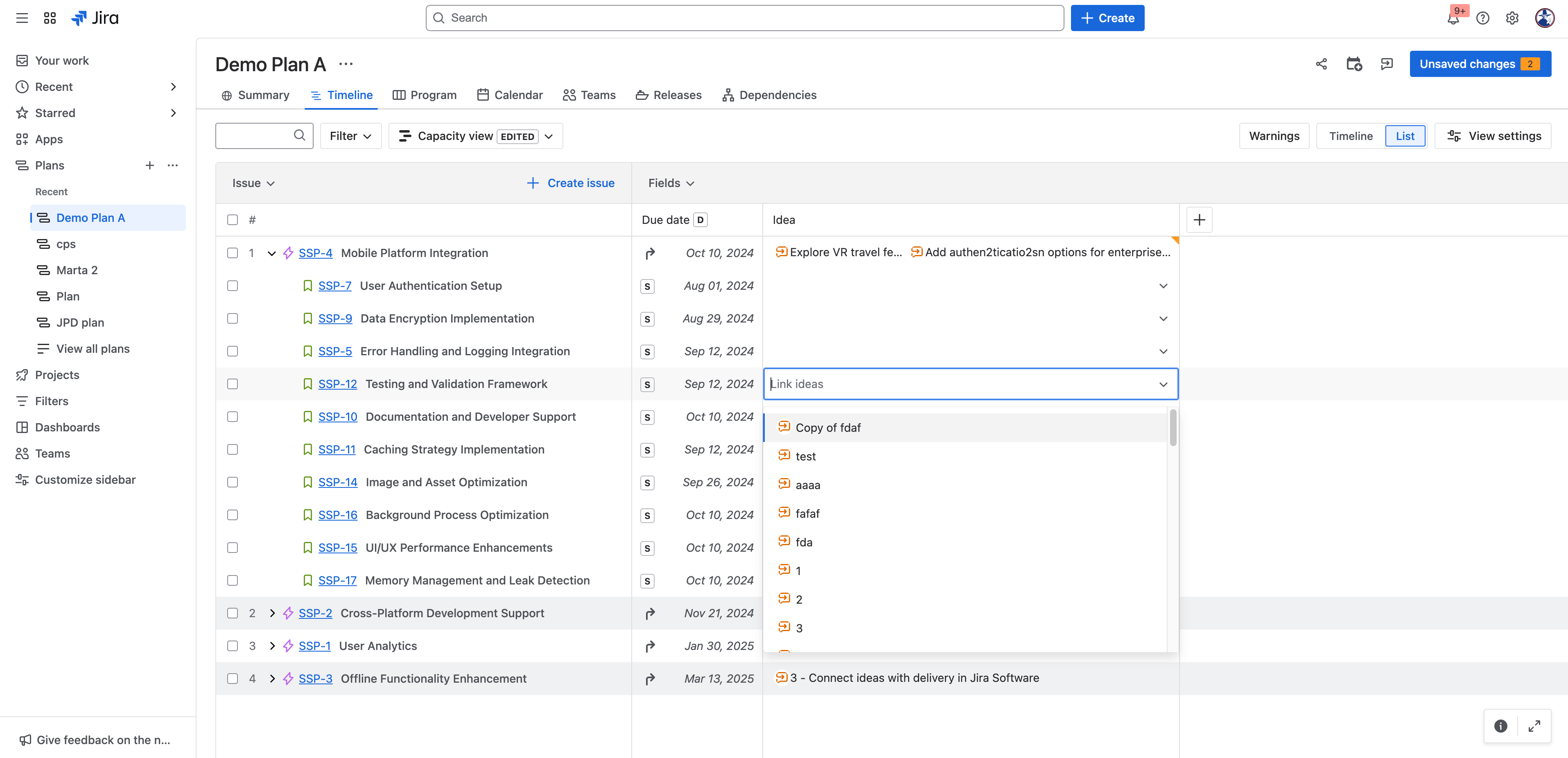
Find the issue you want to attach an idea to and click the idea column.
-
Find the idea you want to attach and hit Enter.
This Idea field will also be visible when you choose to share plans through:
Support for the following will be available from 14th November:
How are Roadmaps different from Jira Plan?
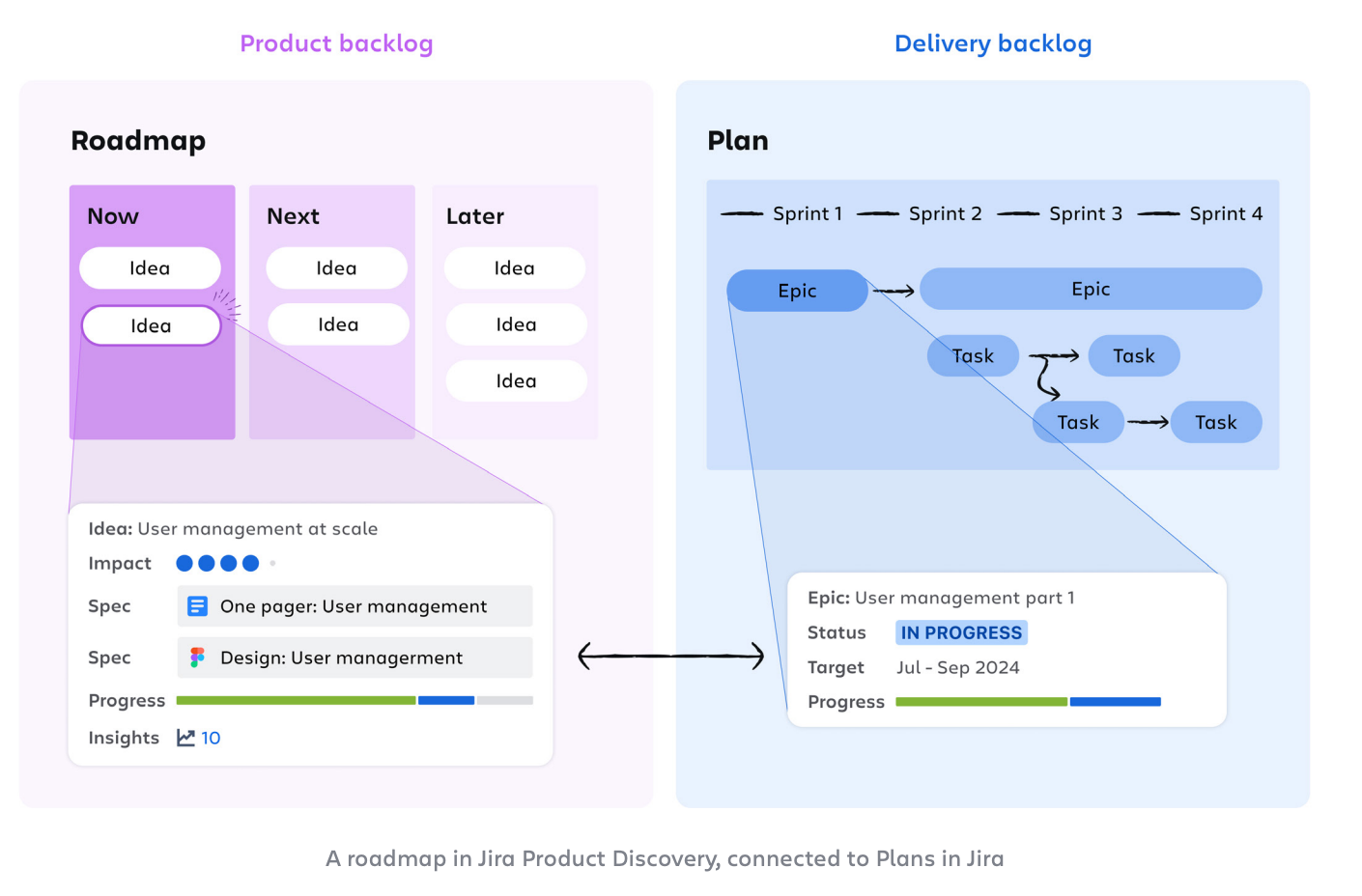
Roadmaps are created in the product backlog in Jira Product Discovery. They communicate how and why each idea was prioritized. They’re easily shared with customers, partners, and everyone within your company.
Plans are part of Jira, where you can plan, track, and report on the execution and delivery of your ideas.
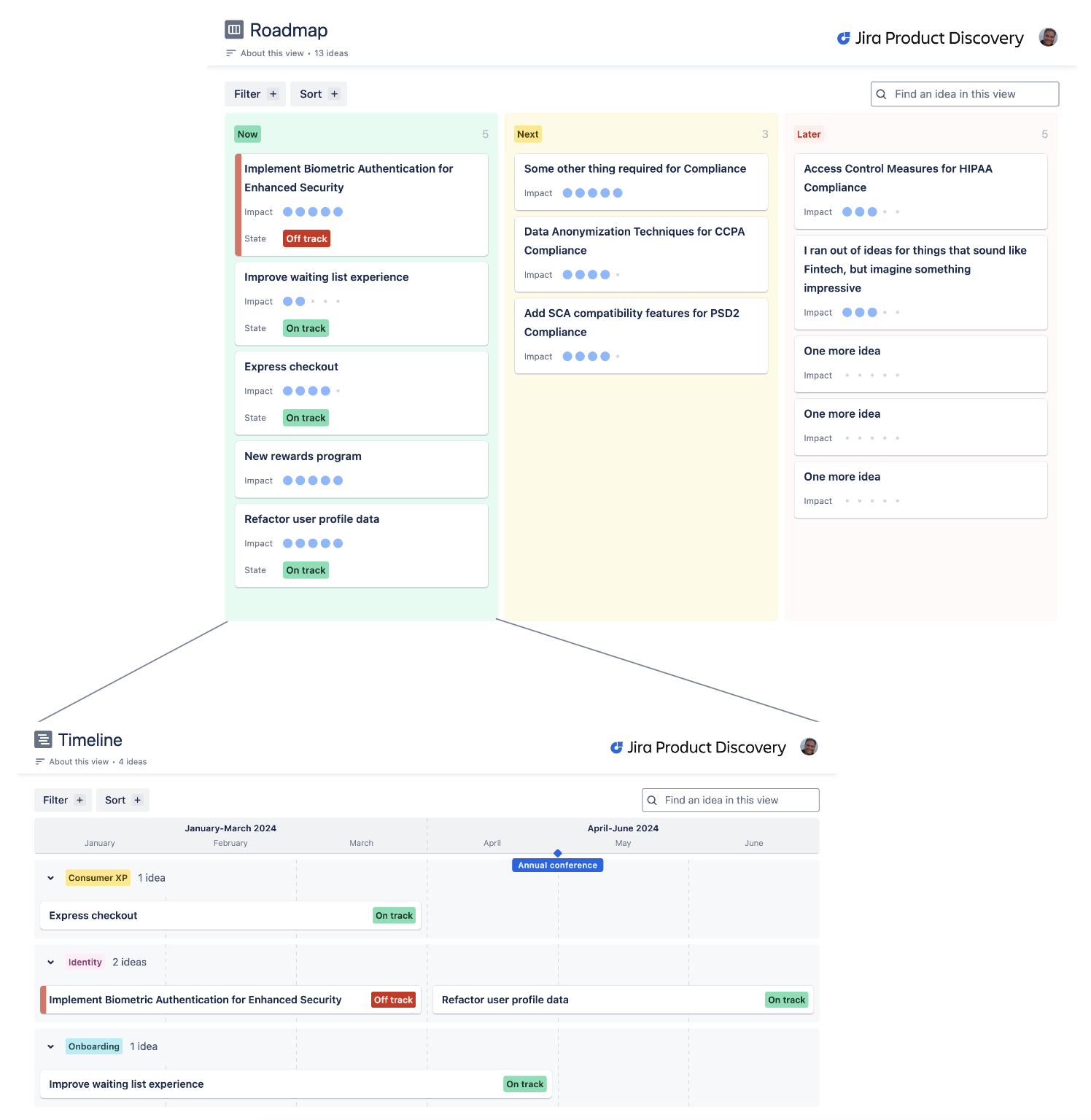
Timeline view in JPD
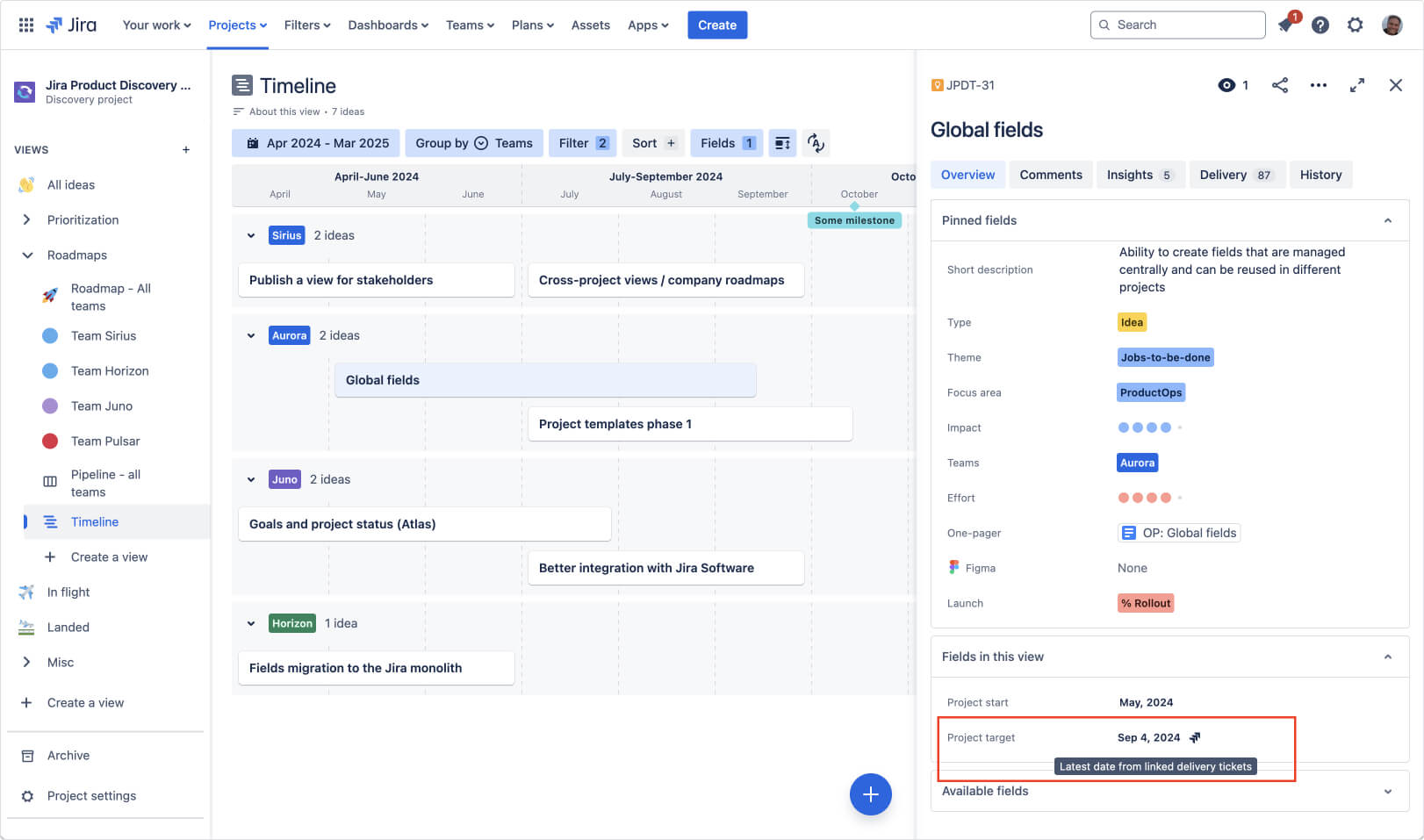
You can visualize ideas on a roadmap using the timeline view in JPD. However, the JPD team prefers the Now/Next/Later format, as it fosters more productive conversations with stakeholders. The question of "when is X going to ship?" is often less useful. Nonetheless, we recognize that every company has unique needs, and for some, a timeline view is essential. You can use the two in combination:
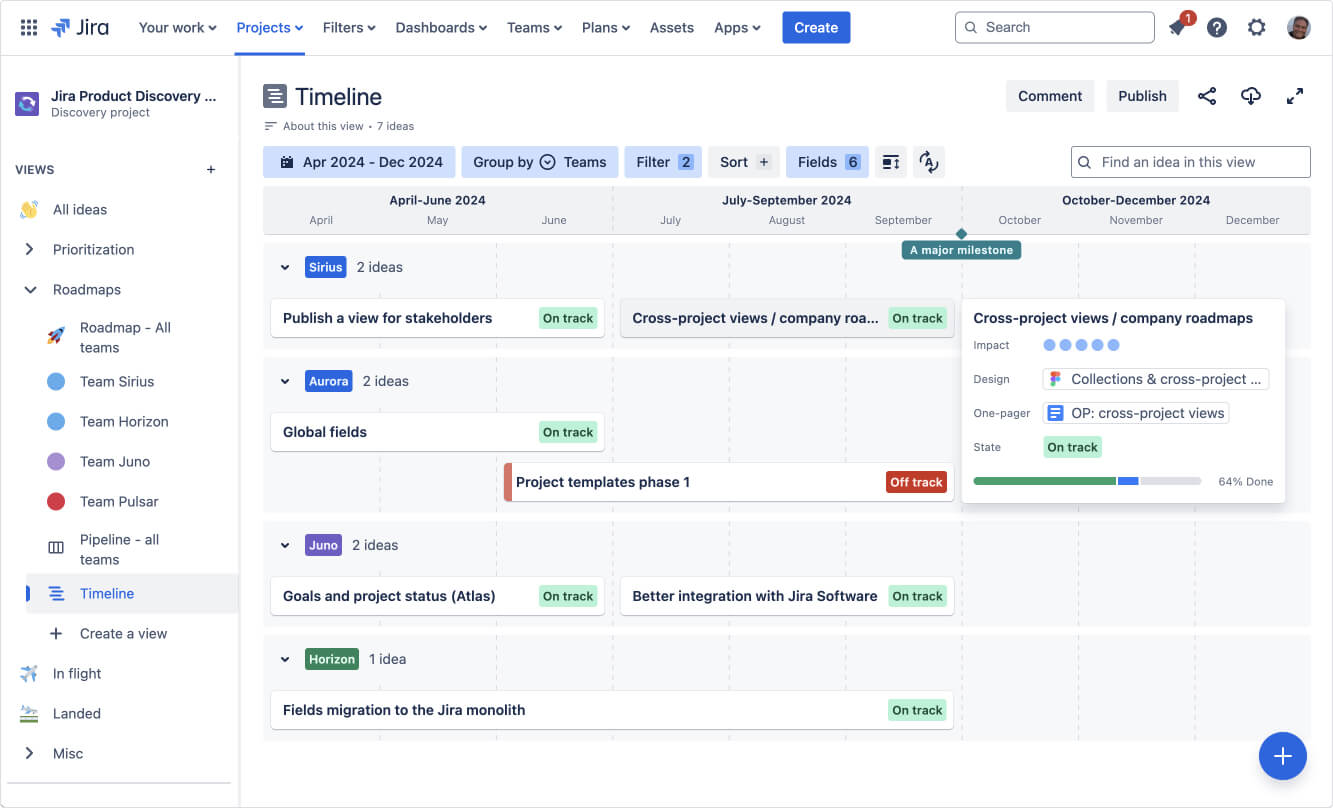
We recommend utilizing a timeline view with a high level of granularity: focus on the significant ideas without getting too detailed. The goal is to communicate a high-level roadmap to stakeholders without delving into the minutiae of tasks and subtasks.
Dates can easily change based on what you learn in delivery. For this reason in this view you can configure the idea’s date fields to be automatically overridden by the epic/initiative’s date fields once the idea has corresponding delivery tickets.
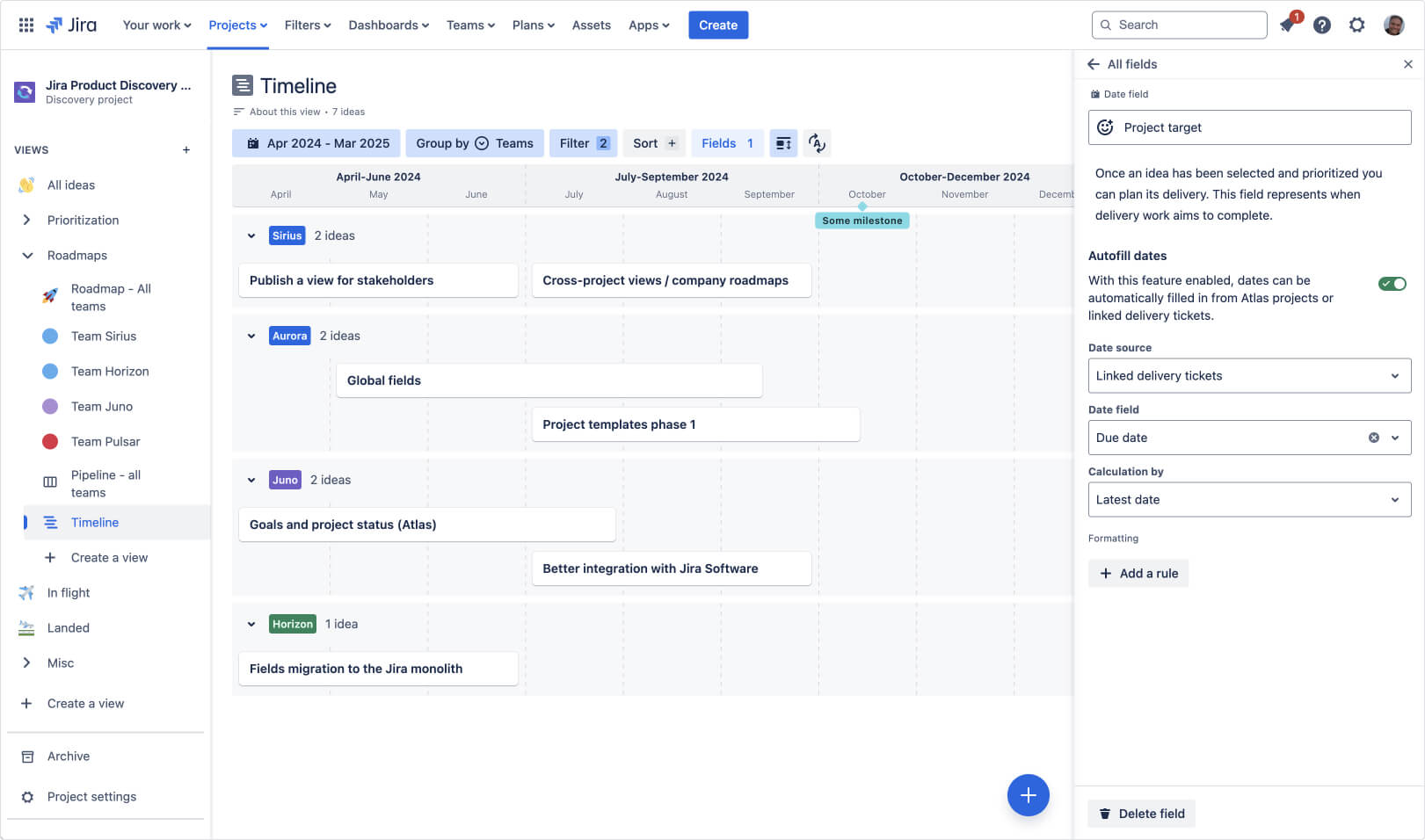
This way, any changes that happen on an epic during work, will be immediately reflected back on the roadmap:
JPD Ideas in Jira Plan Demo
Here's a demo that shows how to use Jira (Plans) and Jira Product Discovery together
The new integration has been successfully launched for all JPD and Jira Premium and Enterprise customers.
https://www.loom.com/share/6c15b1770d8b445ab954af3e3ac5b8b4
Known limitations:
-
A Jira plan can support up to 1,000 Ideas, with no exceptions.
-
In the "Group by Idea" feature, the Idea header may appear empty if the data is inaccessible.
-
The "Group by Idea" groups are not sorted alphabetically.
-
If there are ideas in the plan, we actively filter out self-references in the Select. We do the same in the JPD UI.
-
If JPD is deactivated, no idea data will be visible.
We are eager to hear your feedback!
Thanks,
Jet - Product Manager, Jira Product Discovery


