Hi Confluence admins,
John here with another update: we've added a new feature, Space Reports, to help product admins view all of your site's spaces as well as essential details about them like each space's last activity date and the amount of storage that each space is using!
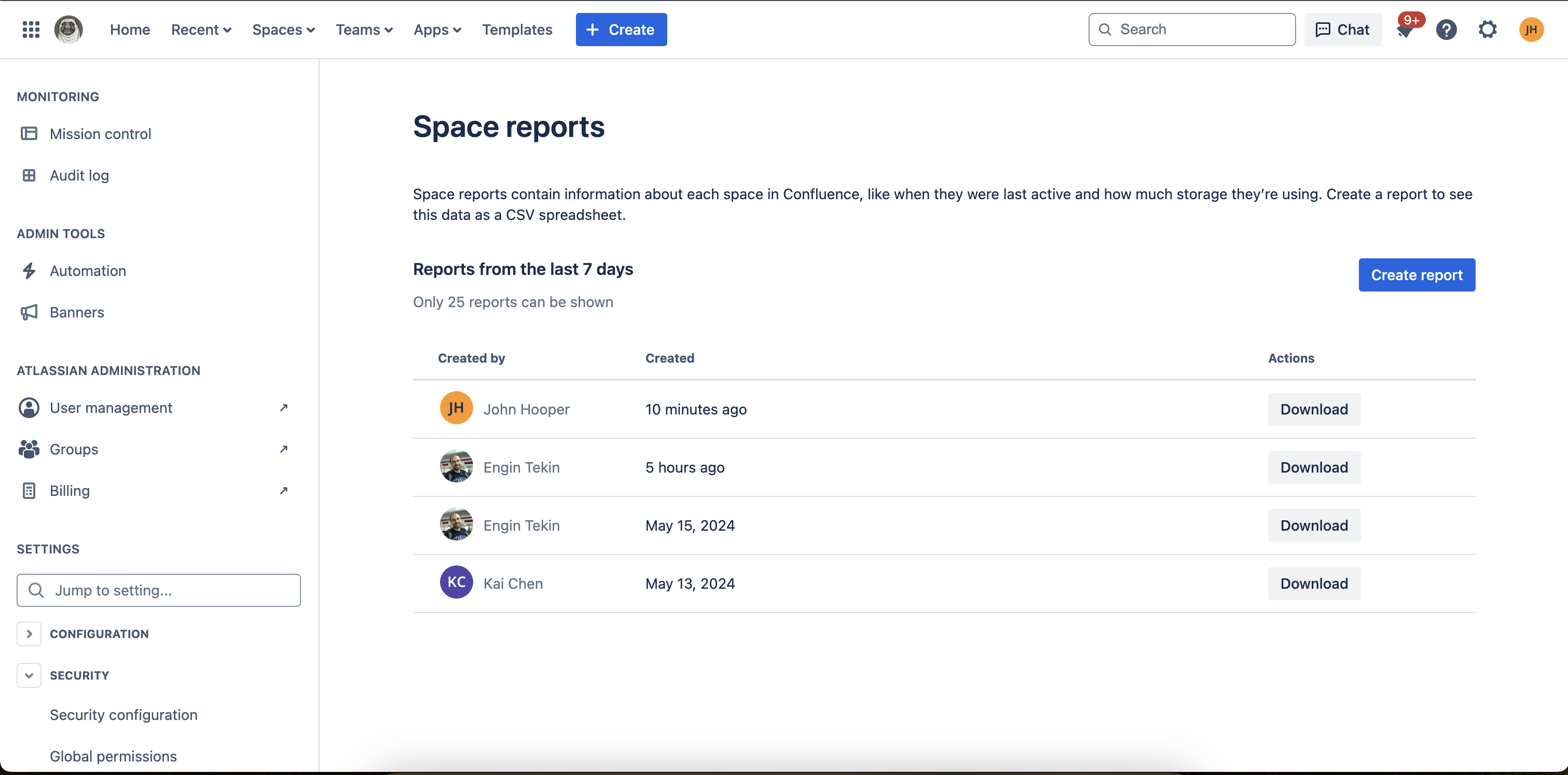
What is it
We understand that managing all of your spaces in Confluence hasn't always been easy nor efficient. To help support the tasks associates with space management better, we've created this new feature where you can download a CSV that lists all of the spaces across your site.
The columns included in the CSV are:
- Space Id
- Space Key
- Space Name
- Space Type (global / personal)
- SpaceStatus (current / archived / deleted)
- Creation Date
- Creator Account Id
- Creator Full Name
- Public Link Permission (on/off)
- Public Link Count
- Anonymous Access Status (on/off)
- Last Activity
- Content Count (number of active content items)
- Attachments (number of files)
- Storage used (MB)
How to use it
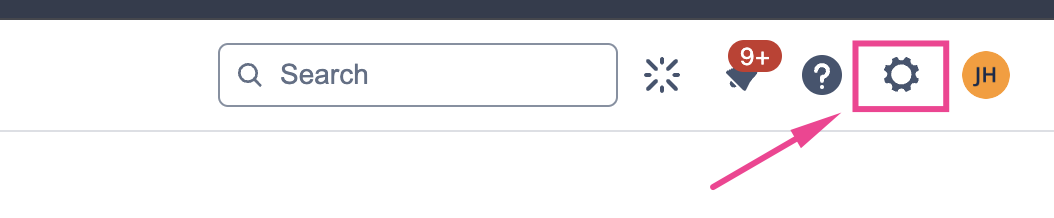
First, navigate to Confluence administration by clicking on the settings wheel in the top right of the top nav bar:
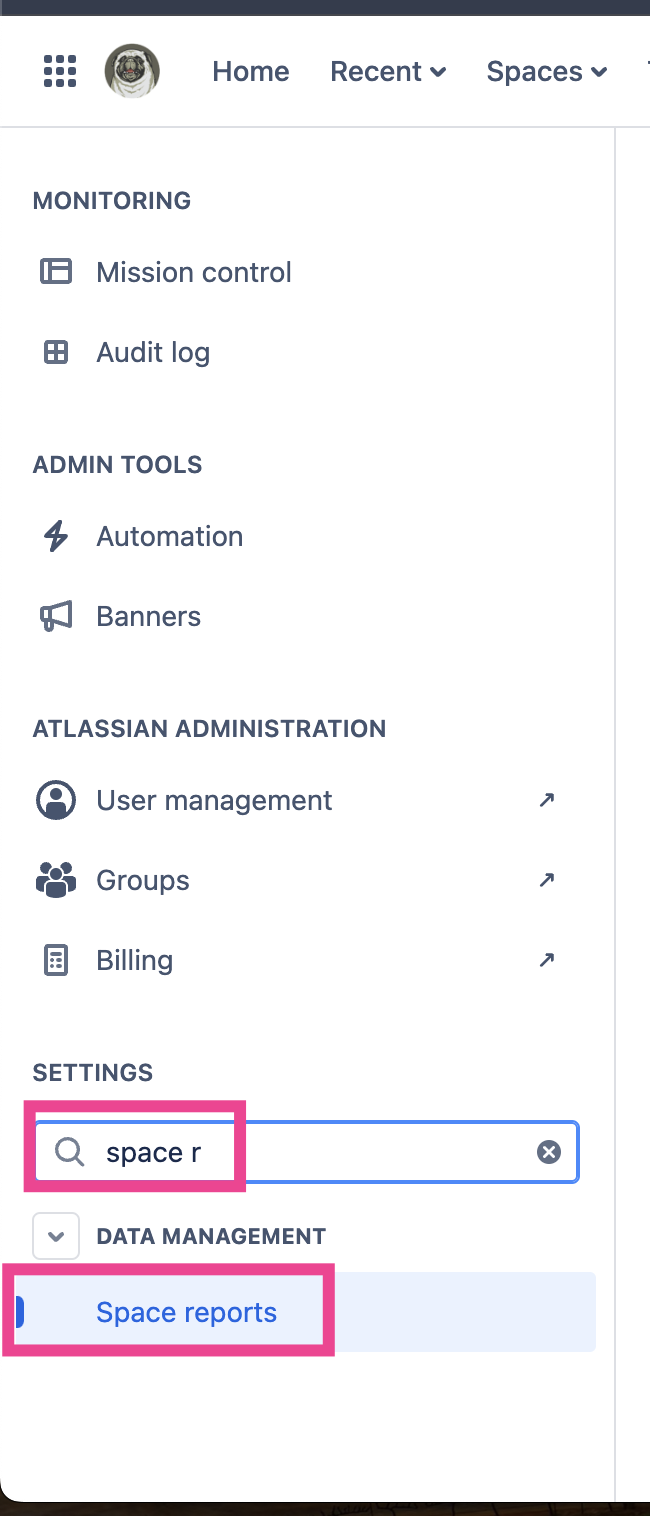
Then, once in Confluence administration, find the Space Reports page within the left nav:
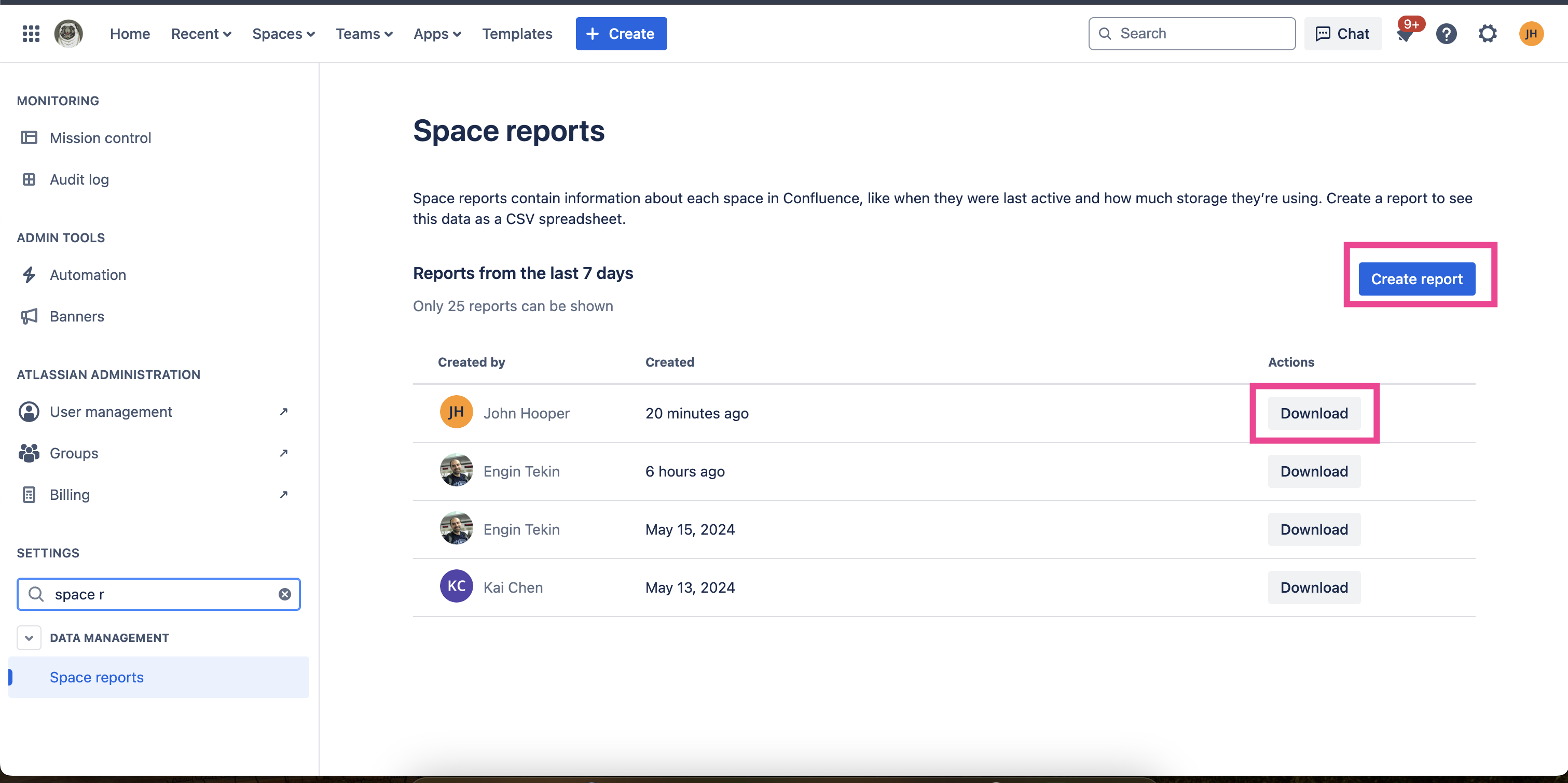
Once in the Space Reports feature, click on the Create Reports button in the top righthand corner, wait for your report to be created, and then click download once your report has finished being created:
FAQs
Which editions of Confluence Cloud is this available to?
Customers on our Standard, Premium, and Enterprise editions.
Are more columns / reports / actions coming to this feature?
We plan to provide additional capabilities to help you manage your spaces more efficiently and effectively over the next 12-18 months.
And please let us know if there are additional types of reports + columns that you would be interested in being able to access about your Confluence site!
When can I start using this update?
The new insights have finished rolling out and are ready to use!
As always, please let us know if you have any questions or feedback with comments here or by scheduling time to chat with me here


