Hi Confluence admins,
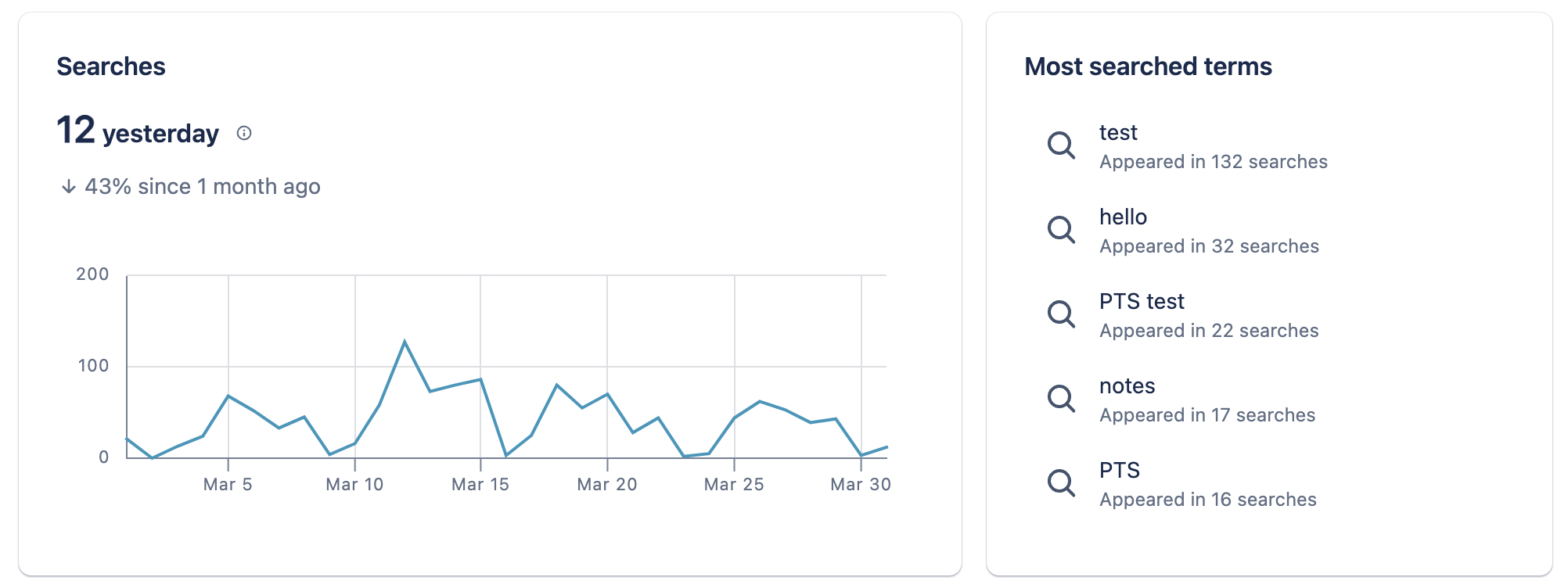
John here with another update today: we've added two new insights around what your users are searching for to Confluence Mission Control, plus a new leaderboard concept for both charts that helps you drill down and take action!
How it works
First, navigate to Confluence mission control by clicking on the settings wheel in the top right of the top nav bar:
Now, once you're reached mission control, scroll down until you reach the Feature Usage section. Here, you'll see the two new insights:
- Number of searches, with a leaderboard for the most searched terms during the selected time frame
- Search click-through rate (so the percentage of search sessions that led to a search result being clicked on), with a leaderboard for the most commonly searched terms where users did not click on any of the results
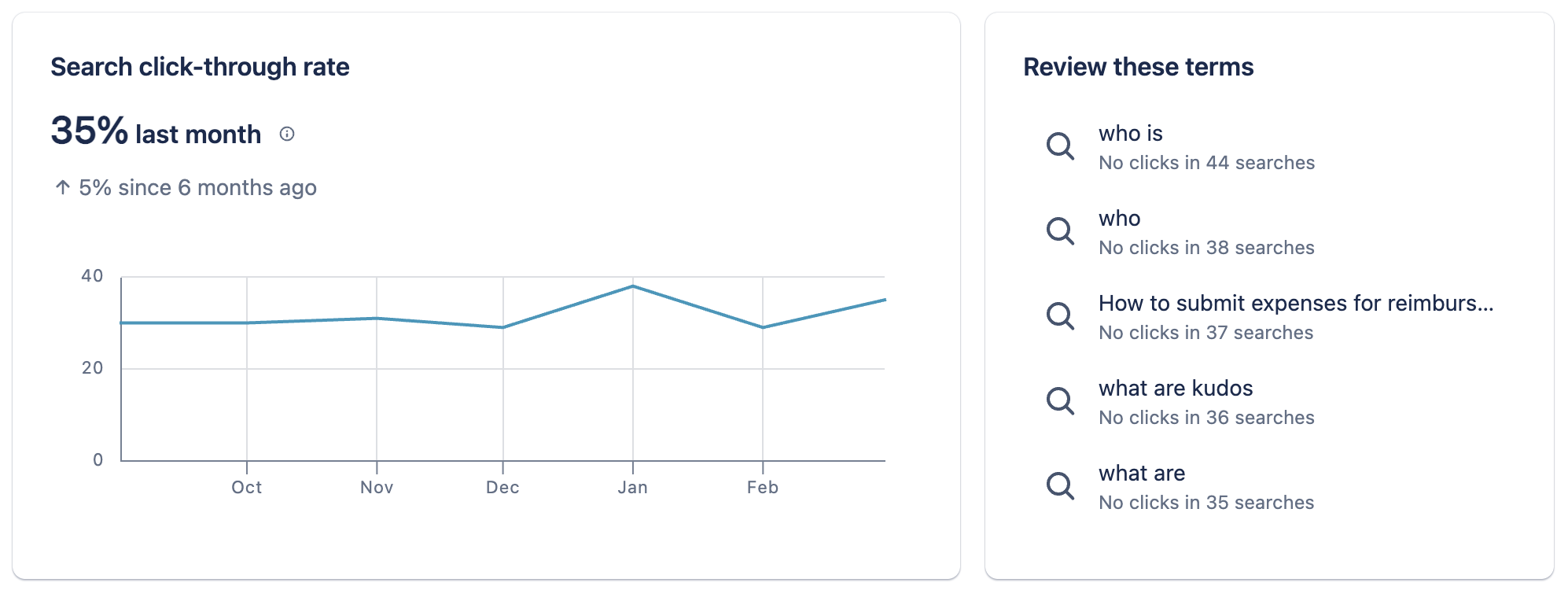
These two new insights are designed to help you as an admin better understand what topics your users are searching for the most, as well as to identify any gaps in your content bases or opportunities for better content organization as part of your efforts to help your end users find the content their looking for within Confluence.
FAQs
When will there be a mission control for at the space level?
We are actively working on a space-level mission control to support space admins, and plan to release this in the next few months.
Are more insights / alerts / controls coming to mission control?
Yes. We will be releasing two new insights with leaderboards in the next few weeks, and plan to continue to release many more enhancements to the feature over 2024 and beyond.
Which editions of Confluence Cloud is this available to?
Customers on our Premium and Enterprise editions only.
When can I start using this update?
The action will finish being rolled out to all customers by the end of this week, April 5.
As always, please let us know if you have any questions or feedback with comments here or by scheduling time to chat with me here


