Hello,
I was wondering if there a way to create a button on cards for members to choose and assign tasks to themselves instead of those tasks needing to be individually assigned to each member? And then once a task is chosen it gets moved to an Assigned list so no one else can choose it.
Did you know that there is a Trello shortcut -- if the user hovers their mouse over a card and presses the spacebar on the keyboard, then it automatically assigns that card to the user.
If you prefer to create an automation button, I was able to to create one that meets your requirements with the following steps:
- Click Automation in the board header
- Click Buttons
- Select Card Buttons on the left under custom buttons
- Click Create Button on the top right
- Choose an icon and title for your button, then click Add Action
- Add the list Assigned to the list name on the top row so it reads "Move the card to the top of/bottom of the list Assigned" and then click the plus button on the right to add this action to the button
- Select Members, then click the plus button on the right next to "Join the card"
- Click Save, then open a card to try your new button
Hi @Vandana Orie It's Mary from Planyway power-up for Trello.
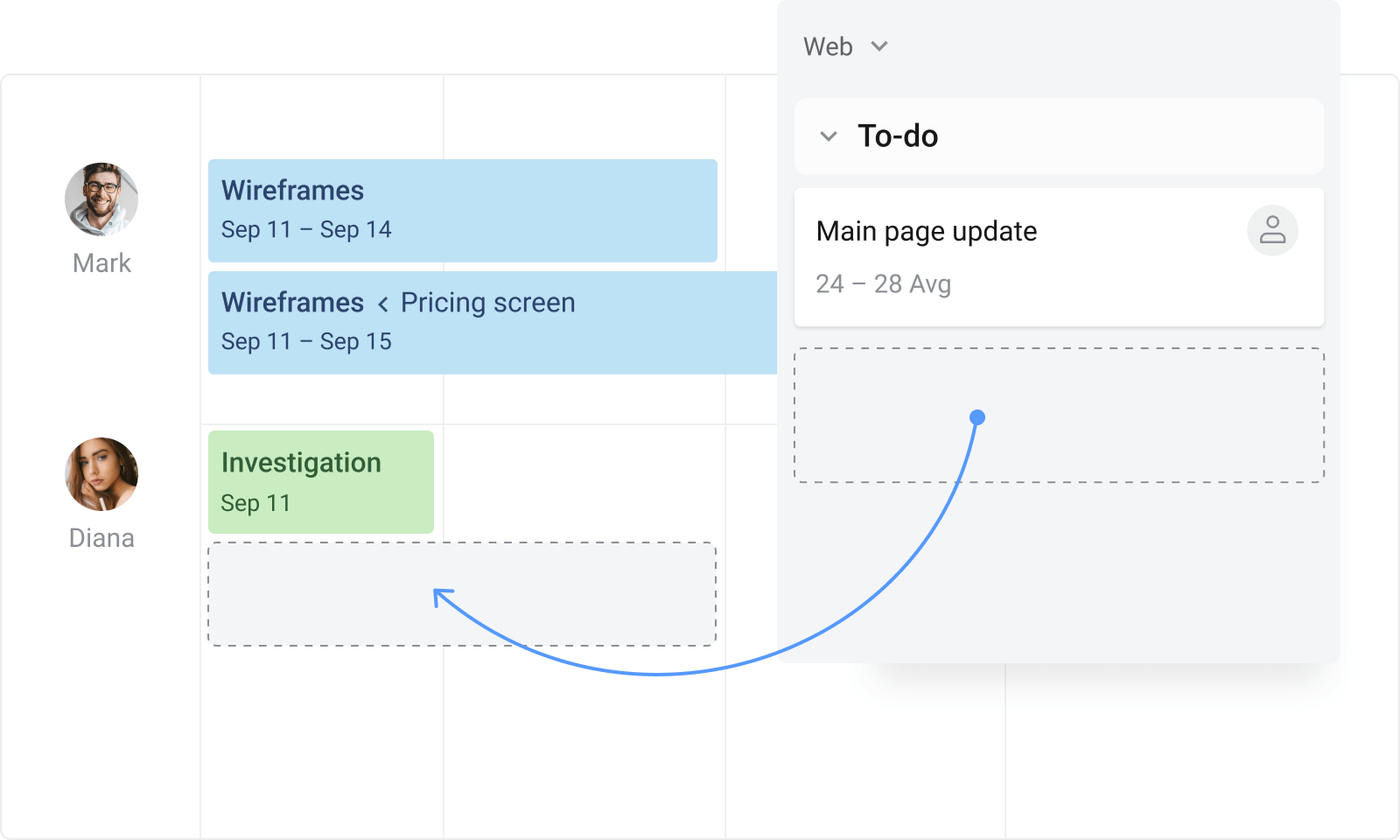
One of the ideas which seems quite straightforward is to use the timeline grouped by users. In Planyway you have the option to drag&drop cards from the board to the timeline lane and assign cards this way.
This looks easy to do. I'll try it out. Thank you!
I will definitely keep this in mind. Thank you for the detailed instructions!
I've gotten a few options but I will check this out and keep it as another option. Thank you!
It looks like you're new here. Sign in or register to get started.