Hi Confluence admins,
Ned here with an exciting update: I'd like to introduce our new and improved Trash Space management feature.
Previous behavior
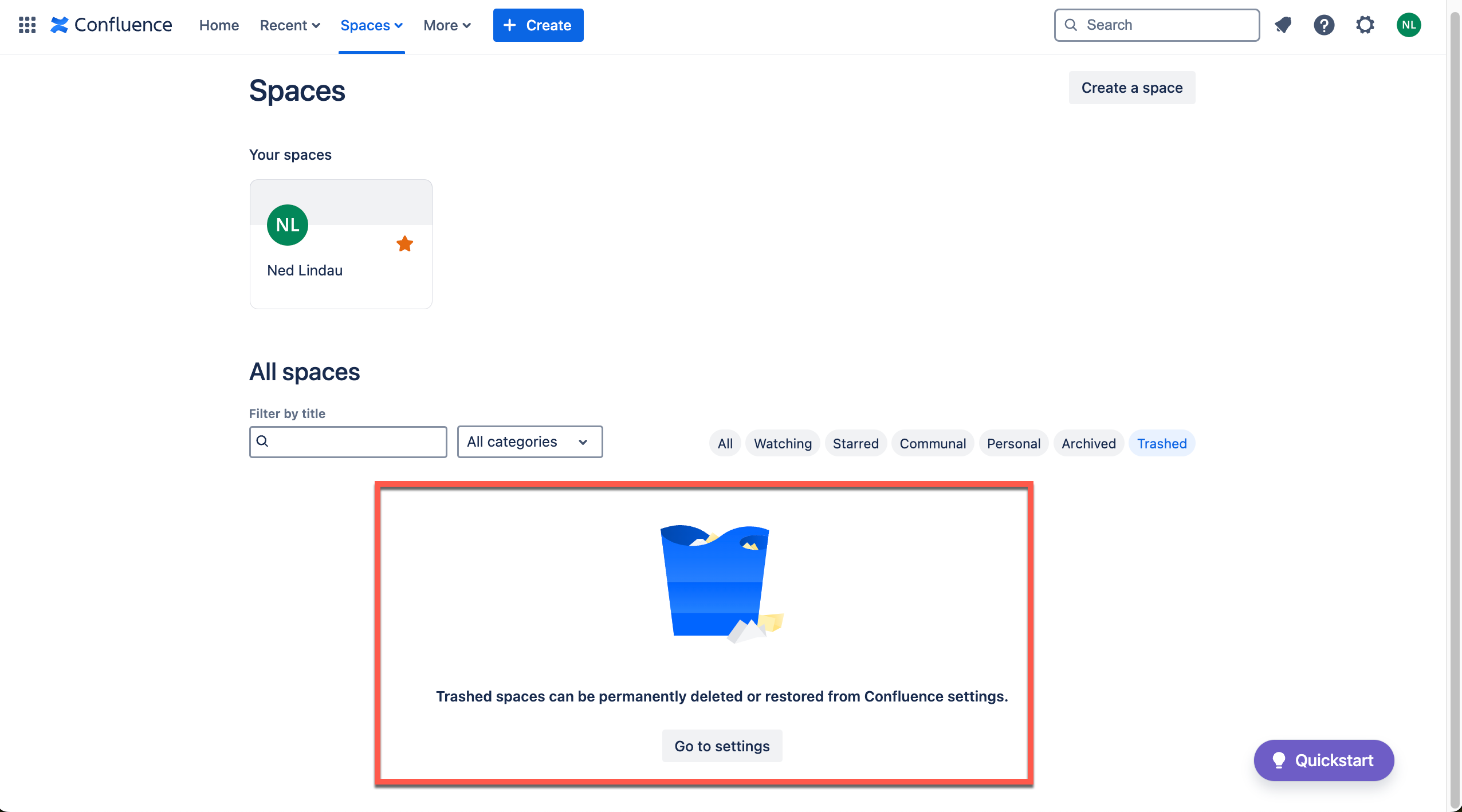
In order to manage trashed spaces, you had to navigate to the Spaces view on the top menu bar, and then click on the Trashed icon. From there, you could recover or permanently delete your spaces.
While this worked fine in many cases, there were two major drawbacks:
1. This admin-only functionality was separated from the rest of admin settings features
2. Admins were unable to recover or permanently delete Spaces that they did not have view access to
New behavior
1. We have moved the entry point to the admin settings section:
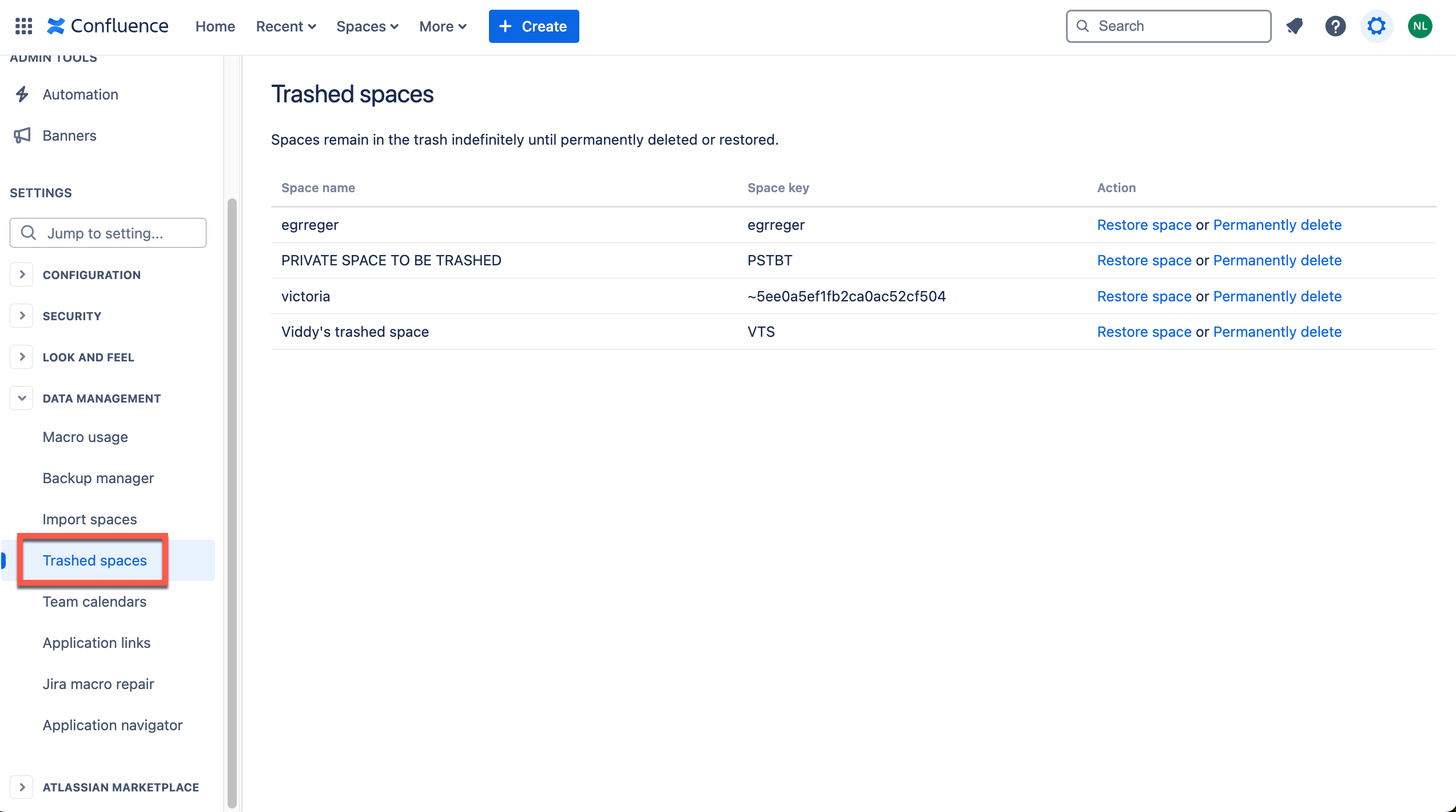
2. We have updated the logic so that admins will now be able to restore or permanently delete Spaces that they do not have view access to
3. Because we know it takes time to acclimate to changes, we've built a redirect link in the old Trashed Spaces location
Thanks for all the feedback; please keep it coming!
Ned, on behalf of the Confluence team


