Previously, all apps and sites in the switcher were shown purely based on your user access permissions. Now, you’ll see an organization filter, so any apps or sites owned by another organization are hidden from view and no longer clutter the switcher with apps unrelated to your current workspace.
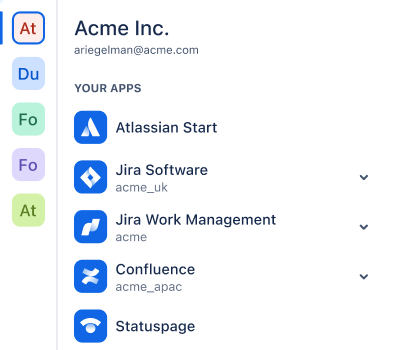
During customer research we heard that the switcher feels too busy, performing too many jobs at once and users have little to no understanding that sites they use may be owned by different organizations.
Our solution is designed to show a limited selection of relevant sites and apps on default, allowing users to switch tools and complete tasks faster, by removing interruptions and distractions from this core workflow.
From a security perspective, this also makes users aware when they are leaving their company owned organization and increases conscientiousness of what information is shared in which place.
What are organizations?
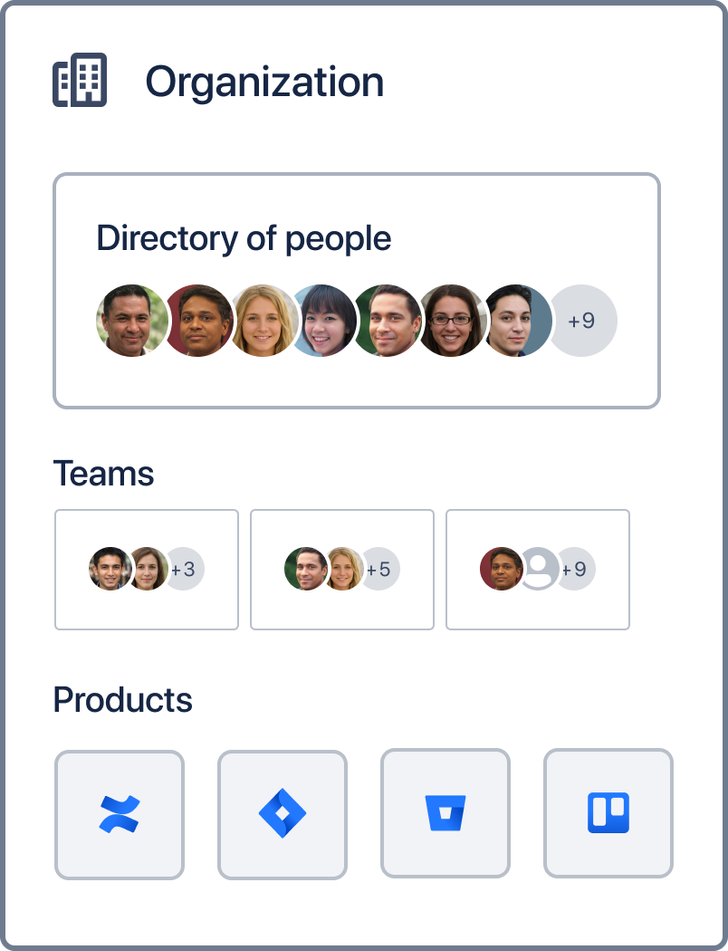
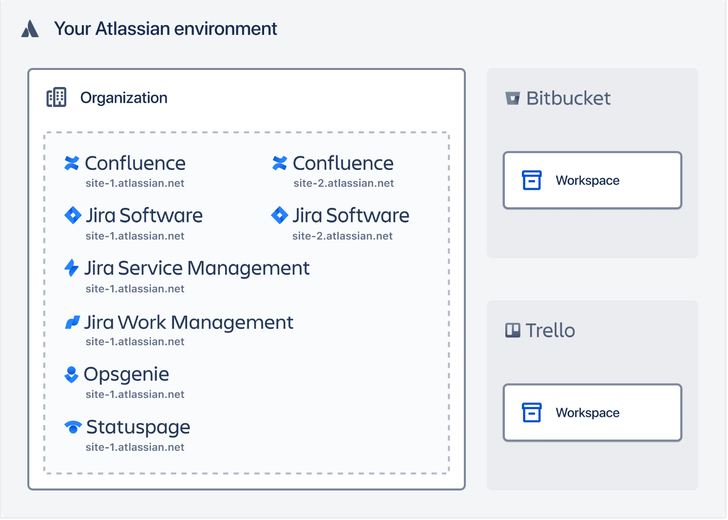
An Atlassian organization is a centralized place that bring together the invited users, products, and sites you have, being the administration level with the highest hierarchy of your Atlassian Products.
When you manage products from this central location, you have access to all administration settings and billing details of the products you signed up for.
Read more here: What is an organization?
Other changes for end-users
Changes to ‘Start’ and opening apps in a new tab
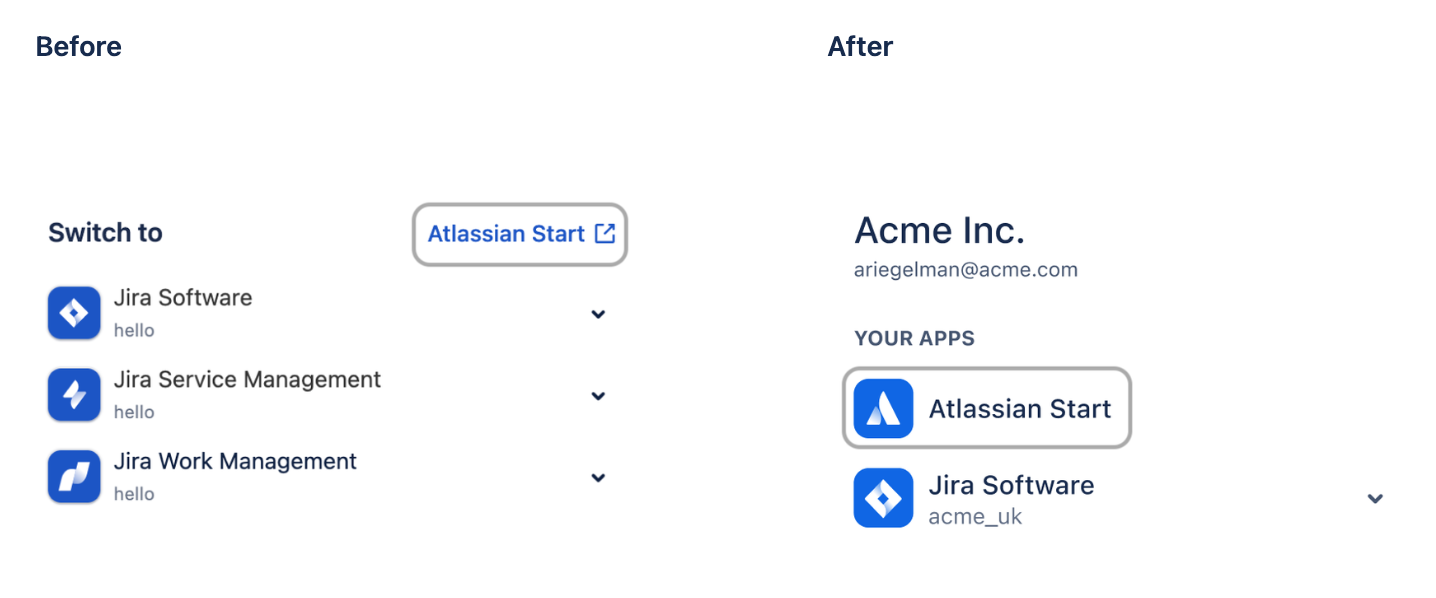
The link to start.atlassian.com is now shown under YOUR APPS rather than as a standalone hyperlink, and all apps now open in a new tab rather than updating the current tab.
Simplification of app discovery sections
Depending on which product you view the switcher in, you may have seen a variety of Discover, Recommended for you, and More sections that include links to other apps, sites and custom links.
We’ve significantly reduced what you see here, and now only show a single Recommended for you section, so that users can focus on the primary and purpose of the switcher - to seamlessly switch to the next app they need in order to get their work done.
Changes for admins
Custom links no longer visible in the switcher
A key finding from customer research was that users feel overwhelmed by the number elements shown, with many users seeing custom links unrelated their role. To improve the speed of execution for the vast majority of users, custom links will no longer appear in the switcher.
We understand there are a subset of users who utilize custom links to quickly access Data Center instances or other non-Atlassian tools, but this has come at the expense of productivity for the vast majority of users. A suggested workaround is to bookmark these links instead.
If you’d like to express interest in Atlassian building a new feature in the switcher for quick access to Data Center products, you can vote on this suggestion here: https://jira.atlassian.com/browse/CLOUD-11777
FAQ
Why can I see Bitbucket and Trello associated with organizations that don’t use them?
The concept of an Organization does not apply to Bitbucket and Trello yet.
User access to these products is based solely on a user’s email address. For this reason, if a user has access to either Bitbucket or Trello, they will see it in every view in the switcher regardless of the organization filter selected.
User restrictions in Bitbucket and Trello are currently based on Workspace rather than organization.
Read more here: What is an organization?
Kudos to @Lauren Button for her significant contributions to this announcement.


