
⭐️ Note: we will be migrating our EAP instances to Beta shortly & closing the gap on the differences that exist today between EAP and Beta (for example: supporting media like images, referencing entries/values). We wanted to rollout the Beta version as soon as we could so all the folks that wanted to try databases can, as we iterate on it!
👇🏽 Here's a few things we're shipping next for the Beta experience:
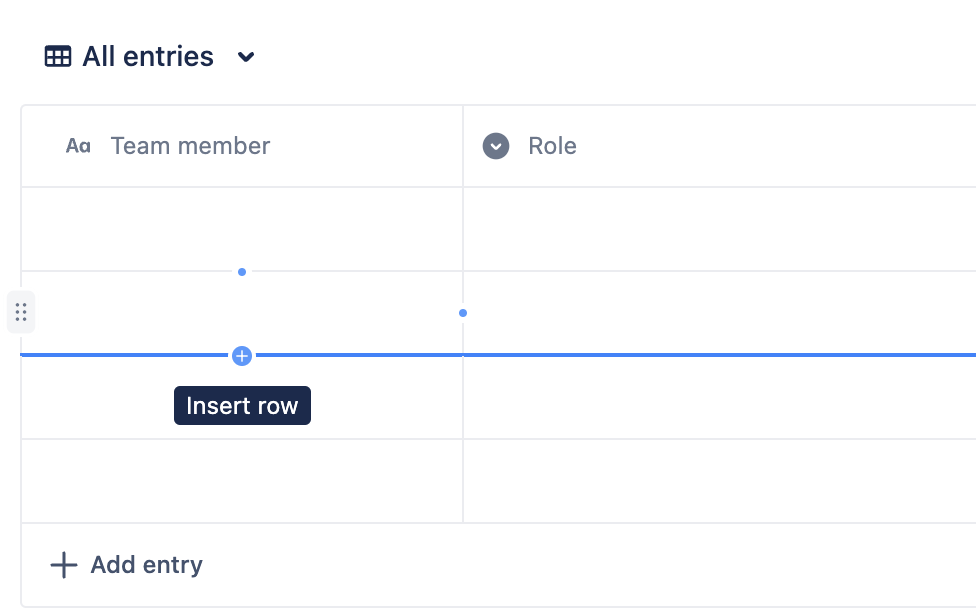
- Ability to add rows and columns anywhere
✅ In case you missed it, here's everything we've shipped so far:
|
Internationalization - ability to view language in database screens in multiple languages.
|
|
|
Add rows and columns from anywhere
|
 |
|
Add images to your databases -- and check out the card layout after!
|
 |
|
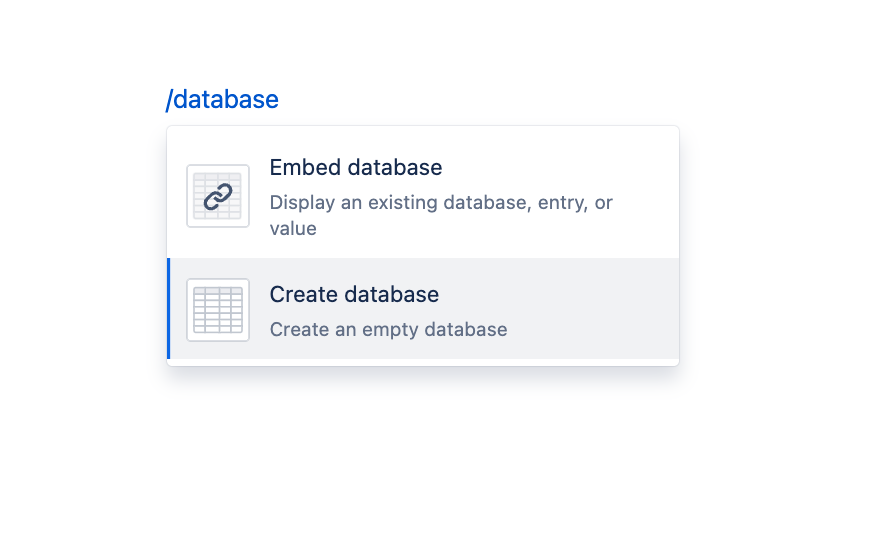
Add an existing database, entry, or value to your page!
|
 |
|
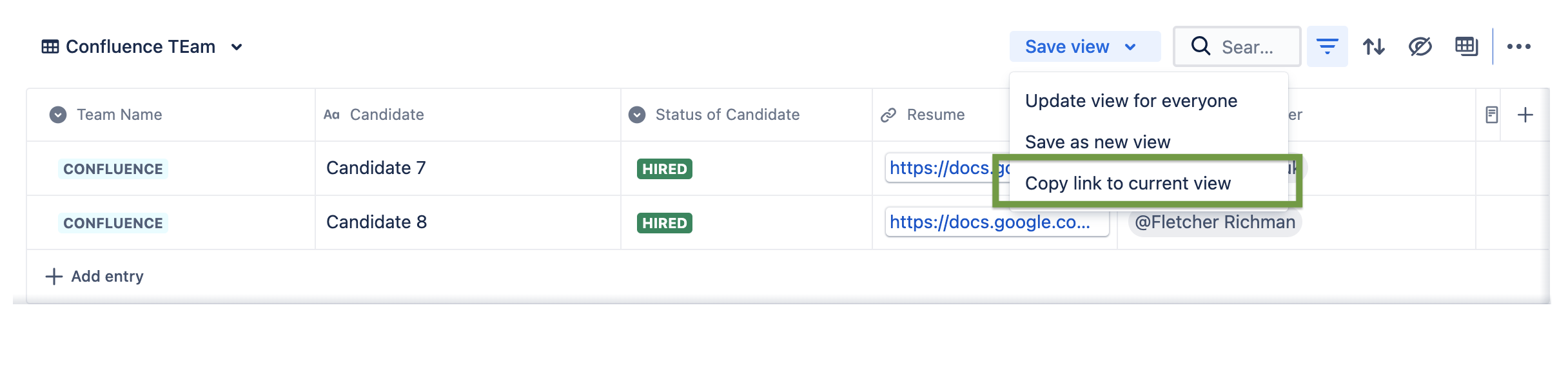
Want to share with someone the exact view you're looking at?
Click on the "save view" drop down and copy the link and share!
|
 |
|
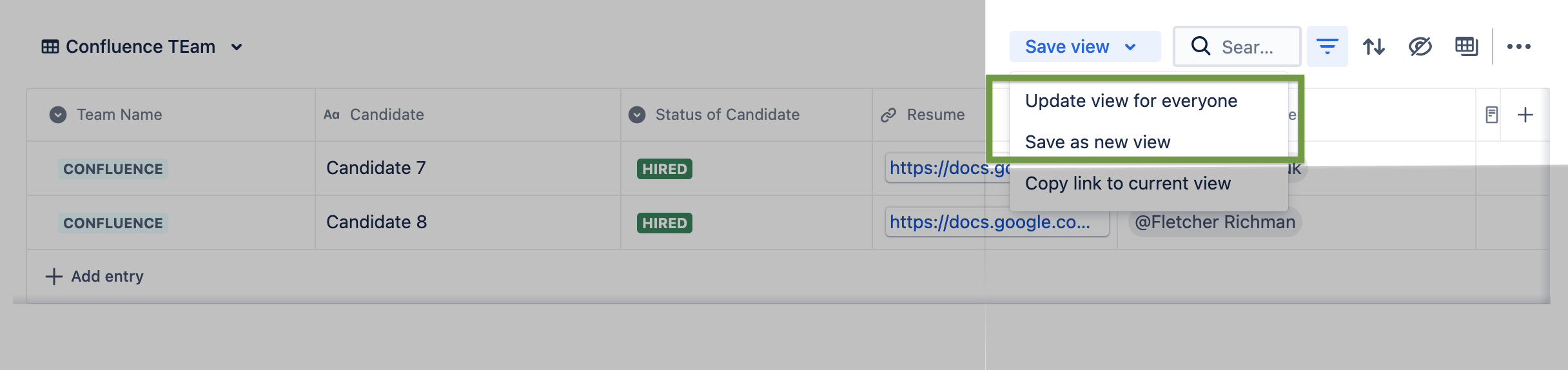
Did you filter for something specific or sort your database and want to save this view? Click the "save view" drop down and update or save a new view
|
Save or update a view:
|
|
Databases now use Smart Links, so you can copy and paste the url for a database in any editor in Atlassian (ie: Confluence page, comment, Jira description, Trello description, etc)
|
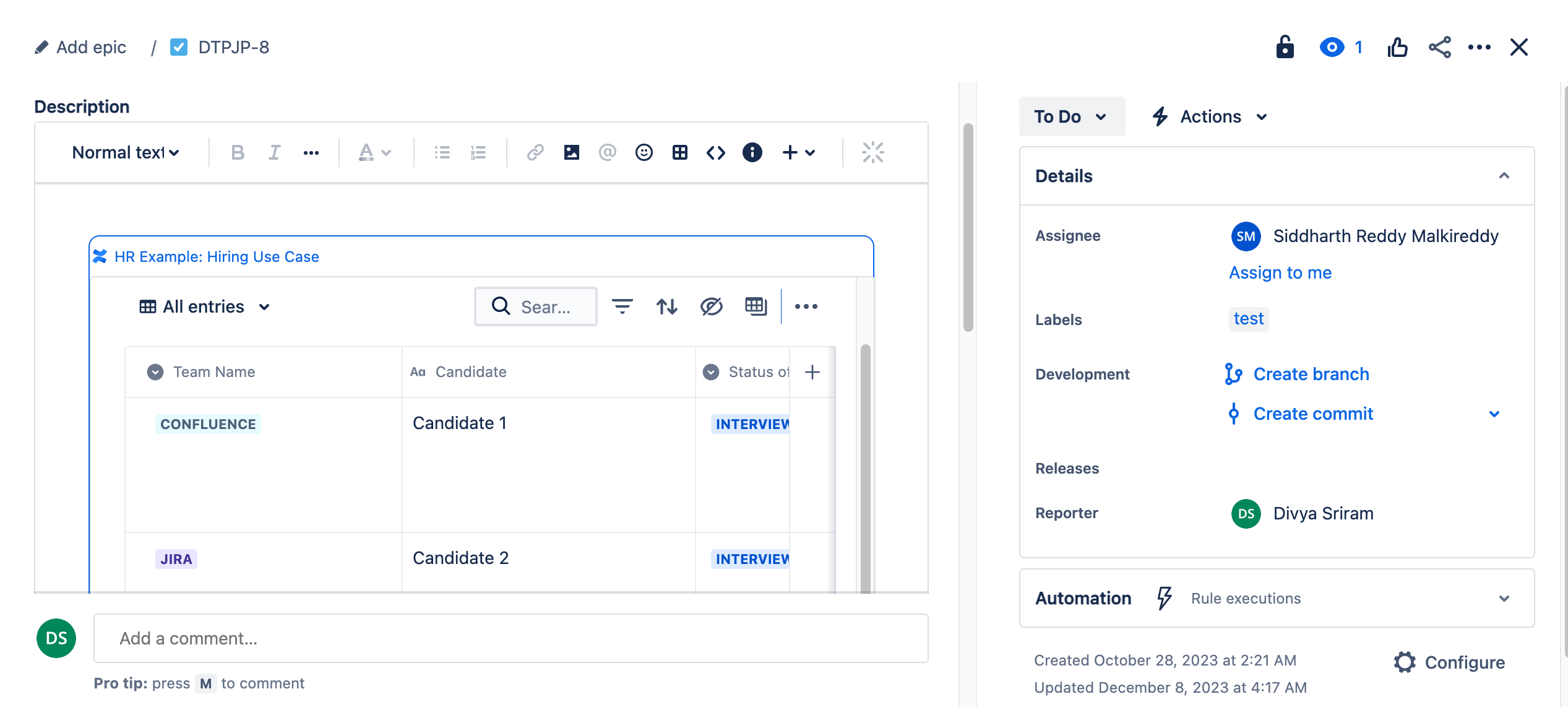
database in a Jira description
|
|
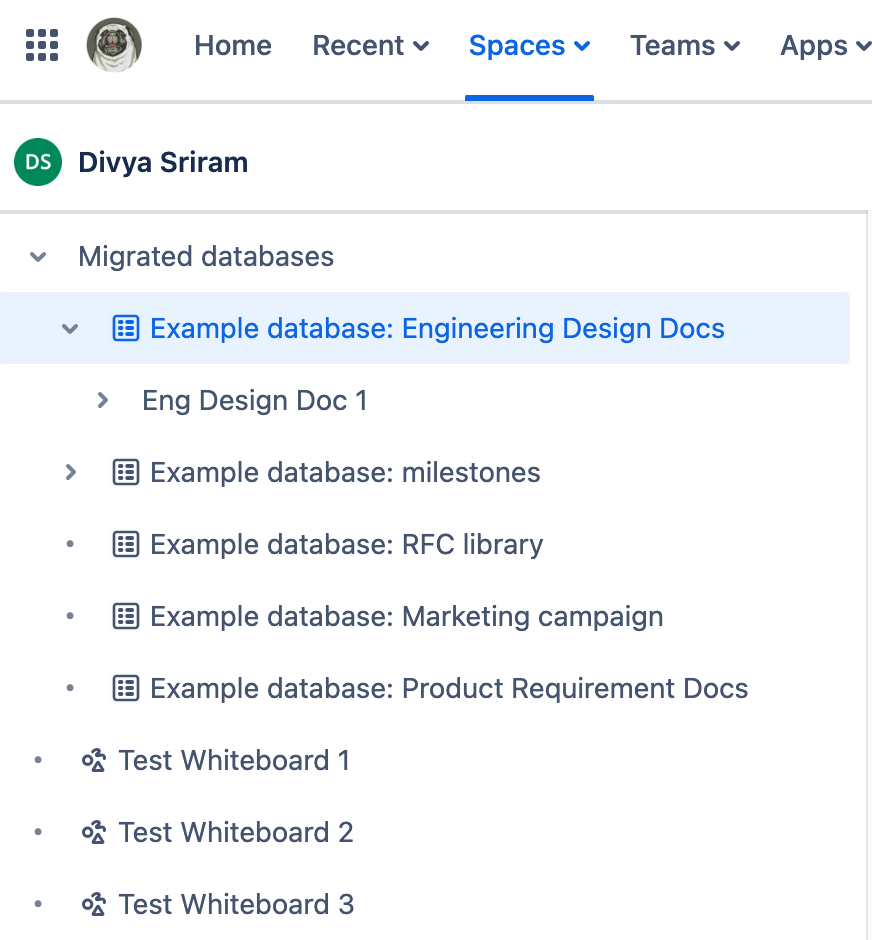
Databases are in the content tree, which means you can now organize them with the rest of your content. You can now
- move databases
- archive databases
- delete databases
|
 |
|
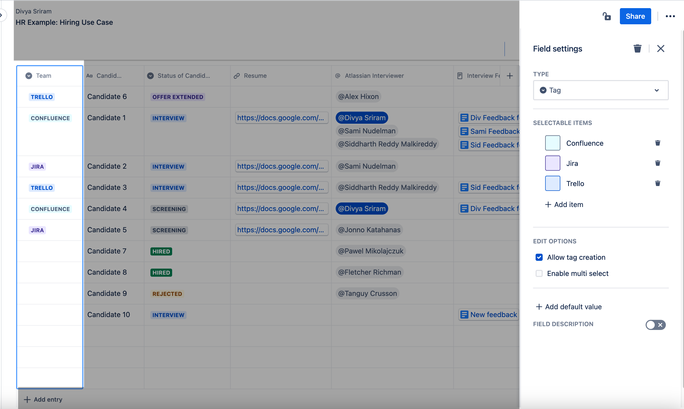
Deleting columns is easier.
- contextual tool bar makes the delete button accessible
- delete multiple columns at a time
|
 |
|
Right rail makes it easy to edit in context
|
 |
|
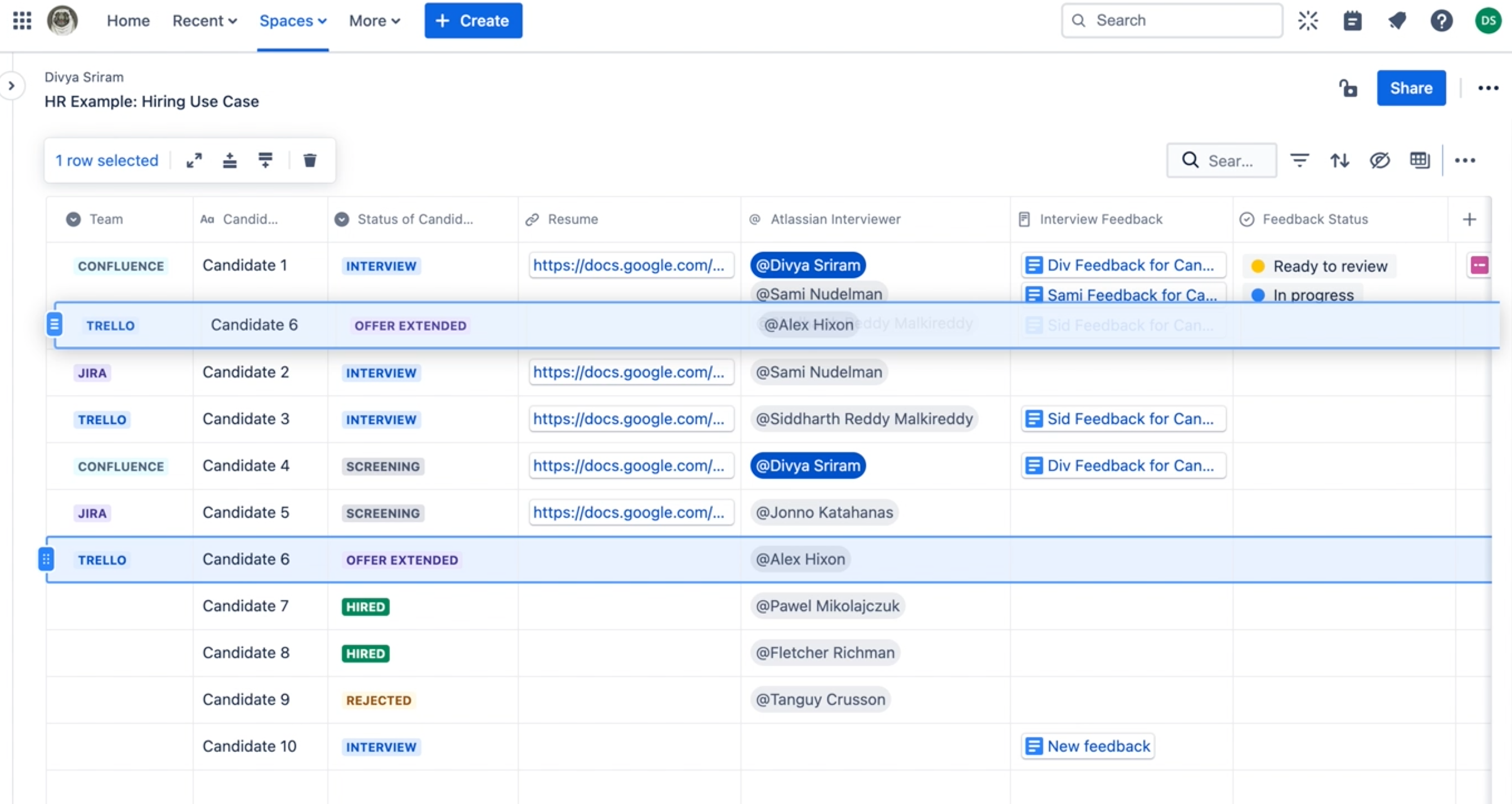
You can drag and drop your rows anywhere
|
 |
|
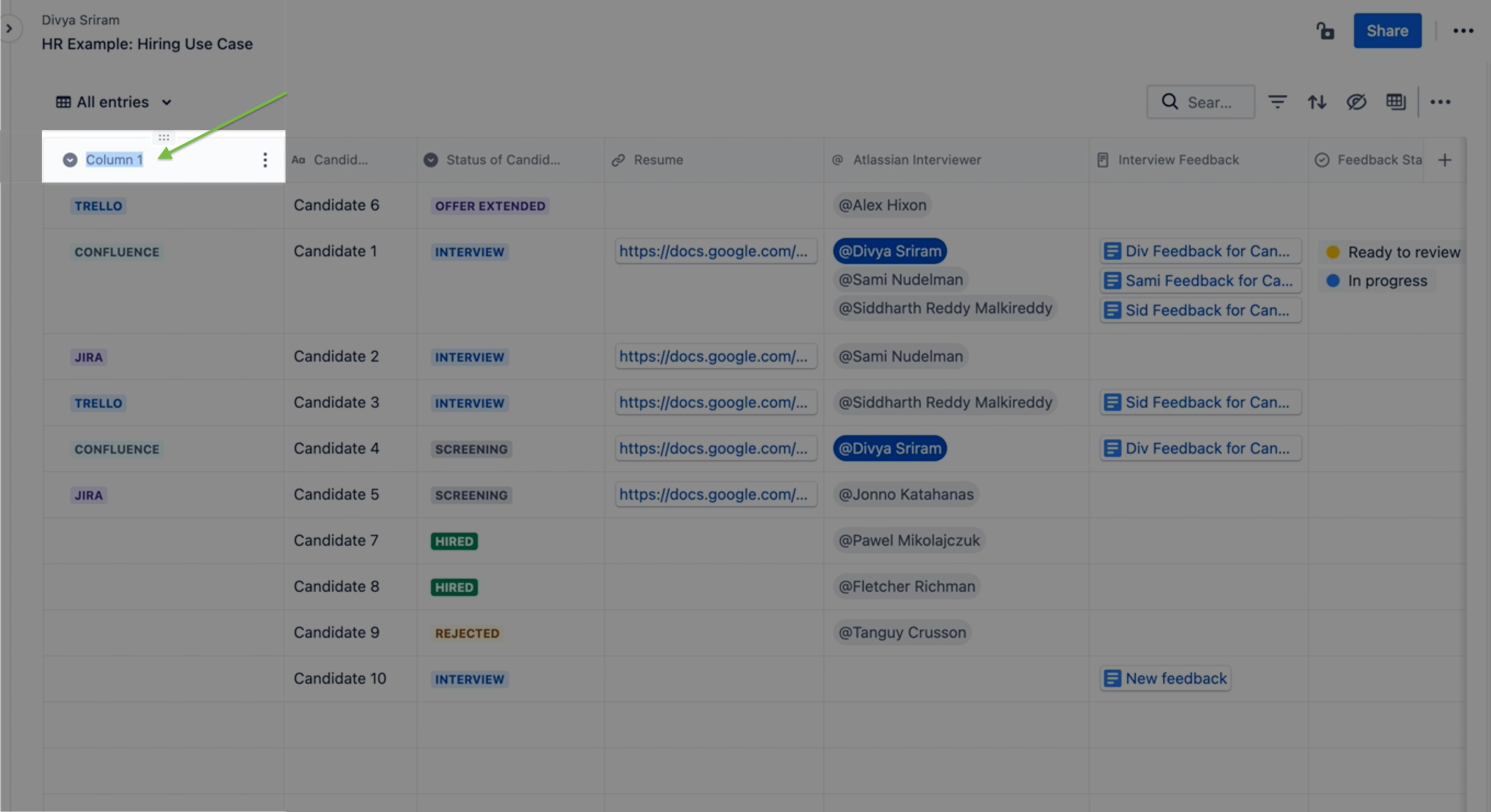
Now you can rename in a WSIWYG style (what you see is what you get)
|
 |
|
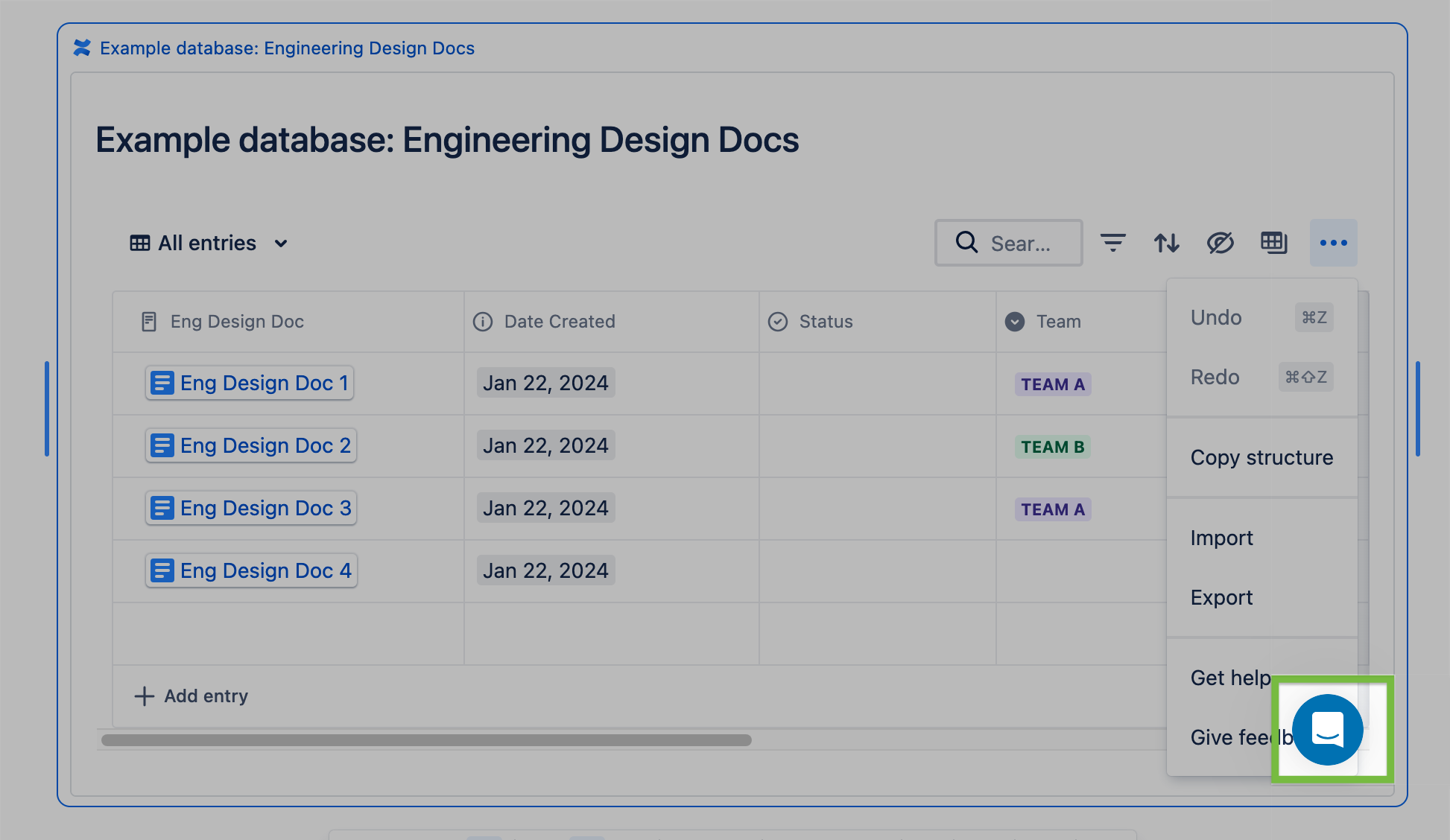
Removed the Intercom chat icon that was blocking space on embedded databases.
|
 |


