I have managed to get users on the system but authentication isn’t working. I've been following https://community.atlassian.com/t5/Atlassian-Access-articles/How-To-Atlassian-Access-Configure-SAML-SSO-Authentication/ba-p/1949816#U2570565.
Later it tells me to:
-
navigate to the Security → Authentication policies menu options
-
If you don’t already have a security policy with “Enforce single sign-on“ checked, click Add Policy (otherwise skip to #5 )
-
In the popup, enter a name for the policy (use something that will make sense later like “Enforce SSO“), then click the “Add“ button.
I have set up SAML:
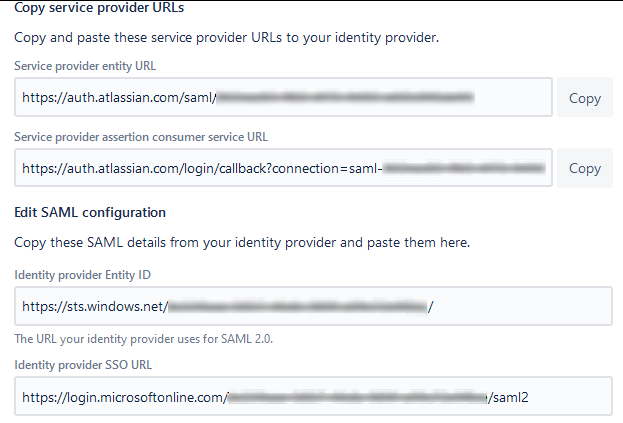
The admin page tells me I still need to verify my domain even though I thought I had:

My domain is verified.

Despite this when I attempt to link my domain there’s nothing in the list.
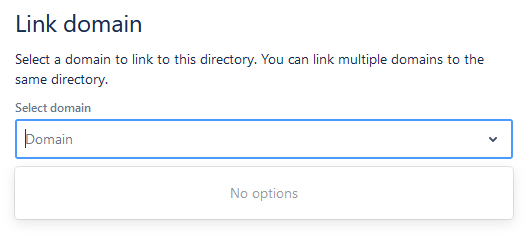
What am I missing?
Update:
OK, so random poking about has got me somewhere although it still isn't right. I had to claim my accounts but now I have a load of people listed who shouldn't have access.
I have two Authetication Policies. One is linked to my Azure AD, the other seems to be local to Atlassian. There doesn't seem to be a way to remove the Local policy.
Aha!
It turns out I can set the local policy to non-billable and deactivate accounts which shouldn't have access. Hopefully that will get the result I'm after, given the lack of useful instructions it's mostly guesswork.

