Hi all,
I learn something new every day. A user was asking if it was possible to import options for a select/multi-select field (they use it to tag customers on ideas) and I thought it wasn't possible.
But it turns out I was mistaken! I came across this article: https://confluence.atlassian.com/jirakb/how-to-bulk-add-options-to-custom-fields-via-external-system-import-1115662994.html
I tried it and it works in Jira Product Discovery projects as well.
First things first: You'll need the BULK_EDIT global Jira permission to do this. If you have the Jira Administration Product admin role as per below, you will have these permissions out of the box.
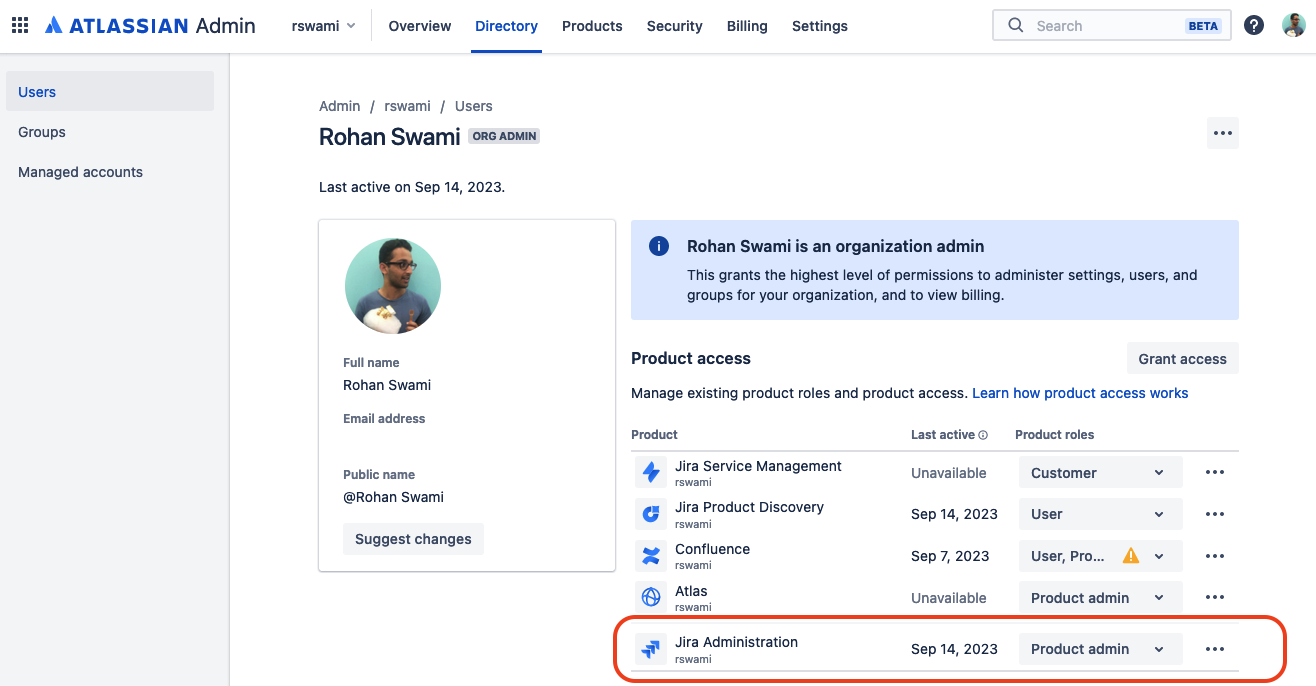
Now we're ready to begin:
- Create your desired field in the JPD project as a select or multi-select.
- Prepare a CSV with the options you want available in the select or multi-select field. We're creating and importing ideas with the desired field values, with 1 idea for each field value. The CSV should contain columns for:
- Issue key - Create new issues to avoid overwriting existing ones.
- Summary - This is mandatory when creating an idea, add any dummy value here.
- Field name - with your desired values.
- Open Settings > System > External System Import. Select CSV and your CSV file.
- Select the project you want to import to.
- Map CSV fields to Jira fields and tick the 'Map field value' box.
- Select Next and Begin import
Hit refresh on your JPD project and Voila! Here's a demo on Loom. You can remove the ideas you created and the field and its values will still be available to use.

