Tips how you can integrate Jira, Confluence and other Atlassian apps in Microsoft Teams across your enterprise.
With over 300 million monthly active users Microsoft Teams is the hub for daily collaboration for many enterprises. As part of Atlassian's open platform we have apps that help you integrate Atlassian into Microsoft Teams to help users get work done.
Automatically add to Microsoft Teams
The Jira app integrates seamlessly with Microsoft Teams both on mobile and desktop.
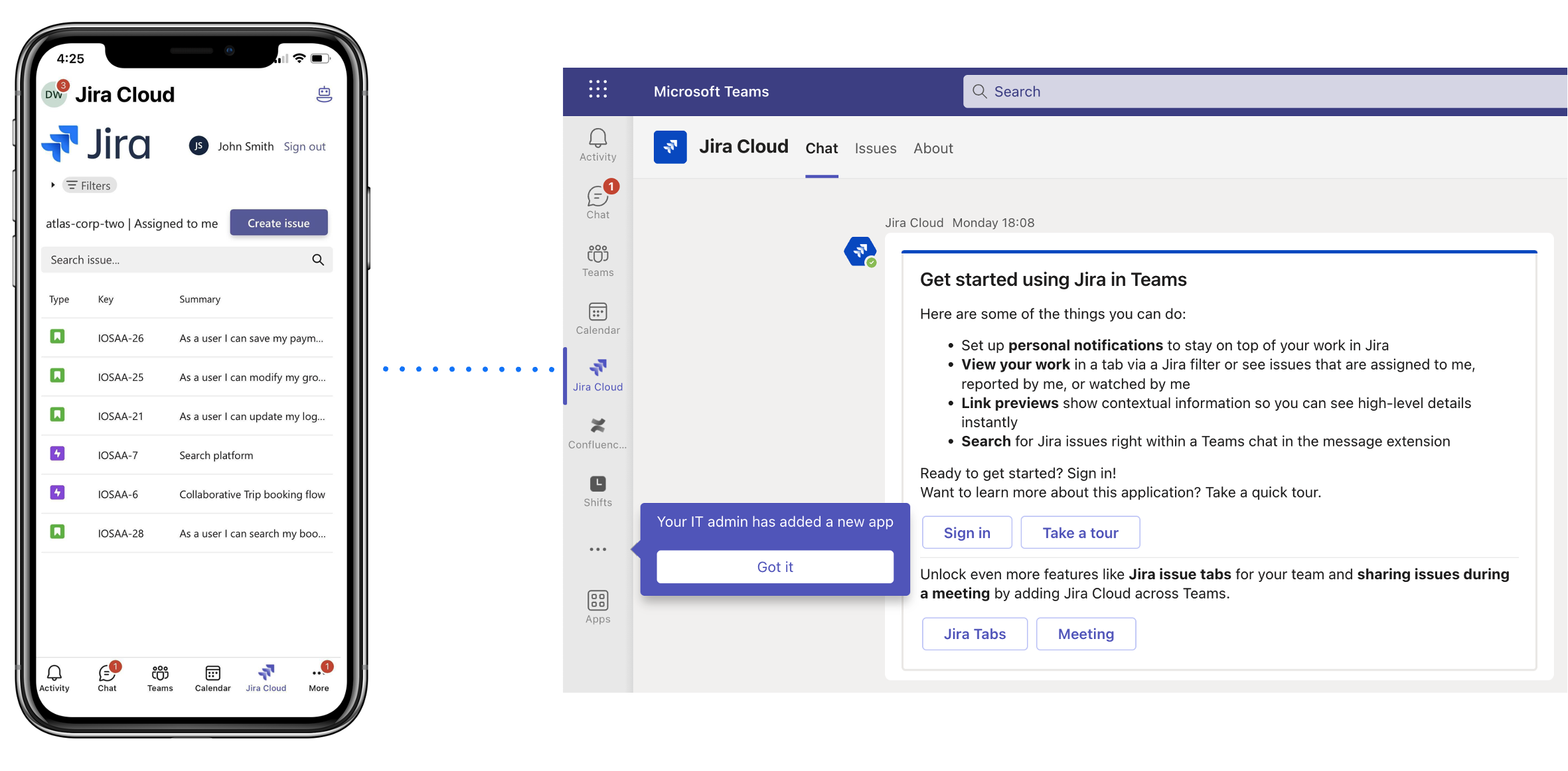
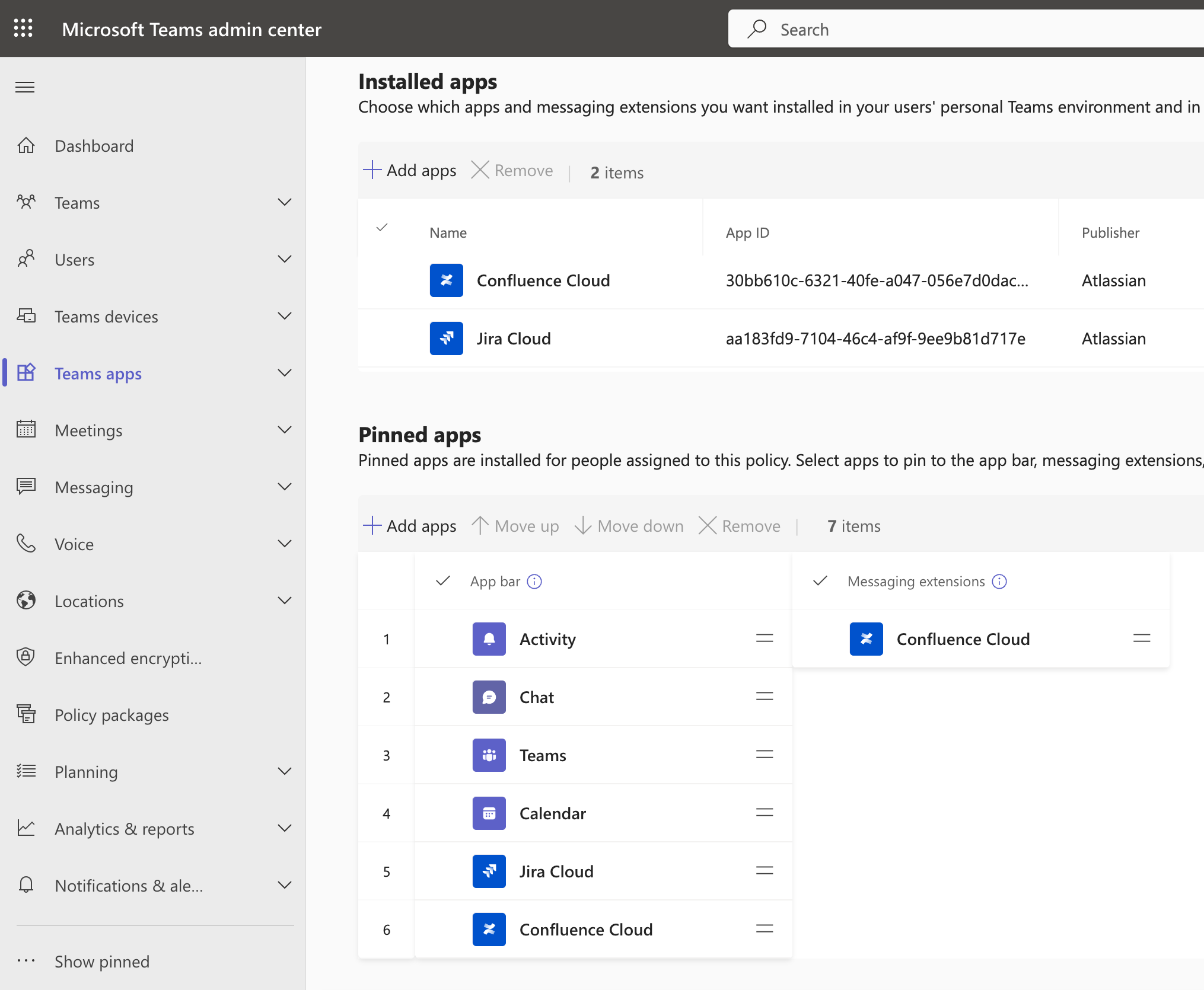
Admins for Microsoft Teams you can use App Setup policy (docs) to automatically install and pin apps. Add Jira to the app bar so it's a one touch experience for users to access and update Jira issues.
Automatically add Atlassian apps with custom Microsoft Team templates
No need to ask users to manually add in an Atlassian app. With custom template in Microsoft Teams they can be automatically installed when a user creates a team.
Imagine having a Dev or Finance team with Jira, Confluence and Atlas apps automatically added during the creation process.
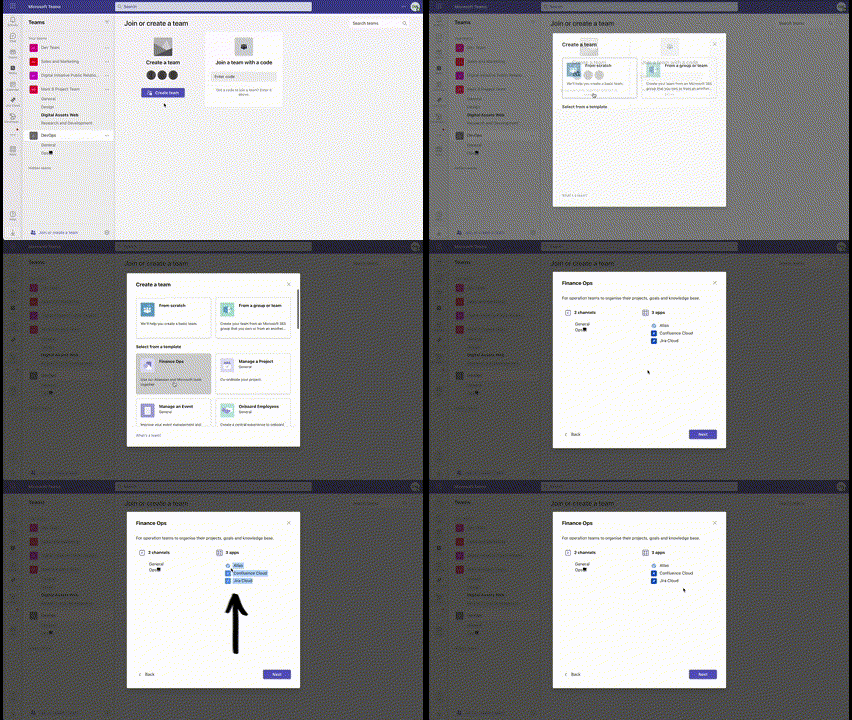
Follow these Microsoft docs to create your own custom templates with Atlassian apps. Video overview of templates and APIs:
 https://www.youtube.com/watch?v=I7edTjd8h2c
Create a team with Atlassian apps using the Microsoft Graph APIs
For organisations want to automatically provision teams they can include Atlassian apps as part of the creation process using Microsoft Graph APIs (source).
|
Example with Jira & Confluence cloud apps added
{
    "template@odata.bind": "https://graph.microsoft.com/v1.0/teamsTemplates('standard')",
    "displayName": "Dev Team",
    "description": "The team of our devs to collaborate and deliver on the roadmap",
    "channels": [
        {
            "displayName": "Dev",
            "isFavoriteByDefault": true,
            "description": "This is a sample training channel, that is favorited by default, and contains an example of pinned website and YouTube tabs.",
            "tabs": [
                {
                    "teamsApp@odata.bind": "https://graph.microsoft.com/v1.0/appCatalogs/teamsApps/aa183fd9-7104-46c4-af9f-9ee9b81d717e",
                    "displayName": "Jira"
                },
                {
                    "teamsApp@odata.bind": "https://graph.microsoft.com/v1.0/appCatalogs/teamsApps/30bb610c-6321-40fe-a047-056e7d0dac96",
                    "displayName": "Confluence"
                }
            ]
        }
    ],
    "installedApps": [
        {
            "teamsApp@odata.bind": "https://graph.microsoft.com/v1.0/appCatalogs/teamsApps/aa183fd9-7104-46c4-af9f-9ee9b81d717e"
        },
        {
            "teamsApp@odata.bind": "https://graph.microsoft.com/v1.0/appCatalogs/teamsApps/30bb610c-6321-40fe-a047-056e7d0dac96"
        }
    ]
}
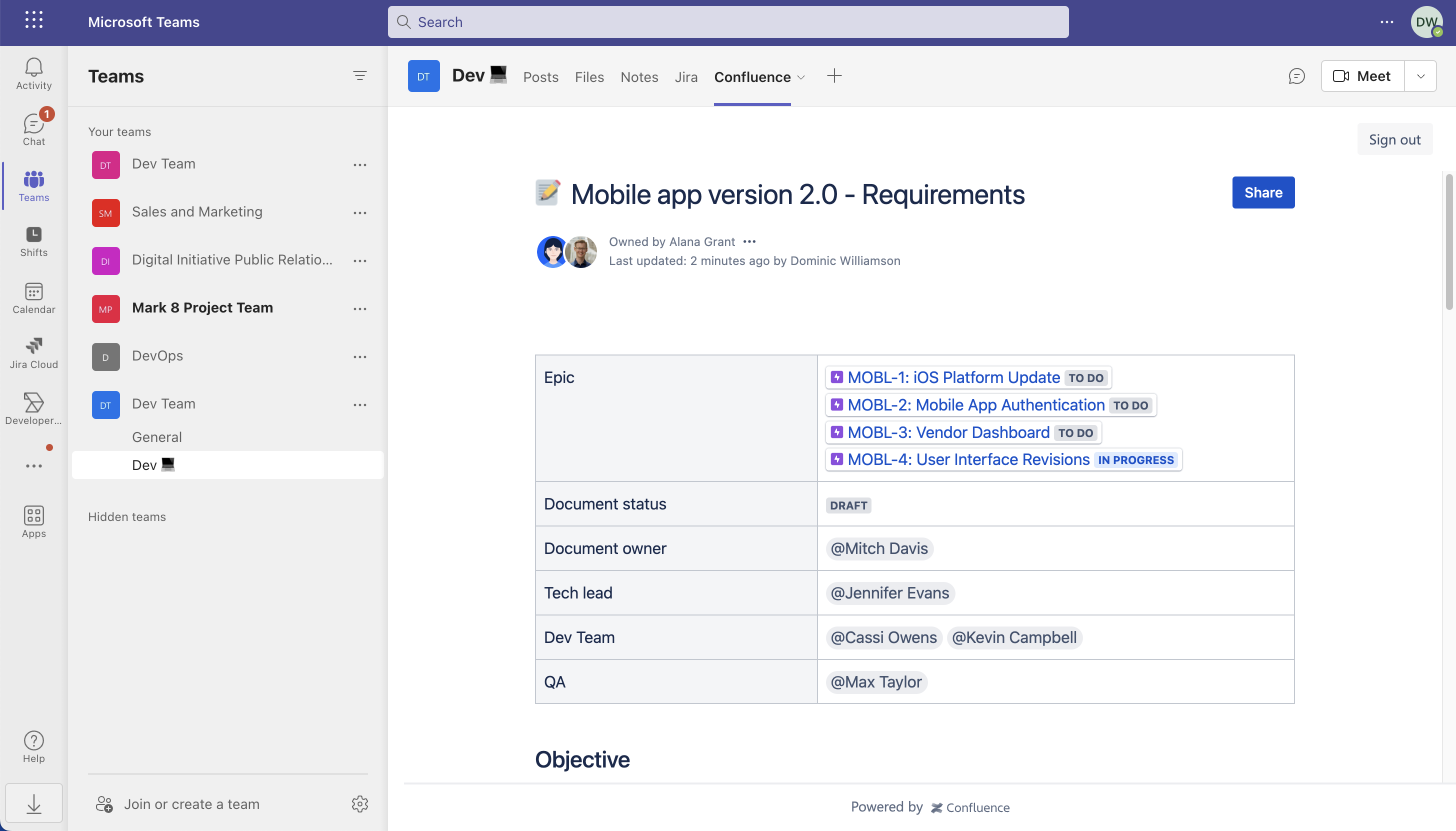
The sample code will create a new team called 'Dev Team' with a channel that has both the Jira and Confluence apps automatically installed.
|
What about existing teams and chats?
Scenario: You have existing teams that you want to add apps such as Jira to. Using the Microsoft Graph you can add Atlassian apps to existing teams with:
Add to teams
-
Add app to a team (docs)
- Add the app to as a tab, such as the General channel (docs)
Add to chat group
Add to personal scope
Cloud app IDs (needed for when you run the 'add app'):
| App |
ID |
Teams App Store |
| Jira Cloud |
aa183fd9-7104-46c4-af9f-9ee9b81d717e
|
Link |
|
Confluence Cloud
|
30bb610c-6321-40fe-a047-056e7d0dac96
|
Link |
| Opsgenie |
6f62d397-8b16-48e9-9fea-1a5193c9fc08
|
Link |
| Trello |
49e6f432-d79c-49e8-94f7-89b94f3672fd
|
Link |
| Atlas |
69883cee-eb8c-41c2-9533-7fdb0762e913
|
Link |
| Atlassian ChatOps |
30ad5de7-5a94-4267-8699-9daa9e18132a
|
Link |
| Assist |
33621d49-05e8-47e9-844b-f0d1c43ef5be
|
Link |
Jira on-premise Microsoft Teams for Jira | Atlassian Marketplace


