My SourceTree just suddenly wouldn't load, even though I've been using it for years.
I've looked online and tried all the various suggestions but nothing works.
Ive tried uninstalling the app, reinstalling the latest version (3.4.11) Ive also deleted the SourceTree folder and the Atlassian folders from my 'AppData > Local' folders. Ive tried using CCleaner to uninstall and also to clean registries.
However, anytime I uninstall and try to use the installer i get a blue splash screen with the Sourcetree logo that appears for a second, then the app is suddenly installed again and the folders are back where I deleted them from, however the app still does not open.
When I run the installer, it does not behave like a normal installer with the correct popups etc,
I'm using the latest version of windows 10.
I have followed all the advise in a previous thread in on March 13 2018 as suggested by Ana Retamal of the Atlassian Team. Nothing works.
I include a copy of the .log file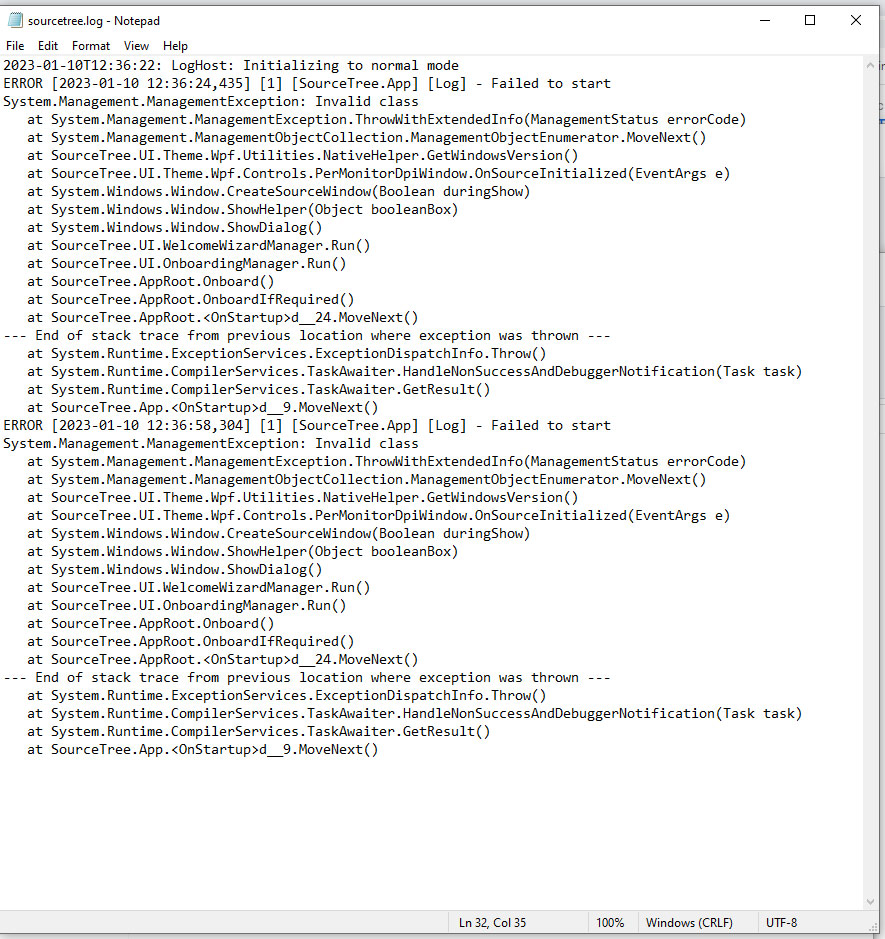
I urgently need help in solving this issue in order to do my work!

