We’re excited to announce that you can now embed your dashboards across the Atlassian suite using Smart Links 🎉. All you have to do is paste a link to the dashboard in a Confluence page, Jira issue, or Atlas update and select to display it as Embed.
Check out the video below to see embedding in action:
📄 How to embed a dashboard through Smart Links:
-
Paste your dashboard URL. By default, it will display as an inline link.
-
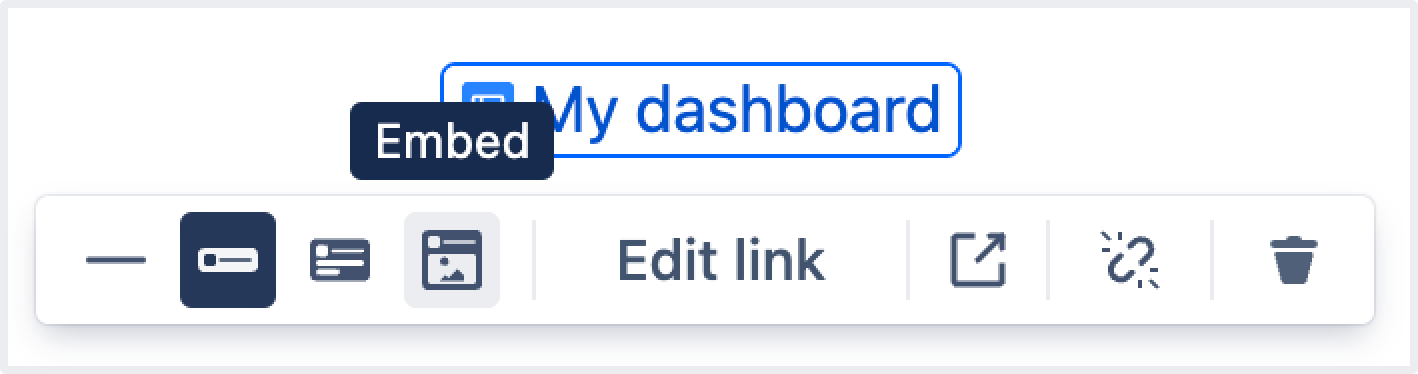
Select the inline link that you just created. You’ll see different display options for the link.
-
Select Embed and your link will display as an embedded dashboard!
A few of the ways embedded dashboards can help:
-
Allows you to add valuable commentary alongside a dashboard to provide a breakdown of the charts, data analysis, and actions to address.
-
Smart links provide a way for you to share Atlassian Analytics dashboards quickly and easily across the Atlassian suite.
-
Easily link a dashboard in a Jira issue comment to help make a data-informed product or delivery decision.
Smart links work across many Atlassian products that use the editor:
Note: The embedded dashboards respect product and dashboard-level permissions. If a person does not have access to view, edit, or manage a dashboard, they will not be able to see the embedded content. Instead, they will be prompted to request access – protecting your data!
What’s next?
We're currently working to support embedding a single chart on your dashboard. This will allow you to share a single chart / a few data points with additional context to help drive answers to key questions!
Feel free to leave us a comment if you’ve got any feedback or contact support if you run into any issues.


