Update 27 September 2023 - We've decided to close this thread as there is a more recent article related to this topic. We welcome your feedback on The end of an era: bidding farewell to Trello's original theme.
------------
If you’re new to Trello, you might not have used labels yet (in which case, you’re going to want to- because they’re super powerful ways to filter information on your boards), or maybe you’ve started and gone label-happy and don’t want to re-use colors and feel a bit stuck.
Meanwhile, if you’ve been here in the community for a while, chances are you’ve seen someone make a comment about the “lack of label options” in Trello. While personally it’s never been an issue for me, it really does break my heart a little bit every time I see someone stop using Trello because they feel limited by the label options.
Because of that, anytime someone asks “what’s one feature you wish Trello would implement?” - more labels has been my answer! Well my dream for all Trello users came true today, because Trello is officially releasing more label color options for a total of 30 colors now!
What do the new color options look like?
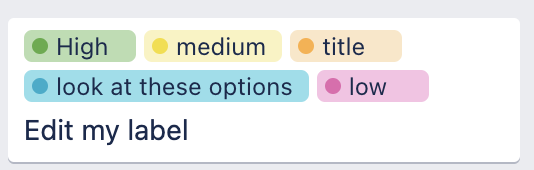
We’re going from 10 options to 30 by introducing more shades of the colors that you’ve grown to love. You can now get lighter and darker shades, unlocking even more opportunities to style your boards.

Why am I telling you about this?
Those of you who know me know that I’m a pretty passionate Trello user and community member, and when I started seeing some questions about the label changes in Trello, the product team asked if I’d be interested in helping announce this launch to the community. To which I said…

Let’s see it in action
Want to see it instead of just reading about it? I recorded this quick demo showing what they look like and how to add them to your cards.
 https://www.youtube.com/watch?v=3gVhRIly9Y8
FAQs
I can’t answer everything, but I’ll do my best, and if you have additional questions, comment below and I’ll do my best to address them or make sure Atlassian folks are able to!
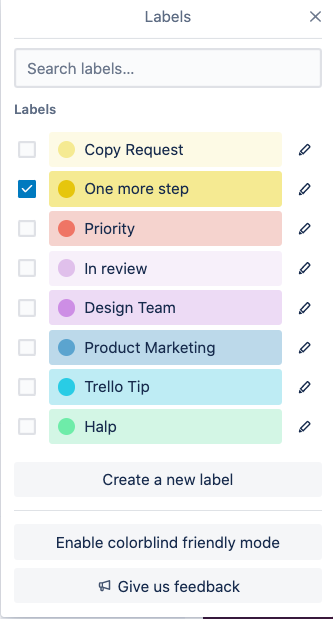
- How do I start using these new labels? Just go to your Trello boards and refresh the page! (Click the circle arrow next to your browser back button, or use the keyboard shortcut CMD/Ctrl + R). Then head to the labels section on your boards and you’ll see the new colors available when you click on the pencil icon next to a label, or click “create a new label”.
- Why did the style of labels change to use dark text? This was better for accessibility purposes, especially with the introduction of more colors because the bold white text does not look good with every shade of every color!
- Can I go back to the old labels? Unfortunately for right now, that’s not an option, but if you’re missing the bolder colors on the labels, try using the darker versions of the label color options.
- Are any more color options going to be available? 🤫I can’t say for sure, but I know the Trello team is quite aware of the request for a billion label options and they’ll be closely monitoring how these changes are received and use that feedback to shape the future.
- What should I use Trello labels for? Oh honeyyyyy, where to start?? I love using labels to organize tasks by any category that I want to be able to group or filter my cards by, such as priority (or energy) levels, areas of the business, goals tasks contribute to, etc. But if you need more ideas, check out the new post on the Trello blog that explains these changes and gives some additional info about labels.
Update!
Trello wants to organize everyone's feedback on this so they can work on the next version of labels that hopefully addresses what everyone is looking to see. If you go to your Trello boards and underneath labels, you'll see a button for Leave Feedback. If you can go click that and share your feedback - preferably in a constructive way of what you'd like to see  - I know that will be really helpful for the team to have all of that organized!