I recently completed an implantation of Workday HCM, Finance, and Payroll. One of the many project responsibilities I had was to run cutover and organize product support. Early in the project, I determined using Jira, Jira Service Management and Confluence would help us have a successful implementation.
Lots of Questions
While preparing for the project and discussing implementations with other institutions I learned that they all struggled with the number of support tickets that flooded in after go-live. I learned that majority of the questions could be answered through basic knowledge base articles. This led to the creation of a robust knowledge base to address these questions.
Create a Framework
Once I knew that we would be focusing on training our customers to answer their own questions I created a knowledge base framework that could be easily followed and would ensure the information could be found. I created the following:
- A Workday Knowledge Base in Confluence
- A template that all knowledge base articles would use
- A guide for creating articles, the guide included
- How to create an article
- Sections that each knowledge base article should have a detailed description of what must be included in each section:
- Title
- Summary
- Body
- Last Updated Information – This was atomically added through a macro but I let individuals know not to delete it.
- Labels
- Guide for using images
- Guide for using macros
- A process for releasing articles
- A review process was implemented that ensured
- The title is clear and concise
- The article has a summary
- The body has been formatted well
- Labels have been applied
- A label guide. The guide had to be followed to ensure that articles could be associated with the proper request types in the service desk and easily organized by subject matter. The labels also allowed the automation of relating content within the knowledge base.
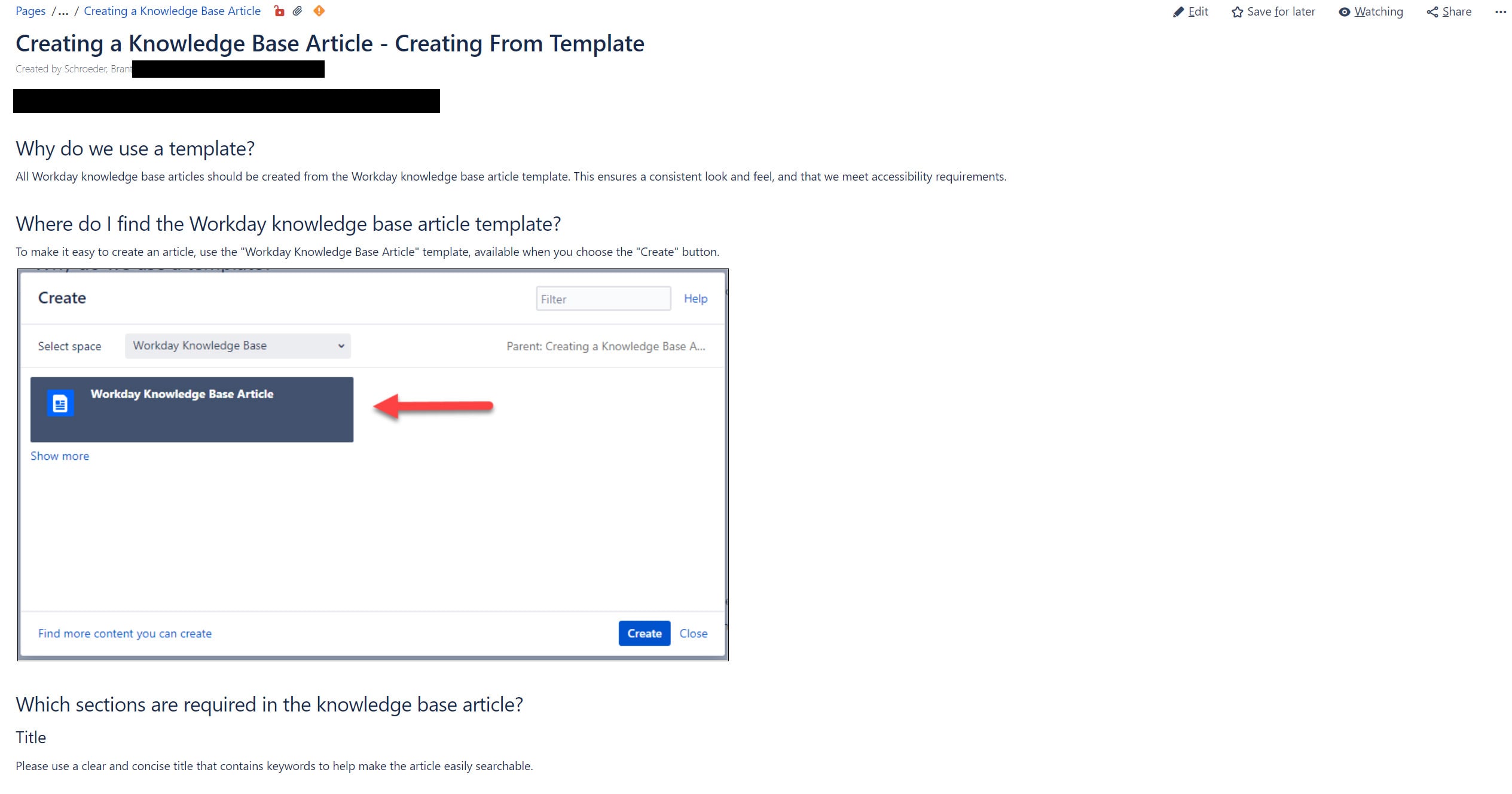
Once the framework was in place, I held training sessions so individuals creating the articles would know what the expectations were for each article and ensure that they were familiar with the resources. As part of the training, individuals brought information to create their first knowledge base article and I assisted them in a working session at the end of the training. This provided confidence since they already created their first article in the training and were now familiar with the process.
Create Knowledge Base Articles NOW!
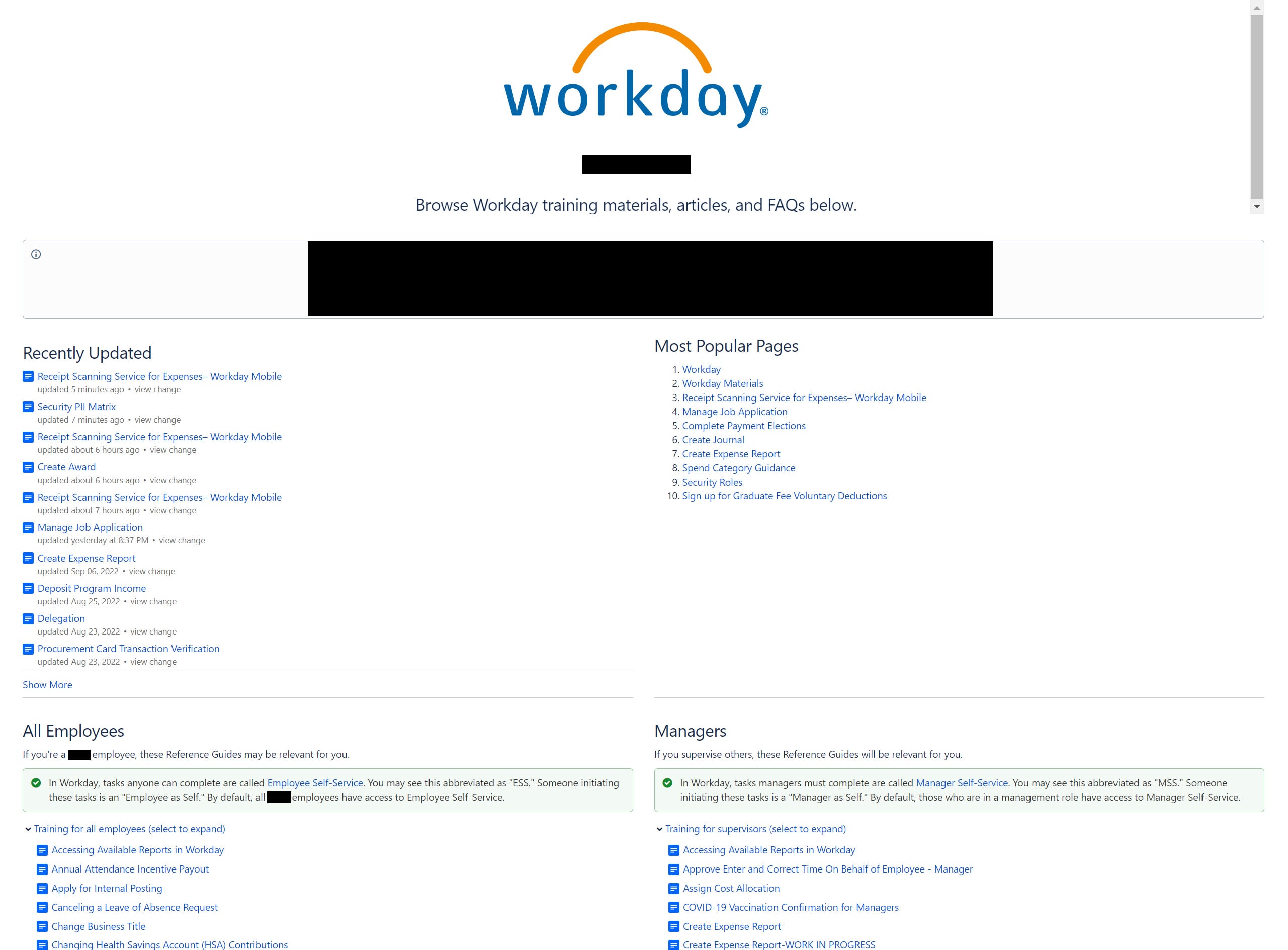
Early in the project, I began having individuals produce knowledge base articles. This allowed a large repository of articles to be created before Workday went live. The articles were also used during validation and updated based on feedback from those performing the testing. I was also able to catalog knowledge base articles that were missing so those could be created before our go-live.
Connect Your Articles to Your Service Desk
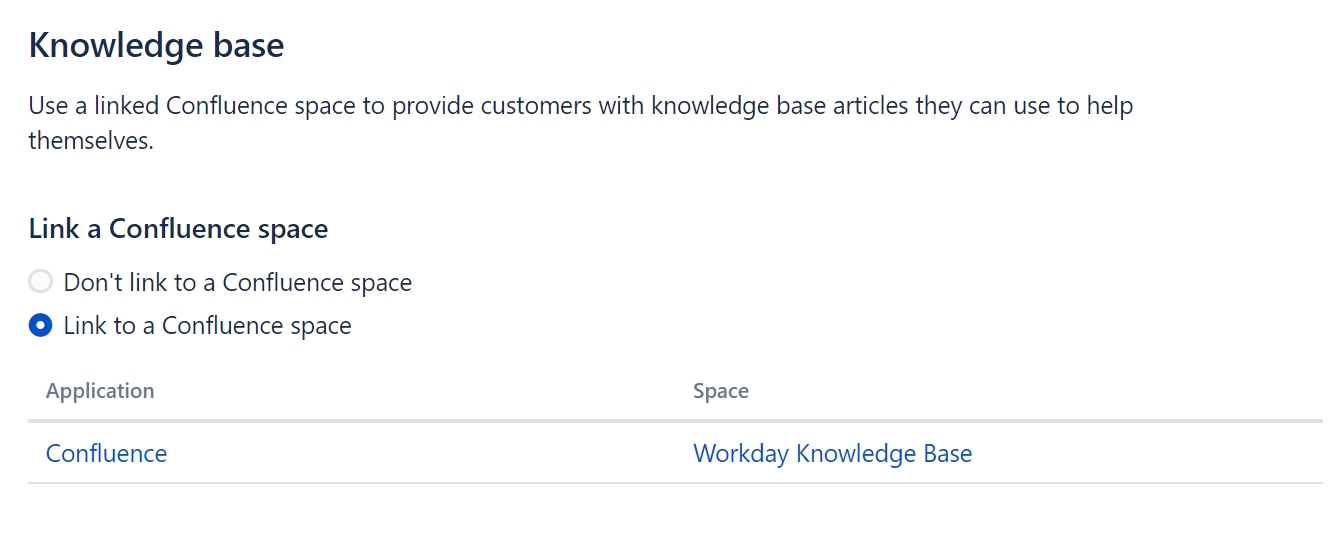
Once a large knowledge base was in place, I correlated them to our service desk request types using the labels associated with each article. This helped ensure that if individuals did not find the answer during their initial search, they would hopefully find it before submitting a support ticket.
Have Additional Training
A month before go-live we began training individuals on how to find answers in the knowledge base. Weekly sessions were held with hundreds of employees attending each session. They were provided with information about how to submit a service desk ticket and how to find answers in the knowledge base.
Continue Addressing Questions With Knowledge Base Articles
At go-live, the Workday Knowledge Base contained close to 300 articles. After going live articles have been consistently added to address frequently asked questions or to provide information about new features or processes that are regularly implemented. By monitoring the service desk, I can identify articles that need to be created or issues that need to be addressed. It is important to ensure that you have resources in place to do this ongoing work.
Rewards of a Job Well Done
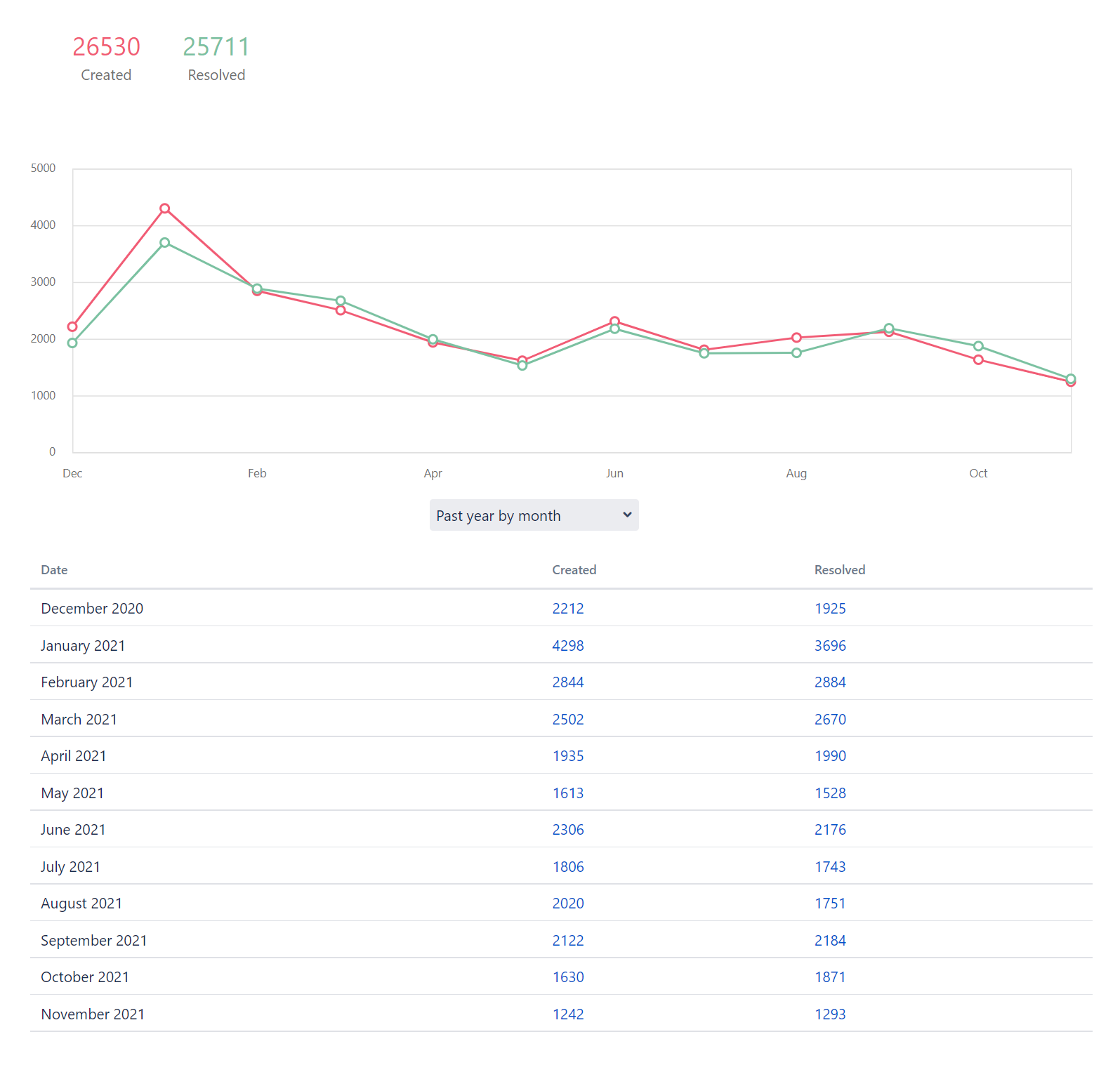
In the first year after Workday went live 26,530 tickets were submitted. This is half the number of tickets our sister institution had in the first three months after go-line and they only launched Workday HCM. Out of the tickets submitted 3,878 were resolved by the agent just sharing a knowledge base article with the customer. (This improved as I did additional training with the agents on how to quickly do this.) Our approval rating was 4.8 out of 5 and SLAs were met 83% of the time. In the first year, we had over 138,000 knowledge base articles used to answer users’ questions.
If there was no knowledge base in place there could have been over 150,000 support tickets submitted in the first year. Our small support team would have had to handle this number of tickets. Because we had a knowledge base, we had a manageable number of service desk requests allowing us to focus on real issues impacting the system.
Recap
- Build a knowledge base to assist users in finding answers to their questions
- Implement a framework that individuals creating articles need to follow to ensure consistency in knowledgebase articles, searchability, and readability
- Have a review process to enforce framework standards and to help keep articles updated as information changes
- Train users on how to use the knowledge base
- Go live and continue to add to and improve the knowledge base
Additional Resources


