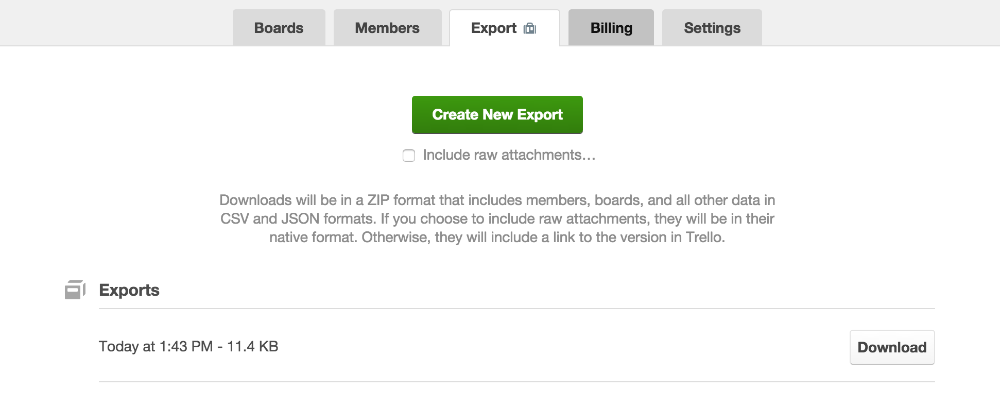
I would like to export a Workspace table of all of my boards. Can somebody help me?
Hi @Anna Love ! Welcome to the community are you able to expand a bit around the need for exporting all boards? What sort of format does it need to be in? It is possible to export workspace-level data as outlined here (under "Export all boards within a workspace") - note this is a premium feature.If you're looking to create a consolidated view of many boards in a tabular format, and then export this as a csv or excel file, I believe you'll need to use a Power-Up for this like Blue Cat Reports or Unito.
I would like to export them to Excel as a .csv file or something similar. I have a premium account. My tabular view offers 4 options: Boards, Workspace Table, Settings, and Members. I do not see an "Export" option unless I am within individual boards.
@Anna Love do you see the export option in your workspace settings?This will create individual CSV files for each board.
Yes- that is the goal. I need a "global" view of many boards consolidated into a single Excel. I will look into the power-ups.
Hi @Anna Love ,
Welcome! We've gathered tools and add-ons will help you export your data from Trello in this article https://www.bluecatreports.com/trello-reporting/exporting-trello-data/. You might have to stitch data from each board or make use of the API option from the article.
It looks like you're new here. Sign in or register to get started.