Wondering if it’s possible to make a planner out of your Trello board? Well, the answer is yes! With the Planyway power-up, it can be done in seconds. And in addition to the new way of card visualization, you’ll get a number of great features to improve the way you manage your schedule. Let’s dive in and see how it works:
Switch to the Calendar view
When you have Planyway set up, your scheduled Trello cards are automatically visualized in one of the calendar views: daily, 3-day, weekly or monthly.
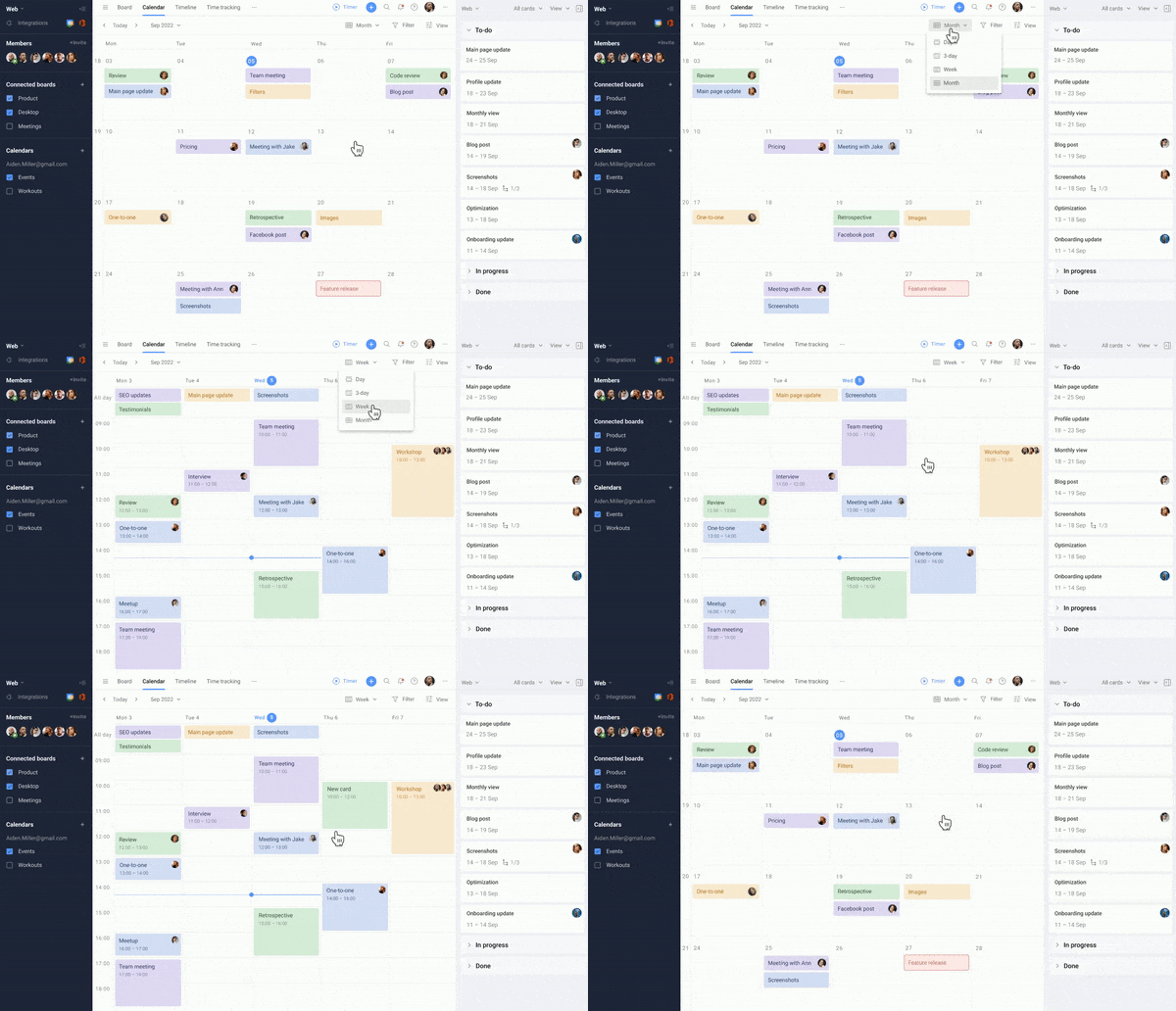
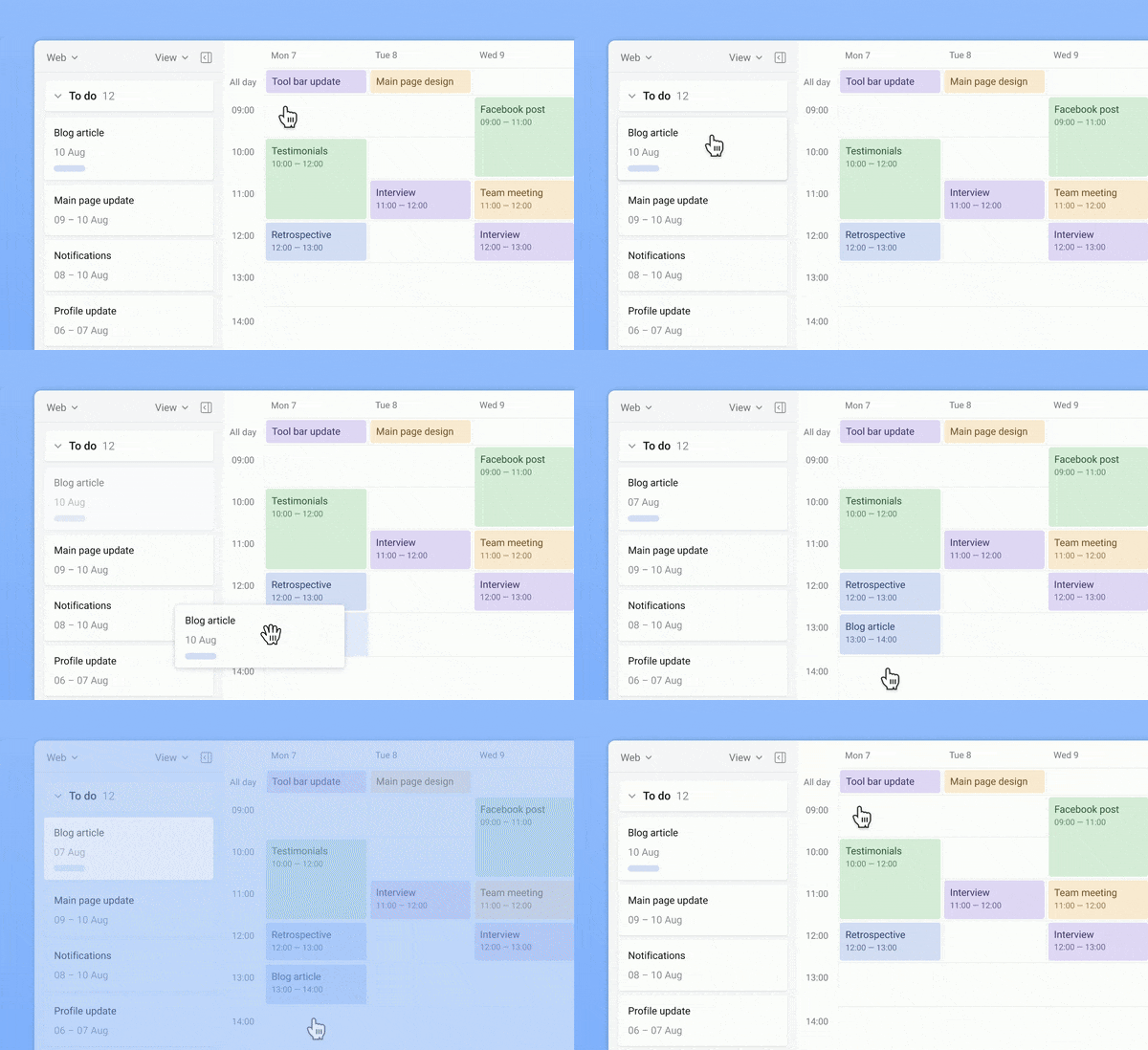
You can keep creating cards on the board and then drag them to the calendar, or simply create cards right on the calendar at a click.
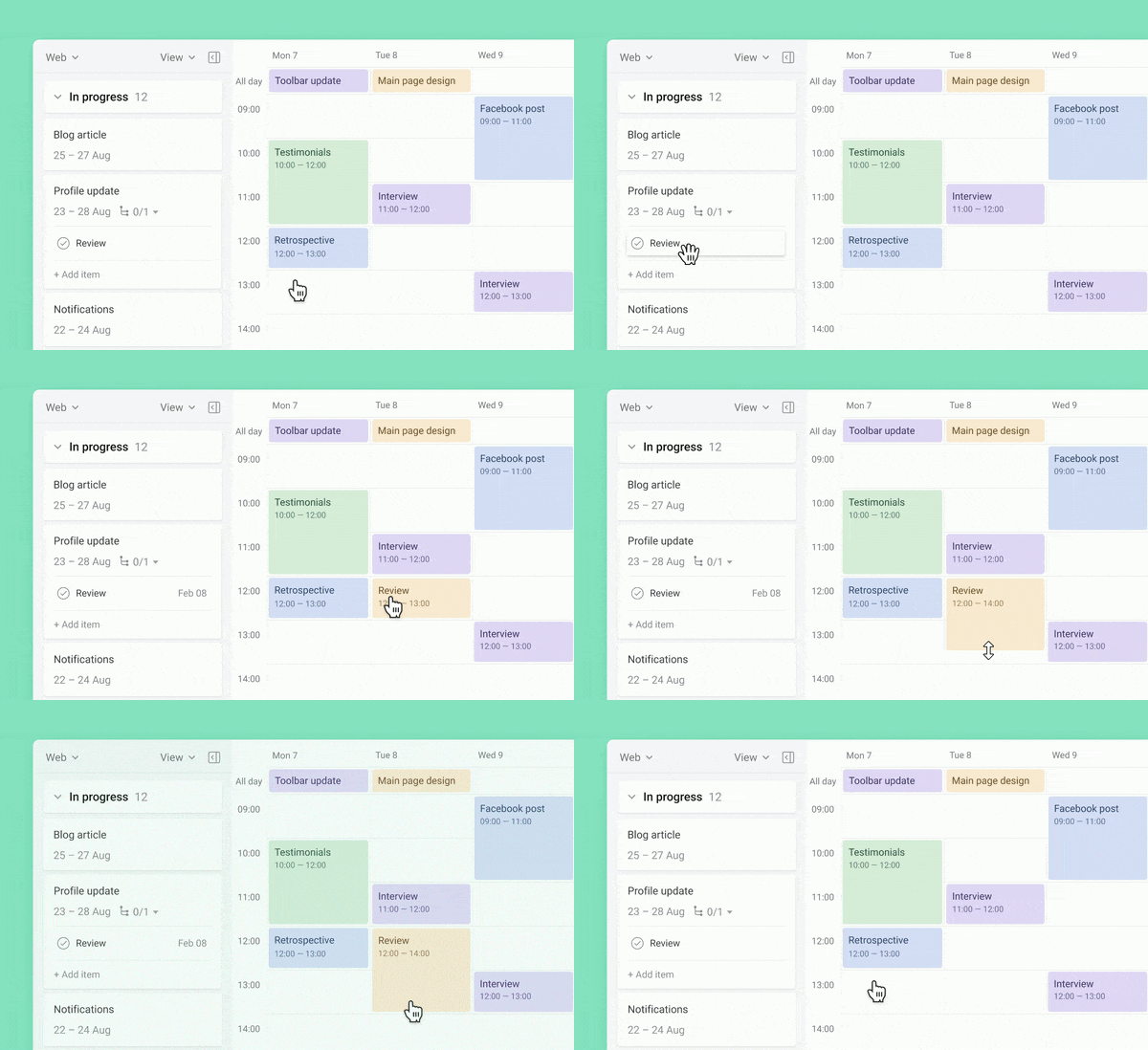
Create checklists
If your cards seem complex and include multiple stages, don’t hesitate to split them with checklists. And in case you want to see checklist items in your planner, just drag them to the calendar the same way as cards.
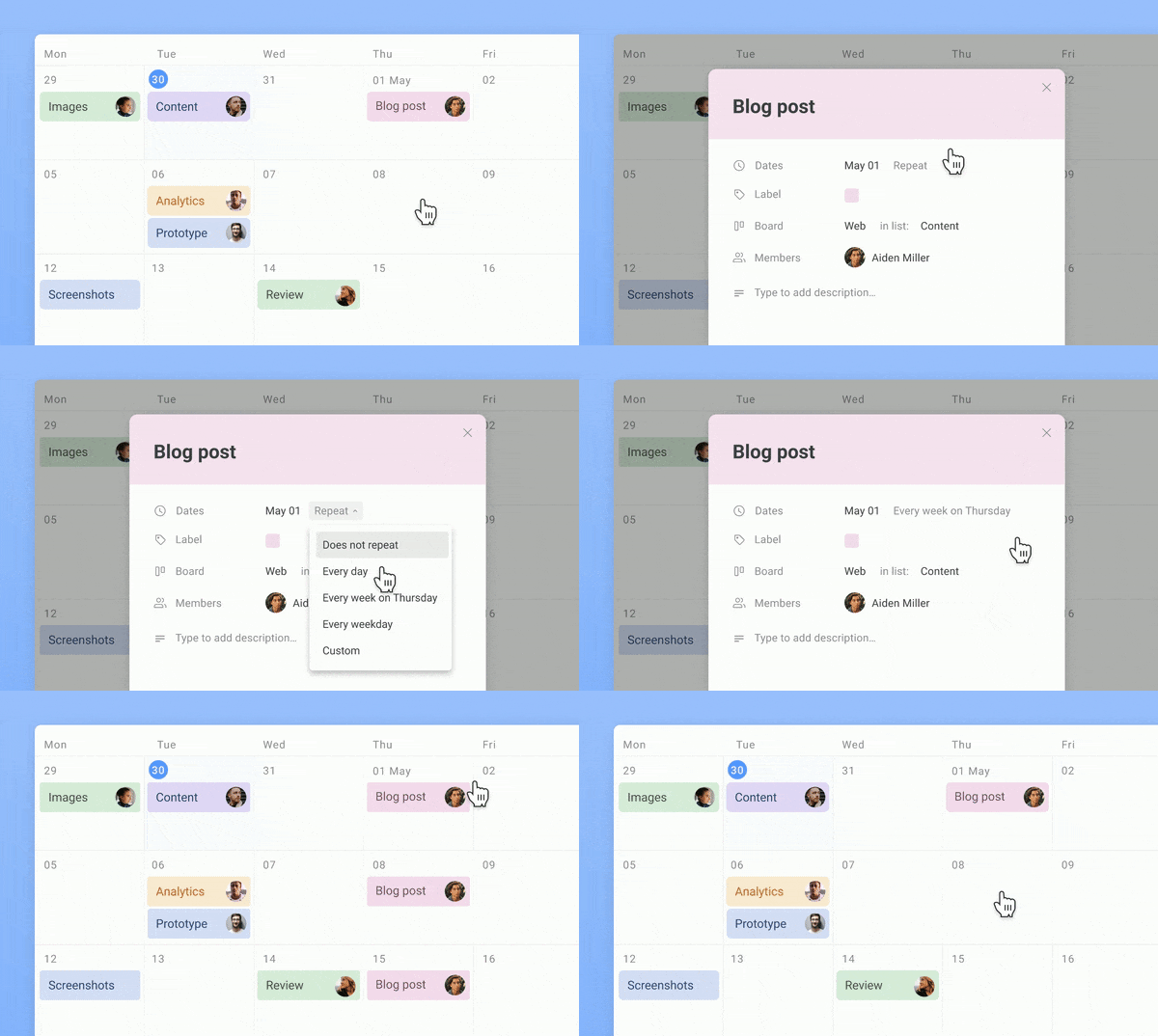
Put tasks on repeat
Create the recurrence rule for those cards that have to repeated in your planner on certain dates. Once set, recurrent cards will show up automatically.
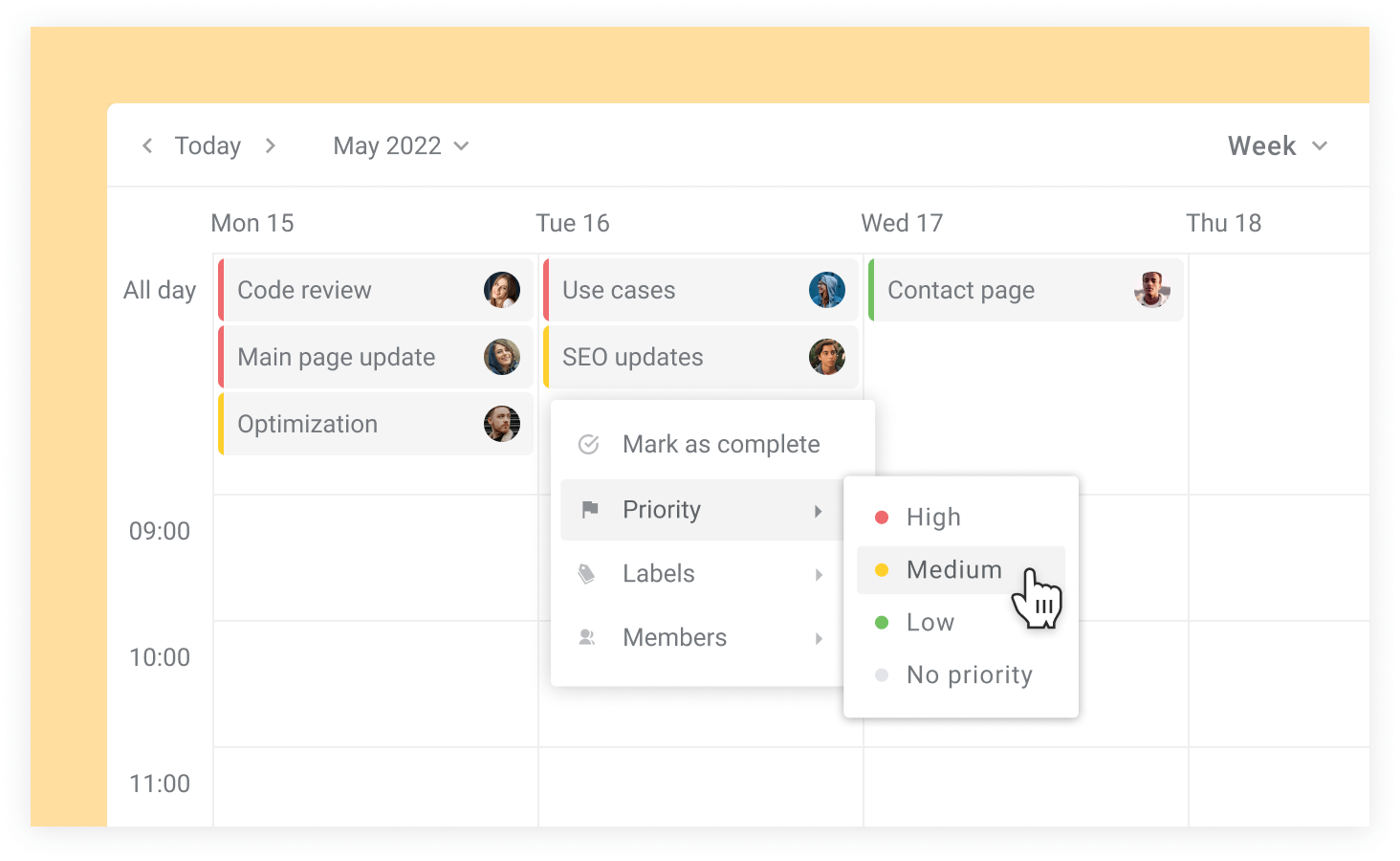
Set priorities
Priority labels will help you prioritize work and distinguish more important tasks from the less important.
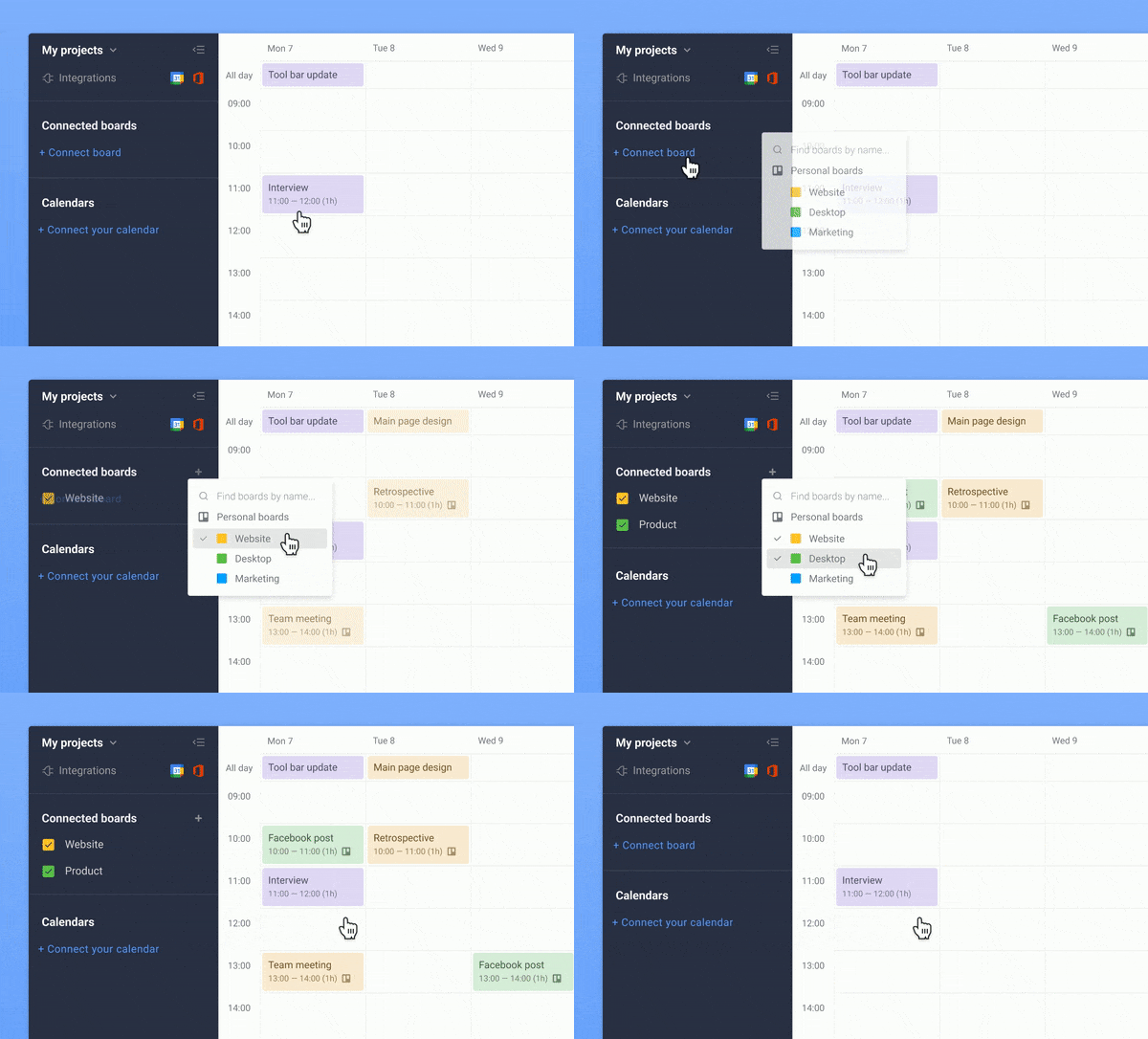
Manage tasks across boards
When working with several Trello boards, you might find it easier to keep track of all of them together. Connect any boards you need and see cards in one planner.
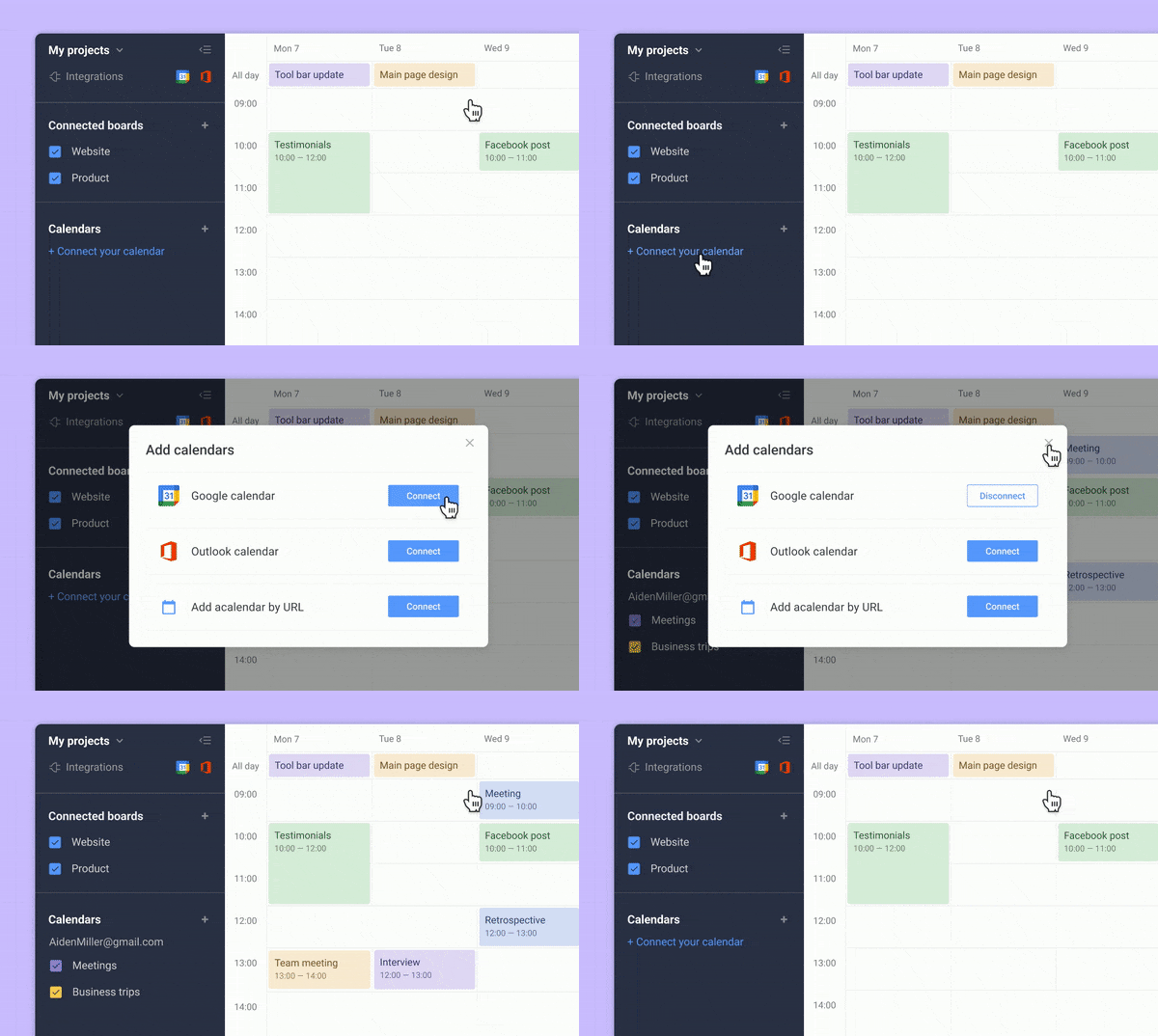
Add external calendars
Planyway allows you to see Trello cards with events from Google Calendar, Outlook, Apple, etc. This way you get a single source of your availability across multiple apps.
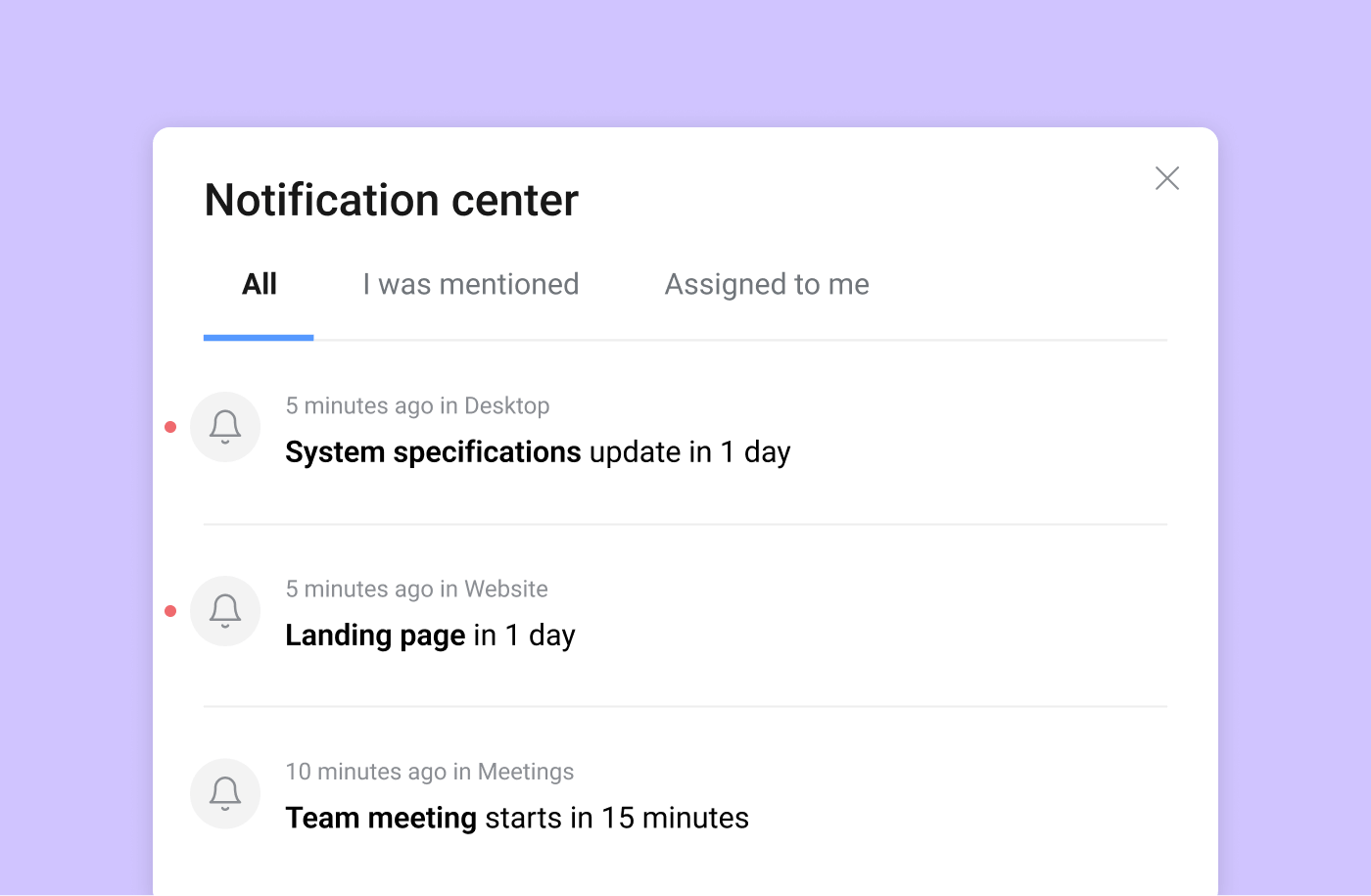
Set reminders
Add reminders to your tasks and events not to forget about what’s important. You’ll receive them in-app, as browser notifications or, in case you use our mobile app, as mobile notifications.
Happy planning,
Your Planyway team ❤️
