Hi,
This was all created before me, I am taking over the trello board in terms of IT and trying to make things easier for our users.
I have edited some templates we have with labels. we have 4 email templates, the main difference being the Label.
Template
#1.) Urgent Priority
#2.) High Priority
#3.) Medium Priority
#4.) Low Priority
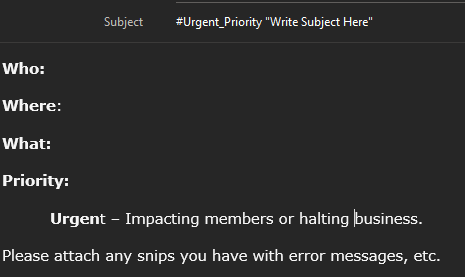
The 1st issue I am having is when sending emails to our trello board, they do not include the labels or any commands.
https://help.trello.com/article/809-creating-cards-by-email
https://help.trello.com/article/809-creating-cards-by-email#formattingTips
Now we use a custom email address to then forward to sendboard.
for example say my email is 146@ourdomain.com, The email used in the template is it@ourdomain.com these get sent to sendboard then forward to trello. Somewhere this breaks the label or any other trello formatting when creating new cards.
If I use my unique trello id to email the board with the same template no issue so I know the template is working correctly.
Following this link
https://help.sendboard.com/en/articles/4219239-include-variables-in-your-emails-and-saved-replies
{%card.labelnames%}
| The names of all the named labels in the card, comma separated | Urgent, Important |
"Custom Field Variables
You can also use variables to insert the value of Trello Custom Fields into your emails. Just use the Custom Field name (spaces replaced with underscore "_"), and SendBoard will replace the variable with the value of the custom field. Make sure to wrap the variable name in {% %} characters, just like other variables.
For example, if you have a custom field called 'Order Number', you can insert this value into an email by using the variable name {%Order_Number%} .
Make sure that you use the correct case for your Custom Field names. i.e. If there are capital letters in the Custom Field, the variable should have the same."
This is the part I must be confusing myself, or maybe I am over thinking this.
at 1st I thought for subject line just add example
{%card.labelnames%} #Urgent_Priority "Write Subject Here"
this doesnt work
I then tried
{%#Urgent_Priority%} thinking {% %} this was the key, still didn't work.
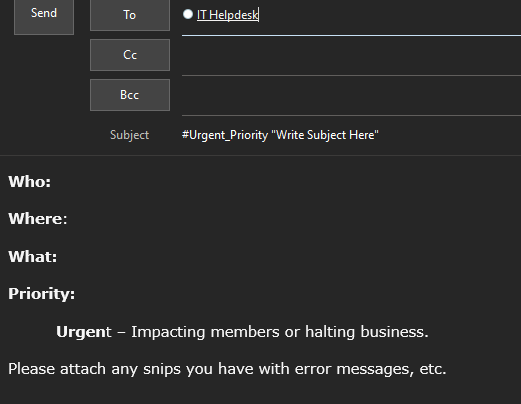
So how do I properly format an email that will 1st go to sendboard using our IT email address that then gets sent to the trello board while maintaining the original senders email address as who sent the email and keep all the formatting when creating cards in Trello.


