We are trying to migrate a project from our Confluence Server to an Atlassian Cloud instance.
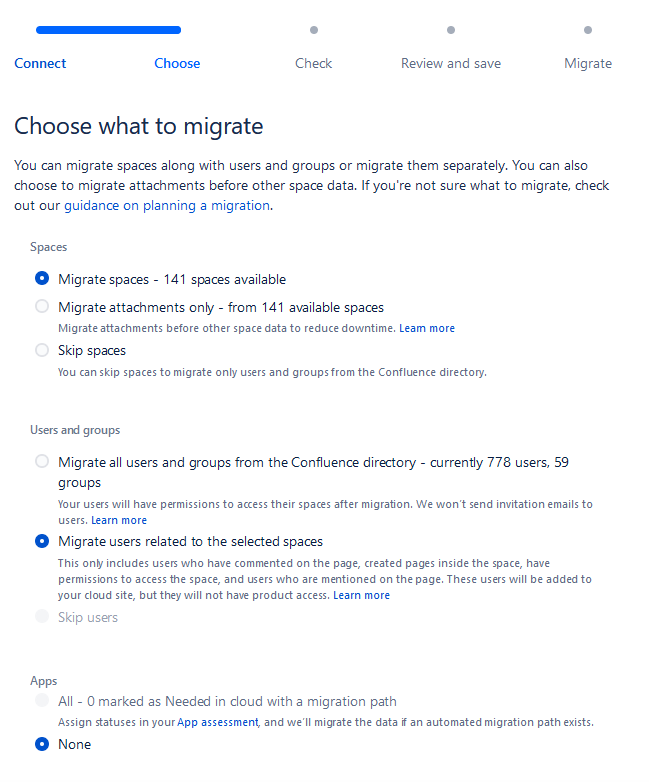
In the migration settings, step "Choose what to migrate", I select the following :
- Spaces: Migrate spaces;
- Users and groups: Migrate users related to the selected spaces;
- Apps: None.
In the "Choose the spaces you'd like to migrate", I select only one space, with current permissions limited to only one user.
In "Check for errors", there are some warning about some invalid e-mail addresses (those are administrative users synced from our Active Directory that aren't really used in confluence), I choose to ignore them and to delete them in the cloud instance once the migration is completed.
I'm however a bit startled that there are warning about those users, since they are in no way involved or mentionned in the space I chose to migrate.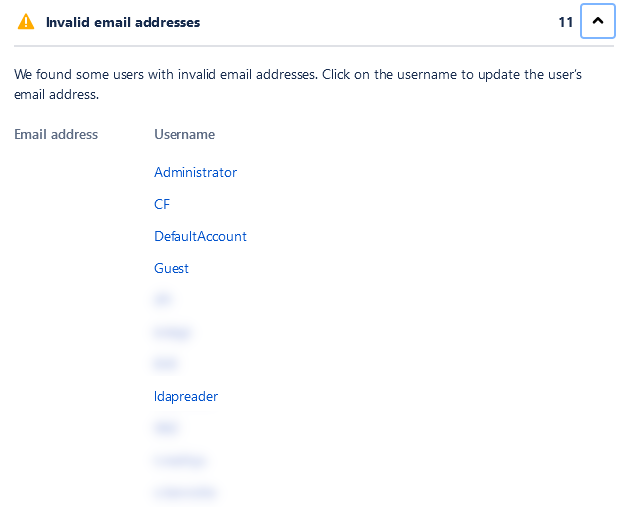
I click on "Review Migration", and see that in the "Scoped" section, 778 users and 59 groups are going to be migrated, which is actually our whole users directory. There is no way that all our users are related to this space in one way or another.
How can this be, and how could I force it to migrate only the users related to the space I chose ?
Thanks for your answers.
[Some non-related info is blurred in the screenshots for privacy reasons]


