We like challenges, and this one was particular. As marketplace vendor we build both the table grid next generation and exalate.
Table Grid Next Generation is an app which allows to add editable tables to issues, and is available for Jira Data Center (and Server) as for Cloud.
Exalate is a cross company integration solution allowing to synchronize issue information between two different trackers (such as ServiceNow, Zendesk, ... Jira Data Center/Server and Cloud)
One of our customers was considering to use both Cloud and Data Center, and was wondering if it would be possible to use Exalate to synchronise between the two environments.
Ie - something like
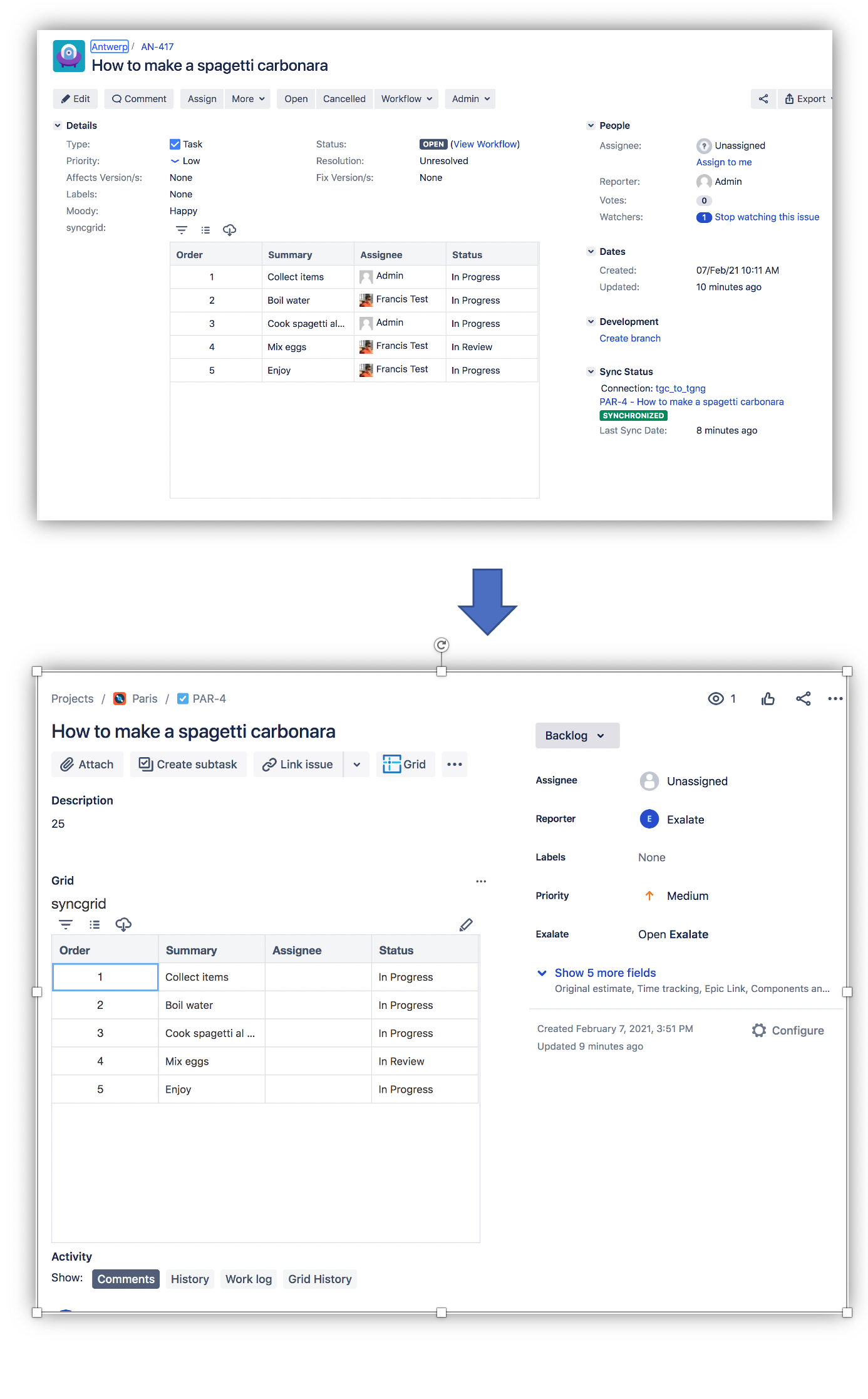
Challenge accepted
Table Grid Next Generation has an API allowing to programmatically edit the content. This API is available both on Cloud as on Data Center - and is documented here
The solution comes as 2 code snippets, one to be deployed on the outgoing sync on the server side, and the other in the incoming sync of the cloud side
- convertServerGridToJson.groovy
This code snippet is used to extract the content of a particular grid, build a json from the content and pass it along in the replica.
Add this to the outgoing sync processor of the connection on the DC side
- addGridToCloud.groovy
This code snippet will use the provided json and populate the grid on cloud with the provided data.
As a first step it will zap all the grid data to avoid duplicates, and then add all the rows
Conclusion
This is an example on how Exalate can be used to interface with any add-on api's.
- On Cloud - use the httpConnection and/or httpClient to request information
- On Premise - use the ComponentAccessor to get access to the services.
The solution does not cover the lookup of the usernames, but this is perfectly doable.

