Welcome for another Tuesday Tip!
As you all know while working for an Atlassian Partner, you have to be aware of plugins that can make your daily tasks easy and manageable.
When Atlassian announced that they will stop supporting Server users in 2023, customers started thinking to migrate their instances to Cloud since DataCenter is over lot of companies budget. As as former employee of an Atlassian Partner I learned that any plugin that can help with migrations, configurations,.... by avoiding us repeating some tedious tasks is always welcome.
In today's post I am not advertising for the plugin vendor. I am trying to share with my fellow Atlassian Tools lovers some tips from our last's week NOVA ACE demo that was presented by @LarryBrock. Thanks Larry!
The plugin we will be talking about today is called Migration Assistant. More information about the add-on can be found here
Once plugin installed in your Jira Server instance, you will be able to find it under Systems in the Administration Console
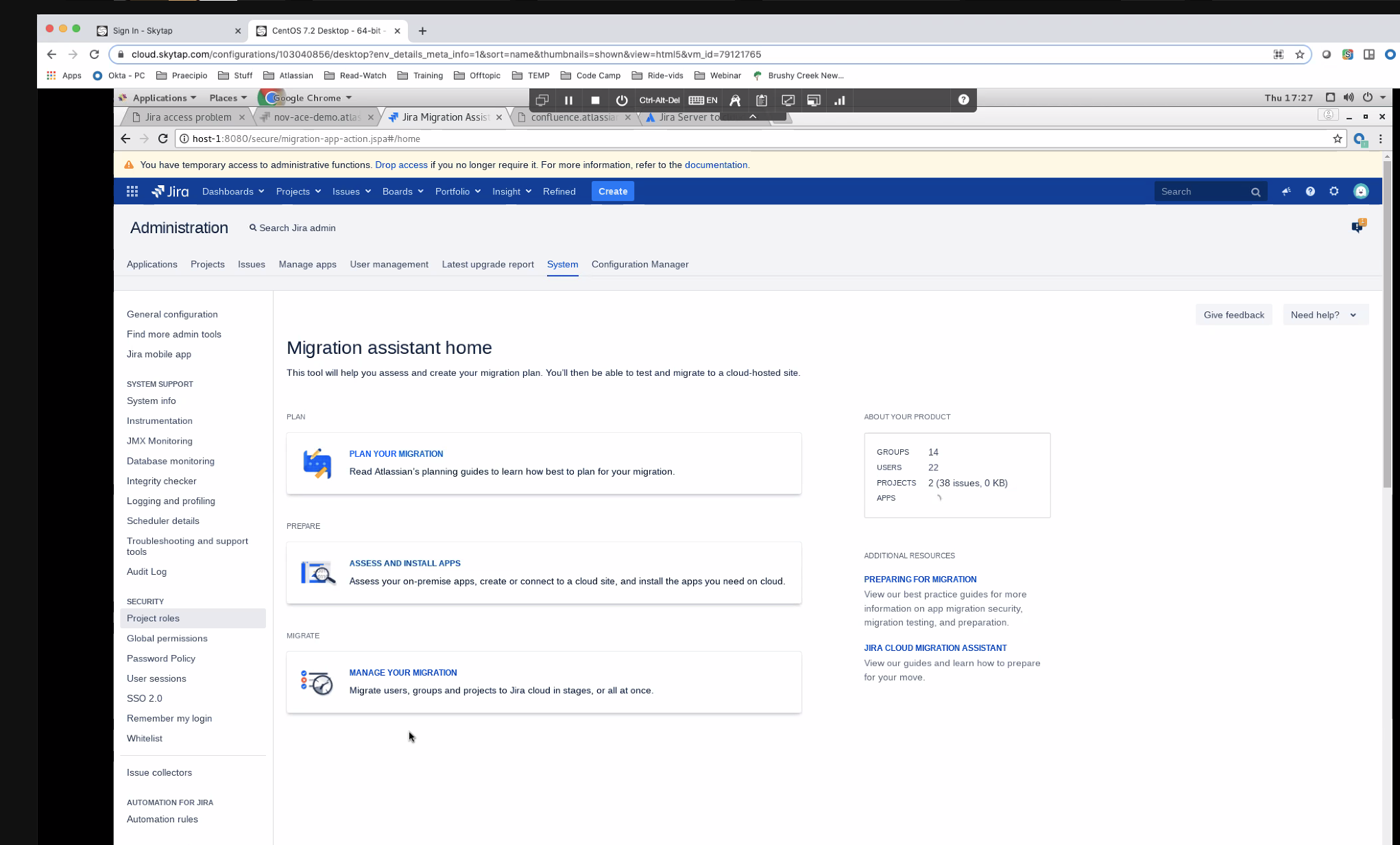
- Click on Assess and Install Apps
- Once your apps are assessed (depending on how many apps you have) your next screen will look like the following :
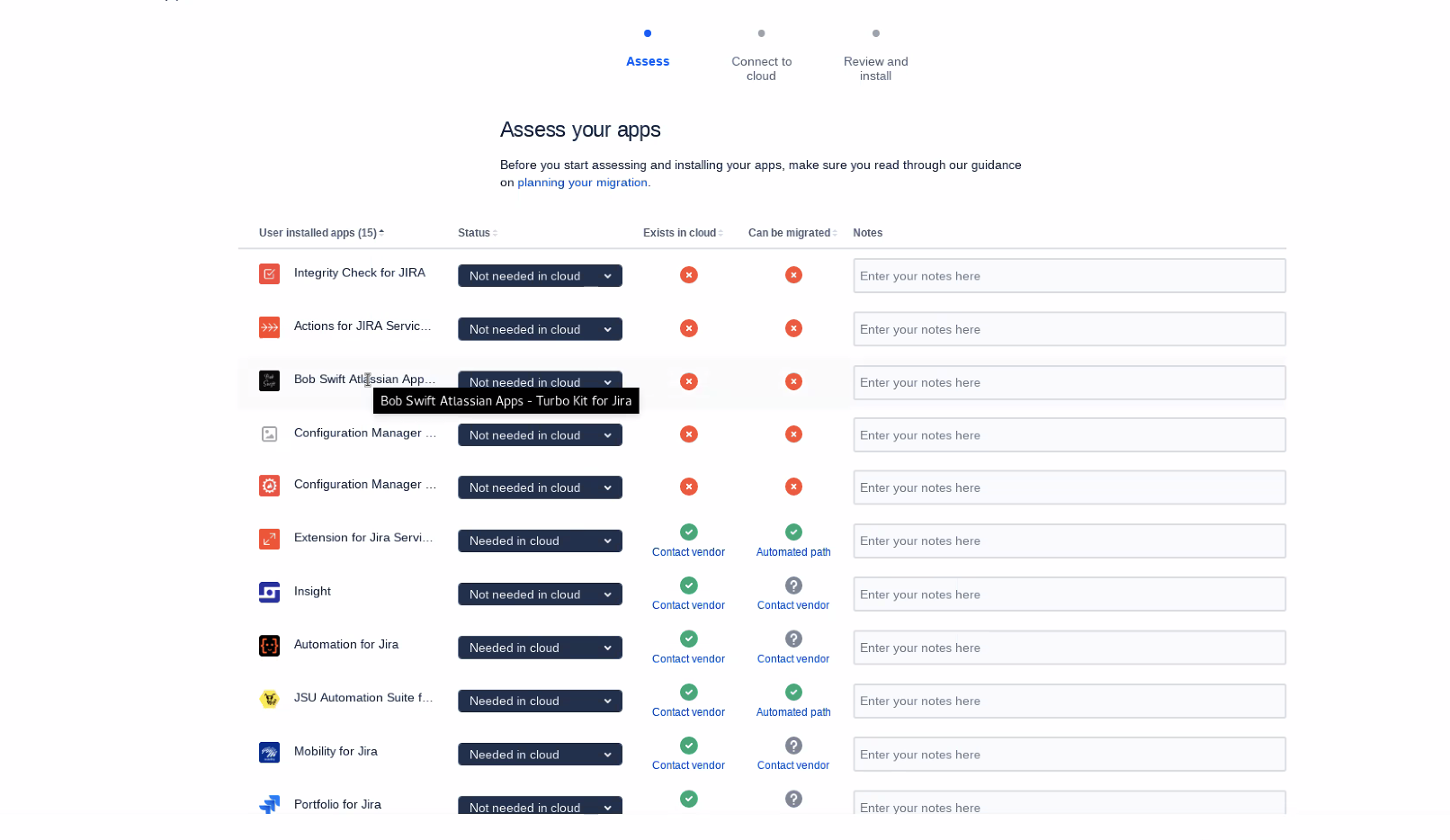
- Click next then you will get a status bar at the top showing the stage you are at in your migration process
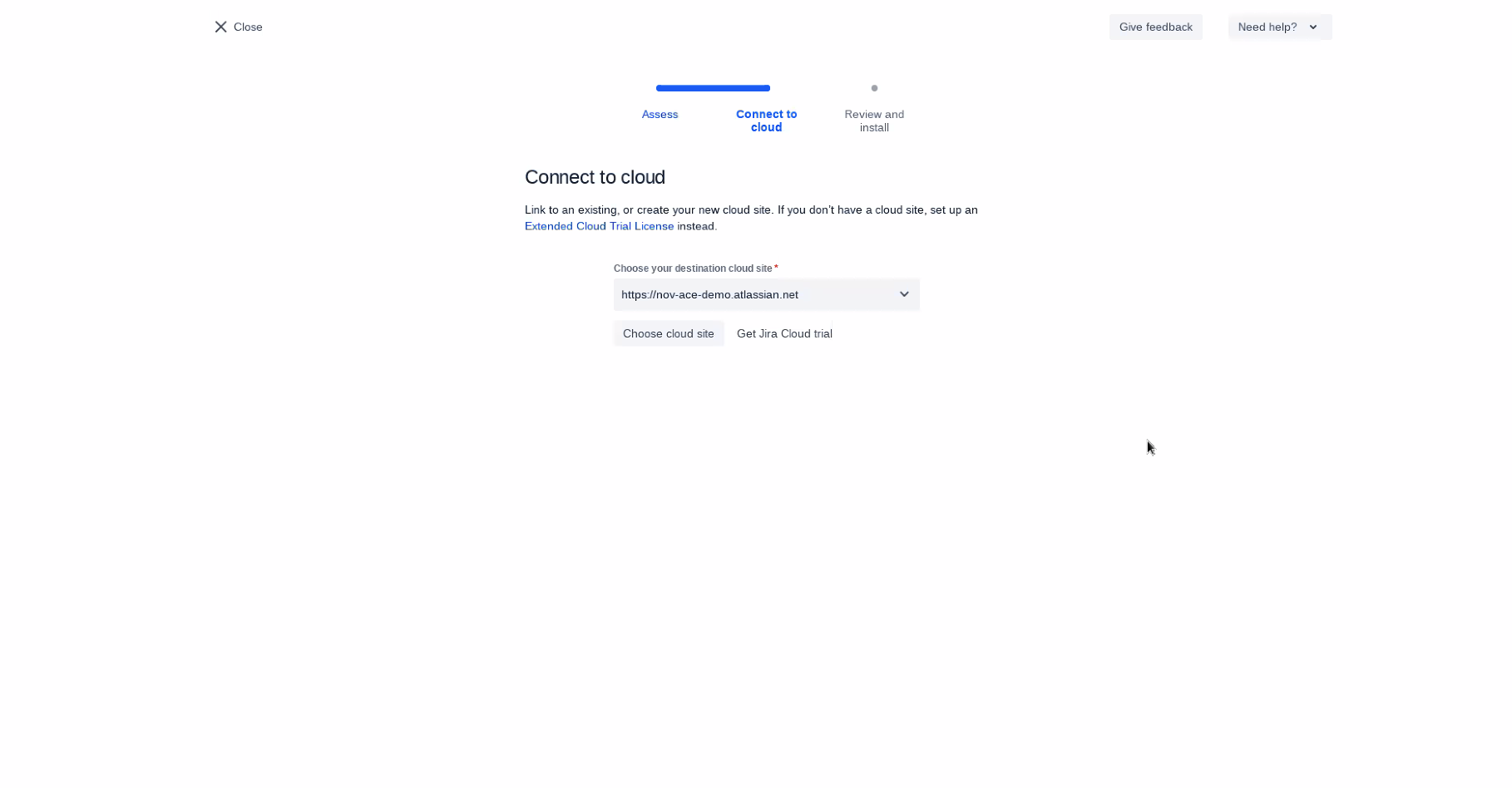
- Plugin does all the tedious work for us, now it is trying to connect to the cloud instance. On the following screenshot you will see a required text field for the Cloud URL
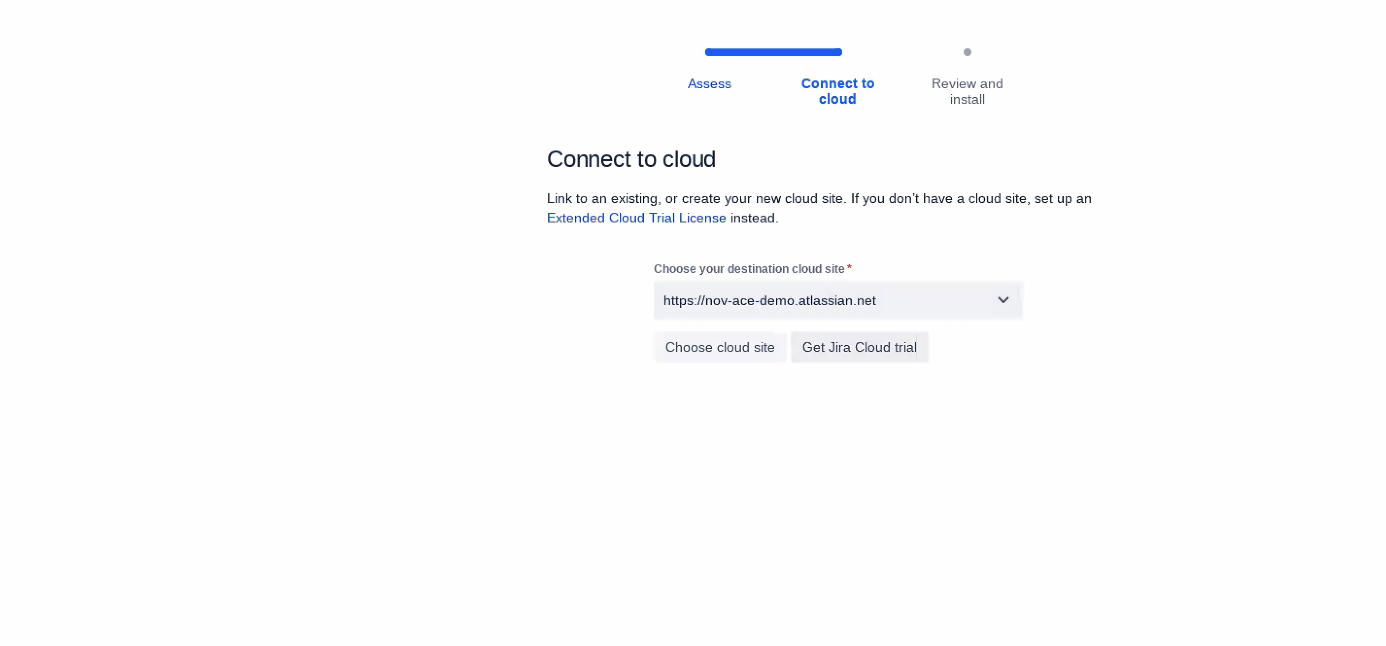
- Once URL provided the plugin connects to the Cloud instance:
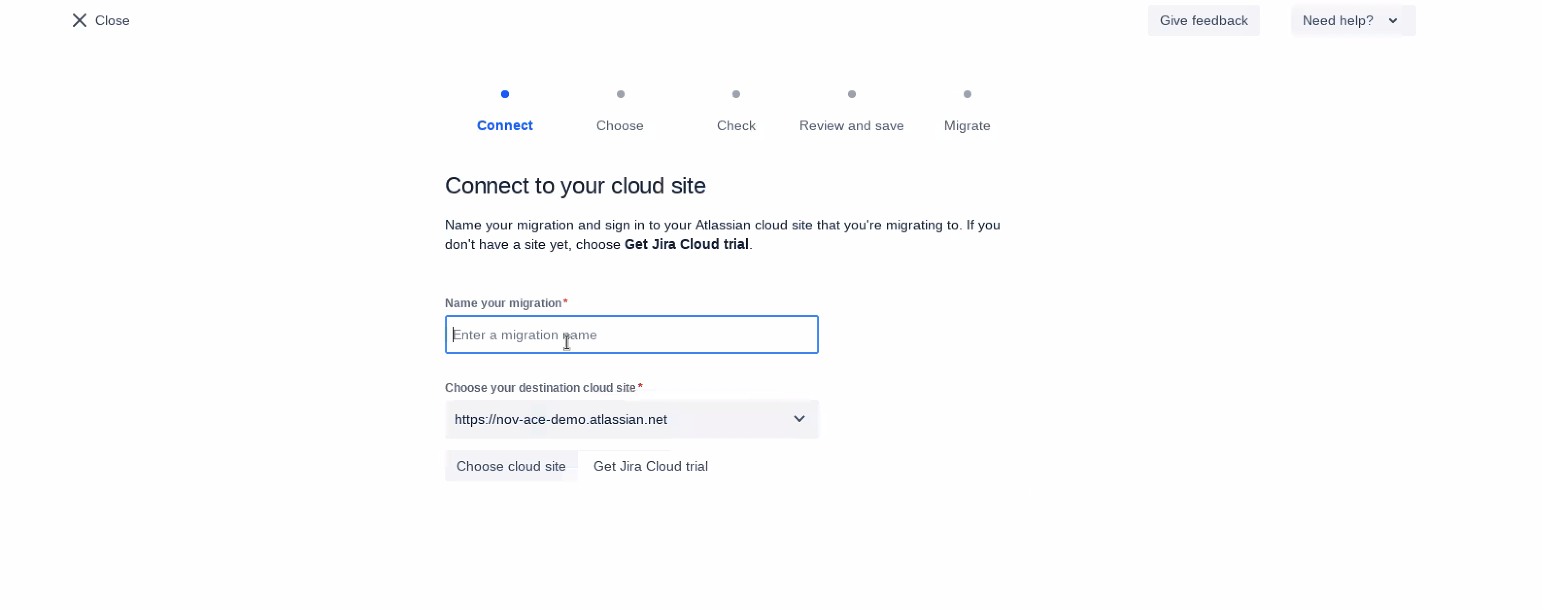
- Your migration needs a name (not sure why)
- Once you enter it the wizard will move to the next step by asking you to select the projects that will be migrated
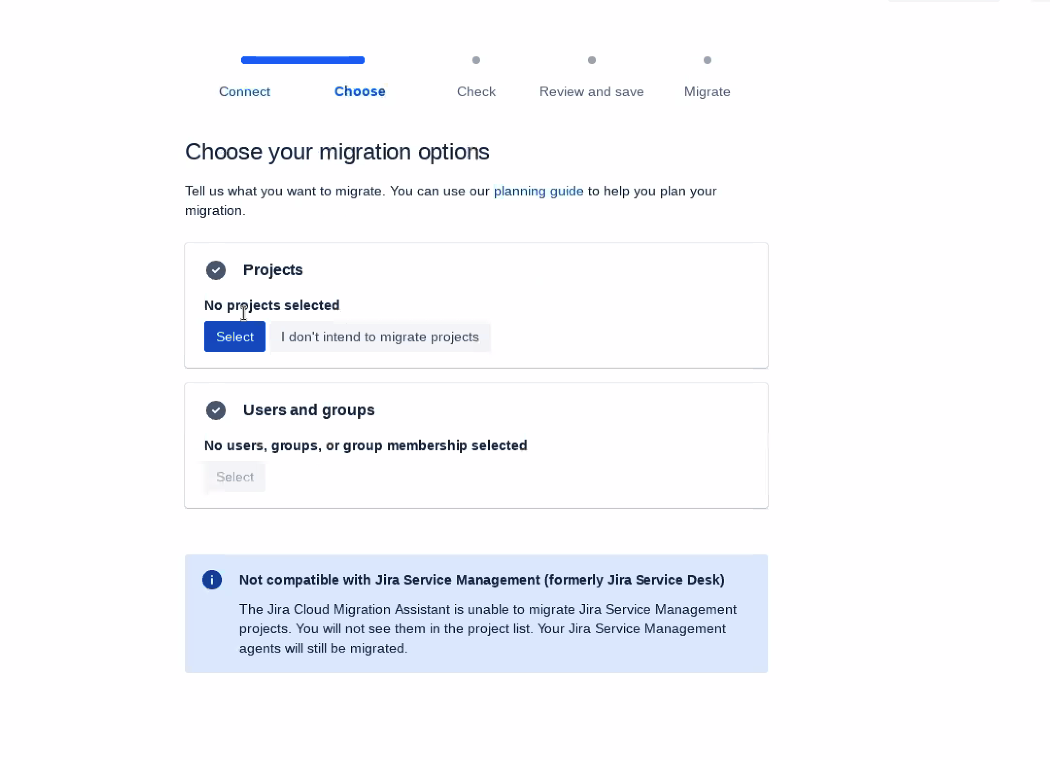
- After selecting some projects, the following is what to expect on your next screen:

- Click next, below is the dream screen for anyone handling a migration as it has a lot of green ticks:
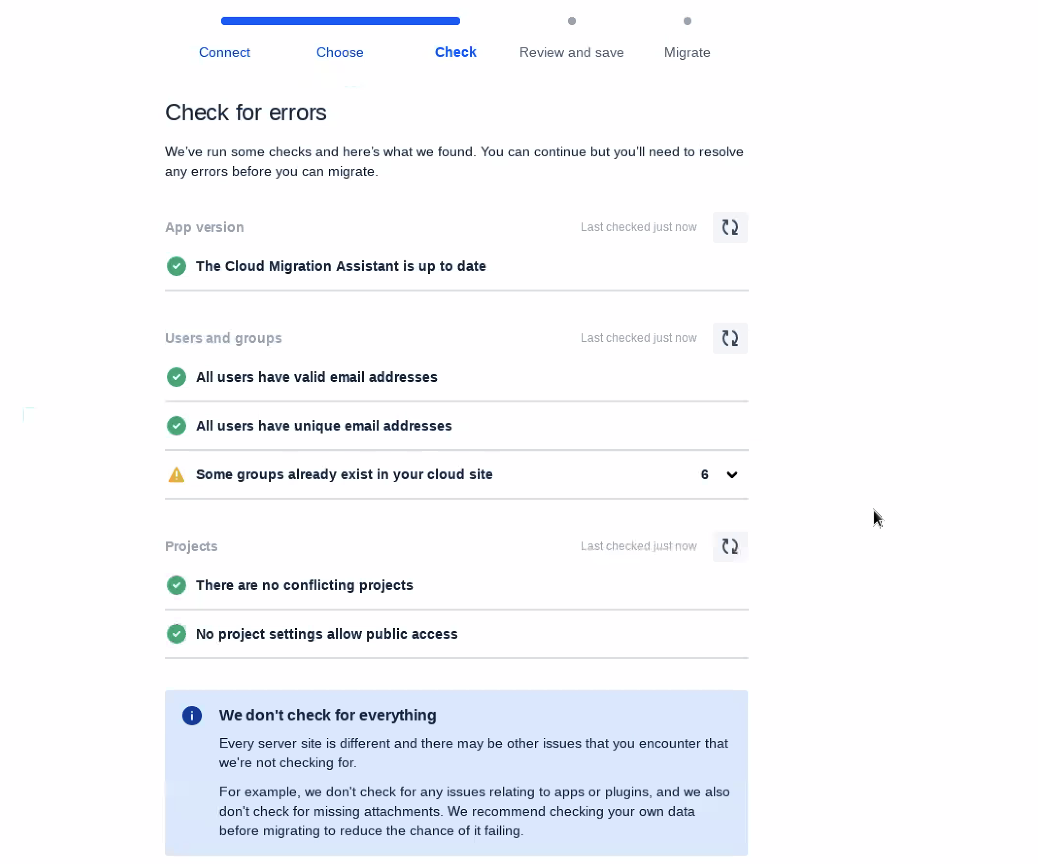
- Finally we are done with couple warning. Hopefully your migration will be smoother.
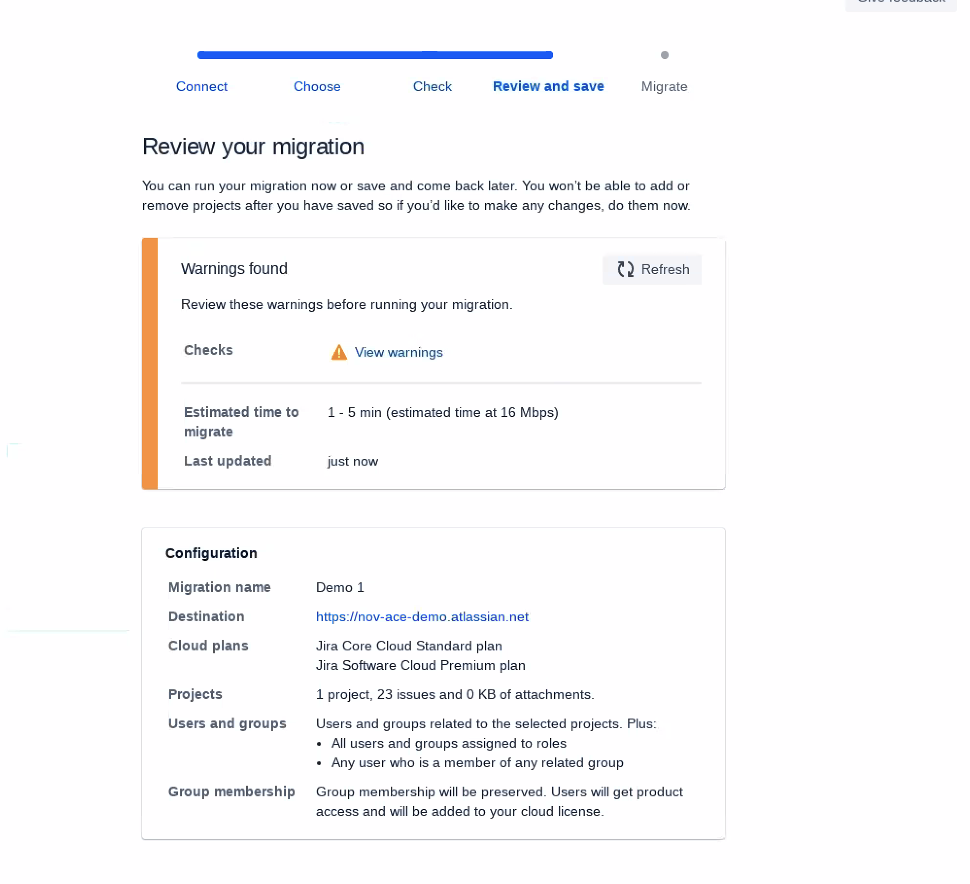
I know information can be found on the Marketplace, however I wanted to share screenshots from our live demo.
Best,
Fadoua
![Photo of Tinker Fadoua - [Seibert US]](https://us.v-cdn.net/6038660/uploads/avatars/5b/65/n5b65463c12c8288c531566164240215b.png)


