Hey there I'm still relatively new here, but I see that some of you have 1000s of posts, and if you're a nerd like me, you might be interested in statistics like, "How many of my posts were answers to questions, as opposed to comments on blogs or discussions?"
If the fine folks at Atlassian could add some timestamp to the data they publish, we could even answer questions like "How many posts did I do every month?" or "Do I spend more time answering questions at night, or in the morning?"
My community content
So, maybe you're wondering - how do I find this data? Well, if you edit your comunity profile and scroll down to the bottom, you'll see a few links at the bottom, and you'll want to click on "My community content":
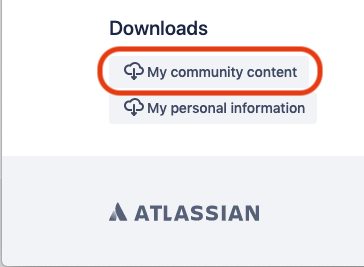
So you'll end up with a file named my_community_content.json. JSON just means that it's structured data, but lucky for us, Atlassian has added formatting to make it readable for humans too.
If you open it up in a text editor, you'll see a section called "images", which is a list of links to every image you've uploaded to community.atlassian.com.
The next section is "messages", which contain the subject, text, and "category" of every post you've made. So far the categories I've found are:
      "qanda" : "Questions"
      "blog" : "Articles"
      "forum" : "Discussions"
Can Atlassian please add timestamps? Tags? Product? Views/Likes?
Unfortunately there's no timestamps in the data, but I know Atlassian has the data (it's right there in your Recent Activity), so hopefully they can also add it to this export file? Oh, and what about tags, so we could see how many cloud vs server questions we answer? (Ahem, Cloudies.) It would also be really useful to see what product area we were posting to. Oh, and views and likes? How about everything in Recent Activity? Am I asking too much? :-}
Generic Statistics
Anyways though, until we get timestamps, we can still get generic stats, using some good old Unix command-line tools (these are standard on Mac/Linux, and if you want to play with them on Windows, you could install Cygwin). On my Mac, I opened up the Terminal app and typed the commands below in bold (everything after the $ sign):
$ cd Downloads
Downloads $ grep '"qanda" : "Questions"' my_community_content.json | wc -l
      71
Downloads $ grep '"forum" : "Discussions"' my_community_content.json | wc -l
      4
Downloads $ grep '"blog" : "Articles"' my_community_content.json | wc -l
      5
So what's happening here? Well, first off, I'm changing to the Downloads directory, which for me is the default location for saved files.
Then I'm doing a grep which searches each line of a file for a particular string of text. Then I'm "piping" those search results into wc -l which counts the number of lines that were just found by grep.
So then, my humble stats show that I've posted 71 comments/answers to Questions, 4 comments on Discussions, and 5 comments on Articles.
What else is this good for?
One handy use of of this data might be to answer the question "I posted an answer about XXX but I can't find the question because it was years ago and it's not coming up in search."
Well, now you can just download your content and search through it with the text editor of your choice.
What if I want to convert my posts into a more readable format or do interesting things like graphing data, etc?
Great question! So, if and when Atlassian adds timestamps, views, likes, then we could process the data with tools like jq or python, and even bring that data into Excel/Google Sheets to make neat graphs.
But I'm probably getting ahead of myself. If you would like Atlassian to provide more metadata in the export file with our own posts, please like this post!
Thank you for your time!


