Hello,
I recently migrated Atlassian Bamboo (version 7.1.1 build 70117 - 23 Jul 20 ) to a new server . We now see that in all our build plans - the shared artifacts have two entries in Bamboo.
One entry is grayed onether is a valid hyperlink to the artifacts.
I checked in the directory on Bamboo server that is denoted as "artifact location" which is "/var/atlassian/bamboo/artifacts/plan-136085508/shared/build-00512/" . I see that there is a single set of artifacts actually generated.
I tried deleting and recreating the artifacts by editing build plan but this problem does not go away .
And addition to incorrect display another unwanted fallout of this seems to be that my Bamboo Deployment plan is failing with following message
"Unable to download artifact Non required shared artifact: [Debian Packages], pattern: [*.deb] anchored at: [uca-core/debian_packages]"
Does anyone knows how to deal with this ? Your suggestions are welcome
Please let me know if I need to provide any additional input
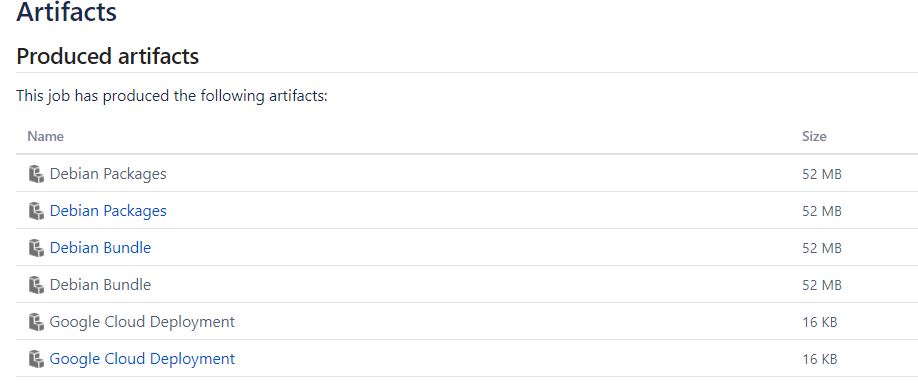
See attached picture


