Confluence is a powerful tool for communication and collaboration when everyone feels they can participate freely and fully. So we are rolling out some permission improvements that we hope will make creating and sharing content easier.
Quickly and more easily adjust permission settings
Confluence is open by default. At times, due to the layers of space permissions and page restrictions, it isn't always obvious who can see your page. We know that our users and admins find debugging permissions errors frustrating and time-consuming. We want to help you quickly unblock those situations, so now you will see error messages that highlight what you need to do to help a teammate view your page.
In addition to the error messages, we have moved the restrictions icon 🔒 next to Share to make it easier to check if your teammate will be able to see the page before you send them the link.
Easily find a space admin who can help you fix access issues
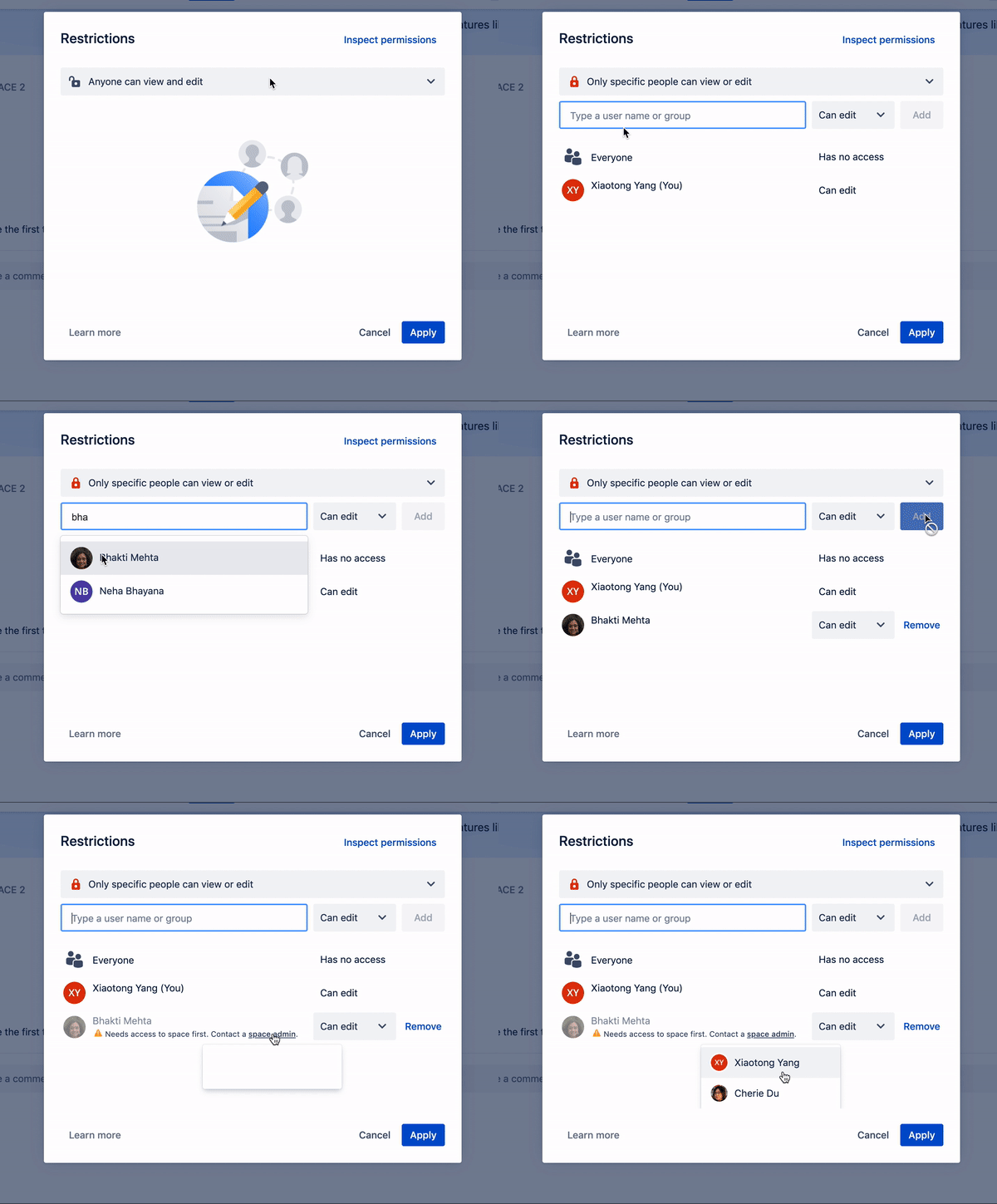
Request edit permissions for someone who can only view content in a space
See which parent page is preventing someone from viewing your page
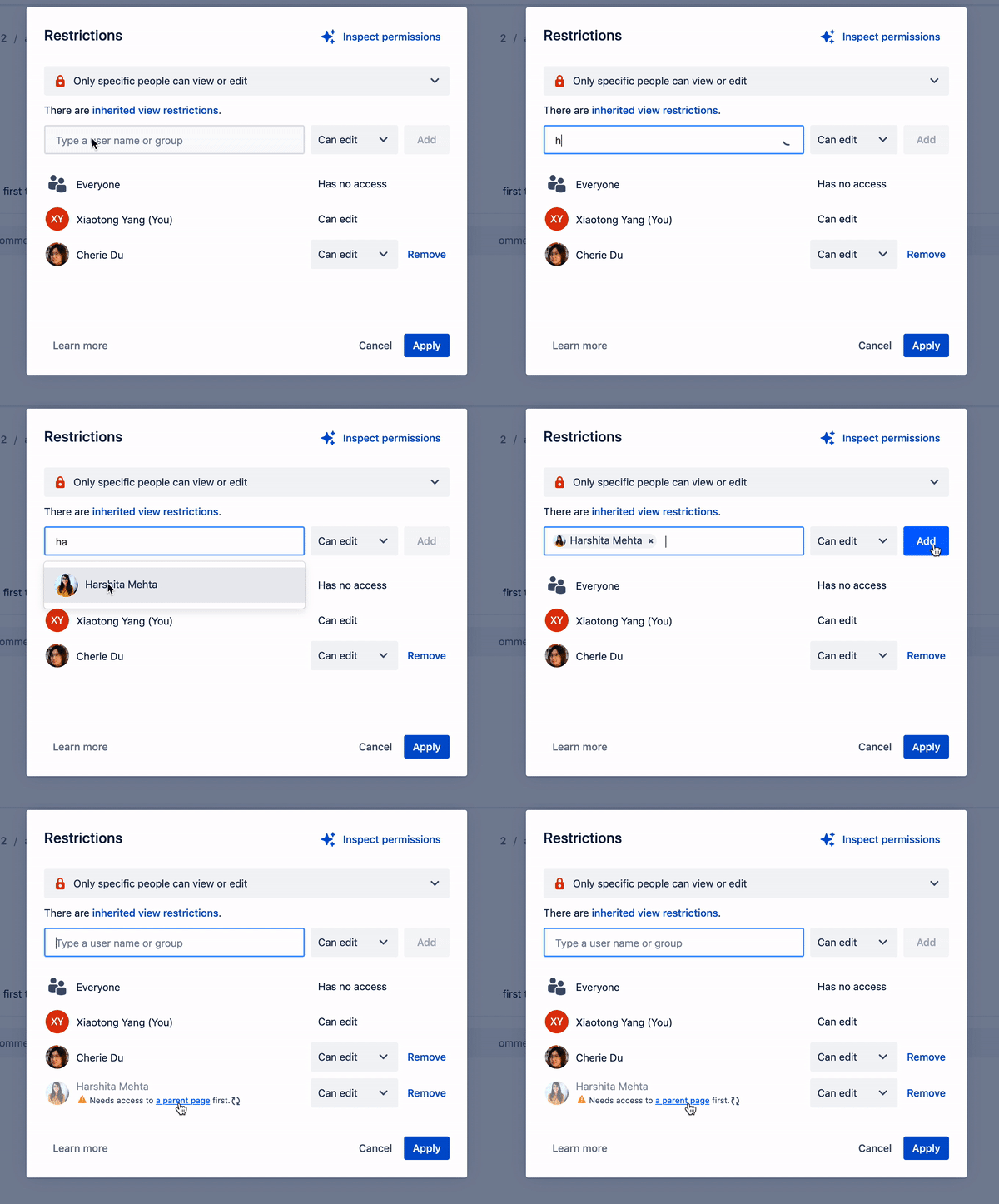
Tidy up with new deleting options
Delete all or delete none? Admins used to have to make the trade-off when deciding whether to allow users to delete anything in a space, or nothing at all. This prevented you from deleting work you created yourself (pages, blogs, attachments).
With the “Delete Own” permission, you can now delete your own work.

🙋🏻♀️ Interested? Ask your admin to turn it on for you in Space Permissions. It can be applied to a new or existing space.
⚒ What are Space Permissions? Review them here and learn more about how these permissions work together.
🚮 Worried about deleting content? Page archiving will help you continue to keep your spaces clean without worrying about deleting important information.
When can I start using these features?
We started rolling out this week (starting June 25 2020). Stay tuned and let us know if have any feedback!


