We're trialling Bamboo 6.10 on a Windows 2008 server (soon to be upgraded to 2019) and I've got some shell code to perform file modifications using "sed" at the end of the build.
The docs at https://confluence.atlassian.com/bamboo/script-289277046.html for the "Shell" option under "Interpreter" say:
This option selects the interpreter based on the first line of the script, typically using the shebang.
So I've selected "Shell" for the interpreter option, selected "Inline" for the script location option, and the full inline script I'm trying to run looks like this:
"C:/Program Files/Git/bin/bash.exe"

sed -i '/version=/c\version=${bamboo.jira.version}' gradle.properties
sed -i '/window.APP_VERSION =/c\window.APP_VERSION = ${bamboo.jira.version};' HtmlClient/src/setup.js.temp
A screenshot of the full script configuration inside the Bamboo job in case it's useful:
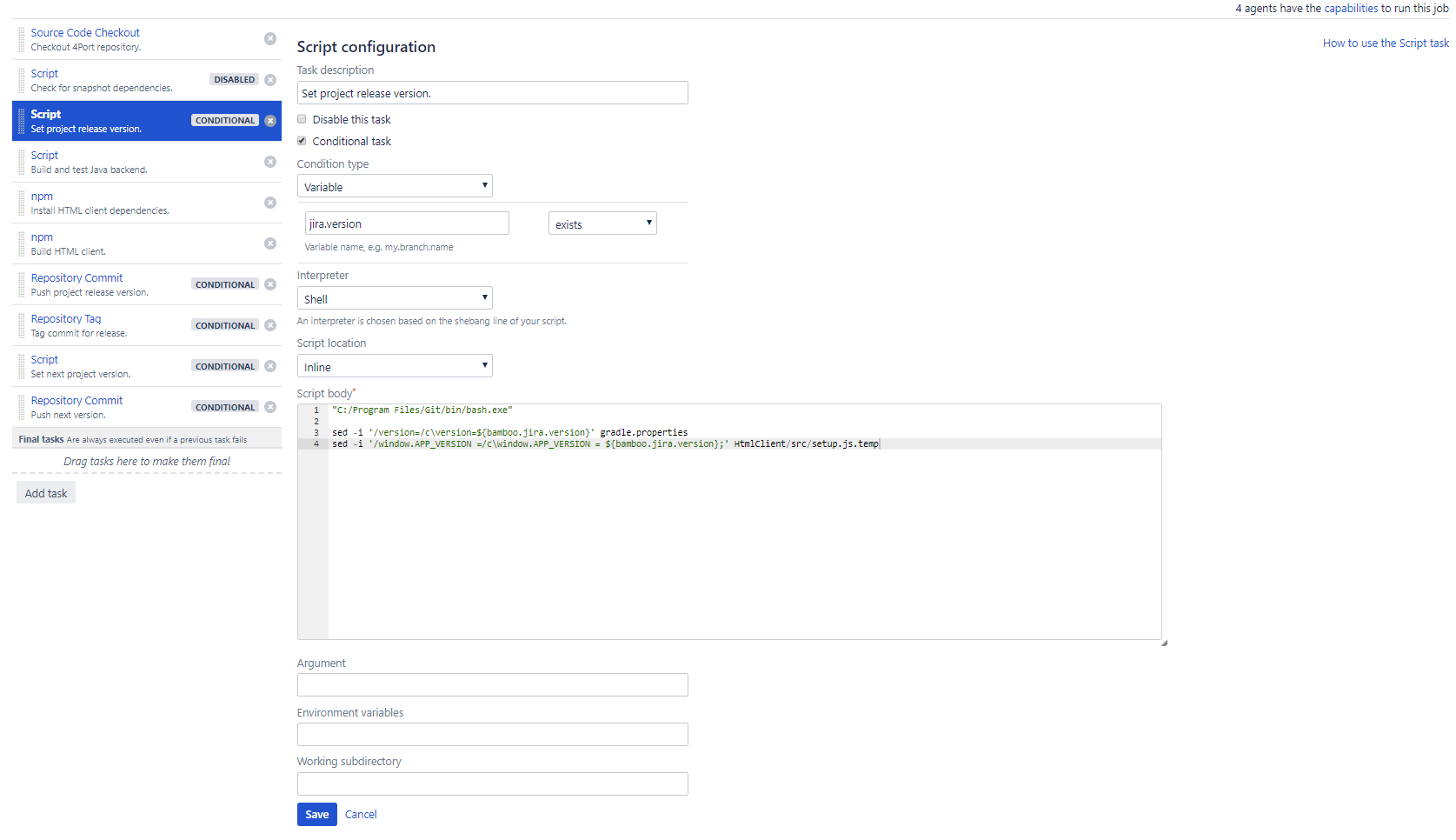
When i run the build plan the build just hangs forever on the first line as if it is running bash.exe and awaiting input, rather than using that bash.exe path to run the commands that follow. Using a shebang "#" in front of the bash path doesn't work either as an error is thrown due to "#" not being recognised.
The last comment by Przemek Bruski on 02/Sep/2016 4:30 PM in the issue https://jira.atlassian.com/browse/BAM-13383 suggests a second issue https://jira.atlassian.com/browse/BAM-17864 was raised to address this type of scenario. This second issue is marked as fixed so it sounds like this should be possible.
Is what I'm trying to achieve here actually possible or do I just have to rewrite the script using cmd.exe or Powershell instead?
Any guidance is appreciated 

