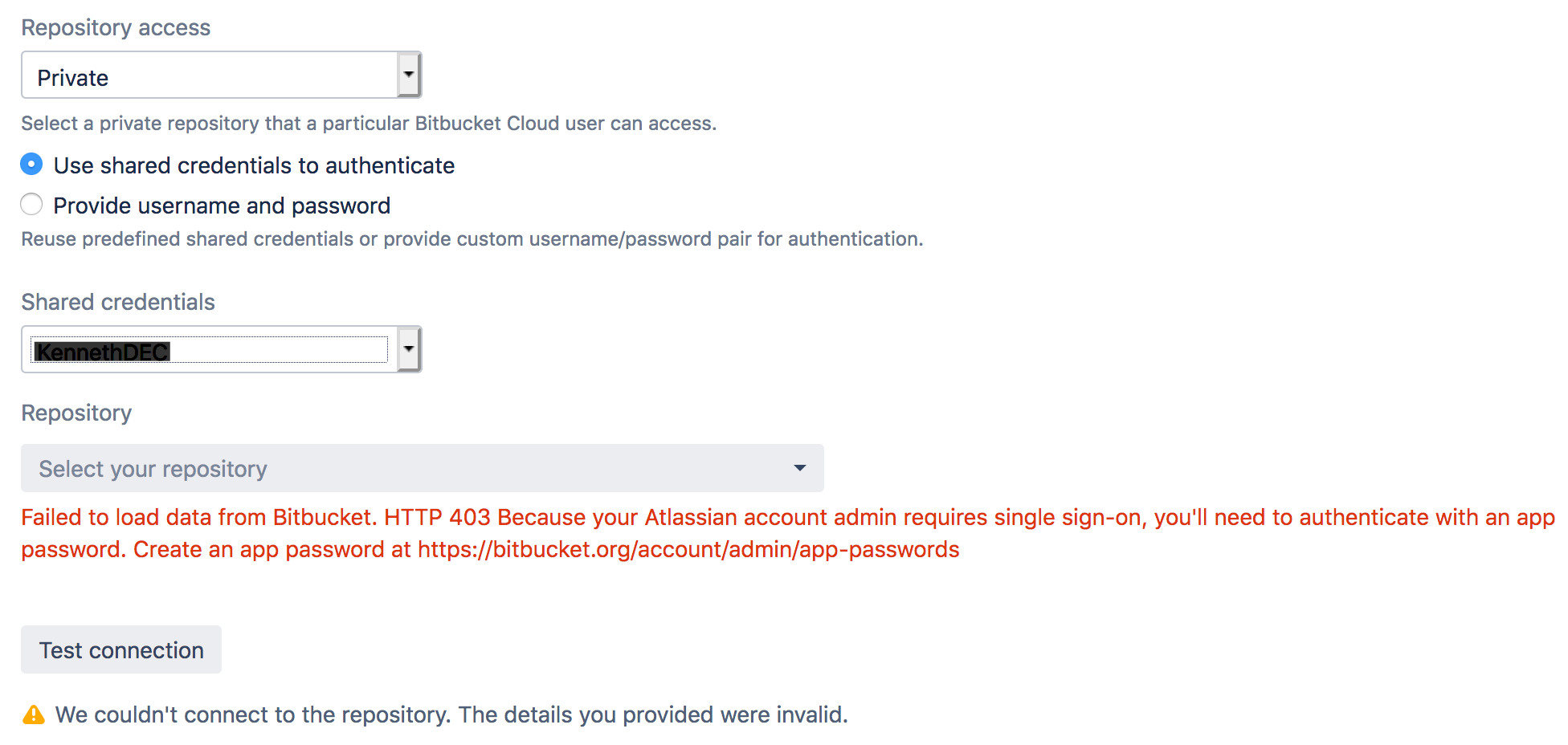
I am cloning an existing Bamboo plan and creating a new repository, i.e. Plan Configuration > Repositories > New Repository, but I am constantly getting "We couldn't connect to the repository. The details you provided were invalid.".
I have used:
- my existing username/password
- created a new "App password" (bitbucket.org > Settings > "App passwords") because I sometimes get the error message "Failed to load data from Bitbucket. HTTP 403 Because your Atlassian account admin requires single sign-on, you'll need to authenticate with an app password. Create an app password at https://bitbucket.org/account/admin/app-passwords".
- created new "Shared Credentials" ("Bamboo administration" > "Shared Credentials" > both "Username and password" and "SSH" - the SSH shared credential never shows up in the "Shared credentials" dropdown when creating the new repository)
I have tried credentials that were working perfectly a few months ago, but now do not work.
I have admin access to the Bamboo instance. The Bamboo version is 6.9.1.
I have tried creating a new repository in both Chrome and Firefox (with cleared cache).
Any assistance with this very frustrating problem would be most appreciated.
Please see the following screenshot: