
It's True! Microsoft Teams has been working steadily towards integrating with Jira Cloud and Jira Server.
Over the past year, in Jira Server, we've had access to deposit information into teams only via webhooks. Jira Cloud has had more advanced integration.
In the last month, Microsoft has released long awaited feature parity with Jira Cloud and Server editions. For those that are in Office365 and have Teams deployed for various reasons, this is the moment we've been waiting for.
The Integration:
There are two components to be aware of:
- The Jira Marketplace addon - Teams for Jira
- The Teams Jira app (in Teams via Manage Teams, Apps, More Apps)
The Teams Jira App has been upgraded recently, so if you've had it installed, be sure to update it. To update it, Please go to 'Manage team' -> 'Apps' tab to update the app. You'll have to restart the Teams client to get the update.
Linkage:
There are a couple of ways to link Jira and Teams
- Webhook push to a teams Channel only
- Teams Bot
- Teams Jira App Tab
- Teams Chat Integration
All options are controlled by the Teams Jira App, via Manage Team, Apps Tab, and Selecting the Jira App.
Linkage Permissions:
Teams needs access to Jira and to do this, it needs an account with permissions to read the Jira Project(s) you want it to communicate with. To do this:
- Non Saml:
- Simply create an account on your Jira Instance, give it the rights and note its login information for teams
- SAML Integrated:
- While not supported by Microsoft, its hackable.
- Create an account on your Jira Instance, give it the rights and note its login information for teams
- Turn off/Disable temporarily your SAML Redirection, using local auth only.
- Use the login with the Jira Teams app to get the OAuth Authentication setup
- Re-enable SAML Redirection
The Cool Stuff:
Well, its pretty neat. Here's a couple of screenshots of what the integration can do.
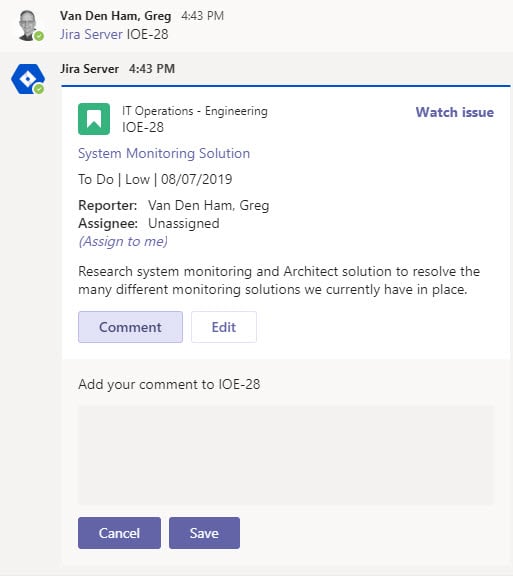
Calling up an issue with the '@Jira Server xx-Issue Command'. Note you can comment, assign, watch or edit issues.
Requesting help with the '@Jira Server help' Command. Look at all those options!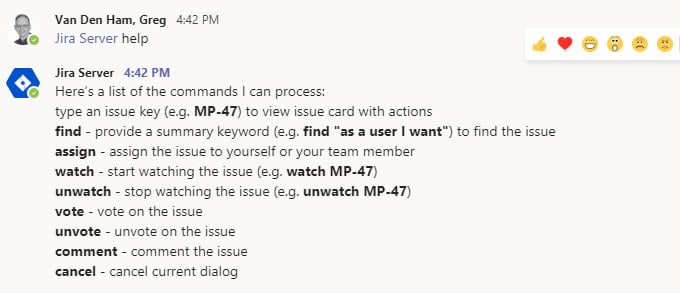
The Jira Server Tab. So many options to manipulate here.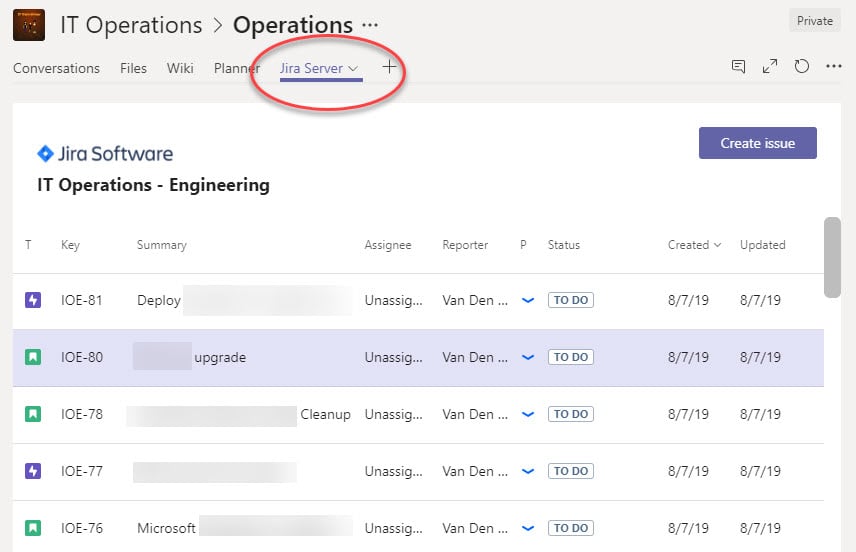
Need to create a story, no problem.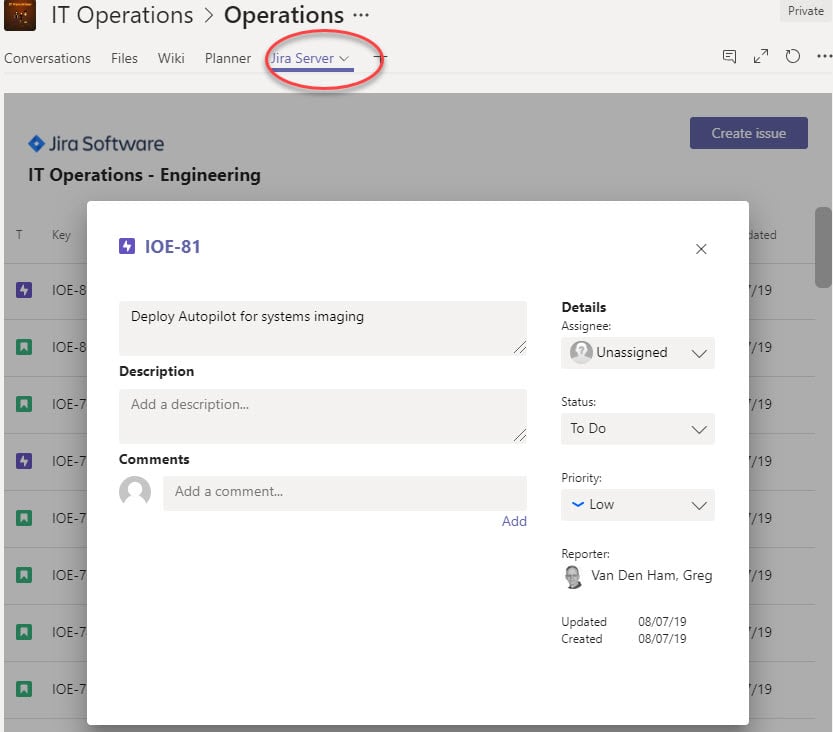
Feature Request:
Really, there are two main issues that Microsoft needs to resolve.
- SAML Integration natively support vs hacked.
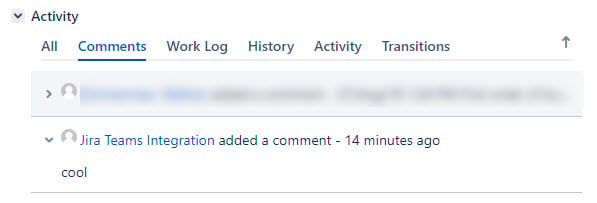
- Teams integration uses the local account to make comments and manipulate Jira, not your Teams username. This causes some concern when asking who did it (created a story, made a comment, etc.)
Certainly a lot of promise here and huge potential that we hadn't seen much of in the past. I'm excited about the future of Microsoft and Atlassian as they continue to work together.
Related Microsoft reference blog: here.


