After update to 3.1.3 version of sourcetree I can't launch external diff/merge tool.
I've tried everything that I could find, but it didn't help much.
I use IntelliJ IDEA tool and set it as follows in Tools -> Options -> Diff -> External Diff/Merge section:

 .gitconfig file:
[diff]
tool = sourcetree
[difftool "sourcetree"]
cmd = 'C:/Program Files/JetBrains/IntelliJ IDEA Community Edition 2019.1.3/bin/idea64.exe' diff $LOCAL $REMOTE
[merge]
tool = sourcetree
[mergetool "sourcetree"]
cmd = 'C:/Program Files/JetBrains/IntelliJ IDEA Community Edition 2019.1.3/bin/idea64.exe' merge $LOCAL $REMOTE $BASE $MERGED
trustExitCode = true
When I try to launch external diff tool by RMC -> External Diff in Process Viewer I see the following:
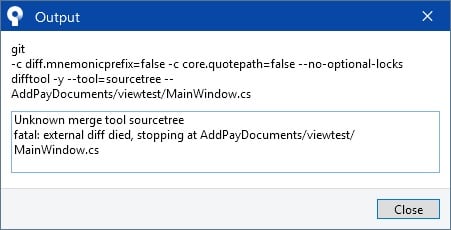
But when I use git command line:

press Enter and the tool is opening.
Do anybody know what to do with that?
UPDATE
I've tried to change diff/merge tools to another one but error was the same. I've tried to find all gitconfig files and Total Commander gave me few:

I noticed that when I change anything in tools > Options none of the gitconfig files are changed and it looks like SourceTree stores settings in a different file.
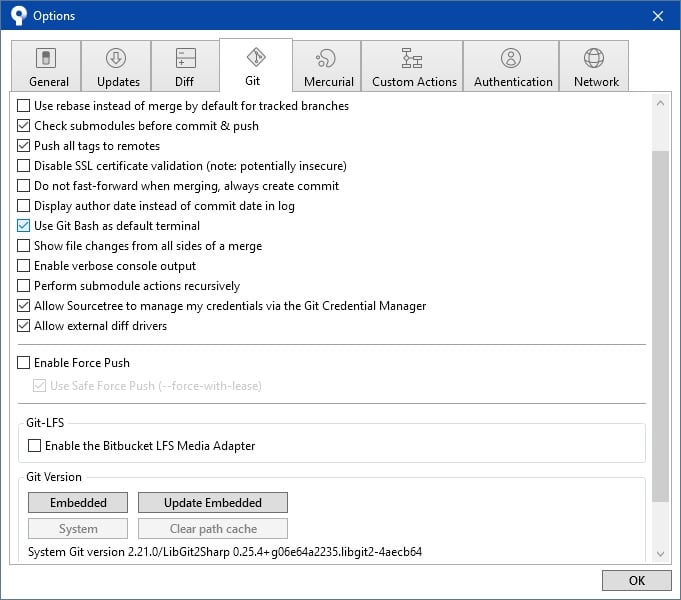
My setting from the Git tab are:
I've tried to reinstall SourceTree - did't help


