This user macro give ability to view a comparison between two images and control it by moving a slider, in order to show differences.
View on github : https://github.com/AOT-DEP-PADI/ConfluenceUserMacro-ImageComparisonSlider
Features
This user macro give ability to view a comparison between two images and control it by moving a slider, in order to show differences.
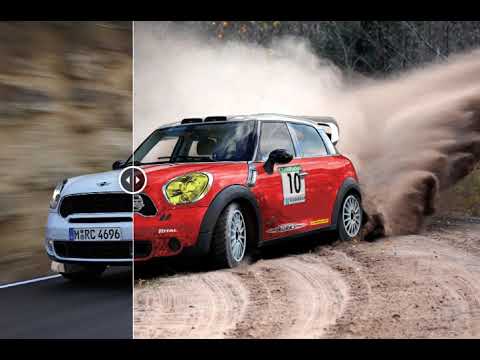
- Images use for comparaison provides from attachments of current page confluence;
- Set height and widht with pixel or percent ;
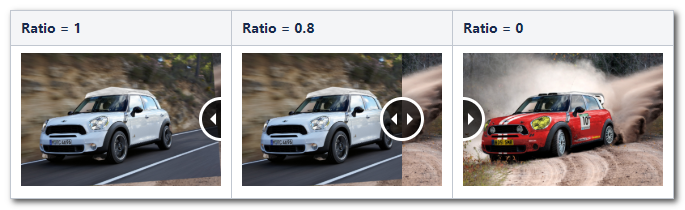
- Set initial visible ratio. Visible ratio of front element on init, must be a float value between 0 and 1. When ratio is equal to 1, so we see completely front image. And when ratio is equal to 0, so we see completely back image.
- Add or remove a thin vertical blank line as a separator beetwen two images ;
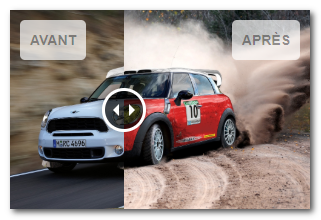
- Add or remove label on before and after image ;
- Add or remove more controls buttons ;
- Apply custom CSS on label ;
- Apply custom CSS on images ;
- Enable click on the circle control in order to toogle images ;
- Set animation easing, animation duration to use.
User macro code
- Macro name : image_comparison_slider
- Macro title: Image comparison slider
- Description: Create an image comparison slider
- Macro body processing: No
- Velocity Template code: view code on github
- Version: 1.0.0
- Last modification: 22/05/2019
User macro parameters
## @param AttachmentImageBefore:title=Image "before"|type=attachment|required=false|desc=Première image à utiliser pour la comparaison.
## @param AttachmentImageAfter:title=Image "after"|type=attachment|required=false|desc=Seconde image à utiliser pour la comparaison.
## @param width:title=Largeur|type=string|desc=En pixels ou en pourcentage : par exemple, 600 ou 80%. Par défaut utilise 100%.|default=100%
## @param height:title=Hauteur|type=string|desc=En pixels ou en pourcentage : par exemple, 400 ou 50%. Par défaut utilise 100%.|default=100%
## @param AddSeparator:title=Ajoute un séparateur|type=boolean|default=true
## @param InitVisibleRatio:title=Ratio initial de visibilité|type=string|required=false|desc=Nombre réel entre 0 et 1 pour définir le ratio initial de visibilité entre les images (par défaut à 0.5)|default=0.5
## @param LabelBefore:title=Texte à gauche|type=string|desc=Ajoute un texte à gauche sur l image "before".
## @param LabelAfter:title=Texte à droite|type=string|desc=Ajoute un texte à droite sur l image "after".
## @param LabelBeforeCustomCSS:title=CSS texte à gauche|type=string|desc=Applique un style CSS sur le texte à gauche - exemple: "padding": "10px 20px","color": "red"
## @param LabelAfterCustomCSS:title=CSS texte à droite|type=string|desc=Applique un style CSS sur le texte à droite - exemple: "right": "40px","top": "80px"
## @param ImageBeforeCustomCSS:title=CSS image à gauche|type=string|desc=Applique un style CSS sur l image de gauche 'before' - exemple: "filter":"sepia(80%)"
## @param ImageAfterCustomCSS:title=CSS image à droite|type=string|desc=Applique un style CSS sur l image de droite 'after' - exemple: "filter":"grayscale(50%)"
## @param AddClickOnDragCircle:title=Activer le bouton de déplacement|type=boolean|default=true
## @param AddButtons:title=Ajout de bouttons|type=boolean|default=false
## @param DispositionButtons:title=Disposition des bouttons|type=enum|enumValues=left,center,right|default=center
## @param AnimationEasing:title=Animation type|type=enum|enumValues=linear,swing|default=swing
## @param AnimationDuration:title=Animation durée|type=string|default=400
Details of some parameters bellow, for the complete list go to github repository : https://github.com/AOT-DEP-PADI/ConfluenceUserMacro-ImageComparisonSlider
Images to use in comparison slider
Images must be save in the current page as an attachment file. Image "before" is placed on front, and image "after" on back.
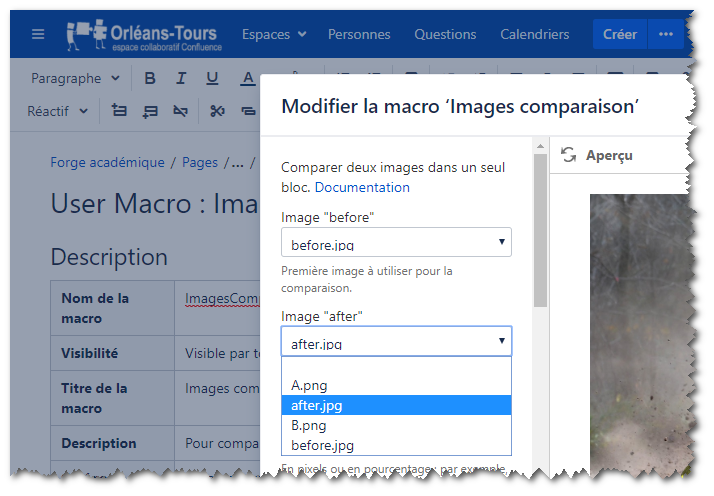
Initial visible ratio
Visible ratio of front element on init, must be a float value between 0 and 1. When ratio is equal to 1, so we see completely front image. And when ratio is equal to 0, so we see completely back image.
Labels
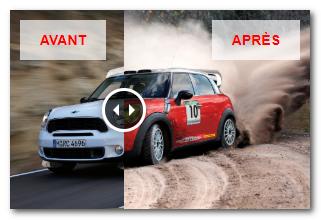
Add a label on "before" and/or "after" image
Apply custom css on label and image
Apply custom CSS on label before and/or after image. Code CSS must respect the syntax of the jQuery method .css() - exemple : "padding": "10px 20px","color": "red","border-radius":"0px".
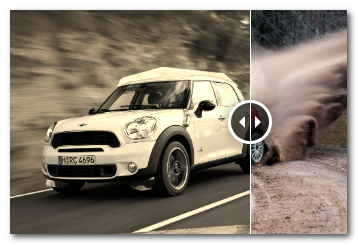
Do the same thing on image, for exemple to apply a filter on before image - exemple : "filter":"sepia(80%)"
Usages
Compare the user interface of two versions of an application.
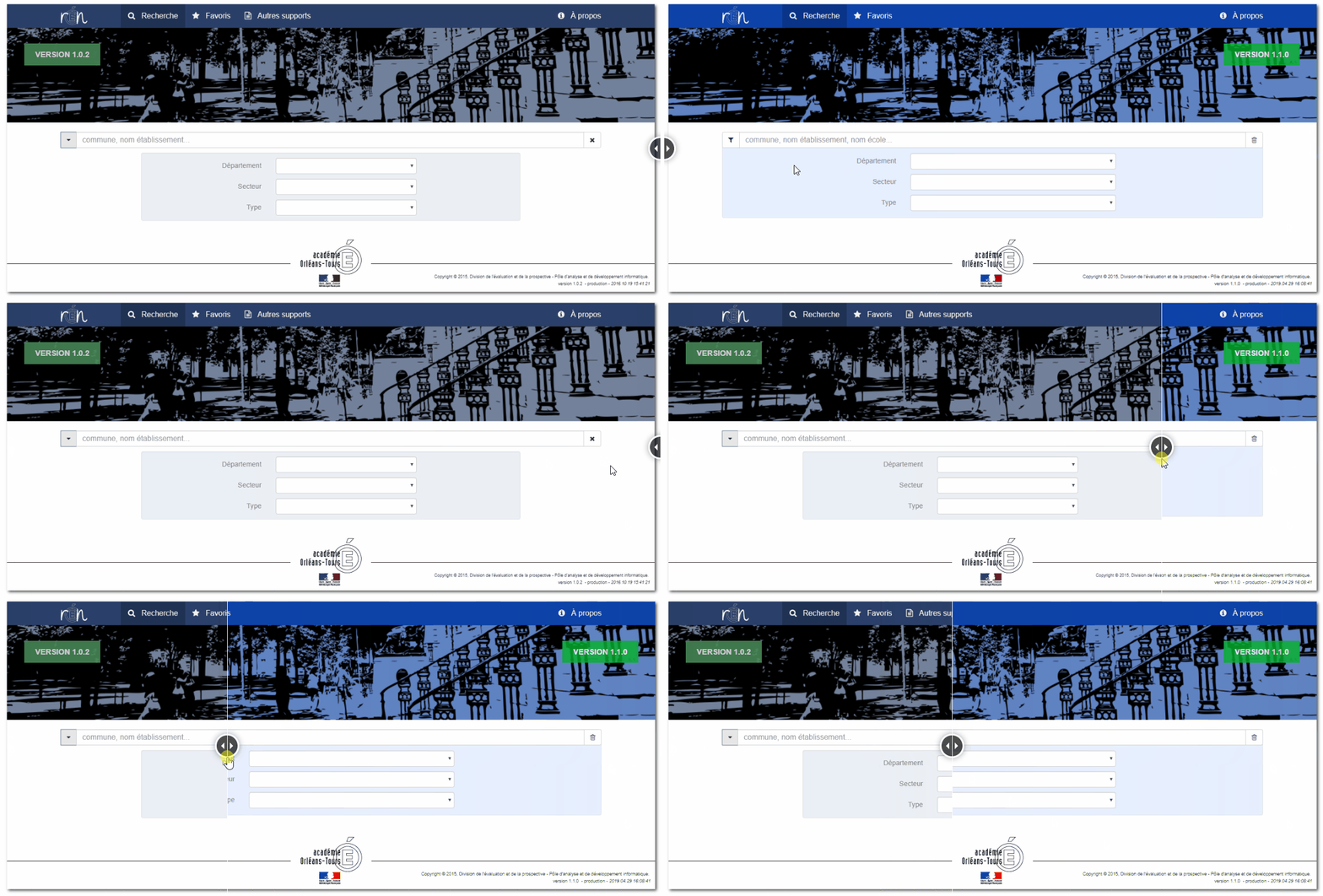
Compare gif animation
https://github.com/AOT-DEP-PADI/ConfluenceUserMacro-ImageComparisonSlider/blob/master/docs/ConfluenceUserMacrosImageCompare_CompareAnimation.gif


