Hi Atlassian community,
My name is Max and I work on the product integration team at Atlassian. I am pleased to announce the early access program for the Jira Cloud add-in for Outlook. This add-in lets you organize your Jira issues from Outlook and is available today on AppSource. Let us know what you think!
Install Jira Cloud for Outlook.
Context and action right at your fingertips
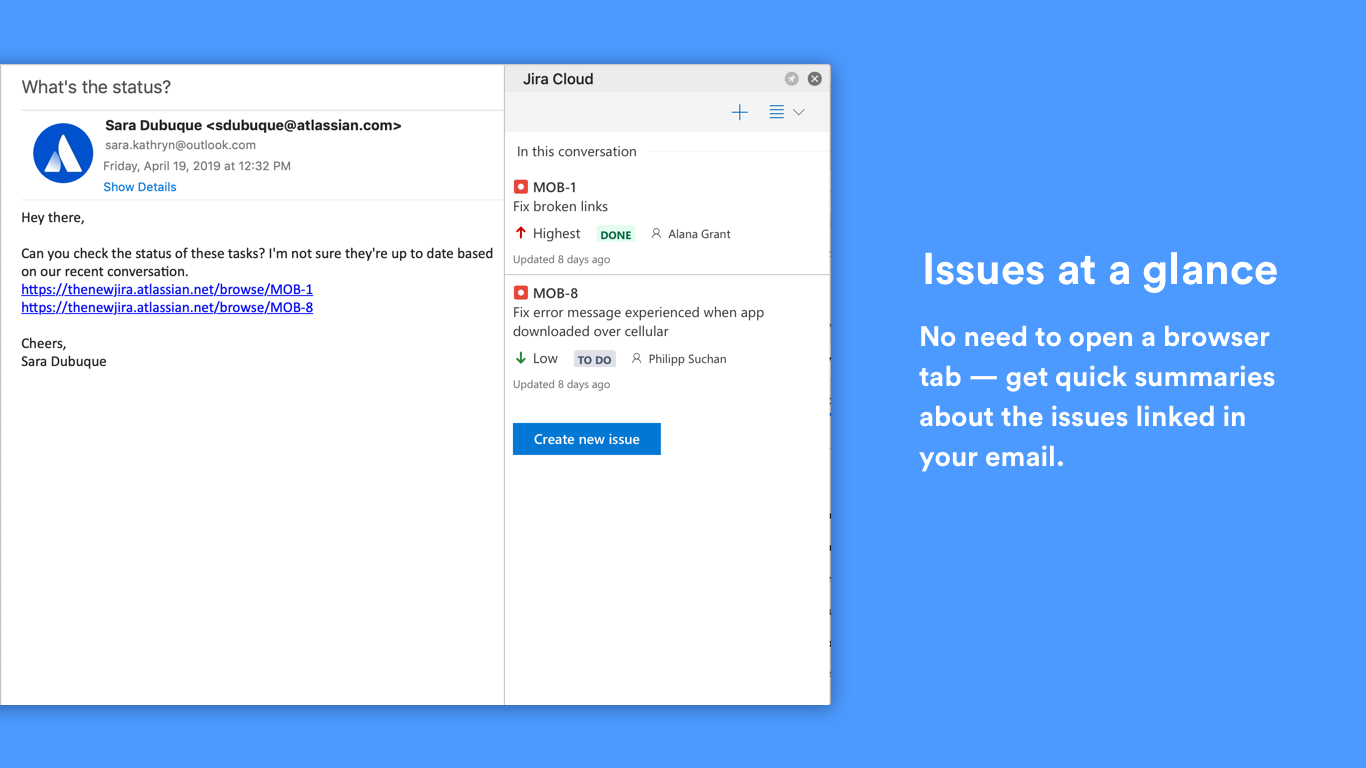
Email is great. However the information in emails is often outdated, and going through your emails to triage the important things requires a fair amount of back and forth between your inbox and each app. This add-in solves this problem for Jira by letting you manage your Jira issues from Outlook.
At a glance, here’s what you can do with this add-in:
-
View the current status of Jira issues mentioned in an email
-
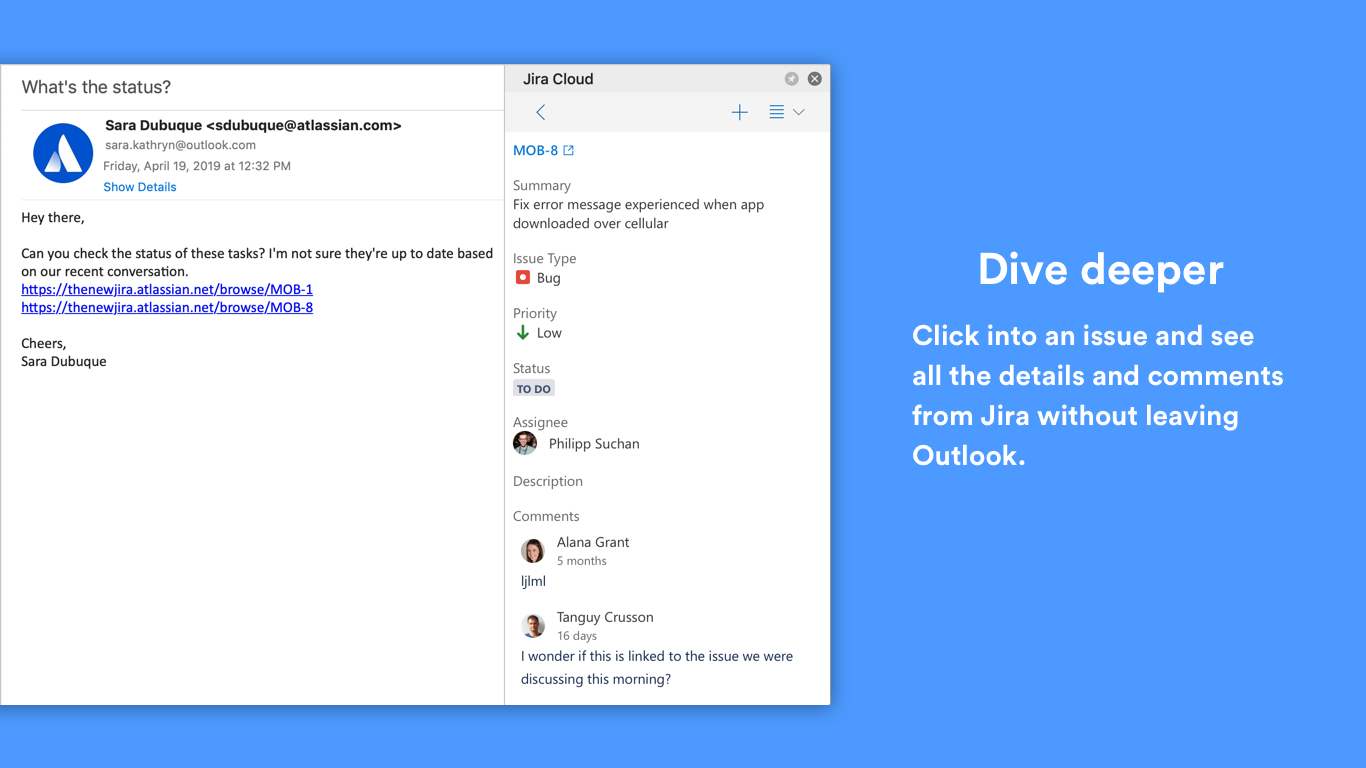
View rich, up to date information about a Jira issue
-
(Work in progress!) Update a Jira issue from your inbox: transition, assign and comment
-
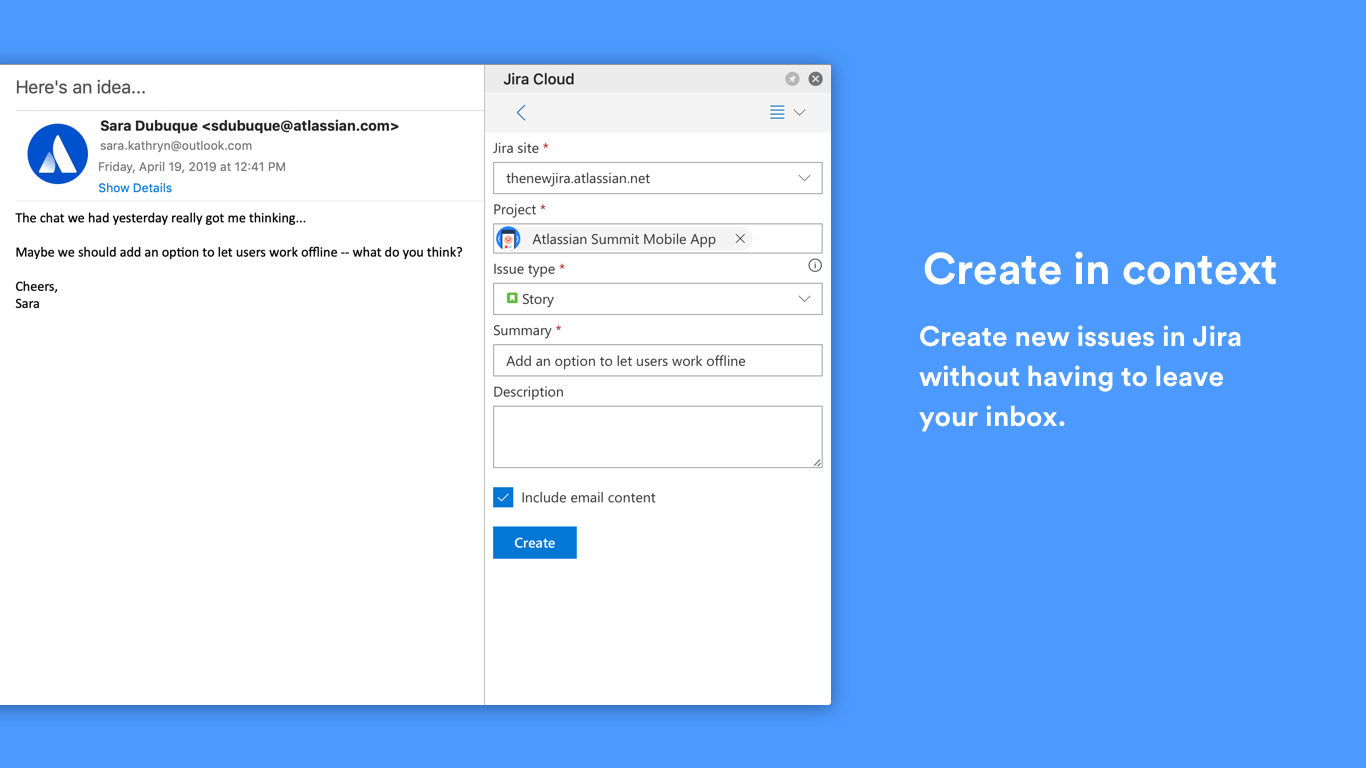
Create a new Jira issue from an email so the full context is readily available when starting work on a task
Questions? We have answers!
How do I install this?
Using the Jira Cloud for Outlook add-in is simple and does not require help from a Jira administrator.
Which Atlassian product versions do I need?
The extension works with Jira Cloud (Jira Core, Jira Service Desk and Jira Software).
If you are looking for a solution that works with Jira Server or Data Center, there are great options built by our partners available in the Atlassian Marketplace.
Known issues
Can’t install the add-in, it’s not visible in the ribbon or it’s grayed out
The Outlook client must be connected to an Exchange server or Microsoft 365 using a direct connection. When configuring the client, the user must choose an Exchange, Office, or Outlook.com account type. If the client is configured to connect with POP3 or IMAP, add-in will not load.
More details here: Outlook add-in requirements.
Can’t view, create or send to issue because IP allowlisting is enabled
Contact your organization admin to add these IP ranges to the IP allowlist. More information regarding IP allow listing can be found on Atlassian Support’s Specify IP addresses for product access page.
Outlook keeps prompting me to update the add-in
Unfortunately, there’s a bug in Outlook, clicking “Update” doesn’t always actually update the add-in to the latest version and Outlook keeps showing the prompt.
As a workaround, you can uninstall and install the add-in to make sure you have the latest version installed (no data loss involved).
Email attachments are not uploaded to issues as expected
When users send an email to Jira issue via the “Include email” checkbox in “Create issue” or “Send to issue” tabs they might find out that:
- email’s attachments do not appear in Jira ticket’s “Attachments” section
- when they open an email from Jira ticket’s “Attached emails” section, the email doesn’t have attachments, and images in that email are broken
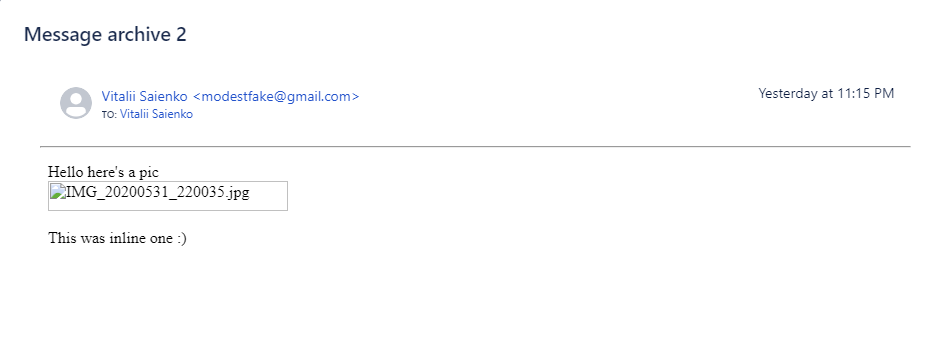
EWS API is used for this functionality and the issue might be is that add-in doesn't have access to EWS.
In order to fix it, you need to reach out to your Exchange server admins to grant access to EWS. Here’s the instruction on how to do it.
If admins prefer to grant access to EWS only for Jira Cloud for Outlook they need to use atlassian-outlook-integration* User-Agent string. Warning: if some other services are connected to your Outlook, they will lose access.
Set-OrganizationConfig -EwsApplicationAccessPolicy:EnforceAllowList -EwsAllowList:"atlassian-outlook-integration*"
I have an issue, how can I get help?
Please submit an issue on our public issue tracker, we’re here to help.
I've got suggestions or questions, can I give you feedback?
Yes, please! We have plans for new features, but we'd love to hear how we can make this better for you. You can send us feedback directly from Outlook:
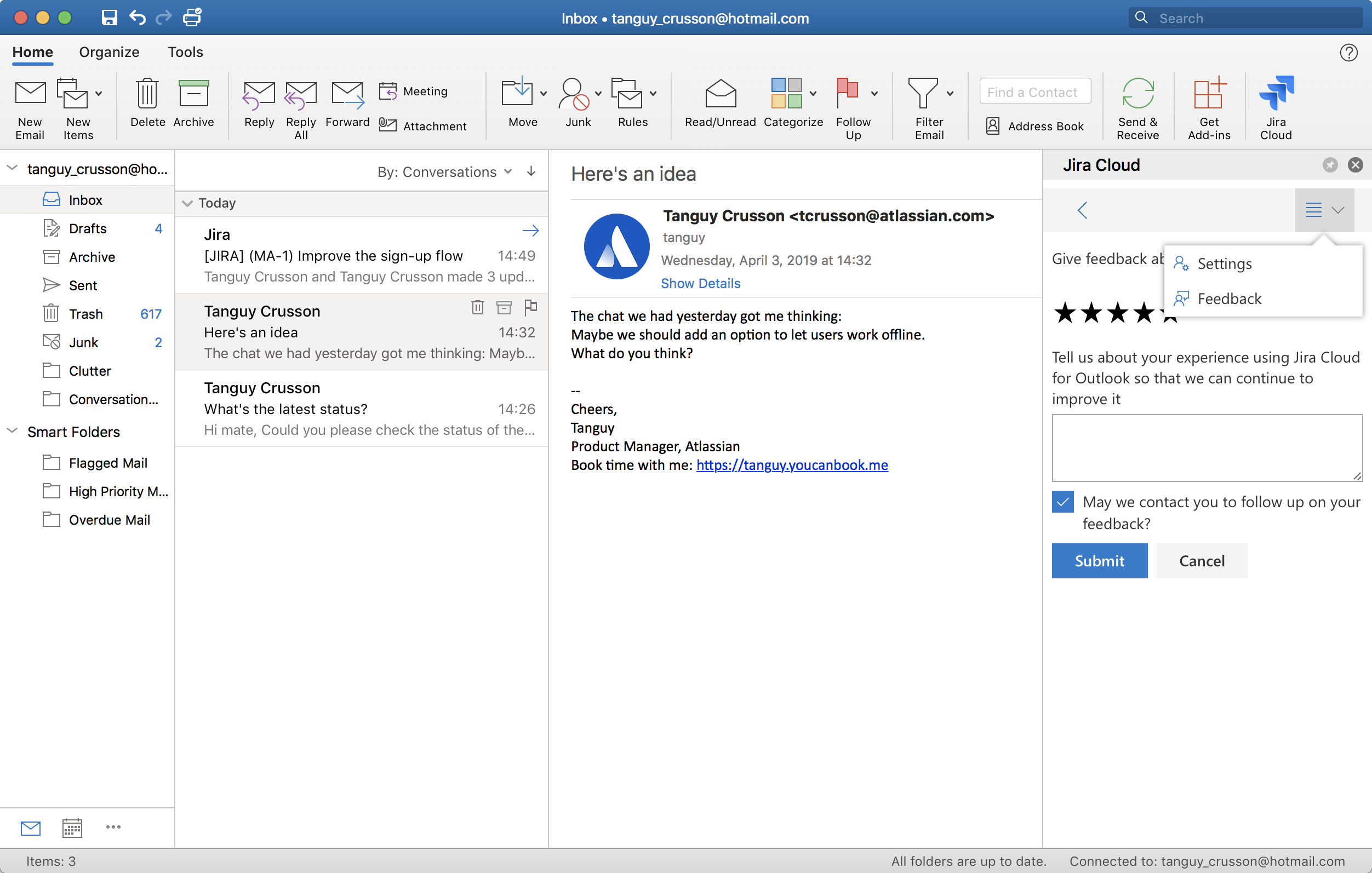
If you tick the "May we contact you to follow up on your feedback?" box we might reach out to better understand your needs.
I've tried it and I love it!
Nice! The team would love to hear that their hard work has paid off: if you could drop us a comment in the feedback form we'd really appreciate it, that's what keeps us going! If you would like to give us a little quote we could use when we announce the feature more widely we'd be eternally grateful.


