Note: we now have a new, unified profile. Check out this article to learn more about its features and functionality. 😁
Note from your Community Managers: If you need us to help you troubleshoot an account issue, please always reference your Community profile URL in addition to your email address.

Why are you displaying my full name and how can I change it?
We log you into the Atlassian Community using your Atlassian ID, and your username is automatically generated based on your Atlassian ID.
To change your name:
-
Visit id.atlassian.com/manage-profile/profile-and-visibility
-
Update the Public Name field
-
You can either wait a few minutes for the community to update your name, or log out and back in to update immediately
View our privacy policy for more information
There are multiple versions of me and the wrong one is getting tagged
If you have multiple Atlassian IDs, this can happen! We are working on improvements, but in the meantime, you can use the steps above to update your usernames to make it clear which one you want to use.
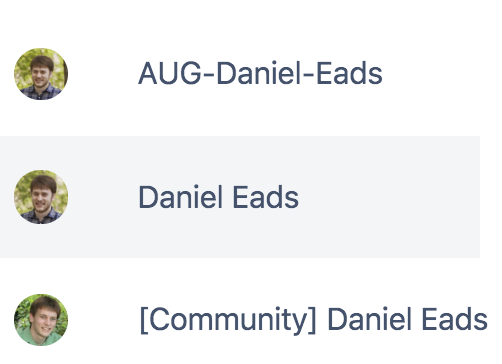
Note: Usernames no longer support (parentheses) or [brackets] and users will be unable to tag you if you try to use them. Use -dashes- or {curly brackets} instead!
Anything else to know about usernames?
They do not support emojis; if you have an emoji in your public name, it will be removed from your community handle.
There are multiple versions of me and I'm getting automatically logged in as the wrong one
1. Log out at id.atlassian.com
2. Log out of Community
3. Log in on Community, now you get the id.atlassian.com login form and can put your preferred account details
There are multiple versions of me, can I just merge them into one?
Yes you can! Check out our new profile and how to manage it right here.
I need to change my email address but don't want to lose my history!
You can update your email address on your Atlassian account.
-
Visit https://id.atlassian.com/manage-profile/profile-and-visibility
-
Update the E-mail address field
-
Log out of Community
-
Log back in to Community
That didn't work! My email is locked down because it's associated with my company
There are
new self-service options available for managing your community profile:
In this case, you should create a
new Community account using your preferred personal email address. Once set up, actually log in to the Community using this account that is associated with your personal email address. From this point you can self-service the linking of Community profiles now by going to
Profile Settings
From here you can link to your other (work) profile. This has to be done while you can still login to both accounts.
If you'd like to stay up-to-date with all changes to Community, please follow the community-release-notes tag. Thank you @Daniel Eads for contributing to this article.


