A custom action will not appear in the "Custom Actions" context menu that is accessed from the Repository Browser unless its Parameter starts with "$REPO"
Steps to reproduce
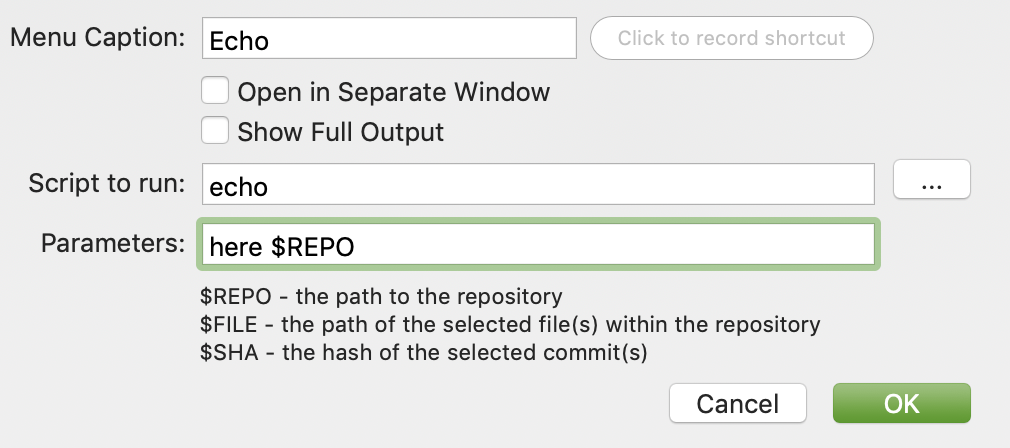
- Create a custom action
- Set Menu caption as "Echo"
- Set Script to run as "echo"
- Set Parameters as "here $REPO"
- Open the Repository Browser window
- Ctrl-Click a repository and open the Custom Actions menu.
- The "Echo" action is not showing
- Now edit the "Echo" custom action
- Change the Parameters to be just "$REPO"
- Now open the Repository Browser window again
- Similarly Ctrl-Click a repository and open the Custom Actions menu.
- The "Echo" action is now showing.
This is occurring in SourceTree for Mac version 3.1.1 (213) on macOS Mojave 10.14.3.
The main issue is that I have a "Garbage Collect" custom action with the following settings:
- Script to run: git
- Parameters: -C $REPO gc --aggressive
This used to work but the menu option is longer appearing in recent versions of SourceTree.


