Forums

Articles
Create
cancel
Showing results for 
Search instead for 
Did you mean: 

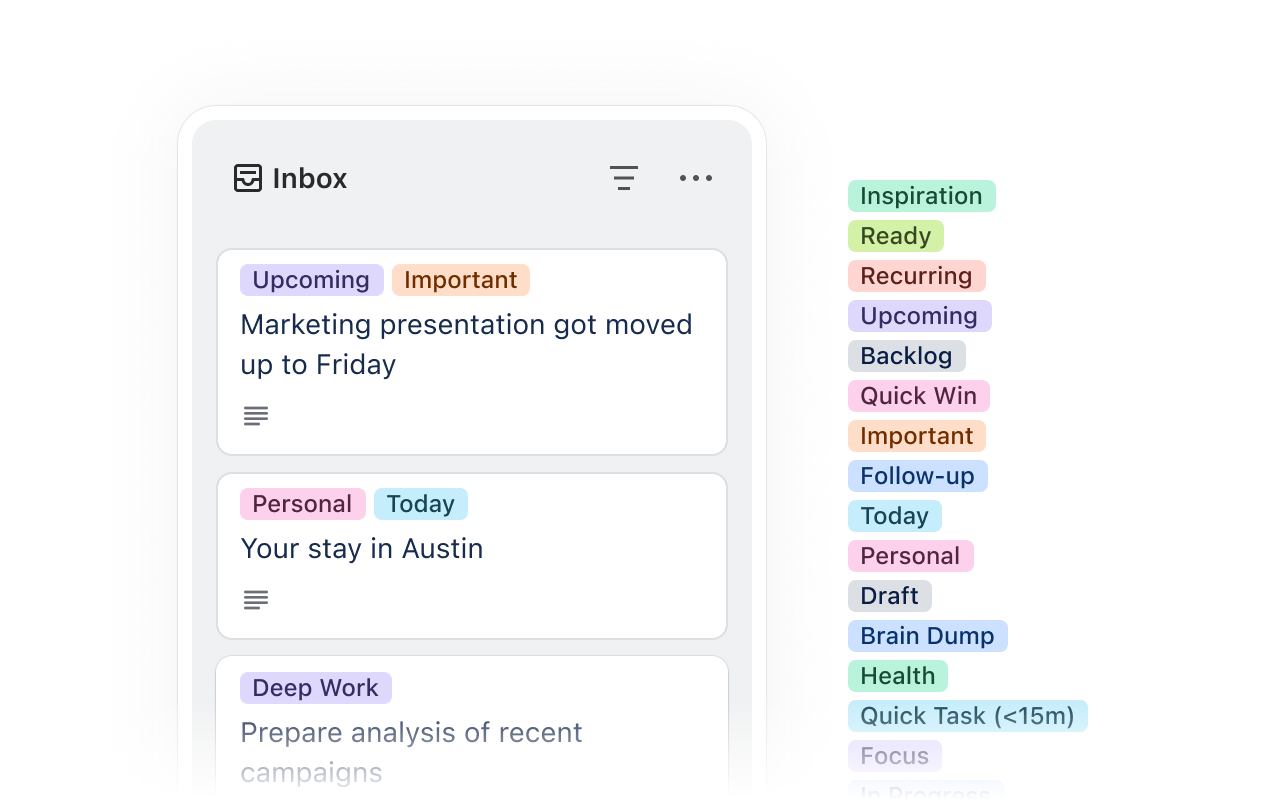
New! Labels for your Inbox cards

image (7).png

We designed the Trello Inbox as a place to capture new cards quickly, eliminating the need to find the exact right board, list, and spot to place a new card before you can save it. Anything captured from email, Slack, Teams, or mobile (and even from our new Chrome extension!) goes to the Inbox, ready to be edited and organized onto the board of your choice when you’re ready. Since then, we’ve heard feedback that, if you have a lot of cards, the Inbox can get cluttered and feel overwhelming to triage.

To date, the Inbox didn’t offer the option to add a label but, starting this week, now it does. To start, add or open a card in your Inbox and look for the labels menu. These labels will be specific to your Inbox because the Inbox is board-agnostic and shows up no matter which board you have open. You can use the same labels as your boards or different ones just for Inbox, and any labels will stay intact as you drag-and-drop cards between your Inbox and your boards.

This feature is rolling out broadly this week, so open your Inbox (keyboard shortcut: g+i) and take a look.

PS: You can also add a divider card to your Inbox to organize it into sections. If you don’t know this trick already, it’s a good one! Just type “---” into the title field of a new card and you’ll see it pop up.

1 comment

ACE
Rising Star
Rising Star
Rising Stars are recognized for providing high-quality answers to other users. Rising Stars receive a certificate of achievement and are on the path to becoming Community Champions.
April 7, 2026

Hello @Thorn Golden. This seems like a good improvement.
Since we implemented Trello in the office, we've been using a list at the top of our main board as an inbox (which we call NEW). We add all new cards to this list, whether they're for jobs requested by phone, email, in person, or via WhatsApp. This allows us to use automations, custom fields, labels, and assign members as soon as a new card is created in this list. From that point on, each assigned member takes the necessary actions and moves the card to the appropriate location.
When the inbox feature was added to Trello, I thought it would replace our NEW list, as I believed it would offer even more advantages. The problem (from my perspective and usage) is that, aside from the inbox options, we can't assign members, use custom fields, or create automations (I think), so I don't see much use for it in our case. I understand that the inbox is intended for personal use, but it would be great to have all those options available for both personal and business use.
Perhaps I'm doing something wrong or I'm missing some other possibilities. I would appreciate any advice and suggestions. Thank you very much.

Comment

Log in or Sign up to comment
TAGS
AUG Leaders

Atlassian Community Events