Curious about what the Rovo Agents team has been up to? You’re in the right place! Every two months, we’ll highlight the latest features, key updates, and give you a preview of what’s coming next.
June and July - at a Glance
7 Major Releases
Agent versioning and drafts, unit-wide agents, tool configuration, faster agent search, HIPAA support, insights for all users, and autonomous agents in Automation.
2 Minor Releases
Smarter content moderation and agent usage audit logs for Atlassian Guard Premium customers.
4 Features Coming Soon
Asset field support in Raise a Request, agent import and export, reasoning and model selector, and skills in Agent Studio.
🚀 Major Releases
Agent Versioning and Drafts
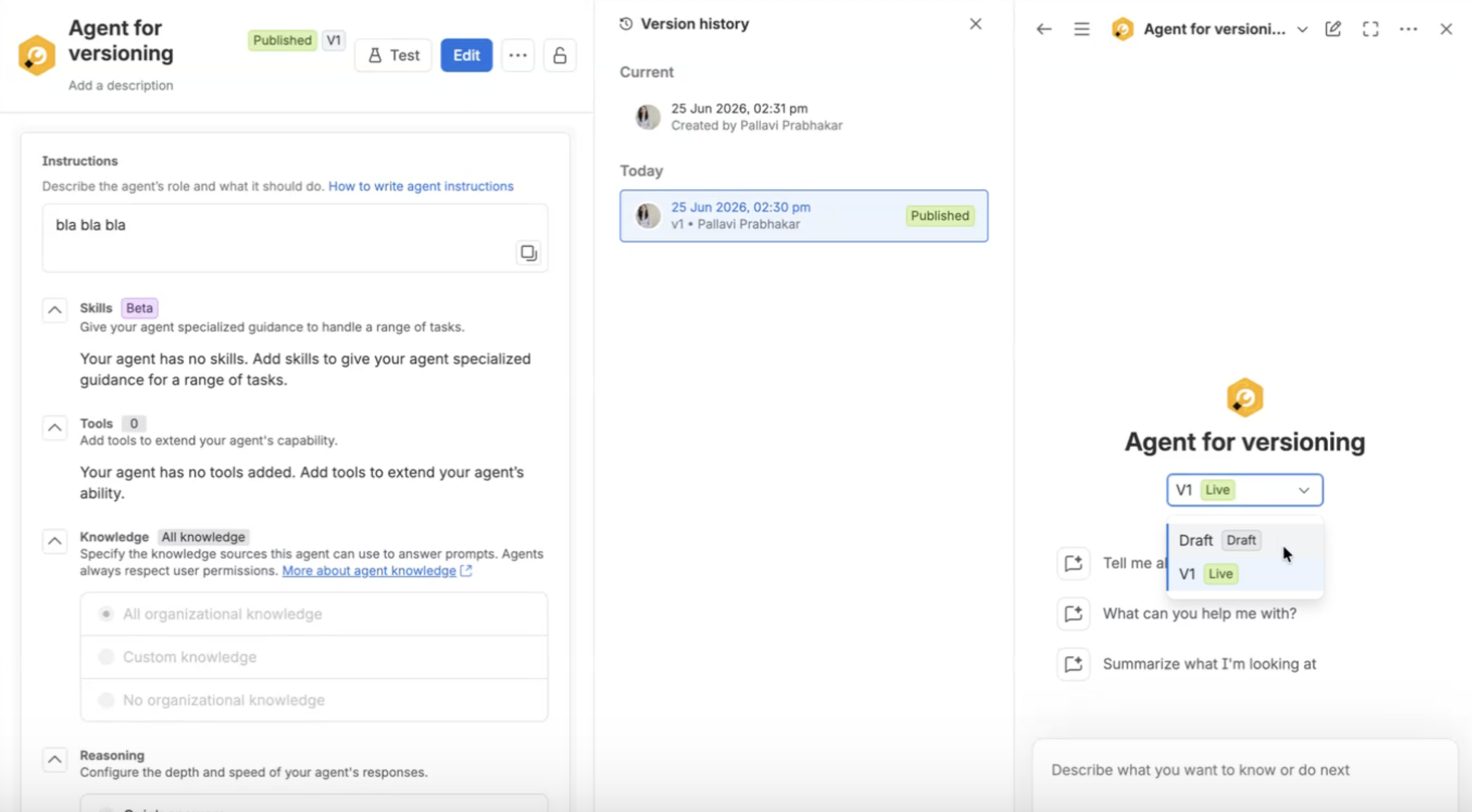
We've added versioning and drafts so you can work on your agents without worrying about breaking anything for your users.
Your drafts stick around. Previously, if you navigated away while creating an agent, your work would be lost. Now, any in-progress agent shows up in a new "Unpublished" tab on your Rovo Agents landing page, so you can come back to it whenever you're ready.
Test before you publish. You can test your draft agent in chat before making it available to everyone on your site. A version picker in the chat lets you choose which version (draft or published) you want to interact with.
Publish when you're ready. Once you're happy with your draft, hit publish and it becomes the live version available to your site. The published view is read-only, and if you want to make more changes, you'll be taken back to the editable draft.
Full change history. A "View History" modal shows you who made each change, when, and what the previous configuration looked like. This makes it easy to track how your agent has evolved over time.
Version-aware evals. If you're running evaluations, the evals tab now includes a version picker so you can run evals against your draft or any published version.
Unit-Wide Agents: Work Across Multiple Sites
Rovo Agents are no longer limited to a single site. If your organisation uses multiple Atlassian sites within a Unit, your agents can now access knowledge and tools across all of them.
The problem. Previously, an agent on one site couldn't access Confluence pages, Jira tickets, or other content from your other sites, even if you had access to all of them. For organisations with content spread across multiple sites, this meant agents could only give you part of the picture.
What's changed. With Unit-wide scope enabled, your agents can search, retrieve, and reference content from any site in your Unit. A single agent can now pull a Jira ticket from one site and a Confluence design doc from another, giving you complete answers without switching between sites.
You're in control. You can configure exactly which sites an agent should have access to. If you only want an agent to work with specific sites in your Unit, you can set that up in the knowledge source configuration.
A few things to know:
-
Confirmation-based tools (like adding comments to tickets on other sites) are not yet supported and will come in a future update
-
Units with more than five sites will need to wait for site-level agent configuration before this feature is available
-
HIPAA-enabled products are excluded from cross-site scope to keep you compliant
Tool Configuration
You can now pre-configure how your agents use specific tools, so they don't need to ask users the same questions every time.
How it works. When you add a configurable tool to your agent, you'll see a cog icon next to it. Click it to set default values for that tool. For example, with the JSM "Raise a Request" tool, you can lock in which service desk and which request type the agent should always use.
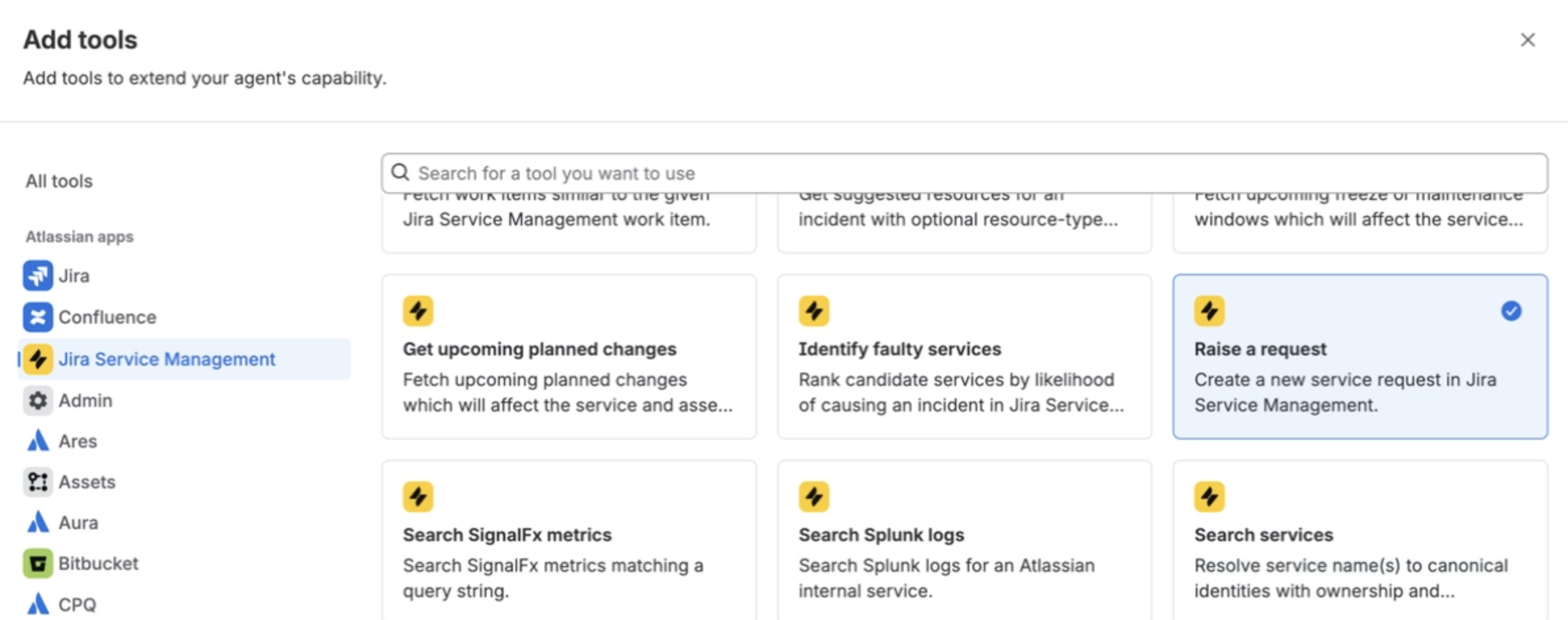
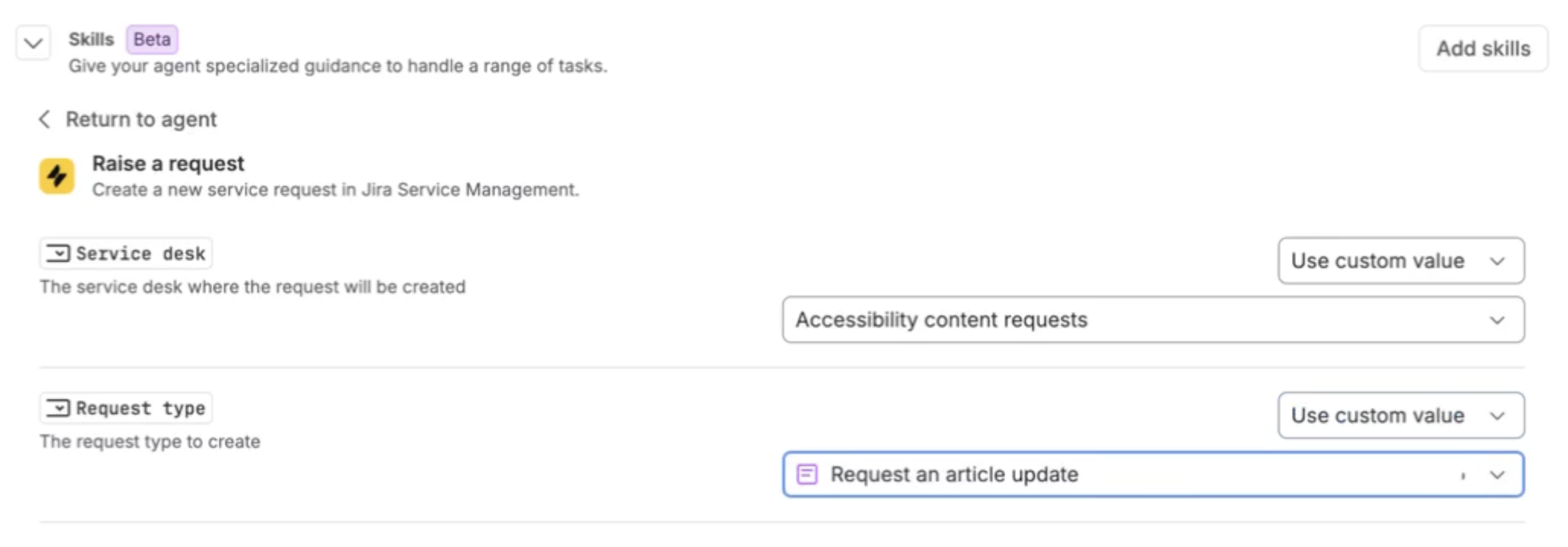
Why this matters. If your agent is always creating the same kind of request in the same service desk, this removes unnecessary back-and-forth with users. They don't need to answer "which service desk?" or "what request type?" every time.
It's enforced, not just suggested. We've added guardrails so that even if the AI tries to use a different service desk or request type, the configured values will always be applied. This gives you confidence that the agent is doing exactly what you've set it up to do.
More tools coming soon. We're starting with JSM request tools and will be making additional tools configurable over the coming weeks.
Faster, Smarter Agent Search
We've rebuilt how agent search works, and it's a big improvement.
It's way faster. Searching for agents used to take 20+ seconds, and in some cases, searches would time out before returning results. Now, searches complete in about a second, with even the slowest queries returning in under 6 seconds.
It's smarter about matching. The old search only found agents if your query matched the exact name as a string. Now, search uses token-based matching, so you can type a few keywords and it will find agents that contain any combination of those terms, ranked by relevance. You can still search for an exact phrase by wrapping your query in quotes.
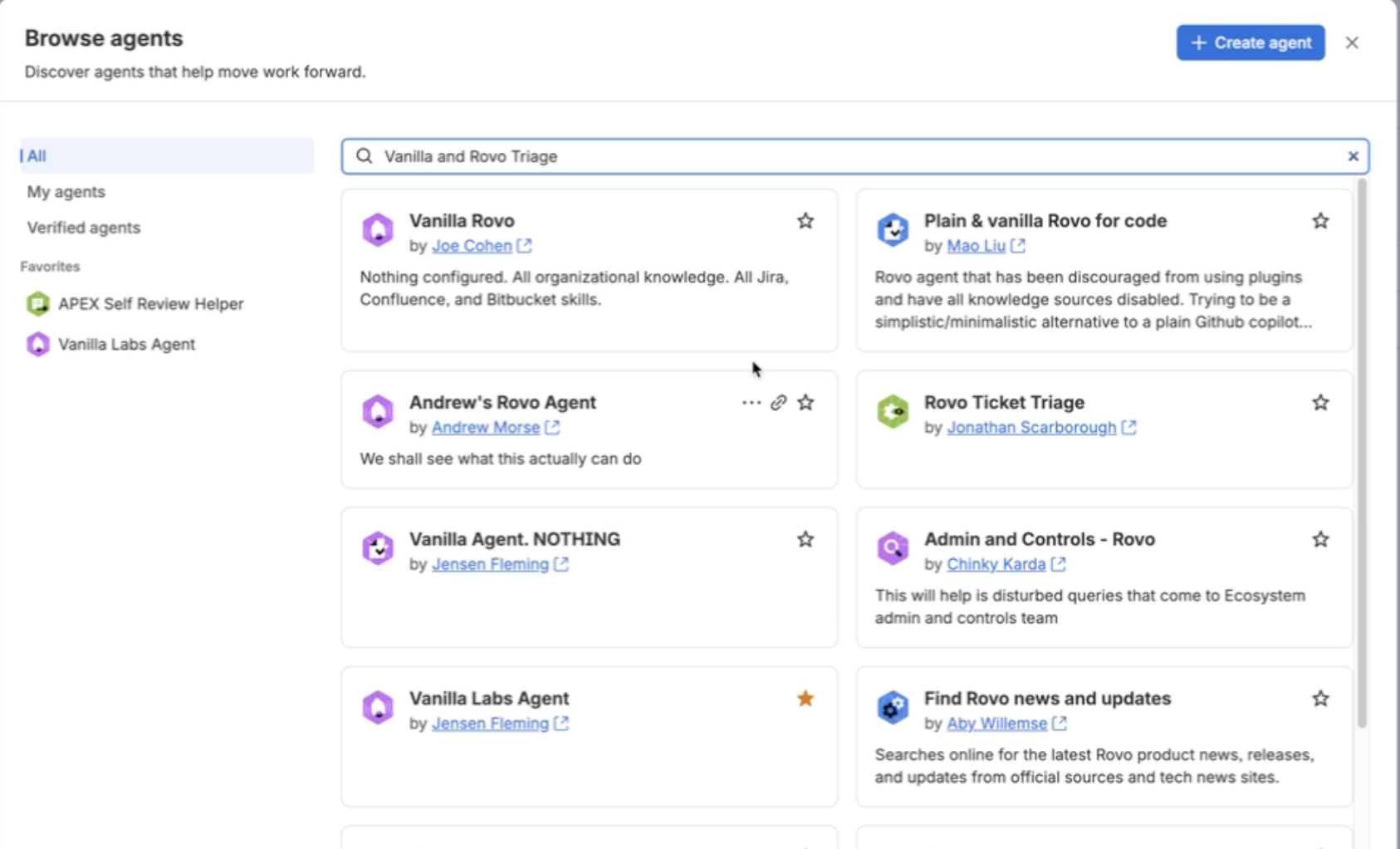
It works everywhere. These improvements aren't limited to Browse Agents. You'll notice faster, more accurate results anywhere you search for agents, including the chat dropdown, automation setup, and anywhere else agents appear.
Rovo Agents for HIPAA-Enabled Organisations
Rovo Agents is now available for HIPAA-enabled organisations. Previously, if your org had HIPAA enabled, Rovo was completely disabled.
How it works. To keep your data safe, we've added guardrails around how agents interact with tools on HIPAA-enabled sites. Agents can read data as normal, and they can write data to HIPAA-enabled products (like Confluence, if your instance is HIPAA-enabled). Write actions to non-HIPAA-enabled products are automatically blocked to prevent data from being written somewhere it shouldn't be.
What's next. This is our initial rollout to get Rovo into your hands. We're working on a longer-term solution that will provide a more polished experience, but in the meantime, you can start building and using agents with confidence that your HIPAA compliance requirements are being respected
Insights for All Users
Studio Insights is now available to everyone in your organisation, not just admins.
Previously, only admins could see analytics on how agents were being used across the organisation. Now, any user can go to Studio > Insights to see which agents are most used, spot trending agents, and get a feel for how their team is getting value from Rovo.
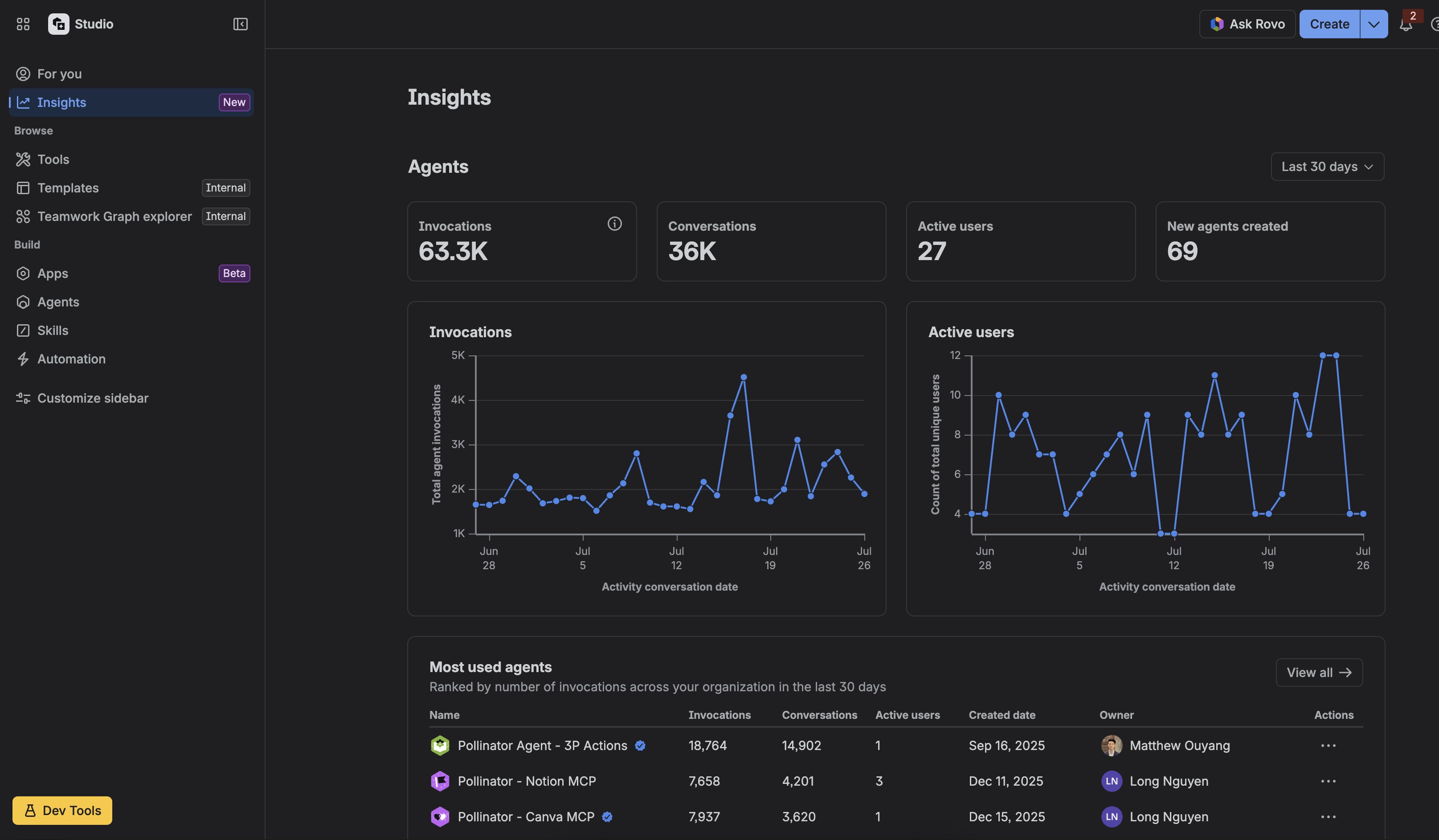
It's a great way to find agents you might not have known about and get some inspiration for what to build next.
Autonomous Agents in Automation
Agents in Automation rules can now take real action, not just suggest it.
Previously, when an automation rule triggered a Rovo agent to do something consequential, like creating a Jira issue or adding a comment, the agent would stop and ask for confirmation. This caused automation rules to break mid-flow, which made it hard to build reliable end-to-end workflows.
Now, agents running inside automation rules can execute these actions directly. Admins grant the agent the permissions it needs, and the agent uses those permissions when automation triggers it, so rules run to completion without getting stuck.
A few things to know:
-
Agents in automation use permissions granted by admins, not default roles
-
This prevents the loops that used to occur when an agent's confirmation step interrupted a running rule
🛠️ Minor Releases
Smarter Content Moderation for Agents
We've improved how our safety system evaluates agent conversations, which means fewer false blocks on legitimate questions.
The problem. If you built an agent for something like an IT helpdesk, users asking normal questions like "how do I get admin access to Bitbucket?" could get blocked by our content moderation. The system was only looking at the last message in isolation, and without context, that kind of question looked suspicious.
What changed. Our moderation now evaluates the full context of the conversation, including the agent's instructions and the conversation history. So if your agent is set up to help with access requests and permissions, the system understands that and lets the agent respond appropriately.
What this means for you. Agents you've built for IT support, access management, or similar use cases will work the way you intended. Users won't hit unexpected blocks on normal questions, and you have more control through your agent instructions to steer how these topics are handled (like escalating to a human when needed).
Agent Usage Audit Logs
If your organisation has Atlassian Guard Premium, admins can now see agent activity in their audit logs.
Until now, admins had no way to track how Rovo Agents were being used across their org. For enterprise and security-conscious customers, this was a blocker for adopting Rovo under Guard Premium.
Now, every time someone invokes an agent, an "Invoked Rovo agent" event is captured in Admin Hub under Insights > Audit Log. Each event shows you:
-
Who invoked the agent
-
Which surface it was invoked from (Rovo Chat, Slack, Microsoft Teams, etc.)
-
What tools the agent used
-
What permissions it ran under
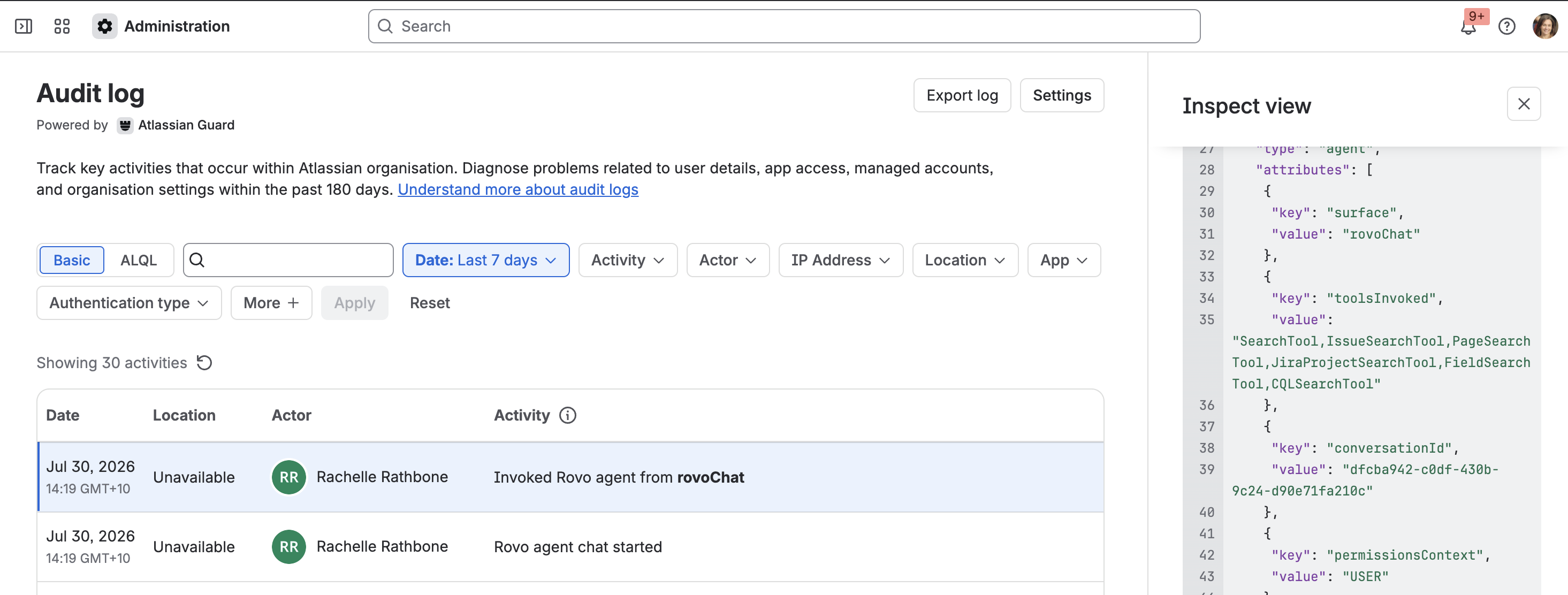
This gives admins the visibility they need to monitor agent usage for security and compliance, and investigate activity when needed.
This is available now for all customers with Atlassian Guard Premium enabled.
🔮 Coming Soon: Sneak Peeks
Asset Field Support in Raise a Request
When your agent raises a JSM request, users will soon be able to browse and select assets (CMDB items) directly in the conversation. This means requests get submitted with the right asset information attached from the start, without users needing to leave the chat to look things up.
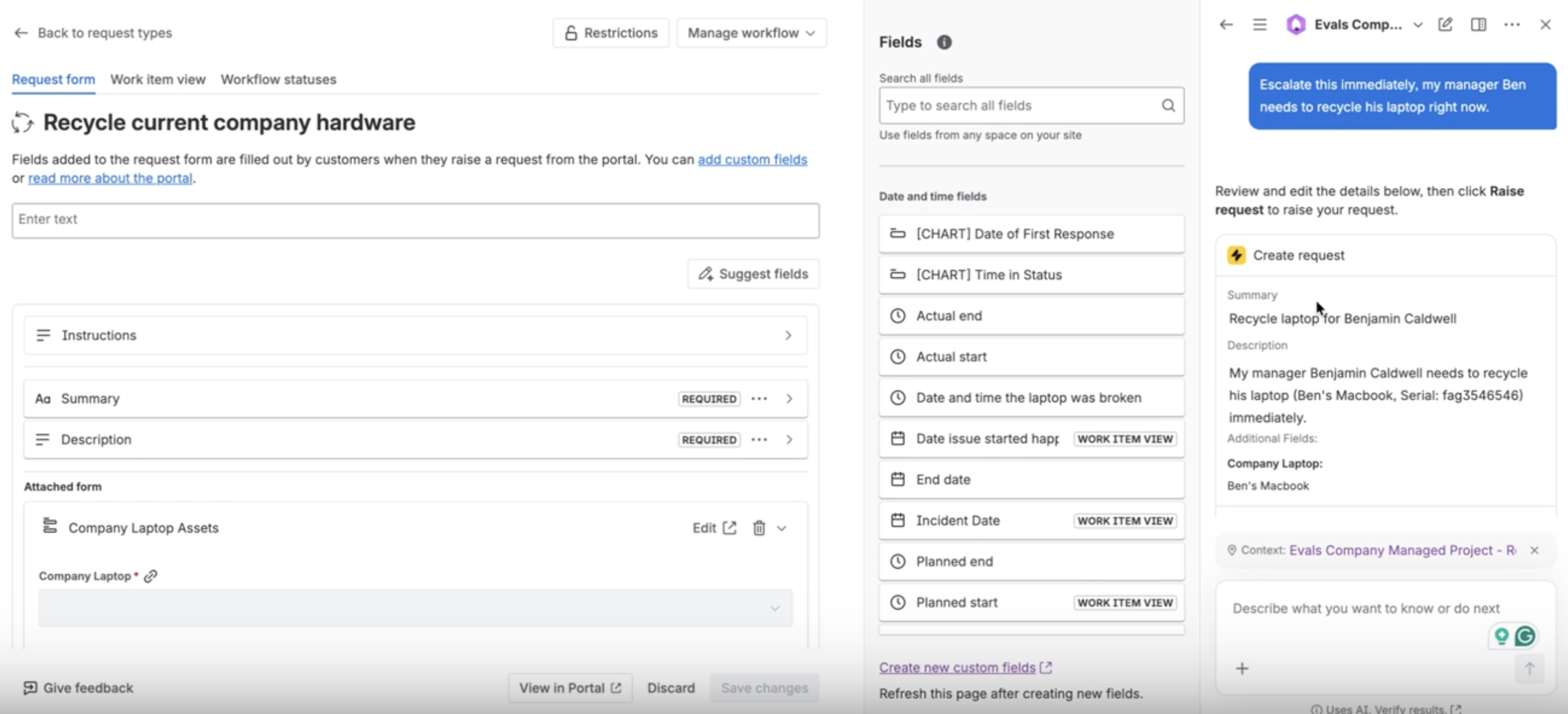
This is available now for customers in our Early Access Program.
Agent Import and Export
You will soon be able to export and import your agent configurations as JSON files, making it much easier to move agents between sites or environments.
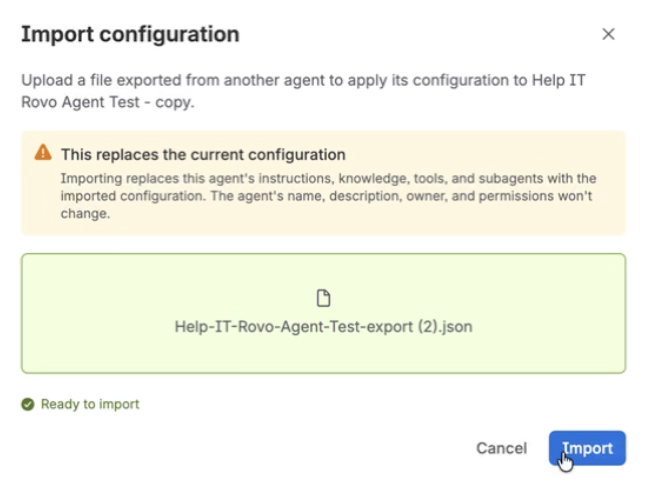
How it works. Export an agent from one site, make any changes you need to the JSON file, then import it into another agent. The import brings across your instructions, tools, subagents, and knowledge sources. This is great for teams who want to test agents in a sandbox before moving them to production, or for replicating a working setup across multiple sites without rebuilding from scratch.
A few things to know:
-
Imported changes are applied to the draft version of the agent, so you can review everything before publishing
-
Subagent configurations, tools, and knowledge sources are all included in the import
-
Skills/tools created via the skills framework are not yet supported in export/import, but everything else carries over
Reasoning and Model Selector
When released, you will be able to choose the reasoning tier and model your agent uses, giving you more control over how your agent thinks and responds.
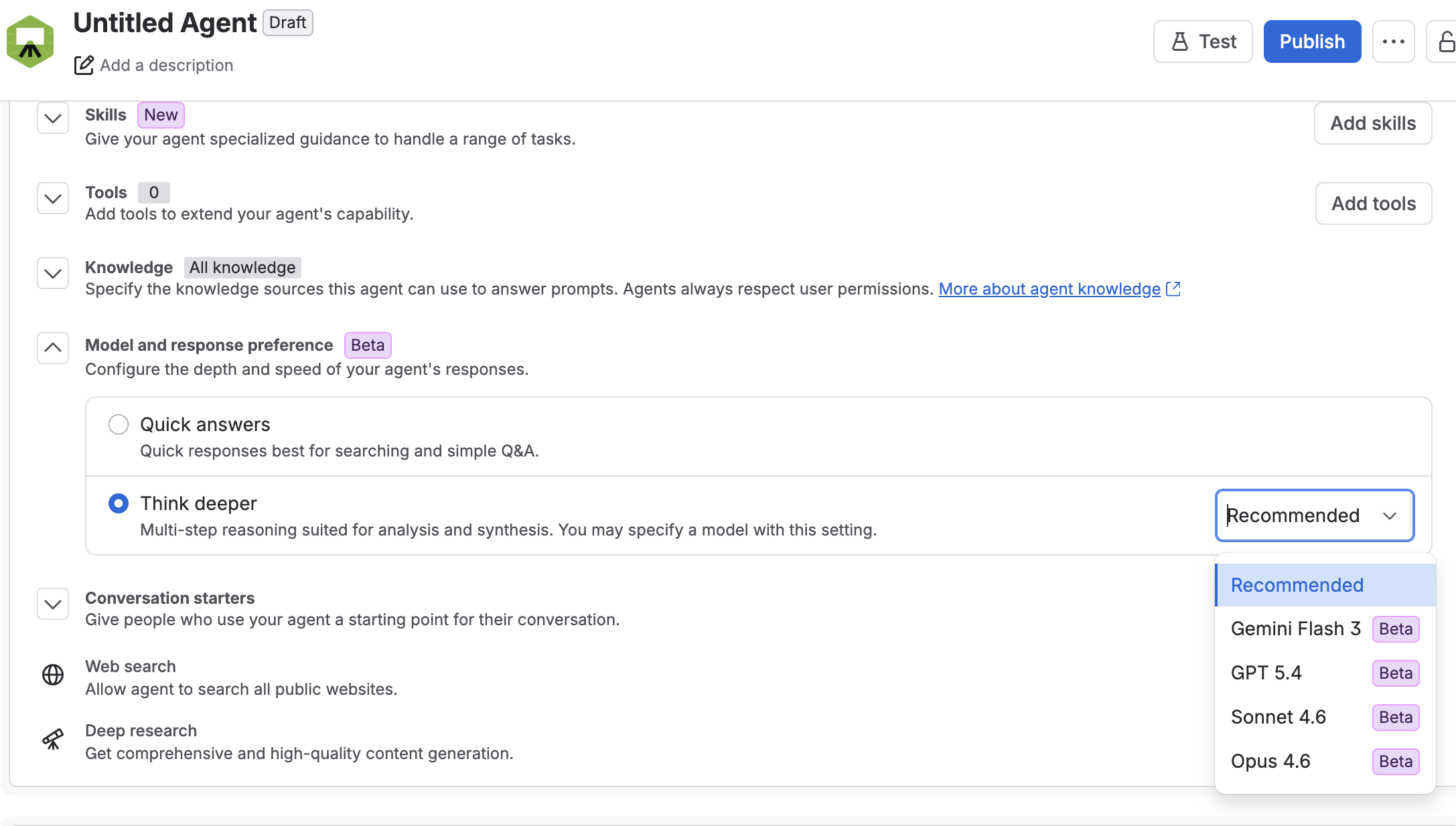
Previously, all agents used the same underlying model with no way to adjust how much reasoning was applied. Now, when building an agent in Studio, you can pick the model and reasoning level that suits your use case. If your agent needs to handle complex, multi-step problems, you can dial up the reasoning. If you want faster responses for simpler tasks, you can keep it lightweight.
This is currently available to customers in our Early Access Program, with general availability landing shortly via a progressive rollout.
Skills in Agent Studio (Open Beta)
Soon you will be able to add skills to your agents in Studio, not just tools.
Skills are pre-built capabilities that combine a set of instructions with the tools needed to carry them out. Think of them as ready-made building blocks - things like finding alerts, querying plans, or looking up incidents - that you can drop straight into an agent without having to configure everything from scratch.
What's in the beta. We're launching with around 20 skills available to add to your agents. We're working towards full parity with the skills available in Rovo Chat, and we'll be adding more over time until this is generally available.
Tools are getting a rename. Alongside this, what you've seen listed as "skills" in Studio up until now are actually being renamed to "tools" to make the distinction clear. No action needed on your end - it's just a naming update, and we'll have documentation to explain the difference.
How it works. Head to the Skills tab when building or editing your agent. You can browse available skills, see what tools each one uses, and add them with a single click. When you add a skill, the tools it needs are added automatically.
This is available now under Open Beta for all customers.
💬 We Want to Hear From You
These features are built based on your feedback. Have ideas for what's next? Questions about how to implement these new capabilities? Reach out to your Atlassian team or visit our documentation to learn more.
Stay tuned for next bi-monthly update - we've got even more exciting features in the pipeline!


