By @Fabio Genovese _ArtigianoDelSoftware_, with contributions from @Rebekka Heilmann _viadee_ and me, Valeri Colón
A discussion started by Fabio highlighted a question many teams are beginning to encounter as they expand Rovo into customer-facing experiences:
If an agent can create a ticket in Studio, shouldn't it be able to create the same ticket from the Help Center portal?
The answer is more nuanced than many customers expect.
The Scenario
A customer had implemented Jira Service Management with a dedicated Help Center, tailored request types, and supporting documentation.
To improve the customer experience, they configured a Rovo Agent with the 'Create Request' capability. The goal was straightforward:
- Help customers find answers in documentation
- Help customers create support requests when needed
During testing, something unexpected happened.
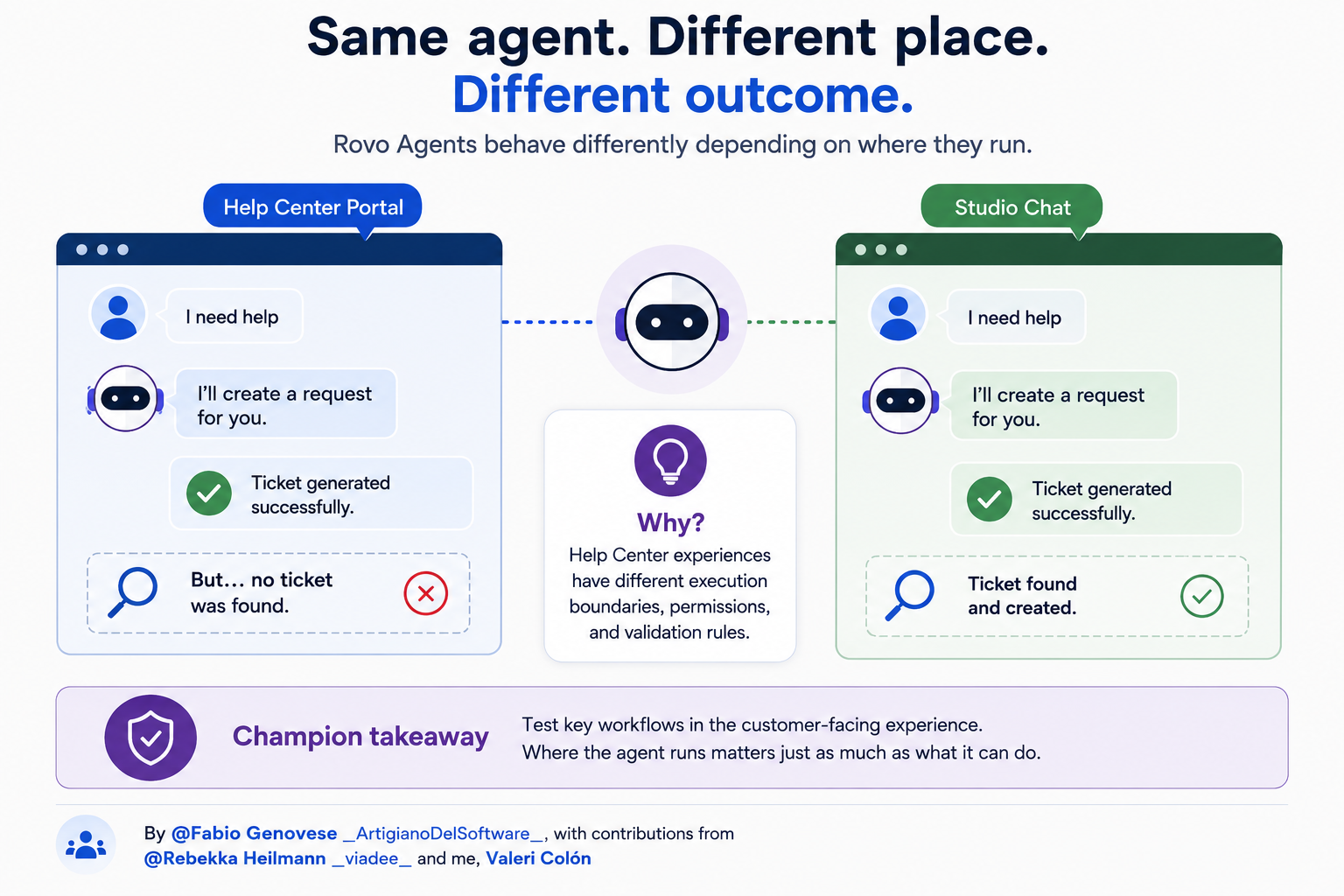
From the Help Center, the agent guided the user through the process and responded:
Ticket generated successfully.
However, when the team searched for the ticket, it simply wasn't there. The same request was then tested using the same agent through Studio Chat. This time, the ticket was successfully created. Repeating the test in the Help Center produced the original result: success message, no ticket.
Short Answer
Rovo Agents currently have different capabilities and execution behavior depending on where they run. While the agent configuration may be identical, the surrounding experience matters.
What's Actually Happening
One important clarification surfaced during the discussion. Studio is not a special execution environment in the way many people assume. Studio testing is essentially a chat experience without the context of a customer portal or work item.
That means:
- Studio Chat and Rovo Chat often behave similarly
- Help Center introduces additional constraints
- Customer-facing experiences may have different execution boundaries
As a result, testing an agent in Studio does not guarantee identical behavior in a customer portal.
The Create Request Reality
Today, the most commonly supported action in Help Center is request creation. However, Champions have repeatedly reported limitations around:
- Custom fields
- Forms
- Validation rules
- Complex request types
- Advanced workflows
In some cases, an agent may appear to complete the workflow successfully while the request itself is never created. That makes troubleshooting particularly challenging because the user receives a success message even though no action occurred.
Why This Creates Confusion
From the customer's perspective:
- The same agent exists
- The same prompts are used
- The same configuration is visible
The natural expectation becomes:
Same agent = same behavior.
But today, that isn't always true. The interface layer matters.
Is This Just One Environment?
That was one of the first questions raised. To rule out configuration issues, testing was repeated across:
- Multiple Atlassian sites
- Matching cloud plans
- Similar configurations
The behavior remained consistent. While every environment is different, the results suggest this is more likely related to current platform behavior than a simple configuration error.
What Teams Should Do Today
If you're deploying Rovo Agents in customer-facing portals...
Use them confidently for:
- Knowledge retrieval
- Documentation assistance
- Summarization
- Request deflection
- Customer guidance
Use additional testing for:
- Request creation workflows
- Custom field population
- Forms
- Validation-heavy processes
- Complex service management scenarios
Most importantly:
Test workflows in the actual customer-facing experience—not just in Studio.
Champion Takeaway
One of the biggest lessons emerging from enterprise AI adoption is that an agent's capabilities are influenced by where it runs. An agent that works perfectly in Studio Chat may behave differently when surfaced in a Help Center portal.
As AI becomes embedded across more products and interfaces, teams should evaluate both:
- What the agent is configured to do
- Where the agent is being asked to do it
Because increasingly, both matter.

