Hello Atlassian Community!
We’re excited to announce that colour enhancements are now available to all Jira Product Discovery customers! This new feature lets you visually organize your ideas by colouring cards and rows based on field values, making it easier to scan, categorize, and prioritize your work.
Why this matters:
Colour coding helps teams quickly distinguish items based on what matters most, like status, priority, or custom fields, so you can focus on what’s important and boost productivity.
What’s new?
-
Colour cards or rows in any view based on field values (Status, custom select, labels, and more)
-
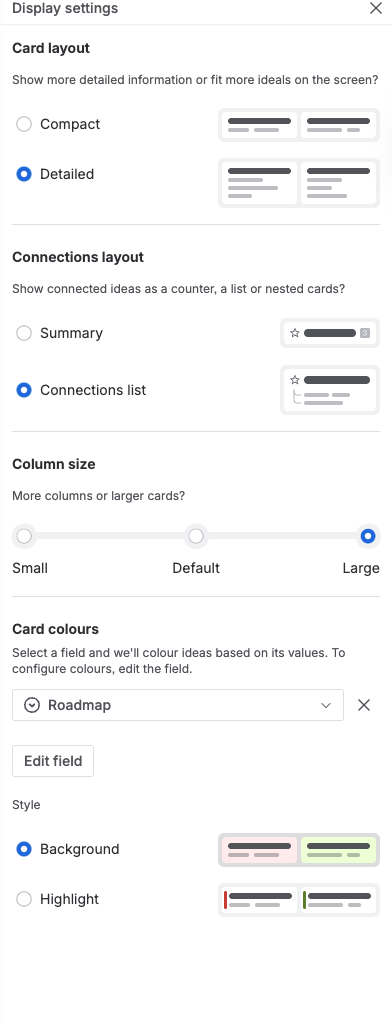
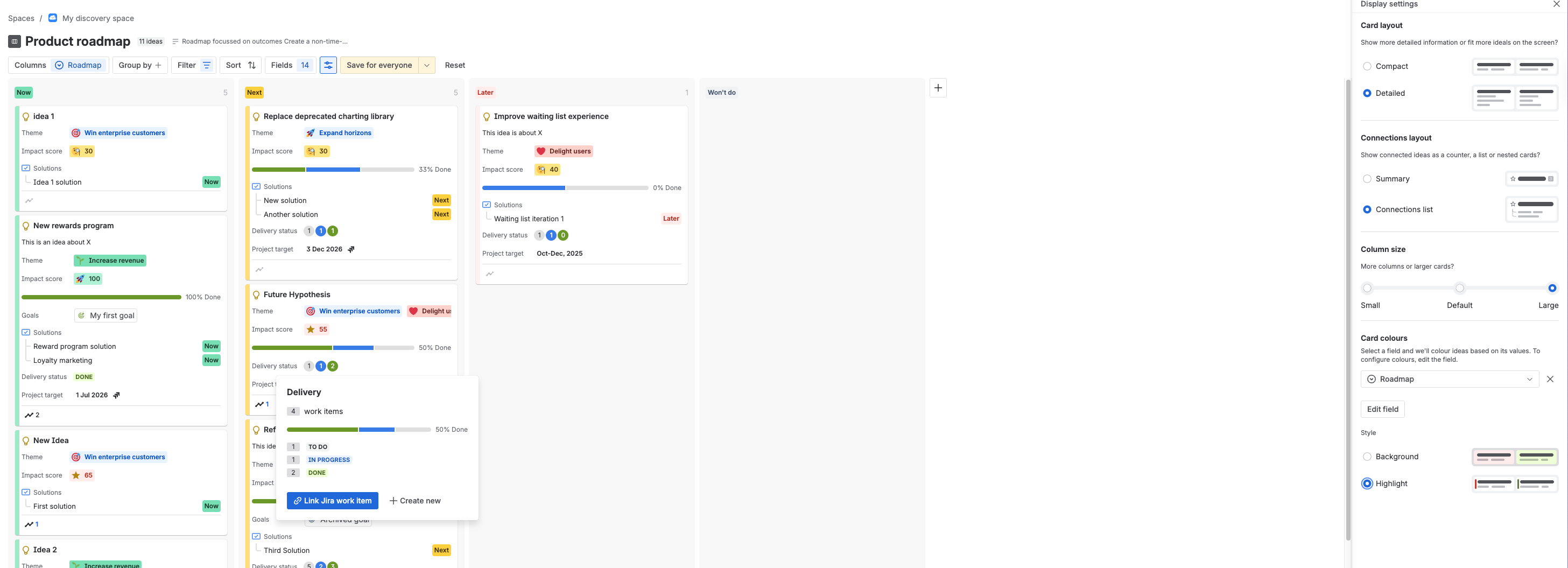
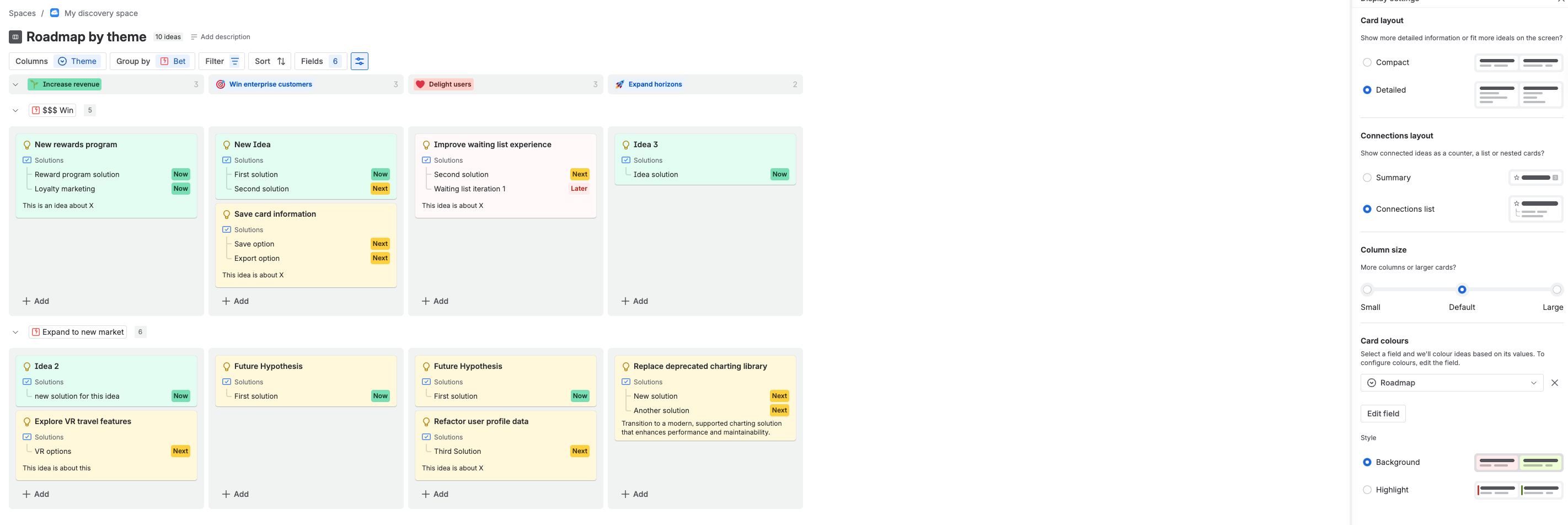
Choose between two colour styles:
-
Settings are saved per view and work in both light and dark themes
-
Fully accessible: Colours maintain proper contrast for readability
How to use it:
-
Open any view and go to Display settings.
-
In “Card colour,” select the field you want to use for colouring.
-
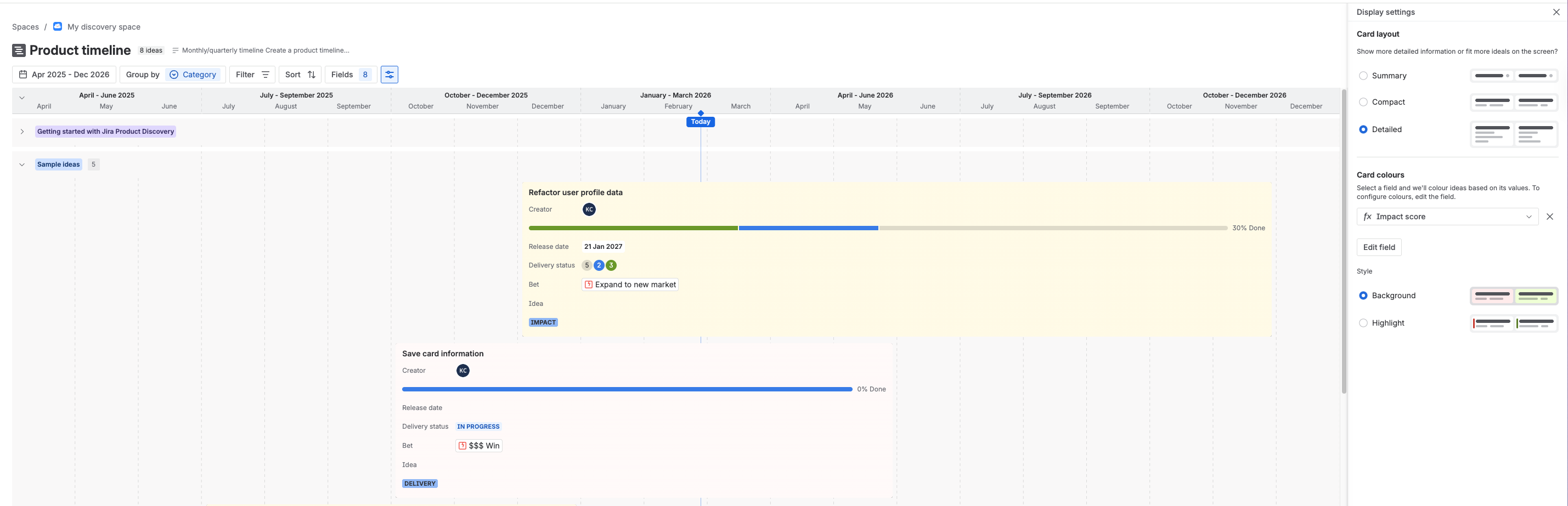
Pick your preferred style, background or highlight.
-
Works on list, board, timeline, and matrix views.
Who benefits?
-
Teams who want to visually organize ideas by status, priority, or any custom field
-
Anyone looking for a faster, more intuitive way to scan and manage large sets of ideas
Frequently Asked Questions (FAQ) & Known Limitations
Q: Why do some colours look different in light and dark themes?
A: To ensure good contrast and accessibility, some colours are adjusted automatically. Lightest colours may appear darker in dark mode, and vice versa.
Q: Can I combine field-based and view-based colour settings?
A: No, if both are set, the view’s colour settings will always take priority over field-based settings.
Q: What happens if I use a multi-select field for colouring?
A: Only the first selected option’s colour will be used for highlighting, to keep things clear and consistent.
Q: Are all fields supported for colour enhancements?
A: Most fields with value decorations are supported, including Status, select, multi-select, labels (with formatting rules), and more. Some fields like dates or numbers need formatting rules to be eligible.
Q: How does colouring work on matrix views?
A: Cards follow your sidebar setting (background or highlight), but matrix cluster bubbles always use the highlight style.
Q: Will my colour settings copy over if I duplicate a project?
A: Yes, colour settings are copied when you duplicate a project.
Q: Can I use multiple colours for a single card?
A: No, only one colour per card is supported, except for matrix cluster bubbles, which can show a multicoloured border.
If your site is on the continuous release track you can start using the feature straightaway.
If it is on the bundled release track it will be available after 1st of April 2026.
Learn more about release tracks
See it in action:
We’d love to hear your feedback!
Drop your questions, suggestions, or feature requests in the comments below. Your input helps us make Jira Product Discovery even better for everyone.
Thank you for being part of our community!
-Kamila, Jira Product Discovery Team


