Hi community,
We know that as your organisation grows, your Goals directory can get pretty crowded. We’re excited to share a new update designed to help you cut through the noise and get straight to the goals that matters most to you.
What’s changing?
Soon, you will be able to set a default saved view in the Goals directory. Instead of landing on the "All Goals" list every time you open the app, you’ll see the specific slice of data you care about most. This is a per-user setting.
Whether you want to see your team’s active objectives, goals tagged for a specific initiative, or a filtered list of your direct reports' progress - you can now make that your permanent starting point.
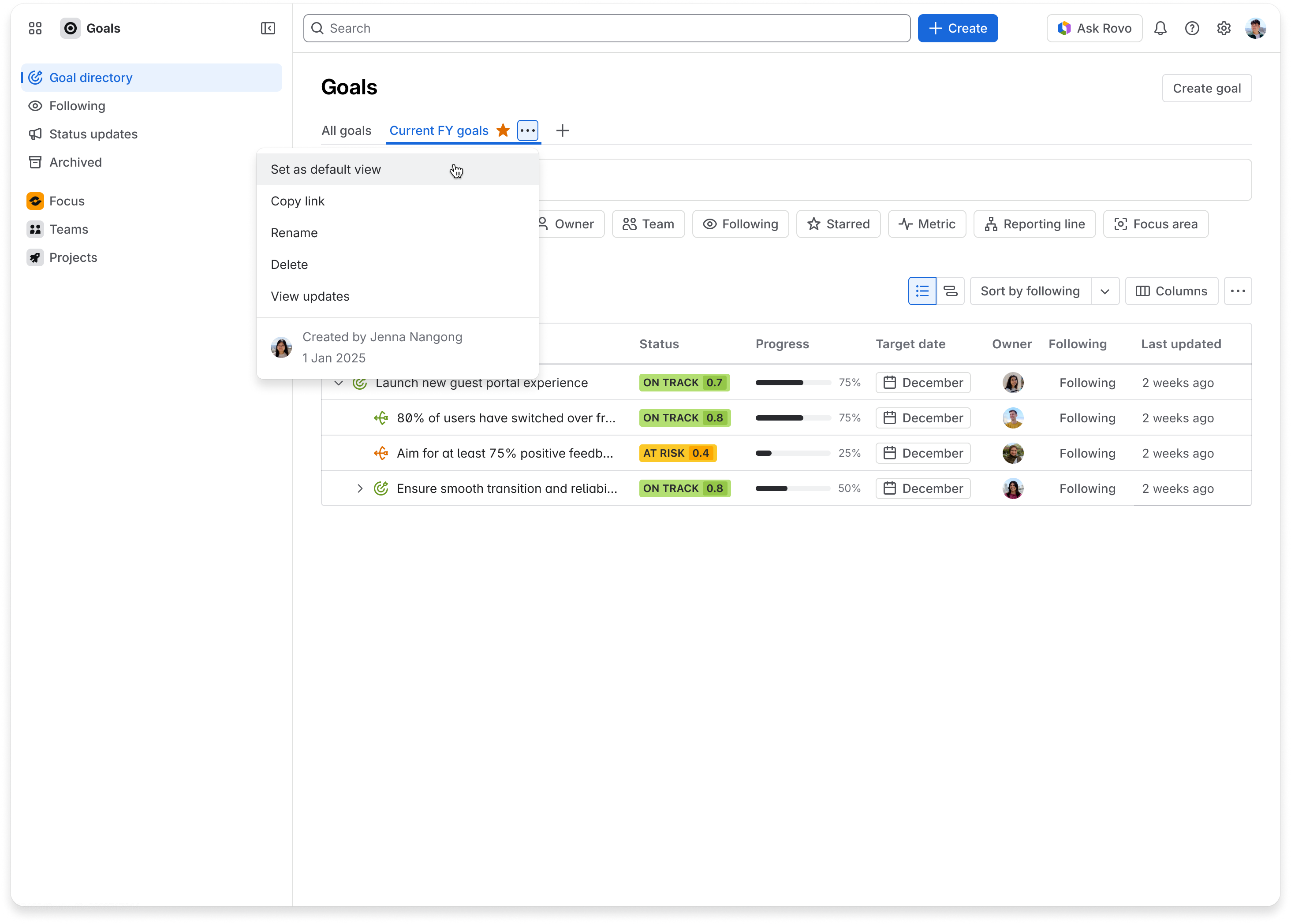
How to set your default view:
-
Create a Saved View if you haven’t already. (Pro tip: Try saving views by Team, Tag, or Status to keep things organised!)
-
Navigate to your preferred Saved view.
-
Click the three-dot (⋯) menu
-
Select "Set as default."
Rollout
We'll be rolling out this change progressively over the next two weeks.
Let us know what you think!
We hope this small change makes your daily workflow a little smoother. As always, we would love to hear any feedback you have for us.


