Hey admins! This update is relevant for customers with the original user management experience.
Last year, we shared our plans to bring you the benefits of a centralized view of user management, while keeping your directories separate. We’re pleased to tell you we’re ready to roll out organization views of your users and groups from June 22, 2026.
Having a view of your users and groups across your organization makes it easier for you to find a user when you don’t know which sites they’re in, or quickly confirm that your groups have synced to your Atlassian sites correctly from your identity provider.
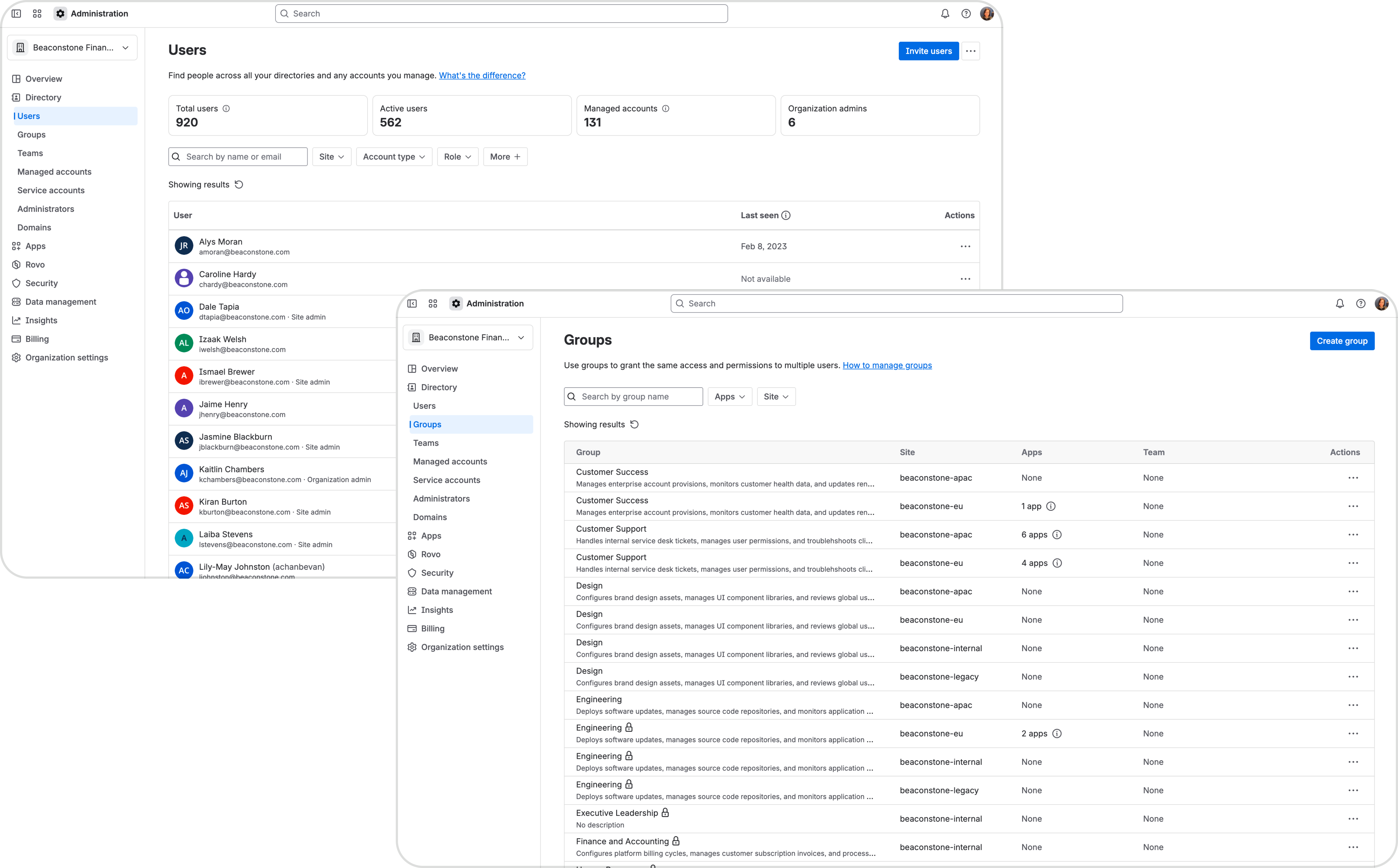
From June 22, 2026, we’ll roll out two new pages in Atlassian Administration: Users and Groups, which you’ll find under Directory. We’ll also move managed accounts into the new Users page, so you don’t have to look in two pages for user accounts. More details below.
What’s changed?
Users
You’ll find a new page called Users under Directory in Atlassian Administration. This page shows all the users across your organization. If you want to see users in a specific site only at any time, use the “Site” filter to narrow the results. Site admins can only see users that belong to sites they can manage.
Additionally, a user’s profile, when opened from the organization Users page, shows you all the apps they can access and groups they’re part of in one or more sites. This gives you a better idea of where users collaborate across your organization. Site admins can only see information about apps and groups in sites they can manage.
When you invite users from the new Users page, you can invite them to more than one site at a time by selecting apps across multiple sites as needed. If you need to make someone a site admin, invite them to the site as a user first. Then, go to their profile to assign the site admin role.
Groups
You’ll find a new page called Groups under Directory in Atlassian Administration. This page shows all the groups across your organization. If you want to see groups in a specific site only at any time, use the “Site” filter to narrow the results. You’ll also see a “Site” column in the table to tell you which site a group is in.
Managed accounts
Managed accounts will move into the new Users page under Directory in Atlassian Administration, so organization admins don’t have to look in two pages for user accounts. Simply use the “Account type” filter on the Users page to find managed accounts. What are managed accounts?
You’ll still see Managed accounts in the navigation menu for some time before we remove it. For now, this menu item takes you to the Users page, filtered to show only managed accounts.
What do I need to do?
No action is required from you. How you manage your users and groups stays the same, including if you need to update details or app access. You can still navigate to the site administration area if you prefer.
Any site admins will also be able to access the new Users and Groups pages under Directory, but they’ll only see users and groups in the sites they manage.
When will I see this in my organization?
We’ll start rolling out the organization views of your users and groups from June 22, 2026. We’ll roll out this update over a few weeks, so your organization may not see the new pages immediately. As we progress through the rollout, we’ll email organization admins to let you know what date you can expect this update in your organization.
We look forward to your feedback and any questions about this update.


