Forums

Articles
Create
cancel
Showing results for 
Search instead for 
Did you mean: 

Archive Teams: Keep your workspace clean without losing your history

Hi Community đź‘‹

We’re excited to announce that you can now archive your Atlassian Teams! You'll see this feature this week onwards starting Monday 24th November.

What’s new?

  • Archive instead of delete: You can now archive teams that are inactive. Archived teams are hidden from pickers, mentions, and search by default, but all their links to work remain intact.

  • Visually distinct & read-only: Archived teams are clearly marked and can’t be edited until restored.

  • Easy management: Find archived teams in a dedicated tab in the Teams directory. You will also find them in Teams directory in Atlassian Administration. Restore or permanently delete as needed.

  • Notifications & audit logs: Team members are notified when a team is archived, and all actions are tracked in audit logs for compliance.

Why archive teams?

Inactive teams clutter your workspace and make it harder to find what matters. Previously, deleting was the only way to remove them - risking loss of valuable historical information.

Now archiving lets you hide inactive teams to keep your workspace clean, while preserving all important data and connections. Archived teams are hidden from everyday views but remain accessible wherever needed.

How does it work?

Archive and restore a team effortlessly

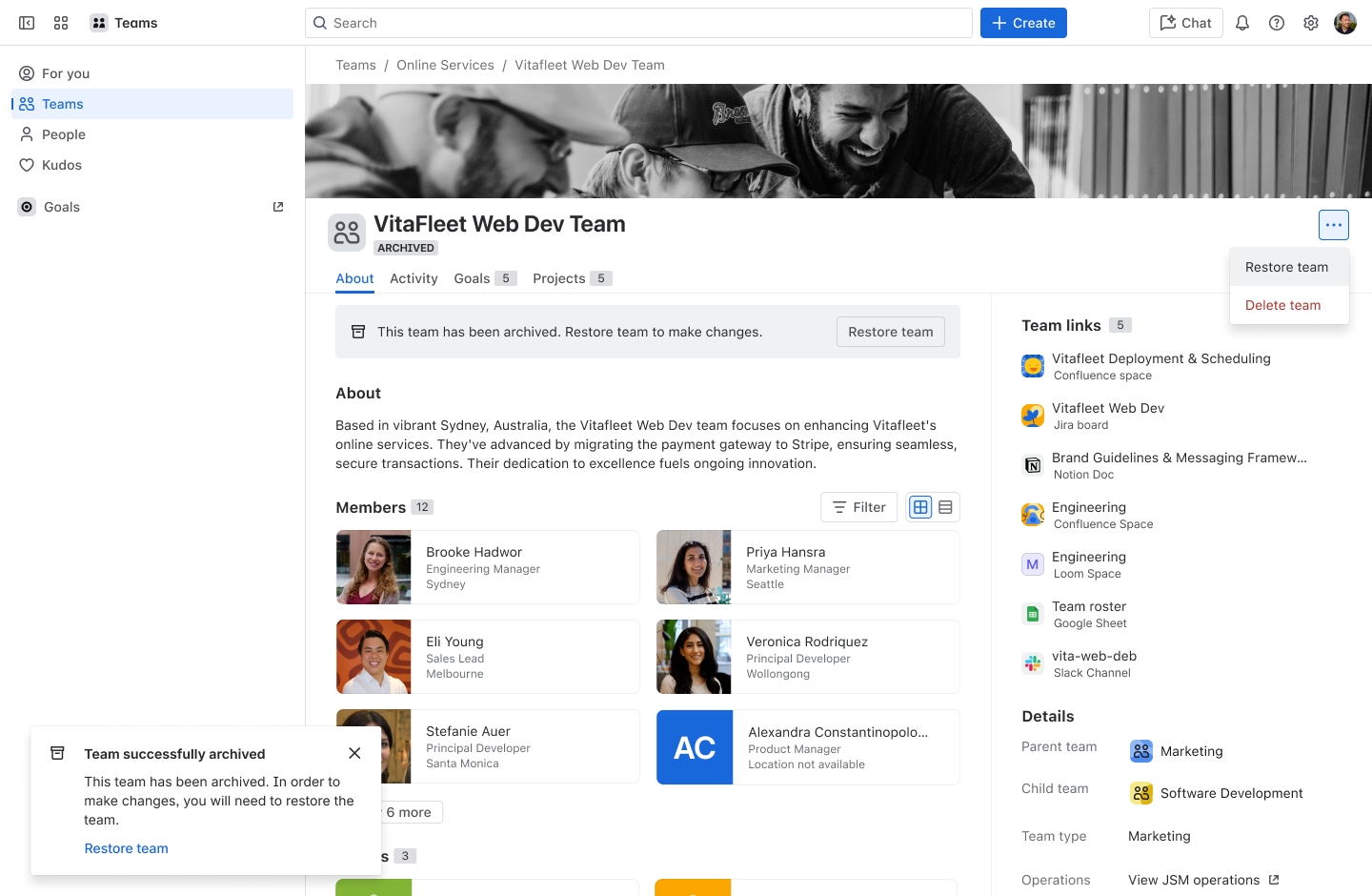
Visit the team profile page and select “archived” team. The team will now appear visually distinct as archived and will become read-only.

You can always revisit the team to restore the team whenever you need.
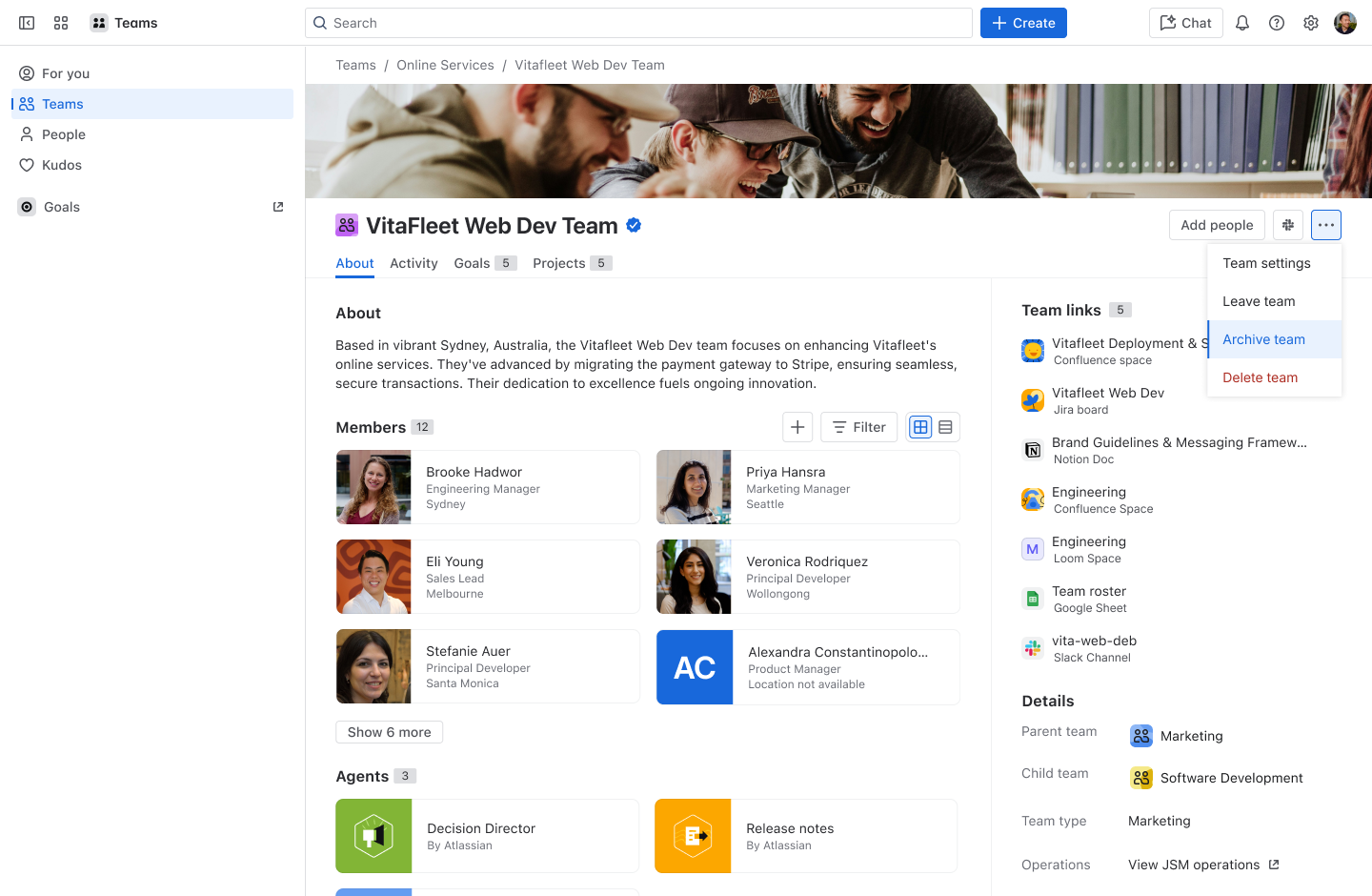
image1.png

image2.png

Peace of mind that your connections remain

All your team’s links like Jira issues and Atlassian goals remain connected and accessible. Even after you archive a team, you can find and view any historical work whenever you need it.
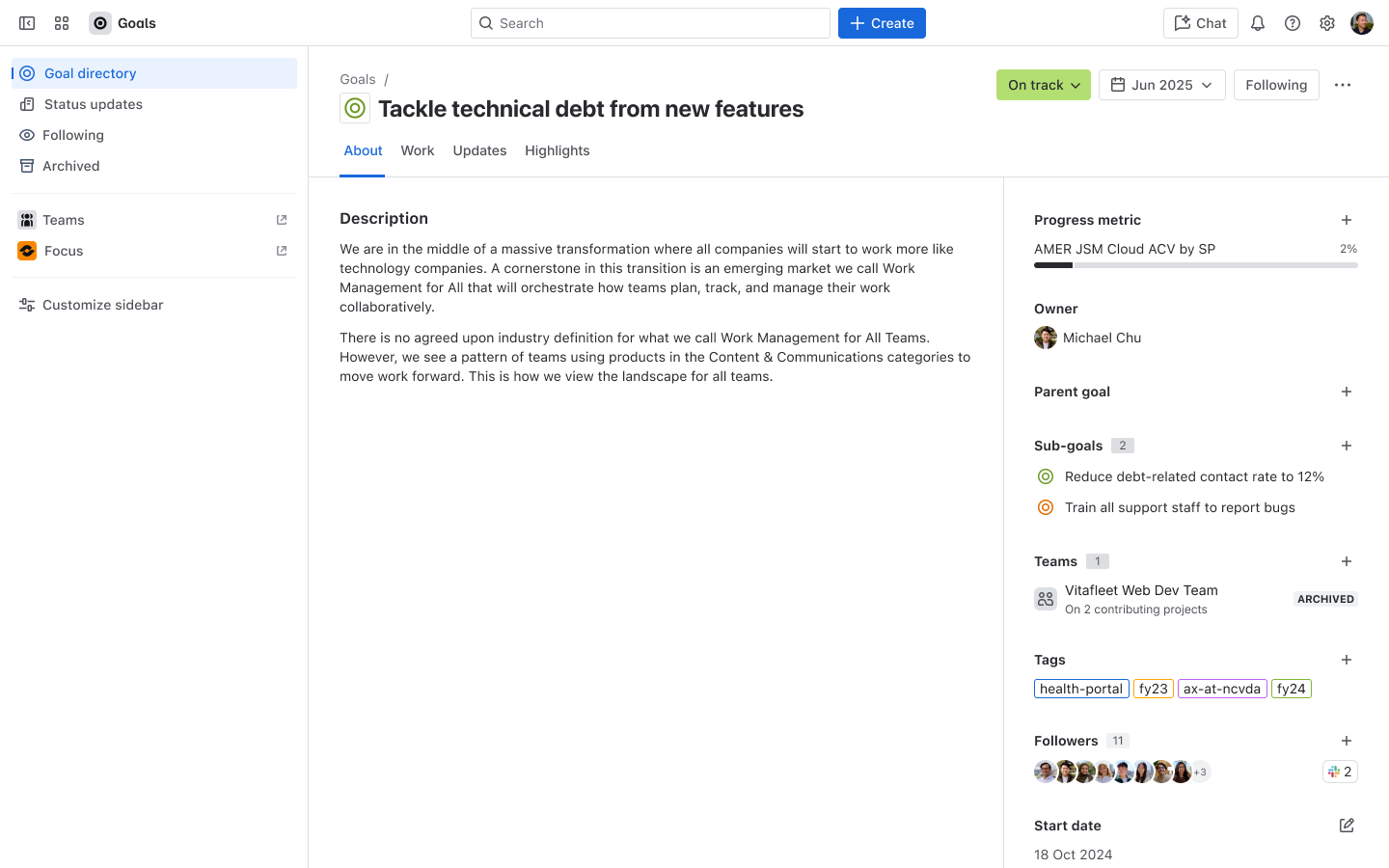
image3.png


Find your archived teams easily

All archived teams are located in the new 'archived' tab in the teams directory - quickly find and revisit.
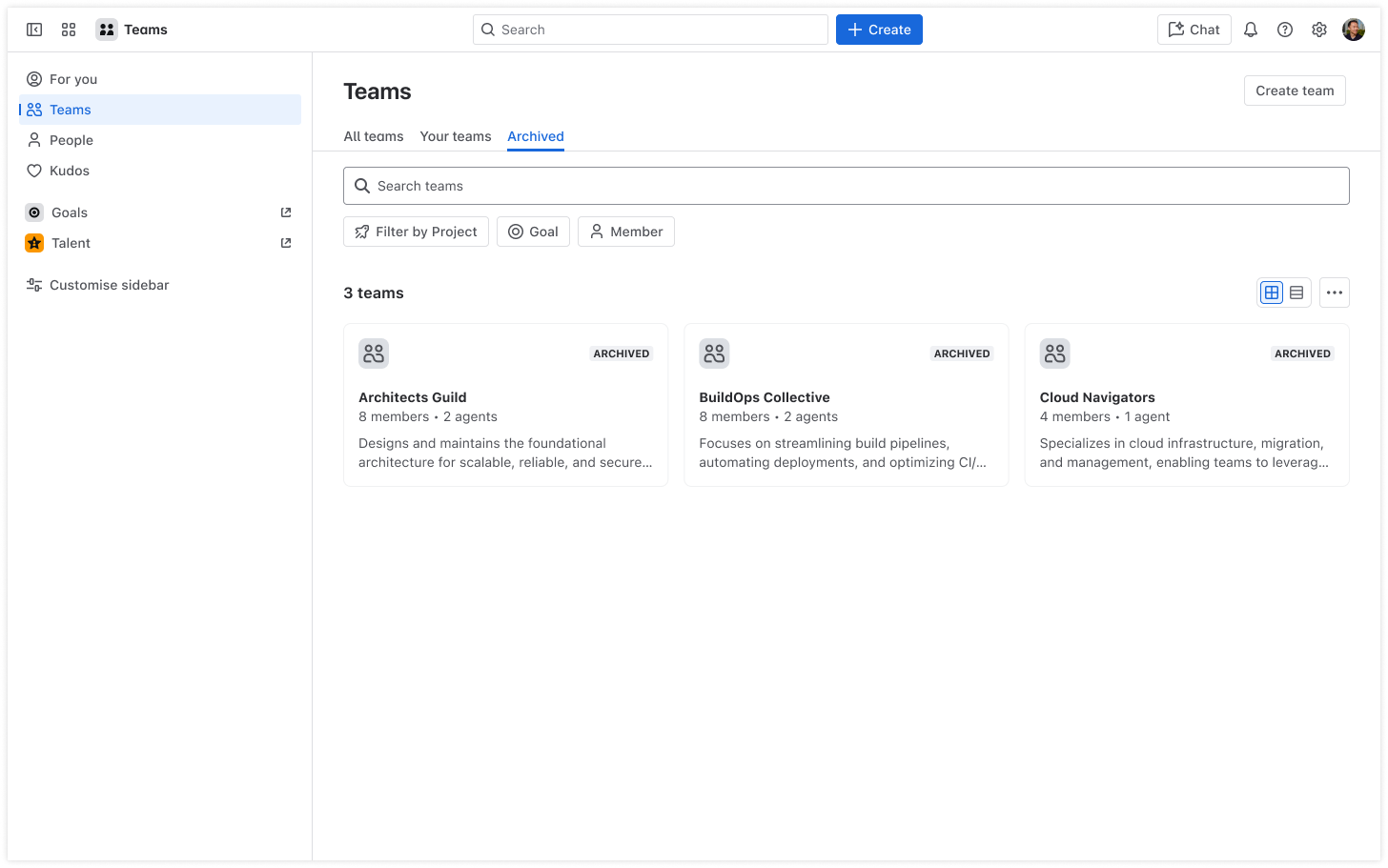
image4.png


6 comments

Josh
Rising Star
Rising Star
Rising Stars are recognized for providing high-quality answers to other users. Rising Stars receive a certificate of achievement and are on the path to becoming Community Leaders.
November 23, 2025

Great news! Thank you, @April Chi .

Like • April Chi likes this
Alexa
Contributor
November 26, 2025

Hi @April Chi

I don't see the option when I visit the Teams page nor do I see an "Archived" tab. See examples below. Is this still in the process of being rolled out?

Also, what permissions are required to archive a team? Can they be adjusted?

Thanks!

no-archive-button-for-team-member.pngno-archive-button-for-global-admin.pngno-archived-teams-tab.png

April Chi
Atlassian Team
Atlassian Team members are employees working across the company in a wide variety of roles.
November 26, 2025

Hi @Alexa ,

Thanks for reaching out! It's still rolling out at 10%. You should be able to see it by early next week. For invite-only and open teams, you must be a team member to be able to archive a team. For managed teams, only org admins can archive a team. 

We're in the process of adding this documentation to support.atlassian.com - I will link it here once it's published. 

Let me know if you have any further questions. 


Like • Alexa likes this
Rudy Holtkamp
Community Champion
November 27, 2025

Hi @April Chi ,

We create teams that are connected to a usergroup. I've a few questions about this:

  • What happens if we archive a team, but add users to the usergroup. Will they be added to the archived team?
  • Does anything happens to the usergroup if there is a connected team?
  • Is the connection to the usergroup still available after a team has been archived?

Cheers,

Rudy

Deon Meyer November 27, 2025

Hi @April Chi 

Do you know when (or if) the Teams Public rest api will be updated to allow for archiving? We have a lot of teams and we're planning to build a tool that will allow us to automate the archiving/ deletion of teams.

April Chi
Atlassian Team
Atlassian Team members are employees working across the company in a wide variety of roles.
November 30, 2025

Hey @Rudy Holtkamp ,

Thanks for the great questions. We're still waiting for ur official documentation to be published but I will share it when it's ready. 

  • What happens if we archive a team, but add users to the usergroup. Will they be added to the archived team?
  • Does anything happens to the usergroup if there is a connected team?
  • Is the connection to the usergroup still available after a team has been archived?

re; managed teams, you cannot archive a managed team. When you try to archive a managed team, it will prompt you to disconnect the team from the external source first. 

@Deon Meyer This feature is still in the midst of being rolled out to customers. Once it is available to 100% of customers today, we will release the public API. FYI:

- As stated above, you cannot archive a Managed Team. If you use the bulk API, it will partially archive the teams that aren't managed teams.

- We will be building an API so you can bulk disconnect managed teams from their external sources. Once they are disconnected, then you can archive.


Comment

Log in or Sign up to comment
TAGS
AUG Leaders

Atlassian Community Events