TL;DR. Try out the ⭐️Starred Fields experimental Chrome extension today and tell us what you think. Get the extension.
Hi everyone,
My name is Matt, I am a product manager on the Jira Cloud team. Between the thousands of feedback submissions we receive each week and recent conversations with users, the layout of fields continues to be a major pain point for users in the new issue view.
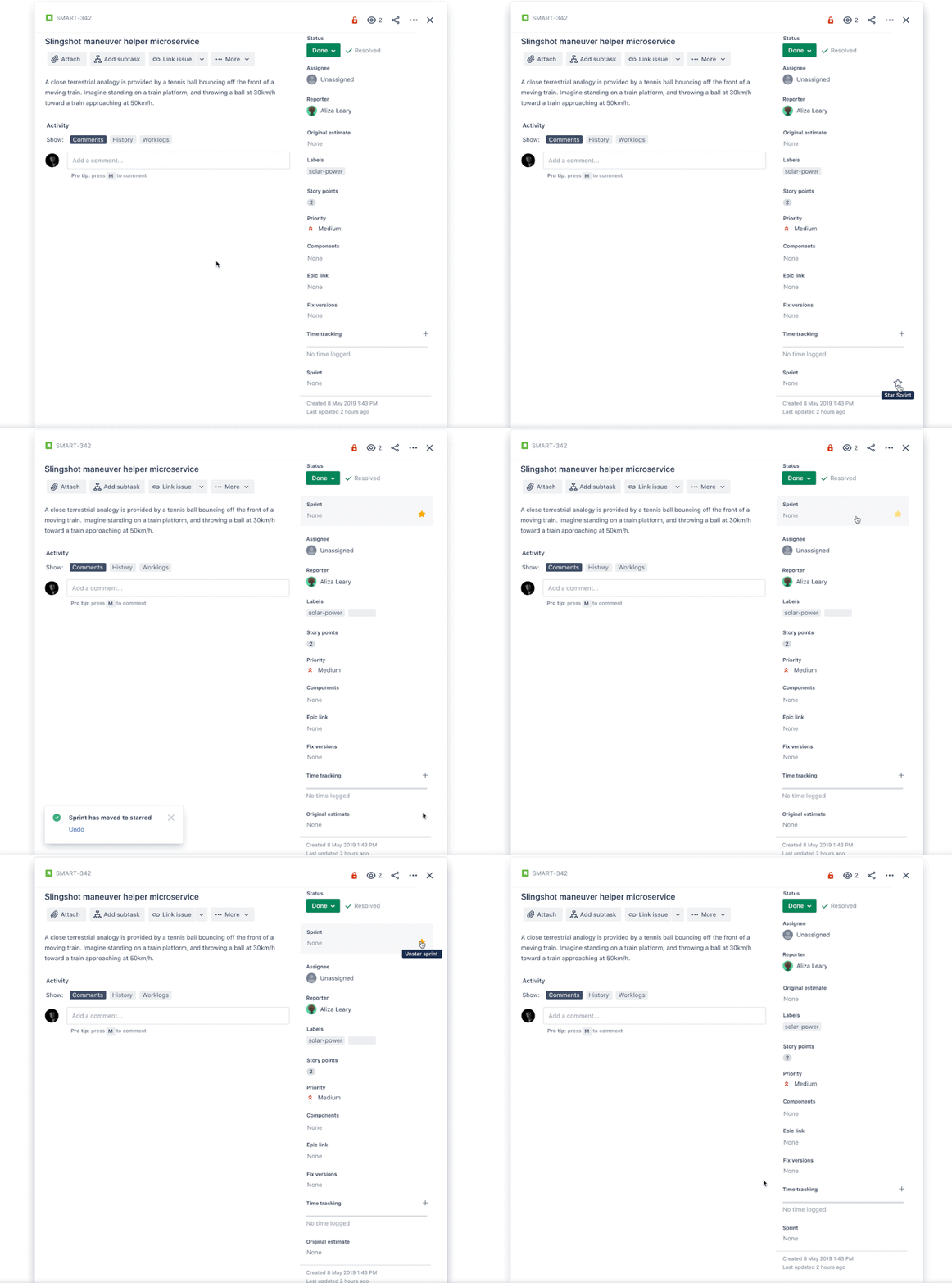
Today we are releasing an experimental prototype in the form of a Chrome extension which makes working with fields a little bit easier in Jira's new issue view. The concept is simple, "star" the context fields that you use most frequently so that they always appear at the top of the new issue view. It works in Jira Software Cloud, Jira Service Desk Cloud, and Jira Core Cloud projects in the new issue view, but not in the old view. Get the extension.
How to install the extension?
- Get the extension by answering a completely optional survey
- Add Jira Starred Fields to Google Chrome
- Ensure you have the new issue view toggled on: Your profile and settings > Jira: Personal Settings > Jira Labs
- Refresh any Jira issue to see the "star" option
We need your feedback
We really want to hear what you think of this prototype. You can submit feedback here. Alternatively, let's have a conversation in the comments below.
Removing the Chrome extension
You may remove the Jira Starred Fields Chrome extension at any time by navigating Chrome menu > More tools > Extensions > Remove
Disclaimer: The chrome extension is a prototype
Jira Cloud Starred Fields is a prototype in the form of an optional chrome extension. It enables you to star your most important fields so they appear at the top of your issue view. You can unstar a starred field at any time. Starring and unstarring a field only changes your field layout; it doesn’t impact the rest of your team.
We built this extension fast knowing that it wold be used only as a prototype. It’s not intended to work perfectly, but rather, to be an experiment with letting you personalize your own view. Try out the extension and give us feedback—this will inform future decisions around letting you customize your own field layout.


