Have you ever struggled with building the Recruitment process when your company actively grows?
Our experience shows the main challenges are about the phases and structure of the process itself.
Jira recently released the Business Type of projects that are keen to involve all business units to Jira (e.g: HR, Sales, Finance, Legal).
To make it clear, they propose the predefined Project setup to this Department’s representatives.
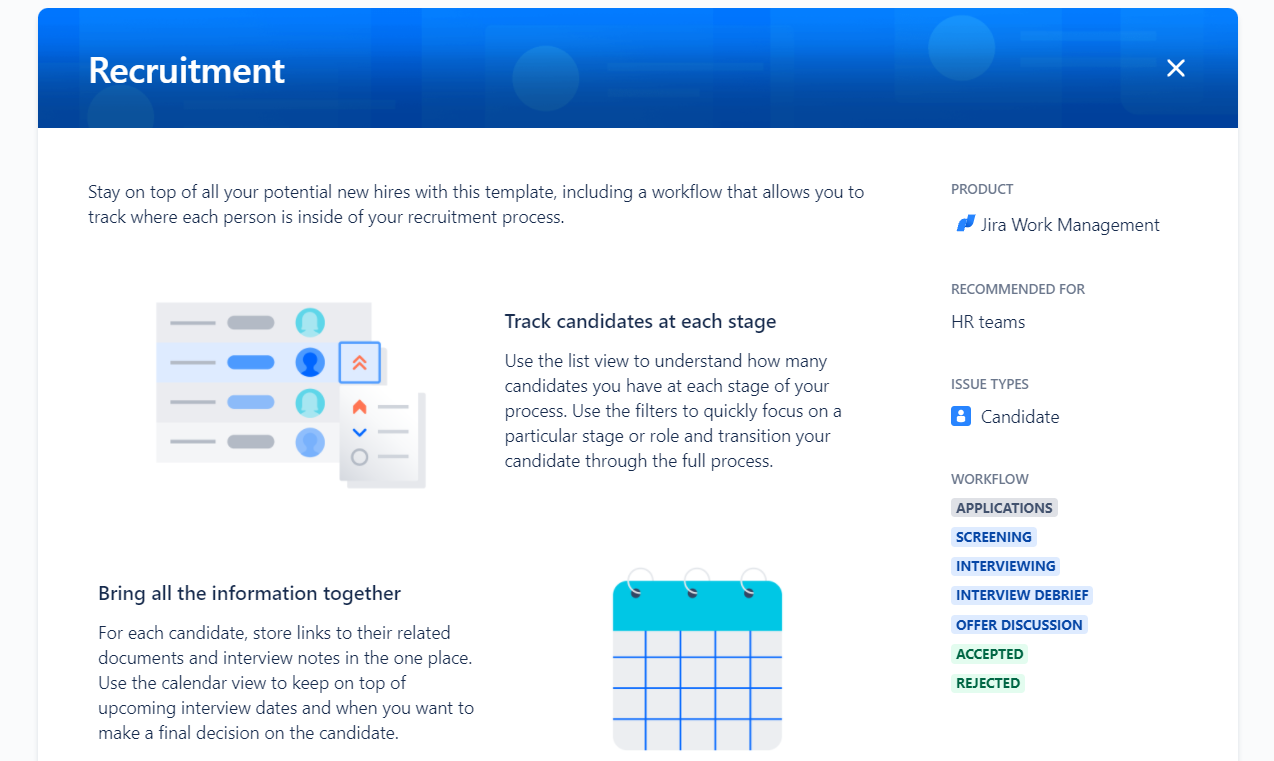
Let’s see how this new approach looks, having the Recruitment as an example.
Also, we're gonna show you how to make a bit of advanced settings with Business Process Manager add-on, since we do believe Recruitment can’t be effective without some Automation.
First of all, the Recruitment project has the following predefined settings: workflow with appropriate statuses, issue type, schema, permissions and issue fields. That’s very important, since creating those entities could be very annoying due to puzzling structured Project settings.
Having a Recruitment project created, you can see the board that potentially can cover any more-less typical acquisition process.
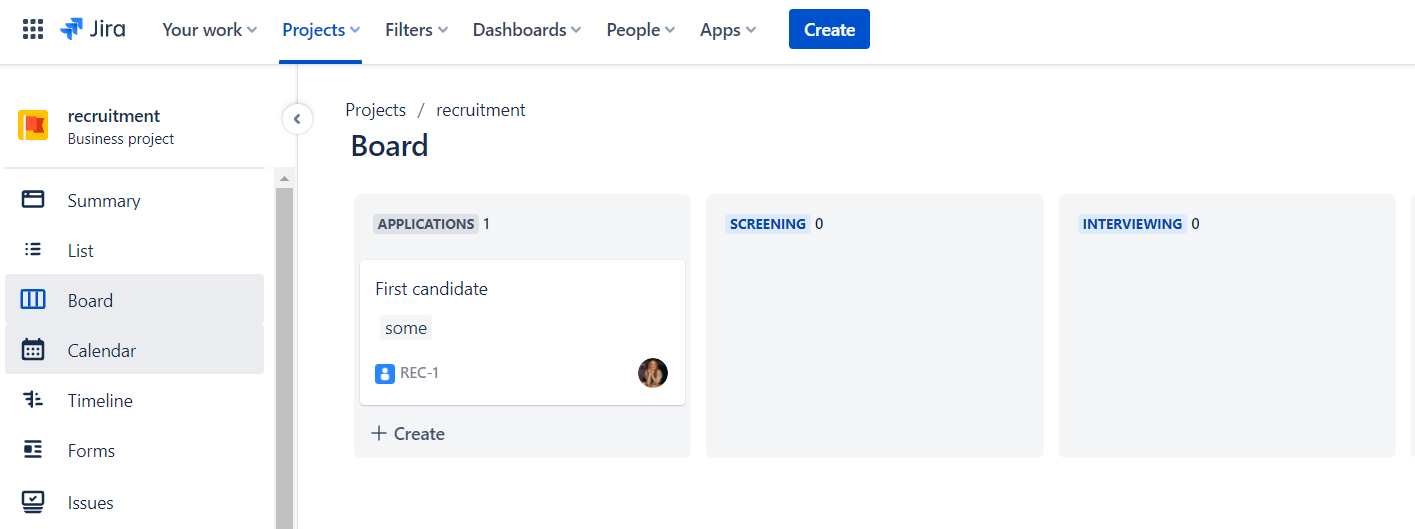
Once issue equals one candidate, it seems to be simple.
The workflow is the following:
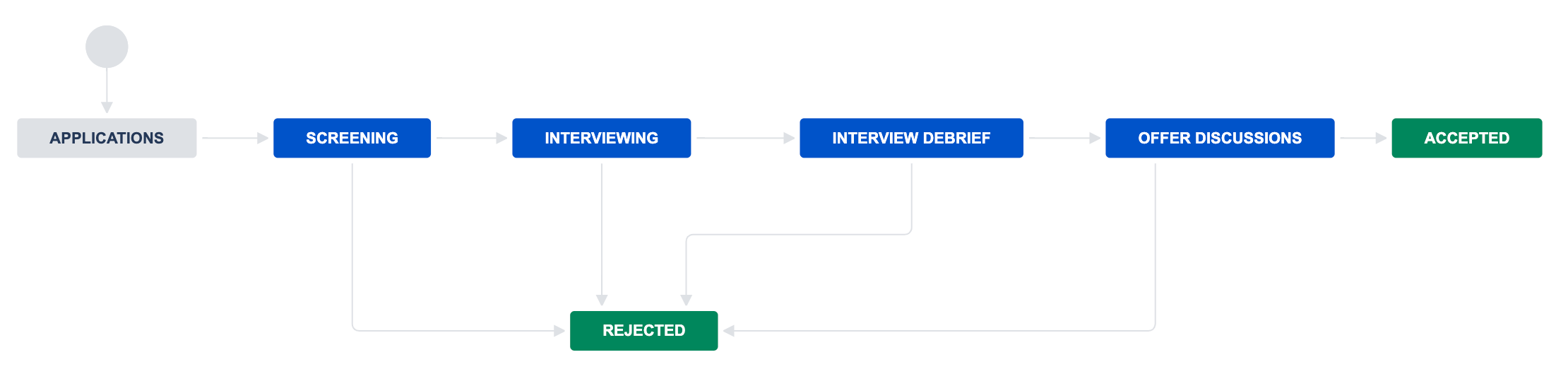
As you can see, it covers the whole process with two possible outcomes: Hired or Rejected.
It seems very easy, however, every step of its workflow requires some people to do their job. For example, Screening process might include a language level check or background check.
Those tasks take some efforts, since they also have structure and requirements.
How to make sure an Issue on this Board is ready for next status?
We here at SaaSJet released the add-on Business Process Manager that helps to run those sub processes.
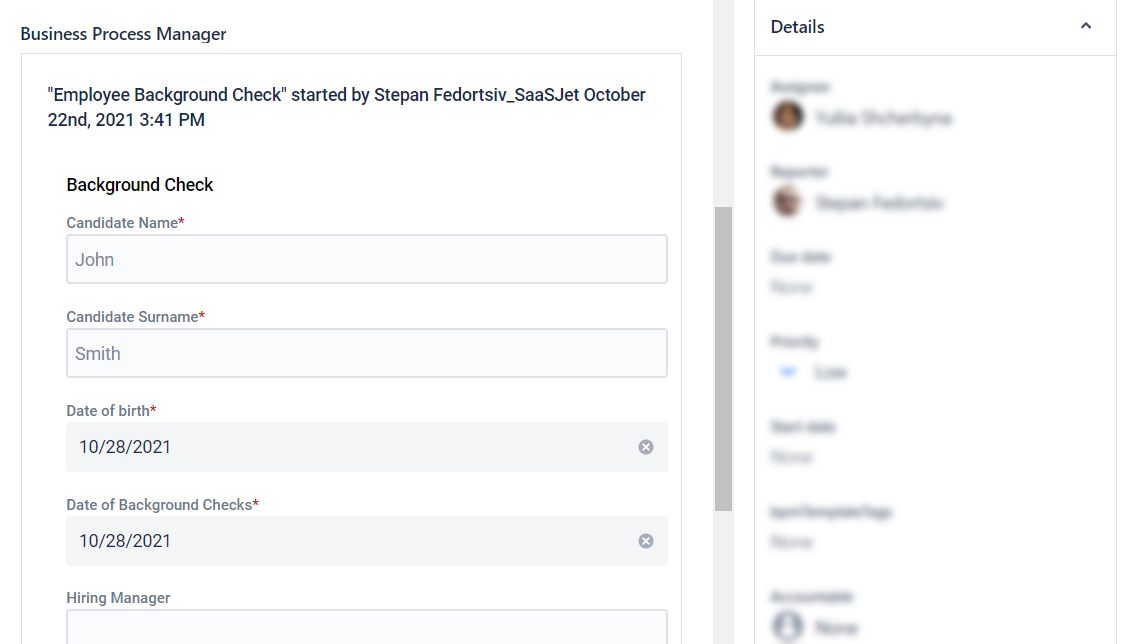
Let’s say, in the scope of Candidate Screening, the company has to make Background Check.
In BPM add-on, it can be reflected as a Form to submit.
To prepare this Form that could be applicable to your personal needs, go to BPM → Create a new template and build the form.
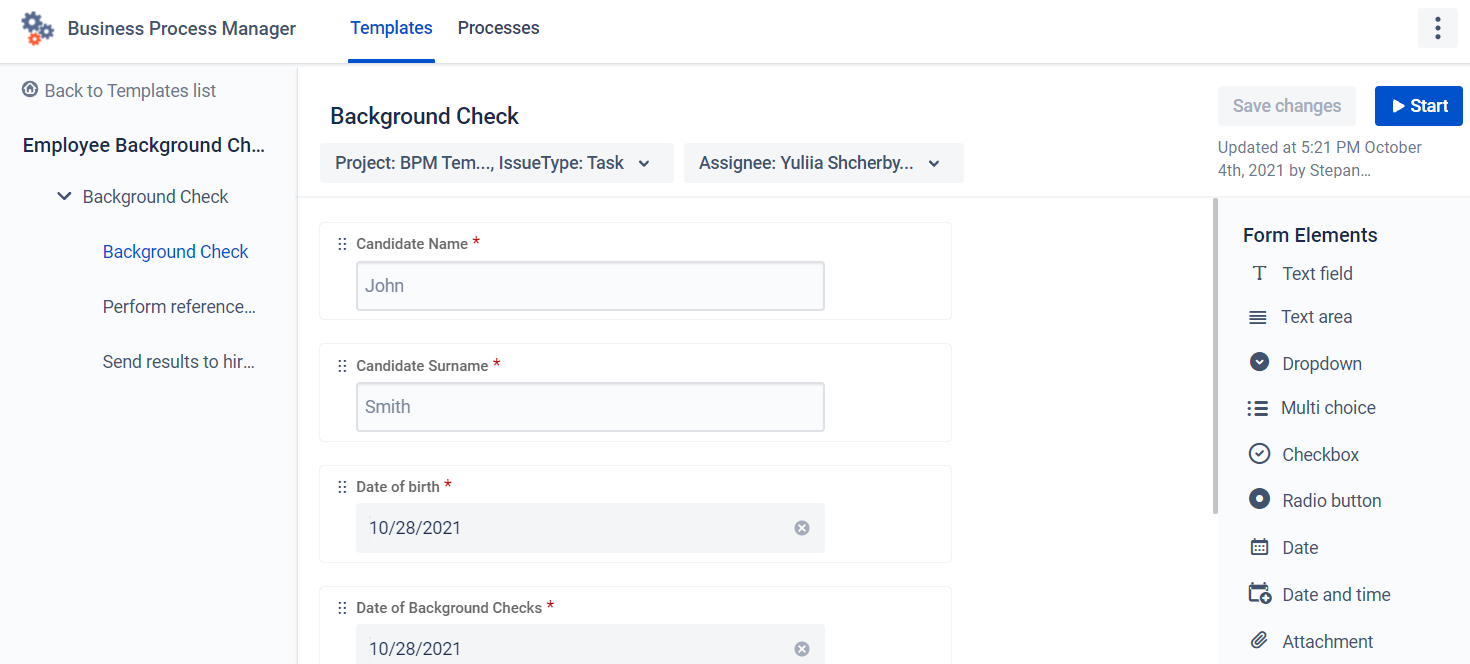
Once the form is prepared, click start and expect the Assignee to complete his job as a regular Jira Issue.

--
Automation to Start Template
Moreover, it’s possible to Start it Automatically using Jira Automation.
Let’s say, you want BPM add-on to publish a new form once the Issue has moved to Screening.
To do so, you have to make 2 simple configurations:
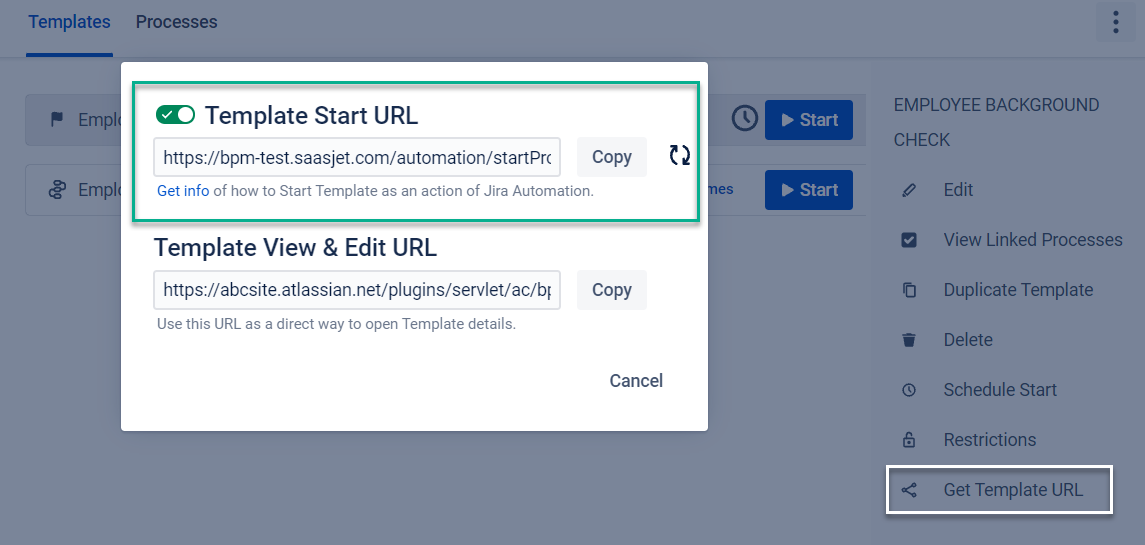
- Get Background check Template Start URL
Move to the add-on, click 3 dots button and open modal window with URL to copy
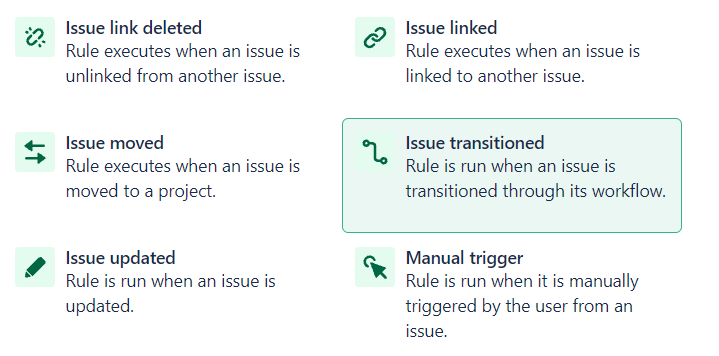
Navigate to Project Settings → Automation → Create new Rule
Select “Issue transitioned”
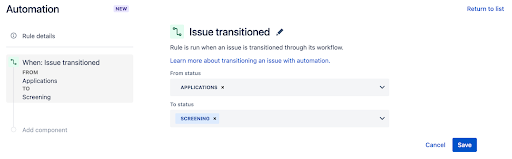
Then select the FROM\TO Statuses
For the Action, select the option “Send web request”.

Paste the Template URL to Web request URL and select GET method.
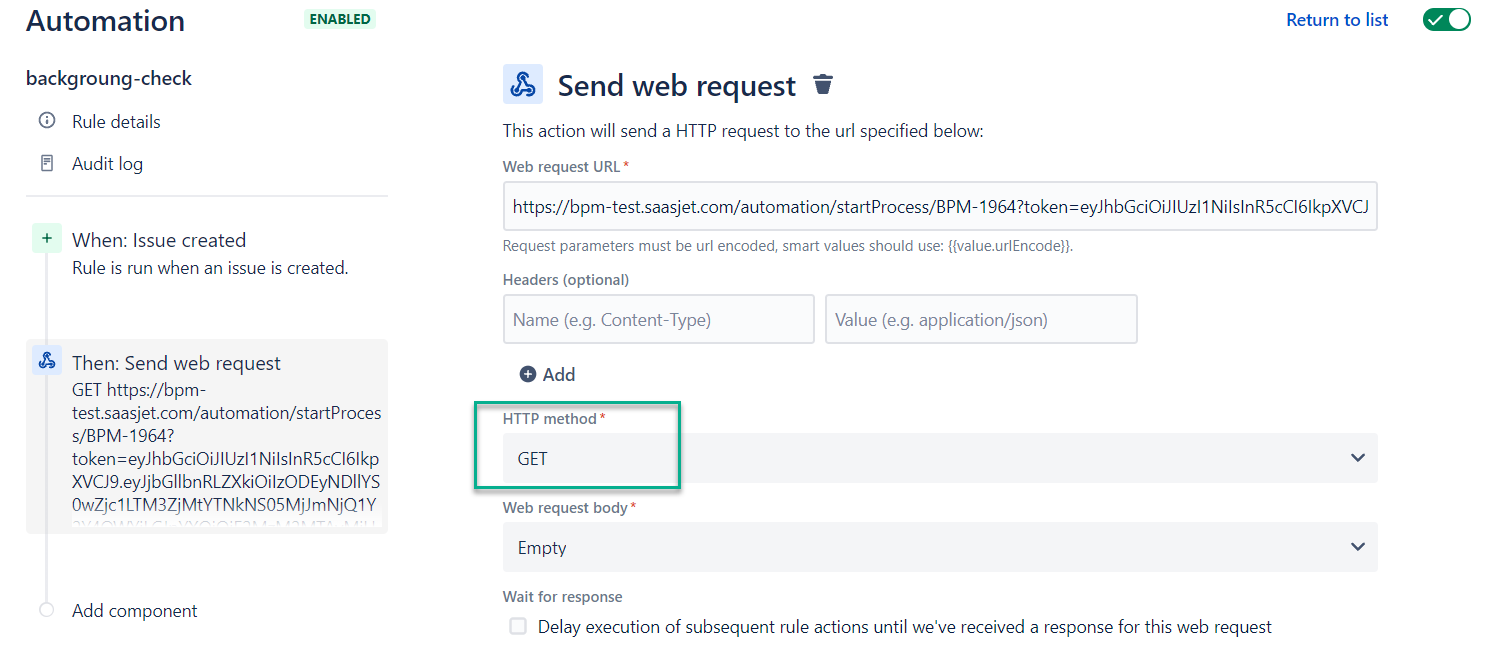
As a result of this Automation, Jira will Start the Background Process once the Recruiter changes status from Applications to Screening. This is what Work Smart might look like.
Going forward, we could do similar Business Processes as sub-processes for Recruitment workflow next steps.
Let us know whether this instruction is useful. Would like to know more about how BPM can help you with Recruitment?

